

How it works
The brand object
A brand’ssettings hold the stored configuration:
A brand ID is prefixed
bnd_. Legacy brands may use a slug like default.
Every workspace has a default brand that can’t be deleted. Every email uses it unless you disable brands in template settings. It is also the fallback when a send enables brands without naming one.
Manage brands through the or the .
Brand variables in a template
At render time Courier flattens the brand into thebrand namespace, without the settings level:
Write it double-braced, so
{{brand.colors.primary}} in template content, or {{var "brand.colors.primary"}} inside a brand’s own MJML/Handlebars template. See .
Brand designer
The brand designer is the visual editor for a brand’s logo, colors, header, and footer. It also takes a custom MJML/Handlebars template, so you can define the exact header and footer markup.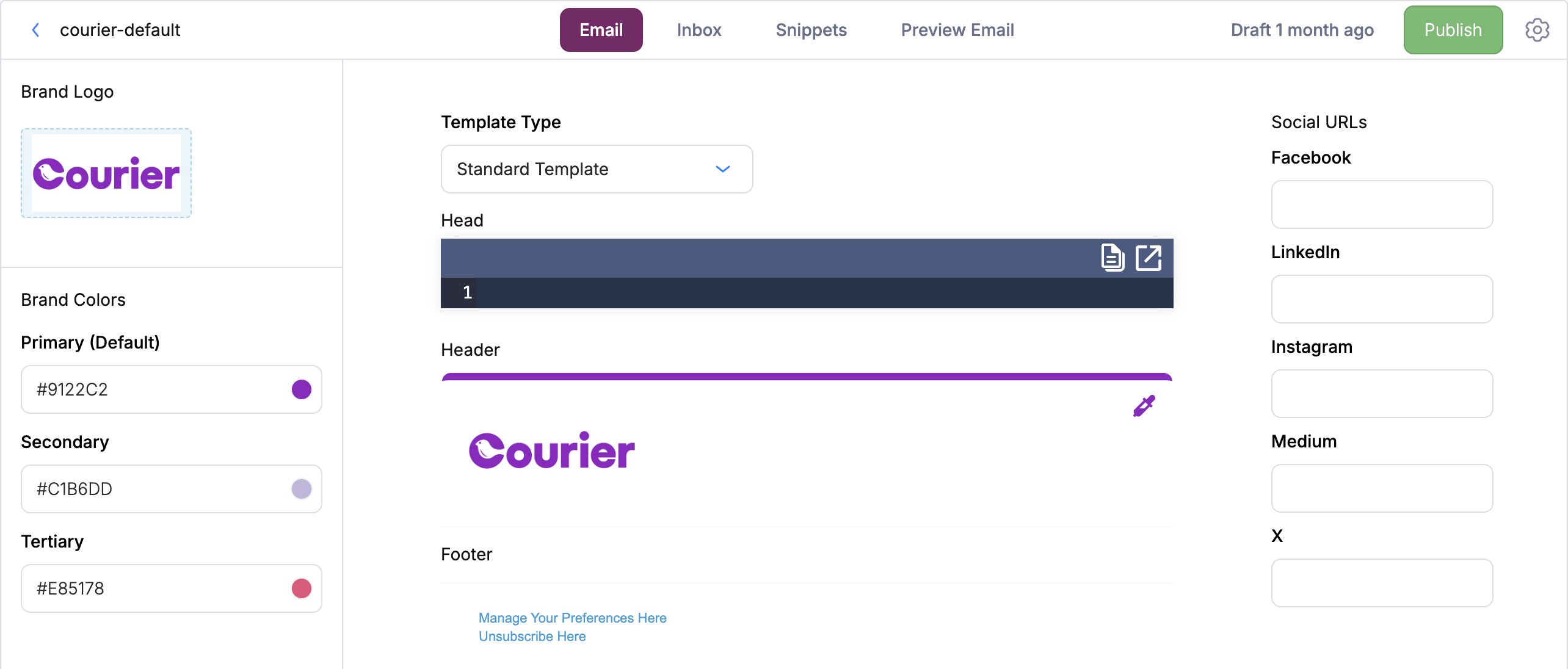
Brand snippets
Brand snippets are legacy and not recommended for new work. They are a Snippets tab on the older brand designer that stores reusable Handlebars fragments on a brand. The new brand designer doesn’t carry them forward, and they aren’t being developed further. Existing snippets keep rendering. For shared content in new templates, use the brand’s header, footer, and Head editors, or a template override.
CSS class names
Courier puts a class on every part of a rendered email. Restyle any of them from the brand’s Head editor. Every rule takes the same shape: ac-- class, a *, and !important.
* reaches the text inside it, and MJML’s inline styles beat a plain stylesheet.
Email domain white-labeling
Sending from your own domain is configured on the email provider integration, not on the brand. Set your verified sending domain and From address on the provider (SendGrid, SES, and so on). Courier enforces the allowed domain at send time. A branded link and open tracking domain is a separate setup, a CNAME to Courier’s tracking infrastructure. See .Applying a brand to a send
Courier picks the brand in this order:- The
brand_idon the send message. - The template’s configured default brand, if brands are enabled on it.
- The workspace default brand.
channels.<channel>.brand_id. In multi-tenant apps, a can carry a default brand, so sends in that tenant’s context pick it up automatically.
FAQ
How do I send from my own domain?
How do I send from my own domain?
Set a verified sending domain and From address on your email provider integration. The brand controls visual styling only. A branded tracking domain is a separate CNAME setup.
What CSS classes can I target?
What CSS classes can I target?
Layout classes like
c--email-body and c--email-footer, c--block with a per-type variant such as c--block-text, and text classes from c--text-text to c--text-h3. Write .c--block-text * { ... !important }. The * reaches the text inside the wrapper, and !important beats the compiler’s inline styles.How do I brand notifications per tenant?
How do I brand notifications per tenant?
Give each tenant a brand and set it as the tenant’s default, or pass
brand_id on the send. Sends in a tenant’s context pick up its brand automatically.