

This feature is available in Design Studio (Beta). In Classic Designer, routing is configured separately for each template.
Selecting a routing configuration
Click the routing dropdown in the template editor toolbar to select or create routing configurations.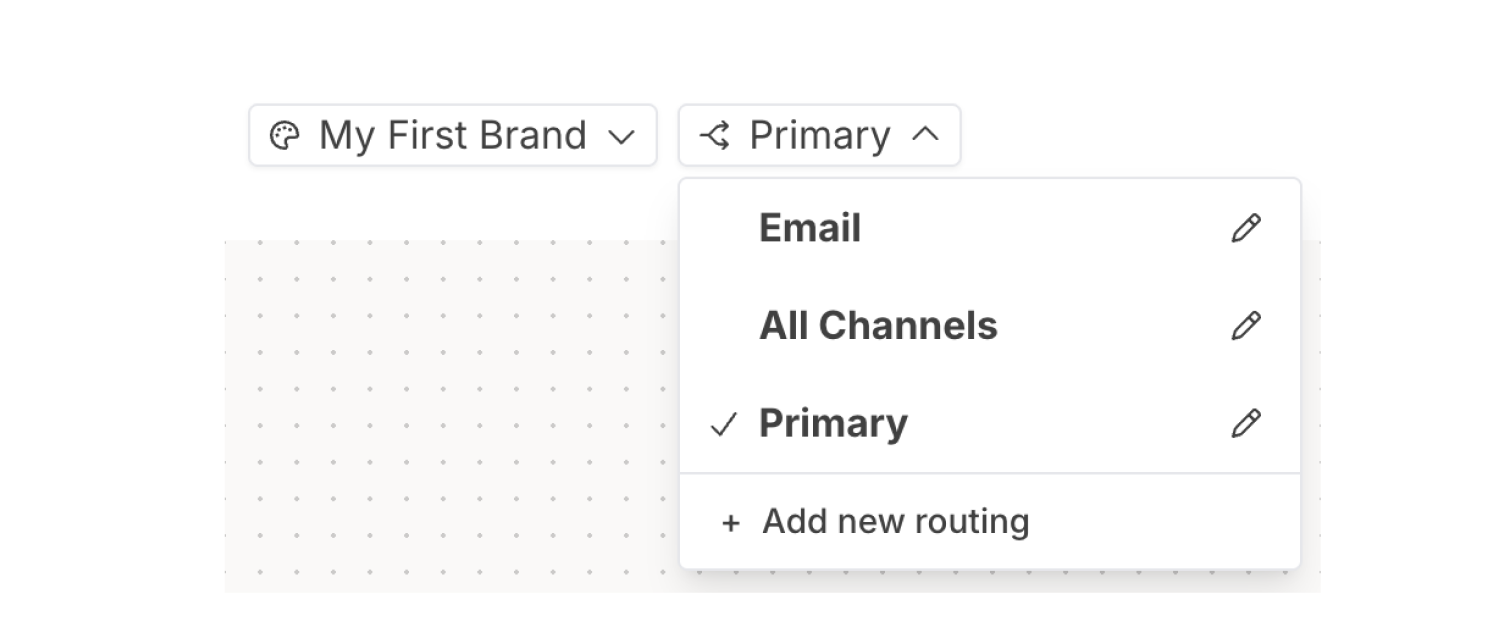
- Select an existing routing configuration
- Click the pencil icon to edit a configuration
- Click + Add new routing to create a new configuration
Routing schemes
Each routing configuration has a name and a scheme. The scheme determines how channels are prioritized.Basic scheme
The Basic scheme sends notifications to all enabled channels simultaneously.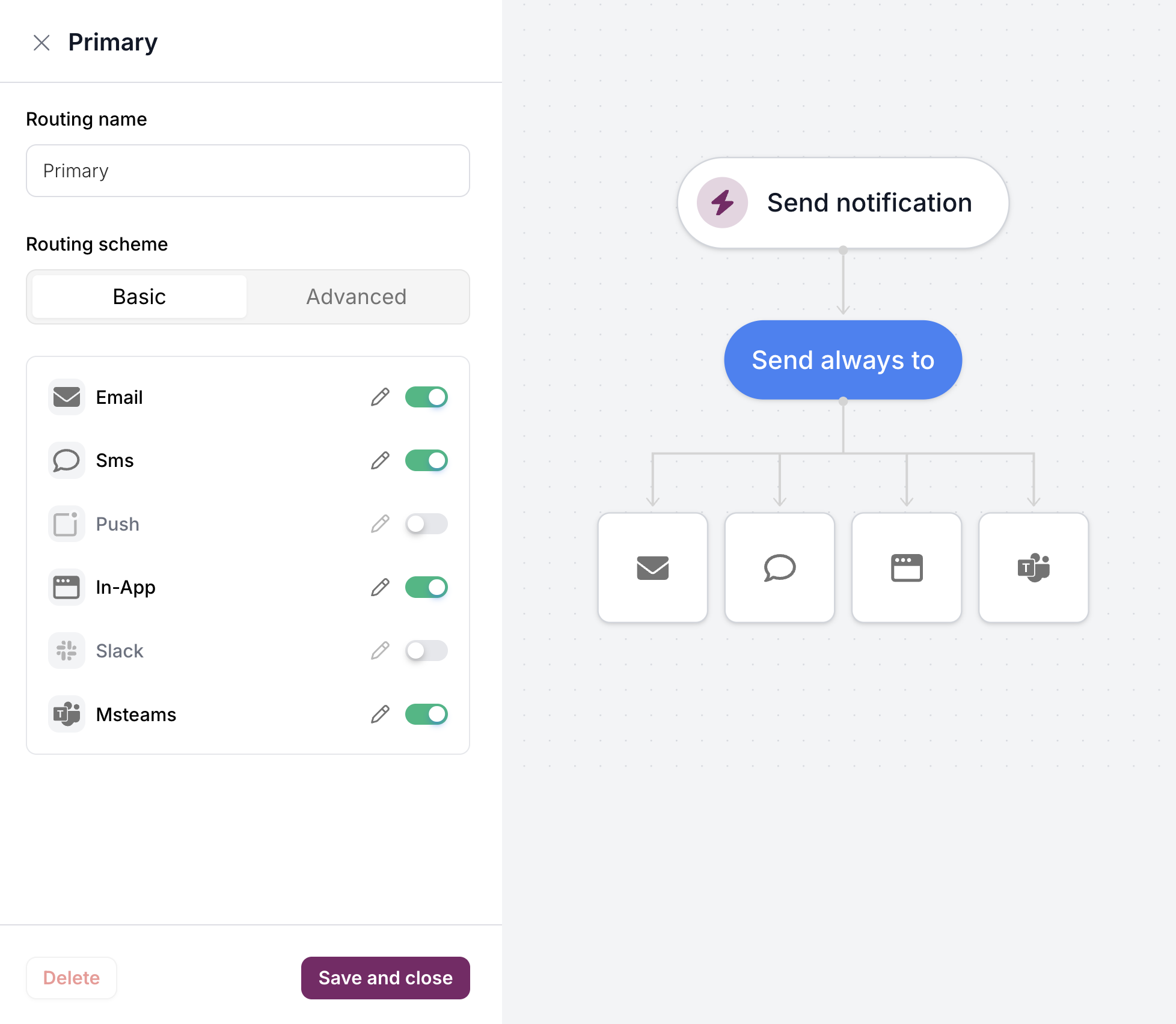
Advanced scheme
The Advanced scheme provides cascading fallback logic. Notifications are sent to a required channel first, then fall back to other channels if delivery fails.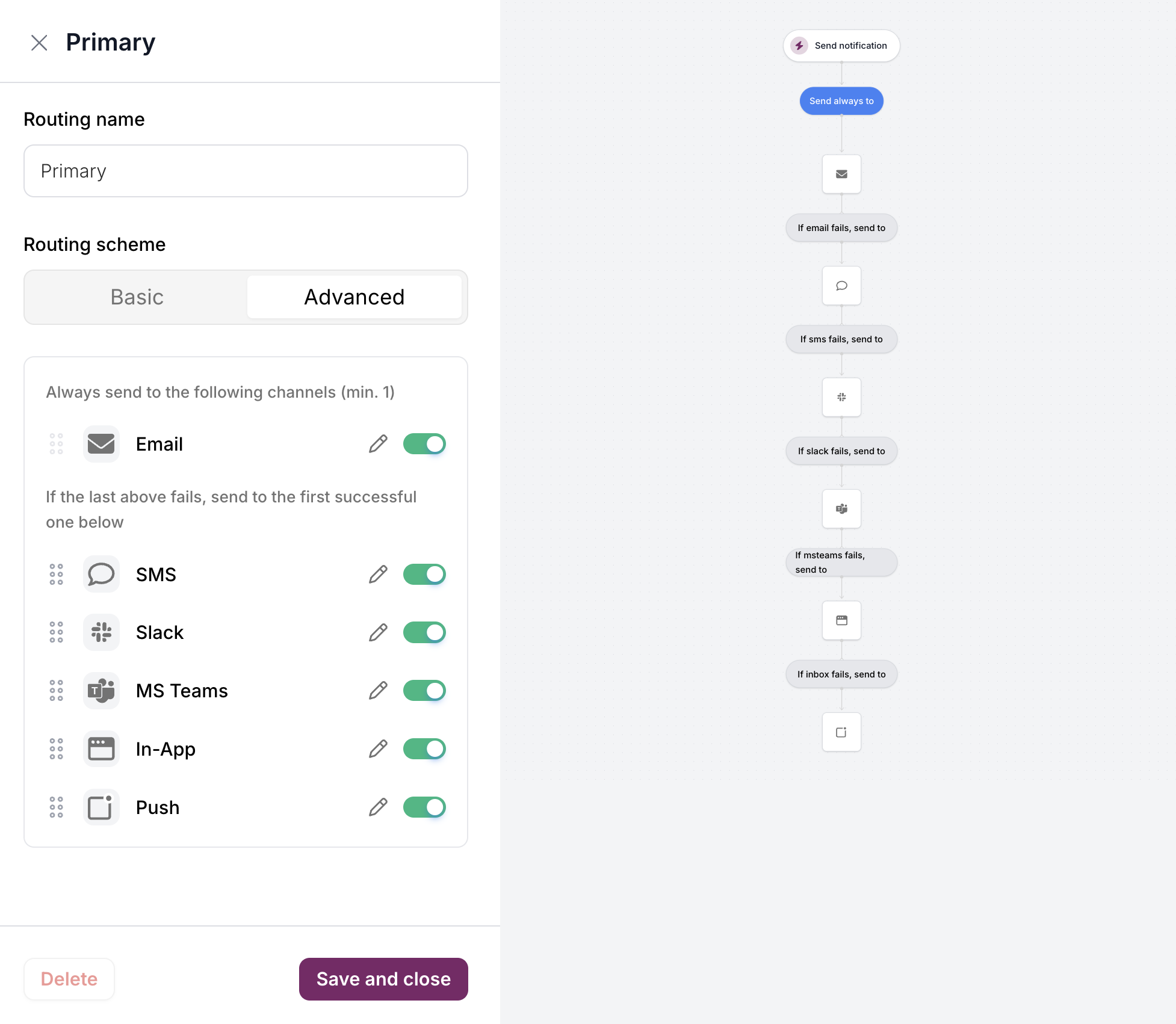
| Section | Behavior |
|---|---|
| Always send to | Required channel(s) that always receive the notification |
| If the last above fails, send to | Fallback channels tried in order until one succeeds |
Reusing routing configurations
Unlike the classic designer where routing is configured per-template, v2 routing configurations are saved and reusable:- Create a routing configuration once (e.g., “Primary” with email + SMS fallback)
- Apply it to multiple templates from the routing dropdown
- Edit the configuration to update all templates using it
Related
Content Blocks
Building notification content
Send API
Sending notifications with routing