How to Reduce Notification Fatigue: 7 Proven Product Strategies for SaaS
 Thomas SchiavoneJanuary 05, 2026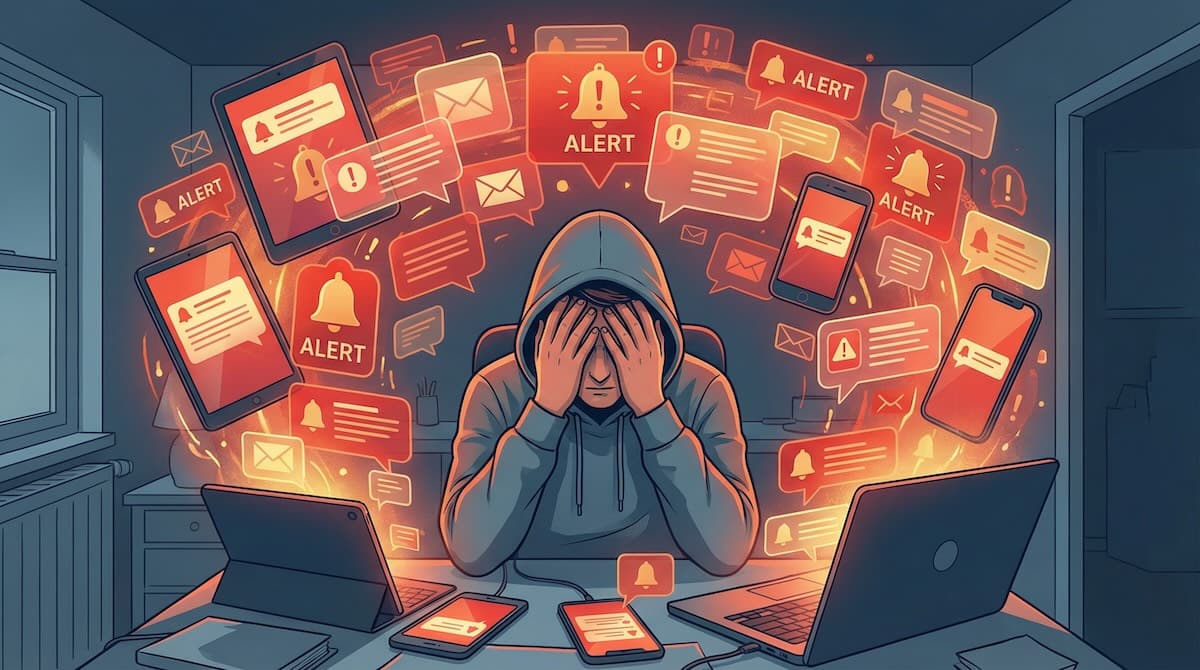
Last updated: July 2026
Notification fatigue has become one of the most pressing challenges facing product teams. The average smartphone user already receives up to 46 push notifications per day across their apps, and when yours add to that overload without earning attention, users either disable notifications entirely or abandon your product altogether.
The paradox is clear: notifications drive engagement and retention, yet too many actively harm those same metrics. The fix is not to send fewer notifications arbitrarily, but to send smarter notifications that respect user attention and deliver real value. Below are seven evidence-based strategies to reduce notification fatigue while keeping users engaged, whether you are building a SaaS platform, mobile app, or e-commerce site.
Key takeaways
- Notification fatigue, not notification volume by itself, is what drives opt-outs and churn. The fix is smarter targeting, not simply sending less.
- Batch and digest low-priority notifications so users get one scannable summary instead of a stream of interruptions.
- Give users granular control over type, channel, and frequency. Preference centers can cut unsubscribes by up to 30% without reducing send volume.
- Throttle to prevent notification storms, and send at each user's optimal time. Well-timed sends earn roughly 3x the open rates of time-zone scheduling.
- Coordinate across channels to eliminate duplicate alerts, and treat measurement (opt-out rate, engagement, retention) as an ongoing loop, not a one-time project.
Understanding Notification Fatigue
Notification fatigue is the mental exhaustion and desensitization users experience when they receive too many notifications, particularly ones that lack relevance or value. It shows up in three ways: users ignore notifications, disable them at the system level, or build negative associations with your brand.
The stakes are high. Once messages feel excessive, users turn push off, which severs your most direct line to them. Notifications are also one of your strongest retention levers: Localytics research on push and app retention shows that users who never receive relevant, well-targeted notifications are far more likely to churn. Overload correlates with shorter sessions, lower feature adoption, and reduced lifetime value. The goal is not fewer notifications for their own sake, but the right ones.
Four root causes drive fatigue:
- Volume overload: too many notifications in a short window, regardless of quality. Even valuable alerts lose impact when they arrive in rapid succession.
- Relevance mismatch: notifications that ignore user preferences, behavior, or context, like a promo sent at 3 AM or an alert about a feature the user never touches.
- Value deficit: notifications that rarely offer anything actionable, teaching users to ignore everything you send.
- Channel fatigue: the same event fired across email, SMS, push, and in-app, which reads as spam and erodes trust.
Key terms
| Term | What it means |
|---|---|
| Notification fatigue | Mental exhaustion and desensitization from receiving too many low-value or poorly timed notifications. |
| Batching / digest | Consolidating several notifications into one scheduled summary instead of sending each individually. |
| Throttling | Rate-limiting how many notifications a user or channel can receive within a time window. |
| Quiet hours | User-defined periods when non-urgent notifications are suppressed. |
| Cross-channel synchronization | Coordinating delivery across email, SMS, push, and in-app so users are not hit with duplicate alerts. |
| Preference center | A UI where users choose which notification types, channels, and frequencies they receive. |
Strategy 1: Implement Intelligent Batching and Digest Notifications
One of the most effective ways to reduce fatigue is to consolidate multiple notifications into periodic digests rather than sending each alert individually. Instead of five separate pings about new comments on a document, users get one notification summarizing all five at a scheduled time.
Batching does more than cut volume. It provides contextual coherence, grouping related information so users can see patterns and prioritize their response. A daily summary of account activity is far more actionable than a dozen isolated alerts, and it attacks the leading cause of opt-outs directly: raw interruption count.
Three common approaches:
- Time-based batching delivers at fixed intervals (a 9 AM and 6 PM digest, say). Good for informational updates that do not need immediate action.
- Event-based batching delivers when a threshold is hit, such as five accumulated notifications or the next time the user opens your app.
- Smart batching uses each user's historical engagement to schedule digests when they are most likely to be read.
Notification platforms like Courier provide built-in batching and digest capabilities, so teams can configure these rules without writing custom code.
Strategy 2: Respect User Preferences with Granular Controls
Giving users fine-grained control over their notification preferences is the most direct way to combat fatigue. The binary "enable everything or disable everything" choice pushes people toward full opt-out; granular controls let them curate an experience worth keeping.
A comprehensive preference system covers several dimensions:
- Content categories: separate toggles for task assignments, comments, deadline reminders, announcements, and so on, so users keep what matters and mute what does not.
- Channel selection: critical alerts via SMS and push, routine updates via email or an in-app inbox.
- Frequency controls: real-time for power users, daily or weekly digests for everyone else.
- Quiet hours: suppress non-urgent notifications on evenings, weekends, or during work.
The payoff is measurable: Customer.io reports that brands with a preference center see up to 30% fewer unsubscribes without reducing send volume. The preference center should be easy to reach, clear, and consistent across every channel on the backend.
Courier's preference management provides a hosted, customizable UI that lives inside your product and enforces user choices across all channels, without building complex preference logic yourself, while helping with GDPR and CCPA compliance.
Strategy 3: Use Smart Throttling to Prevent Notification Storms
Even a good strategy can misfire when an unexpected event triggers a notification storm, a sudden burst of alerts that overwhelms users. Throttling prevents this by capping how many notifications a user receives in a given window, for example no more than three push notifications per hour.
When the cap is hit, the system needs a rule for the overflow:
- Queue and batch: hold excess notifications and deliver them as a digest when the window resets, so nothing is lost.
- Priority-based delivery: send only the highest-priority alerts and queue or drop the rest.
- Intelligent suppression: favor in-app notifications when the user is already active, since they do not need an external interruption.
The right limits depend on your app; a team chat tool tolerates more than a focus-oriented productivity app, and A/B testing helps you find the line. Throttling also controls cost, since most providers charge per message.
Courier's throttling lets you set rate limits per user, per channel, or globally, enforced automatically, with analytics showing when throttling kicks in.
Strategy 4: Leverage Contextual Awareness and Timing
The timing and context of a notification largely determine its value. The same message is noise at the wrong moment and useful at the right one. Several signals should shape delivery:
- Activity status: if the user is already in your app, prefer in-app updates over disruptive push; use push to re-engage inactive users.
- Device context: if someone is active on desktop, a duplicate mobile push is just noise.
- Time zone: 2 PM Pacific is 11 PM in Central Europe, so respect local hours.
- Behavioral patterns: models can predict each user's high-engagement windows from past behavior.
Timing pays off directly: Leanplum found that sending at each user's optimal time delivers roughly 3x the open rates of messages scheduled by time zone alone. Content should adapt to context too: concise and actionable during focused work, richer during leisure time.
Courier's workflow platform lets you build this logic visually, factoring in activity, device, time zone, and custom signals, with built-in experimentation to A/B test timing strategies.
Strategy 5: Prioritize Notifications with Clear Value Hierarchy
Many apps treat every alert as equally urgent. A clear value hierarchy lets users tell critical alerts from updates that can wait. Most systems use three or four tiers:
- Critical: urgent, time-sensitive events like security alerts, payment failures, or outages. These bypass quiet hours and frequency limits and use your most reliable channels.
- High-priority: important but not emergencies, such as task assignments or meeting reminders. They respect preferences and quiet hours but outrank routine messages.
- Standard: routine updates like feature announcements or weekly summaries. These are the prime candidates for batching, throttling, and preference controls.
- Low-priority: passive, optional information like in-app badges or newsletters, delivered without interrupting the user.
Presentation should match priority: critical alerts can use sound and vibration, standard ones arrive silently. Do not over-classify; if everything is high-priority, users learn to ignore even genuine emergencies, so audit your tiers regularly.
Courier's routing and priority features let you assign priority levels and channel-specific rules, so a critical notification can try push first, then fall back to SMS, while routine ones stay on quieter channels.
Strategy 6: Implement Cross-Channel Synchronization
A major driver of fatigue is redundant messaging across channels. The same alert by email, SMS, push, and in-app reads as spam. Cross-channel synchronization coordinates delivery so each message reaches users through the best channel, once. It requires:
- Read-state sync: if a user reads the email, cancel the corresponding push so they are not alerted twice about something they have handled.
- Channel preference enforcement: route each notification type to the channel the user chose for it.
- Fallback logic: if push is not delivered in time (offline device, say), cascade to SMS or email, but only then.
- Channel-specific formatting: a short push summary, a fuller email with detail and context.
Coordination matters because relevance is what users reward. In Twilio's 2025 State of Customer Engagement report, 71% of consumers said they would abandon a brand after repeated irrelevant experiences, and duplicate, uncoordinated alerts are exactly that. Building this from scratch is hard, since it means maintaining consistent state across multiple providers and channels.
Courier's multi-channel orchestration delivers across email, SMS, push, Slack, and in-app with routing, read-state tracking, and fallback handled automatically from a single API call.
Strategy 7: Continuously Measure, Test, and Optimize
Reducing fatigue is an ongoing process, not a one-time build. Start with metrics that reflect effectiveness and satisfaction:
- Engagement: open, click-through, and conversion rates show which notifications drive action.
- Opt-out and unsubscribe rates: the clearest signal of fatigue; rising opt-outs mean trouble.
- Session and retention: connect notification behavior to whether users stick around.
- User feedback: surveys, support tickets, and reviews add the "why" behind the numbers.
Then optimize systematically: A/B test send times, content, and batching intervals; use cohort analysis to respect segment differences (power users tolerate more than casual ones); and track trends over time, since a strategy that works today can decay as your app and users evolve. Feed each learning back into the next iteration.
Courier Insights provides analytics across all channels, and its experimentation features let you A/B test strategies directly in the workflow builder, without custom instrumentation.
Putting It Together
The seven strategies compound when implemented as one system. A practical rollout:
- Audit and baseline: catalog every notification you send (frequency, channel, trigger, purpose) and record current engagement and opt-out rates.
- Prioritize and categorize: assign priority tiers and flag candidates for batching, throttling, and preferences.
- Build core infrastructure: preference management, batching and throttling, cross-channel sync, and analytics. A platform like Courier provides these out of the box.
- Roll out gradually: start with low-risk wins like quiet hours and basic batching before behavioral timing.
- Measure and iterate: review metrics, run A/B tests, and keep gathering feedback.
Throughout, tell users what is changing and point them to their new controls. Transparency builds trust.
Frequently Asked Questions
What is notification fatigue?
Notification fatigue is the mental exhaustion and desensitization users feel when they receive too many notifications, especially irrelevant or poorly timed ones. It leads them to ignore alerts, disable them, or abandon the product.
How many notifications is too many?
There is no universal number, but the average smartphone user already gets up to 46 push notifications a day, so relevance matters more than raw volume. A practical approach: cap non-critical push at a few per user per day and consolidate the rest into digests.
How do you measure notification fatigue?
Track opt-out and unsubscribe rates, open and click-through rates, and whether notification frequency correlates with lower session duration or retention. Rising opt-outs alongside falling engagement is the clearest signal.
What is the difference between batching and throttling?
Batching groups several notifications into one scheduled digest to reduce interruptions. Throttling caps how many notifications a user can receive in a time window to prevent storms. Batching improves coherence; throttling protects against volume spikes.
Does sending fewer notifications hurt engagement?
Usually the opposite. Fewer, more relevant, better-timed notifications tend to improve engagement. The real risk is under-notifying so much that users miss genuinely valuable updates, which is why prioritization and preferences matter more than blanket cuts.
Conclusion
Notification fatigue is a solvable problem. Sending fewer, more relevant, better-timed notifications creates more value than constant alerts, and the seven strategies here, batching, granular preferences, throttling, contextual timing, clear prioritization, cross-channel sync, and continuous optimization, work best together. Platforms like Courier provide these capabilities out of the box, so teams can deploy them without building notification infrastructure from scratch and turn notifications from a source of frustration into a competitive advantage.
Similar resources
WhatsApp Business messages: types, templates, and rules
Every WhatsApp Business message is a template or a free-form message, and the type decides when you can send it and what it can look like. How businesses use each one, the template categories, the formats worth knowing, and the rules that stop messages from arriving.
WhatsApp pricing changes on October 1, 2026
On October 1, 2026, two things become billable on the WhatsApp Business Platform: free-form replies inside the 24-hour customer service window, and utility templates sent in response to a customer. If your WhatsApp volume is conversations rather than campaigns, this is not a rate tweak. It adds a line to your invoice where there used to be a zero. Here is what changes, a worked example of the cost, and what to check.

Clinical alert and notification systems: how escalation works
A clinical alert is easy to send and hard to close. This is how alerting works inside a hospital: where alerts come from, how routing by role and shift works, and how the acknowledge, timeout, escalate loop is actually built, including what happens when nobody answers.