Multichannel Notification Template Management: Version Control, Migration, and Cross-Channel Previews
 Kyle SeylerJanuary 14, 2026
Multichannel Notification Template Management: Version Control, Migration, and Cross-Channel Previews
TL;DR
- Version control: Courier versions email, SMS, push, in-app, Slack, and Teams templates together with one-click rollback
- Designer collaboration: Drag-and-drop editors let PMs update templates without deploys. Engineers connect the data once.
- Migration: Use Courier's API or MCP server to programmatically create templates. Skip the manual rebuild.
- Cross-channel preview: Courier and SuprSend show side-by-side renders across email, push, SMS, in-app, Slack, and Teams
- Personalization: Segment integration syncs user profiles and triggers notifications from behavioral events without code
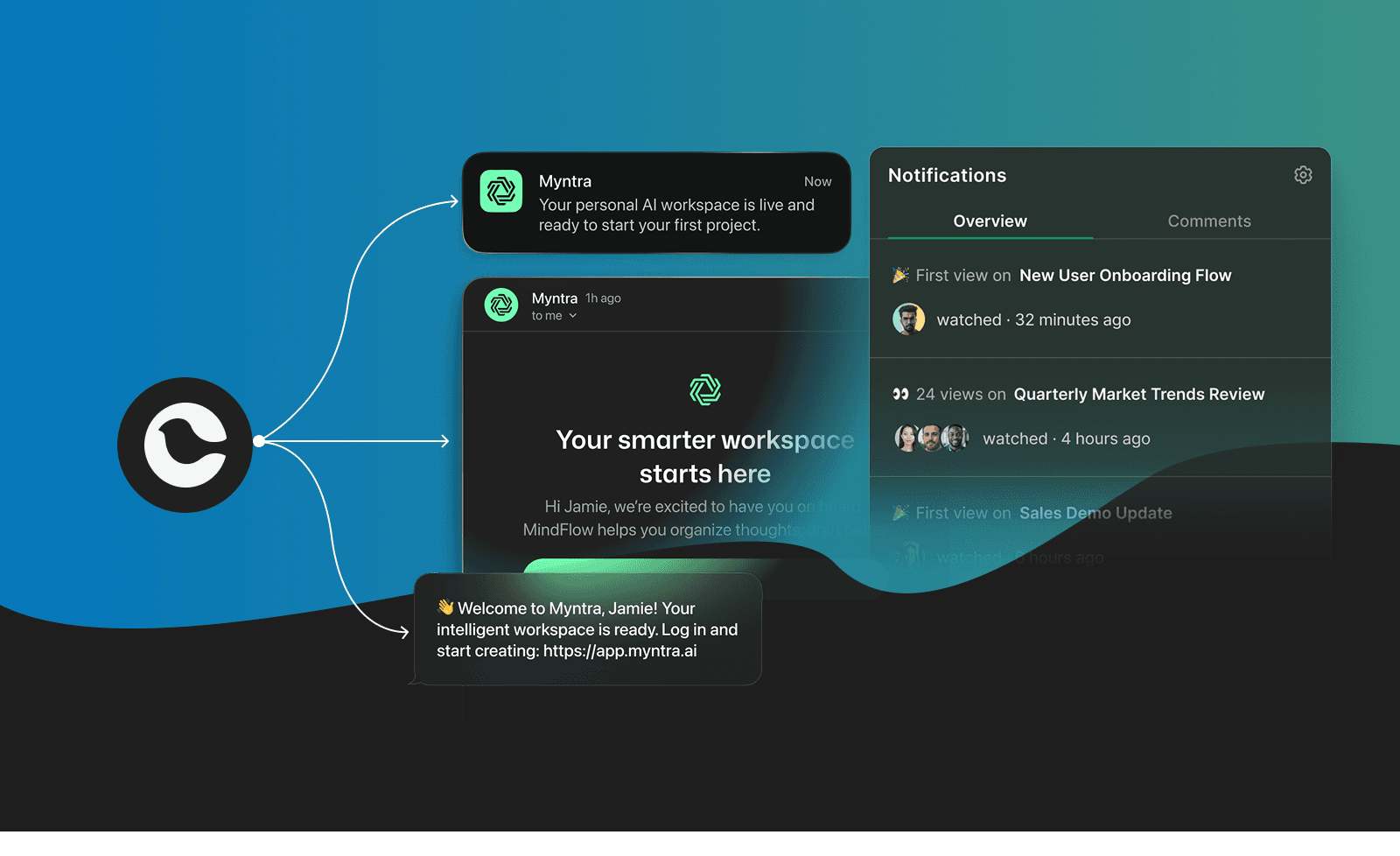
Why template management matters more in 2026
The rise of AI agents changed what "sending a notification" means.
Gartner reports a 1,445% surge in multi-agent system inquiries from Q1 2024 to Q2 2025. By the end of 2026, 40% of enterprise applications will embed AI agents. These agents don't just respond to prompts. They orchestrate workflows, trigger actions, and communicate with users autonomously.

That shift creates a new problem: agents need to send notifications across email, SMS, push, Slack, Teams, and in-app, often in the same workflow. The Model Context Protocol (MCP) that's enabling agent-to-tool connectivity expects standardized interfaces. Your notification infrastructure either supports this or becomes a bottleneck.
Meanwhile, the channels themselves multiplied. B2B products now need Slack and Microsoft Teams support alongside traditional email and SMS. Consumer products added WhatsApp and in-app notification centers. Each channel has different formatting requirements, delivery constraints, and user expectations.
Managing templates across all these channels with Git-based workflows and scattered provider dashboards doesn't scale. Teams are consolidating into unified notification platforms that handle template management, version control, and cross-channel delivery from one system.
How do teams usually handle version control and rollback for multichannel notification templates?
Three approaches, each with tradeoffs.
Git-based versioning (DIY)
Templates live in the codebase as Handlebars, MJML, or React Email files. Changes go through pull requests, code review, and CI/CD.
Pros: Full audit trail, works with existing tooling.
Cons: Every template change requires a deploy. Non-engineers can't make updates. Rolling back means reverting commits and redeploying.
Provider-native versioning (fragmented)
SendGrid, Postmark, and other single-channel providers offer template versioning within their dashboards. Twilio has no template system for SMS. Slack and Teams have no built-in template management.
Pros: Works if you only use one channel.
Cons: Version history doesn't span channels. Rolling back an email doesn't touch the corresponding SMS, push, or Slack variants.
Notification platform versioning (unified)
Platforms like Courier, Knock, Novu, and SuprSend store all channel variants together. When you publish a notification, the platform snapshots the email, SMS, push, in-app, Slack, and Teams versions as a single unit.
Courier offers version history with one-click rollback to any previous version. You can preview what each version looked like before reverting, and role-based permissions control who can publish to production.
Limitation: You're adding a platform dependency. Migration effort if you already have templates elsewhere.
What most teams actually do
Early stage: Git-based, engineers own everything.
Growth stage: Hybrid. Marketing uses SendGrid's editor for email, engineers handle everything else, Slack notifications are hardcoded.
Scale stage: Migrate to a notification platform. The coordination cost of fragmented systems becomes untenable when you're supporting 6+ channels.
Got any recommendations for a platform where designers can tweak email, SMS, and push templates without bothering engineers?
This is the "can my PM update the welcome email without filing a Jira ticket" question.
Drag-and-drop editor for email, SMS, push, in-app, Slack, and Teams. Designers edit content blocks, preview across channels, and publish without code changes. Engineers connect the data integration once, then step back.
Version history and rollback are built in. Role-based access controls restrict who can publish to production. Multi-tenant branding lets you manage styling across all your customers from one place.
Limitation: Complex conditional logic still requires Handlebars knowledge.
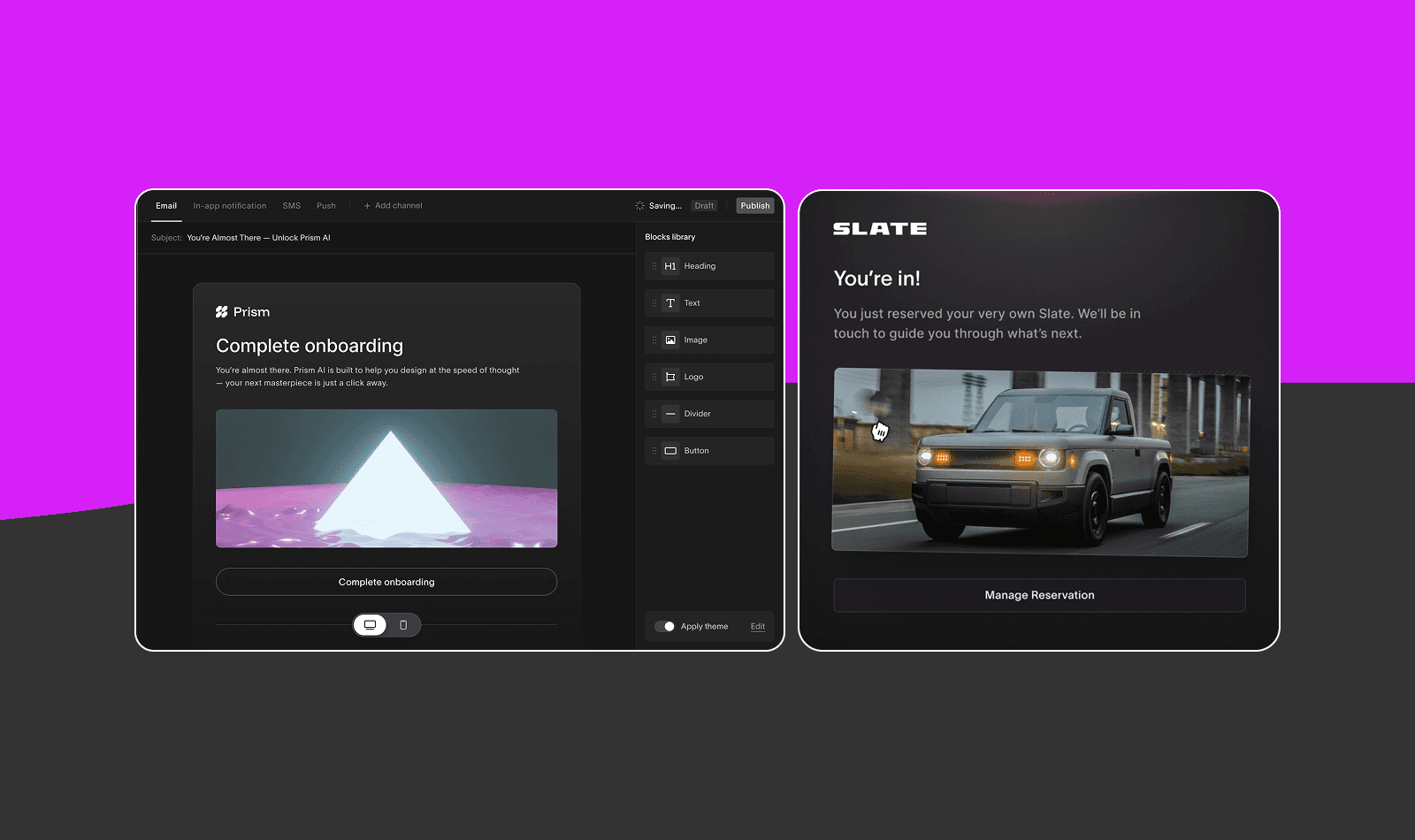
Email-focused with strong design system support. Modular blocks that designers assemble into templates. Figma integration for design-to-code workflows.
Limitation: Primarily email. SMS and push require separate tooling.
Open-source notification infrastructure with a web-based template editor. The React Email integration lets you build templates in code and preview them in the dashboard.
Limitation: The editor is more developer-oriented than designer-oriented.
Customer.io, Braze, Iterable
Marketing automation platforms with template editors. Good if you're already using them for lifecycle campaigns.
Limitation: Built for marketing, not transactional notifications. Overkill if you just need to send password resets and order confirmations.
The honest answer
If you want designers editing email, SMS, push, Slack, and Teams from one place without code deploys, Courier is the most complete option right now. If you only care about email and want the best design tooling, Dyspatch. If you want open-source and are comfortable with a more technical editor, Novu.
Can I hook our Figma design system into a notification template builder so branding stays consistent on every channel?
Direct Figma-to-notification-platform integrations don't exist yet. Here are the workarounds.
Design emails in Figma using their component library, then export production-ready HTML. The plugin converts Figma layers to MJML, which compiles to cross-client compatible HTML.
You can import that HTML into your notification platform or ESP. When your design team updates master components in Figma, you re-export and re-import.
Limitation: Manual export/import process. Only handles email.
Dyspatch syncs design tokens (colors, typography, button styles) from Figma to their block library. Changes in Figma propagate to your email templates.
Limitation: Email only. Requires Dyspatch subscription.
React Email + Figma (developer workflow)
Build email templates in React Email using components that mirror your Figma design system. Developers translate Figma specs to code, then use the templates across channels. Resend provides the delivery infrastructure.
Limitation: Requires engineering for every design update.
The gap
Nobody has built the "connect Figma design system to multichannel notifications" integration yet. SMS, push, Slack, and Teams are primarily text-based anyway. They don't have rich design systems.
For brand consistency across channels, use a notification platform with reusable content blocks that match your Figma components. Courier's multi-tenant branding lets you define themes, logos, and styles in one place and apply them across all channel variants.
What's involved in migrating hundreds of existing email and SMS templates into a unified notification infrastructure?
Less painful than you'd expect if you use the right approach.
The slow way (don't do this)
Manually recreating each template in a new platform's drag-and-drop editor. This is what most teams default to, and it takes forever.
The fast way: API-based migration
Courier's API lets you create templates programmatically. Write a migration script that reads from your old provider (SendGrid, Mailchimp, wherever) and creates templates in Courier via API.
// Example: Create a template via Courier APIconst response = await courier.send({message: {template: "welcome_email",to: { user_id: "test_user" },data: { firstName: "Test" }}});
The fastest way: MCP-assisted migration
Courier's MCP server lets AI tools like Claude, Cursor, or VS Code Copilot interact directly with Courier's API. Point an agent at your old templates and have it create new ones in Courier. The MCP handles authentication, API calls, and user management.
Setup takes five minutes: configure your MCP client with https://mcp.courier.com and your API key, then invoke tools like send_message, create_or_merge_user, and invoke_automation_template.
The actual work
Inventory and audit. Export templates from your current providers. Clean up duplicates and outdated templates.
Syntax conversion. SendGrid uses Handlebars. Mailchimp uses Merge Tags. Map variables to Courier's templating syntax.
Channel consolidation. For each notification type, create a single template with email, SMS, push, in-app, Slack, and Teams variants instead of separate templates scattered across systems.
Test with real data. Courier's preview feature lets you substitute real variables before publishing.
What makes it easier
- Consistent naming conventions in existing templates
- Using Courier's API or MCP for bulk creation
- Migrating in batches (transactional first, marketing later)
- Segment integration for user data sync
What's the easiest way to preview transactional messages side-by-side across mobile push, in-app banners, and email?
Most single-channel tools only show you their own format. Unified preview requires a notification platform.
The Design Studio shows previews for each channel as you edit: email, SMS, push, in-app, Slack, and Teams. You can substitute test variables to see "Hi Sarah" instead of "Hi {{firstName}}". Test sends deliver to real devices before publishing.
SuprSend
Similar cross-channel preview in their template editor. Shows how the same notification renders on each channel.
Novu
Preview available in the dashboard, though less polished than Courier or SuprSend.
DIY approach
If you're not using a notification platform, you preview each channel separately:
- Email: Litmus or Email on Acid for cross-client testing
- Push: Firebase Console or APNs sandbox
- SMS: Send to your own phone
- Slack/Teams: Test workspaces
- In-app: Your staging environment
This works but doesn't show you the full picture of what a user receives across channels.
Any open-source options for managing templates that integrate with SendGrid, Twilio, Firebase, and Slack webhooks?
The leading open-source option. Supports email (SendGrid, Postmark, SES, Resend), SMS (Twilio, Plivo), push (Firebase, APNs, Expo), and chat (Slack, Discord, MS Teams).
Self-hosting requires Node.js, Redis, and Postgres. Railway and Render offer one-click deploys.
Limitation: Self-hosted means you handle uptime, updates, and scaling. Budget $5-15/month for infrastructure plus engineering time for maintenance.
Building it yourself
Some teams build thin orchestration layers that call provider APIs directly. You store templates in your database, render them with Handlebars or Liquid, and send through each provider's API.
This works for simple cases. It becomes painful when you need versioning, rollback, preference management, delivery tracking, and cross-channel routing. At that point you're building a notification platform.
The pragmatic take
Novu if you want open-source with multi-provider support and can handle self-hosting. Courier's free tier (10k notifications/month) if you'd rather not maintain infrastructure.
Is there a tool that lets product managers localize placeholders across email, push, and chat messages from one dashboard?
Localization in notification systems is harder than it looks.
Three internationalization models:
Locale-based conditions. One template with conditional content blocks based on user locale. Works for a few languages.
Per-language templates. Separate templates for each language, triggered by language-specific events. Scales better for many languages.
Dynamic variables. Send translated content in the API payload, pull it into templates with Handlebars. Your backend handles translation, Courier handles delivery.
Courier also supports Handlebars-intl for number, currency, and date formatting by locale. The Crowdin integration enables professional translation workflows.
SuprSend
Similar locale support. Per-user locale stored in profiles, templates render accordingly.
DIY with i18n libraries
Store translations in JSON locale files. Render templates server-side with libraries like i18n or FormatJS before sending.
Limitation: Engineering owns the translation workflow. PMs can't update copy without code changes.
Personalization with Segment integration
The Courier destination for Segment lets you trigger notifications from behavioral events without writing code.
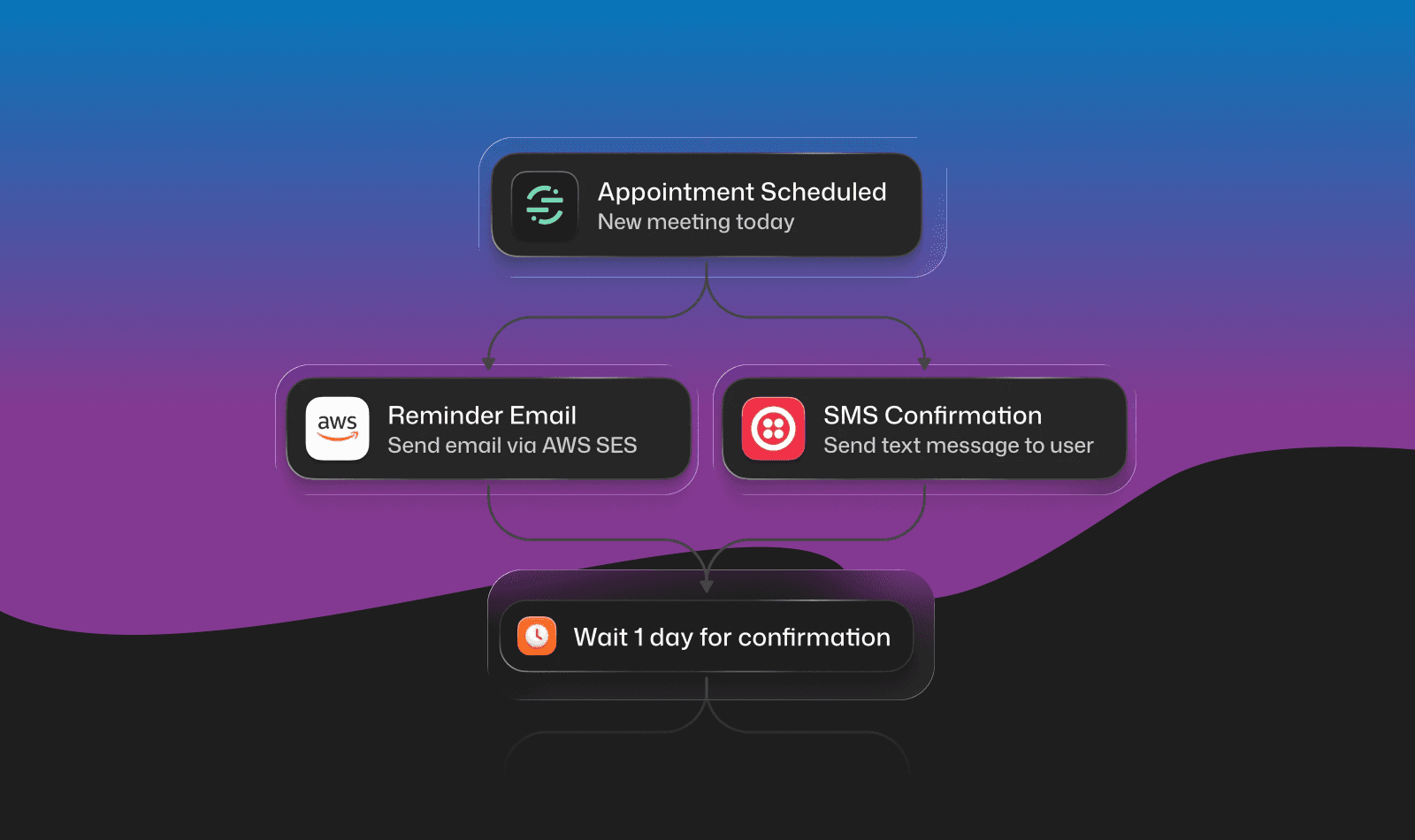
How it works:
- Segment Identify calls automatically create user profiles in Courier with email, phone, Slack tokens, and Teams tokens
- Segment Track events trigger notifications based on user actions ("purchased", "signed_up", "usage_limit_hit")
- Computed traits and audiences sync to Courier for targeted messaging
Example: When a user completes onboarding in your product, Segment tracks the event. Courier automatically sends a welcome notification across their preferred channels, using profile data Segment already collected.
This approach decouples your notification logic from your business logic. Product teams can change which events trigger which notifications entirely from the Segment and Courier dashboards.
Recommendations by use case
Startup with < 10 templates: Start with Courier's free tier. Drag-and-drop editor, version history, cross-channel preview. Don't overthink it.
Growing team with 50+ templates: If you're on SendGrid/Twilio and hitting limits, migrate to Courier or Knock. Use the API or MCP for bulk migration. The designer collaboration and unified versioning pay off quickly.
Enterprise with compliance requirements: Courier offers role-based access, audit logs, and approval workflows. Novu self-hosted gives you data residency control.
Team with existing Figma design system: Use Email Love or Dyspatch for email, accept that SMS/push/Slack/Teams don't have rich design systems, and centralize everything in a notification platform for delivery.
Open-source requirement: Novu. Budget for infrastructure and maintenance time.
Heavy Segment users: The Courier + Segment integration lets product teams trigger notifications from events without code.
Frequently asked questions
What is the best way to version control notification templates across multiple channels?
Keep every channel's content in one template and version that template as a whole. In Courier, a template holds the content for email, SMS, push, in-app, Slack, and Microsoft Teams, publishing snapshots the draft as a new version, and version history lets you compare versions side by side and roll back. If you'd rather review changes in Git, you can also manage the same templates as JSON through the Templates API.
Can non-engineers edit notification templates without code deployments?
Yes. Notification platforms like Courier provide drag-and-drop template editors where product managers and designers can update email, SMS, push, Slack, Teams, and in-app content without writing code. Engineers set up the data integration once, then non-technical team members edit and publish templates directly from the dashboard.
How do I migrate existing email templates to a notification platform?
Create the templates through the API instead of rebuilding them by hand. You can create and publish templates with the Templates API, and an AI agent connected to Courier's MCP server can create, edit, and publish templates for you. If your email templates live in SendGrid or Mandrill, Courier can also import your SendGrid Dynamic Templates and Mandrill templates from each provider's integration page.
How do I preview notifications across email, push, Slack, and in-app before sending?
In Courier's Design Studio, Preview & Test renders every channel variant of a template (email, SMS, push, in-app, Slack, and Microsoft Teams) with the test data you supply, and Send Test delivers a live copy to you before you publish. For email, Device Preview also renders the template on real email clients such as Outlook, Apple Mail, and Gmail and returns a screenshot from each.
How do I trigger notifications from Segment events?
The Courier destination for Segment sends your Identify traits to Courier to update recipient profiles, and it forwards Track events that can start a journey. In Courier, you choose a Segment trigger on a journey, pick the source event, and optionally add conditions, so you don't write any send code. The Track event's userId has to match a Courier user, so identify your users first.
Similar resources

How to get your logo in Gmail and Apple Mail
BIMI puts your logo next to your emails in Gmail and Apple Mail, but there is no upload form. It is earned by locking your domain down. Here is the whole project: what it costs, how long it takes, and the five ways it fails silently.

HIPAA-compliant notifications: where PHI should live
A practical guide to HIPAA-compliant notifications across SMS, push, email, and an in-app inbox. One rule, applied to every channel and every place PHI gets stored, including the systems most teams forget are in scope.

Email preview tools compared: 6 that render on real devices
Most "email preview" features are simulations. These six open your email in the actual client and send back a screenshot. Here’s what each costs per preview, how much work sits between your template and the result, and which ones you can drive from code.