What's the Difference Between Omnichannel & Multichannel
 Kyle SeylerFebruary 11, 2026
TLDR
Multichannel means you send messages across multiple channels (email, SMS, push, Slack, in-app). Omnichannel means those channels are connected, sharing user state and coordinating delivery so the experience feels unified. Most people use the terms interchangeably, and in casual conversation that's fine. But when you're building messaging infrastructure, the distinction matters. True omnichannel requires shared read state, cross-channel routing logic, and centralized preference management.
What is multichannel messaging?
Multichannel messaging means your application can reach users through more than one channel. Email, SMS, push notifications, in-app messages, Slack, WhatsApp. If you can send through at least two of these, you're multichannel.
Most applications become multichannel by accident. You start with transactional email through SendGrid. Then product needs push notifications, so you add Firebase. Then the support team wants SMS for urgent alerts, so you integrate Twilio. Before long, you have three separate integrations, three sets of delivery logic, and three places to check when something breaks.
Multichannel doesn't say anything about how those channels relate to each other. Each channel operates independently. Your email integration doesn't know what your push integration is doing. A user might get the same message on every channel simultaneously, or miss it on all of them, and no single system has the full picture.
This is fine for some use cases. Marketing campaigns where you want broad reach. Announcements where you intentionally blast every channel. Simple transactional messages that only use one channel anyway.
But it starts to break down when the user experience matters.
What is omnichannel messaging?
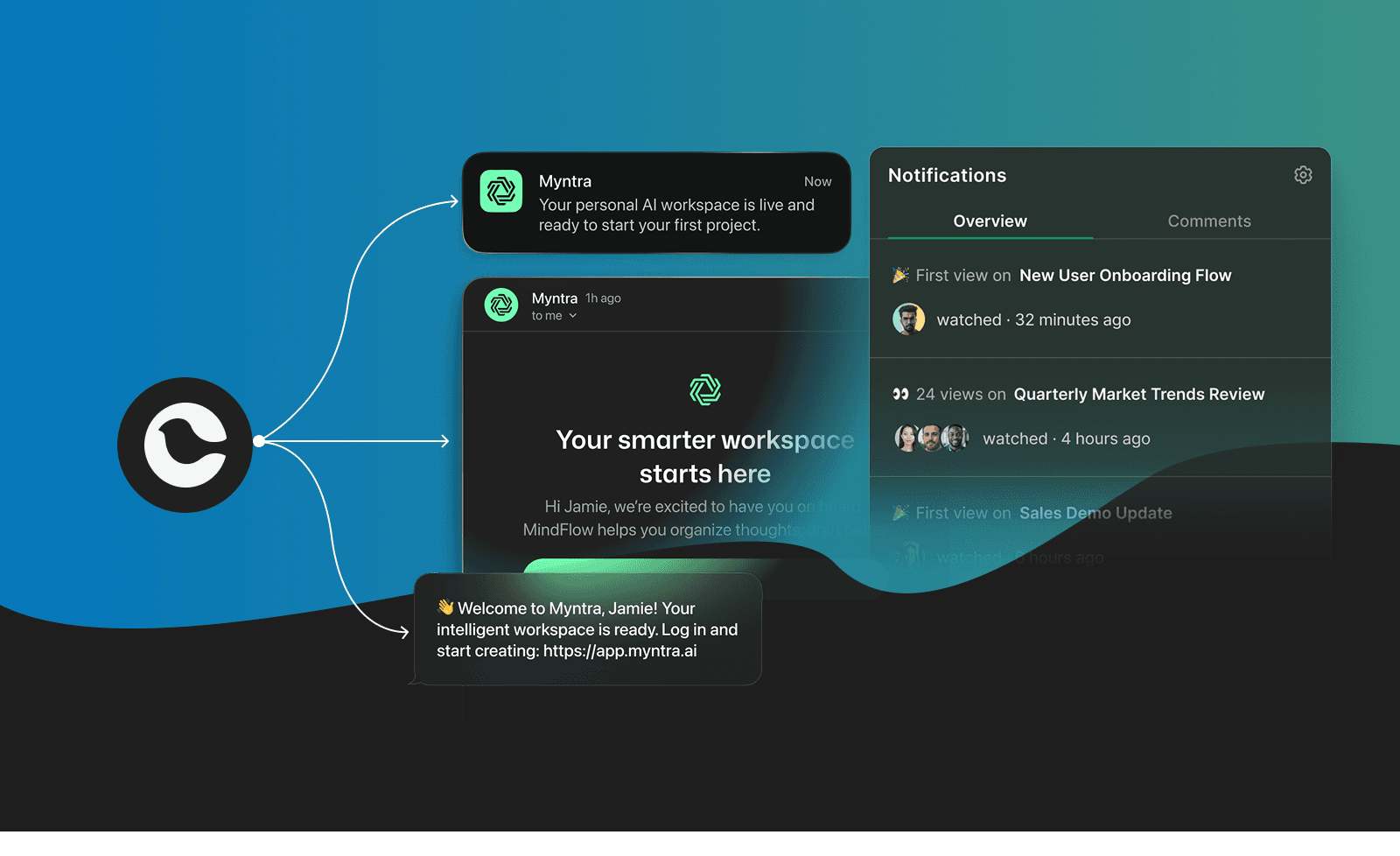
Omnichannel messaging means those channels are aware of each other. They share state, coordinate delivery, and present a unified experience to the user regardless of which channel they interact with.
The practical difference comes down to three things:
Shared read state. When a user reads a push notification, the in-app notification center marks it as read too. The follow-up email gets suppressed because the message was already seen. Every channel knows what happened on the others.
Intelligent routing. Instead of blasting every channel, the system decides which channel to use based on context. User has the app open? Send in-app. User hasn't opened the app in a week? Try push. Push disabled? Fall back to email. The routing adapts to the user's behavior and preferences.
Centralized preferences. Users manage their notification preferences in one place, and those preferences apply across all channels. "Don't message me about marketing" means no marketing emails, no marketing push notifications, no marketing SMS. Not just whichever channel the user happened to find the unsubscribe link for.
What is the difference between omnichannel and multichannel?
Here's the comparison in a table:
| Capability | Multichannel | Omnichannel |
|---|---|---|
| Multiple delivery channels | Yes | Yes |
| Channels share read/delivery state | No | Yes |
| Cross-channel routing and fallback | Manual or none | Automatic |
| Unified preference management | Per-channel | Centralized |
| Consistent user experience across channels | Not guaranteed | By design |
| Channel-aware suppression | No | Yes |
| Single view of message history | Requires stitching | Built-in |
The core difference: multichannel is about reach (how many channels can you send through), while omnichannel is about coordination (how well those channels work together).
A multichannel system answers "can I reach this user on SMS?" An omnichannel system answers "what's the best way to reach this user right now, given what they've already seen?"
Most people use these terms interchangeably (and that's mostly fine)
Here's the honest take: in most conversations, "omnichannel" and "multichannel" mean the same thing. When a product manager says "we need an omnichannel messaging strategy," they usually mean "we need to send messages on more than just email." When a vendor says "omnichannel platform," they sometimes just mean they support multiple channels.
The terms have been blurred by marketing. "Omnichannel" sounds better in a pitch deck, so companies use it even when they're describing multichannel capabilities. This is common enough that fighting the terminology battle isn't worth it in most contexts.
Where the distinction starts to matter:
- When you're evaluating vendors. A platform that calls itself omnichannel should demonstrate cross-channel state sync, intelligent routing, and unified preferences. If it just sends to multiple channels independently, it's multichannel with better branding.
- When you're designing user experiences. If users are getting duplicate messages across channels, or if reading a message in one place doesn't clear it in another, you have a multichannel system and you need omnichannel coordination.
- When you're building messaging infrastructure. The architecture for multichannel (independent channel integrations) is fundamentally different from omnichannel (orchestration layer that coordinates across channels). Retrofitting multichannel into omnichannel is painful. Starting with the right architecture is much simpler.
Why the difference matters for messaging infrastructure
If you're just sending password reset emails, none of this matters. Use SendGrid and move on.
But once your application sends messages across multiple channels, the coordination problem gets real. Here are the specific problems that multichannel systems hit:
Message fatigue from duplicate delivery. Your system sends a push notification, an email, and an in-app message for the same event. The user reads the push notification, but the email still arrives 10 minutes later. Without shared state, every channel fires independently.
Inconsistent delivery preferences. A user unsubscribes from marketing emails, but keeps getting marketing push notifications. Each channel manages its own preferences, so there's no single source of truth.
No fallback logic. Your push notification fails because the user disabled push. In a multichannel system, that's it. The message is lost. In an omnichannel system, a failed push triggers a fallback to SMS or email.
Debugging across channels is painful. When a user says "I never got that message," you have to check email logs, push delivery receipts, SMS status, and in-app history separately. With a unified system, it's one lookup.
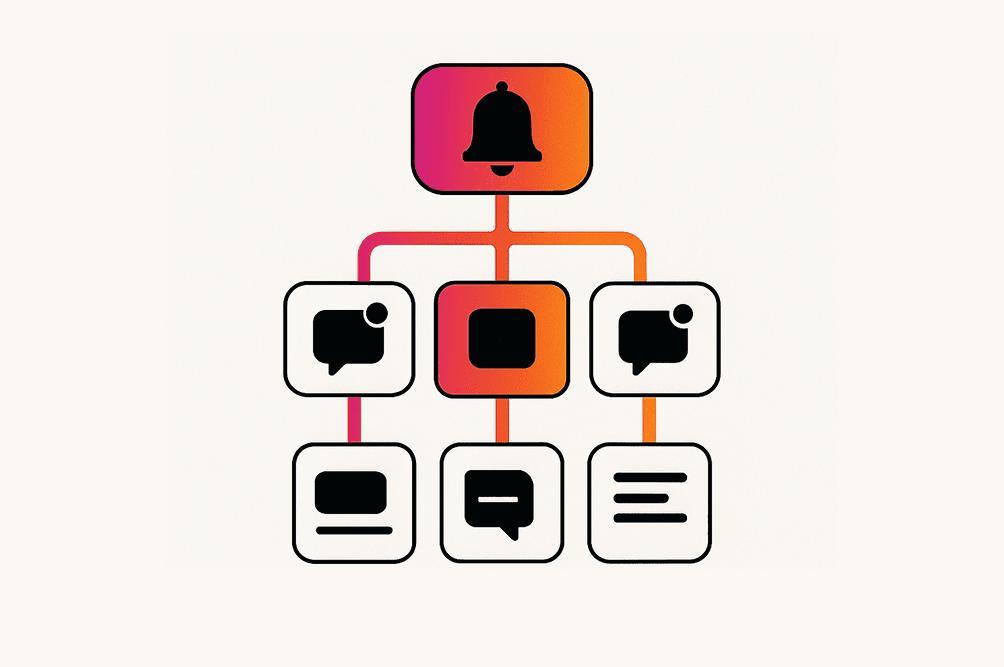
Routing is static. Multichannel systems typically send to a predetermined channel. Omnichannel systems can route dynamically: try the highest-engagement channel first, fall back through alternatives, batch low-priority messages, and escalate urgent ones.
How to tell if a platform is truly omnichannel
Not every platform that claims omnichannel actually delivers it. Here's what to look for:
Cross-channel read state. Send a push notification and an in-app message for the same event. Read the push. Does the in-app message update? If not, the channels aren't connected.
Routing with fallback. Configure a message to try push first, then SMS, then email. Disable push on the test device. Does the system automatically try SMS? How long does it wait before falling back?
Unified user preferences. Can a user set "no marketing messages" in one place and have it apply to all channels? Or do they need to manage preferences per channel?
Single message history. Can you see all messages sent to a user across all channels in one view? Or do you need to query each channel separately?
Channel-aware suppression. If a user already saw a message on push, does the system suppress the email follow-up? This is the hallmark of true omnichannel.
Omnichannel messaging platforms
These platforms provide true omnichannel coordination, not just multichannel delivery. They support cross-channel state, intelligent routing, and unified message management.
- Courier — Omnichannel messaging infrastructure for developers and product teams with cross-channel read state sync, automatic provider failover, visual journey orchestration, and centralized preference management. Supports email, push, SMS, in-app, Slack, MS Teams, and WhatsApp through a single API. Drop-in UI components (Inbox, Preferences, Toasts) handle the frontend. Swap providers without code changes.
- Braze — Customer engagement platform with strong cross-channel campaign orchestration. Best for marketing-driven messaging at scale with deep analytics and segmentation.
- Customer.io — Messaging platform with workflow-based cross-channel orchestration. Strong at behavioral triggers and multi-step journeys, especially for product-led growth teams.
- OneSignal — Messaging platform with cross-channel journeys covering push, email, SMS, and in-app. Includes intelligent delivery optimization and a free tier for smaller teams.
- Novu — Messaging infrastructure with cross-channel workflows and in-app feed components. Developer-focused API with built-in preference management.
- Iterable — Cross-channel marketing platform with AI-powered send-time optimization and channel selection. Strong for consumer-facing brands running coordinated campaigns.
Each of these platforms offers some level of cross-channel coordination. The depth varies. Some excel at marketing orchestration (Braze, Iterable), others at developer messaging infrastructure (Courier, Knock), and others bridge both (Customer.io, OneSignal). The right choice depends on whether your primary need is campaign management, product messaging, or both.
Building messaging across multiple channels? Courier handles the orchestration, routing, and state sync so you don't have to build it yourself. Get started with free plan.
Similar resources

How to get your logo in Gmail and Apple Mail
BIMI puts your logo next to your emails in Gmail and Apple Mail, but there is no upload form. It is earned by locking your domain down. Here is the whole project: what it costs, how long it takes, and the five ways it fails silently.

HIPAA-compliant notifications: where PHI should live
A practical guide to HIPAA-compliant notifications across SMS, push, email, and an in-app inbox. One rule, applied to every channel and every place PHI gets stored, including the systems most teams forget are in scope.

Email preview tools compared: 6 that render on real devices
Most "email preview" features are simulations. These six open your email in the actual client and send back a screenshot. Here’s what each costs per preview, how much work sits between your template and the result, and which ones you can drive from code.