

Overview
The Audience trigger starts an automation run for each user who enters or leaves a dynamic audience. When a user’s profile changes and they newly satisfy (or no longer satisfy) the audience rules, Courier fires an individual automation run for that user. This is useful for workflows that react to profile changes, such as:- Sending a welcome sequence when a user upgrades to a premium tier
- Triggering a win-back flow when a user becomes inactive
- Notifying an account manager when a high-value customer changes status
Configuration
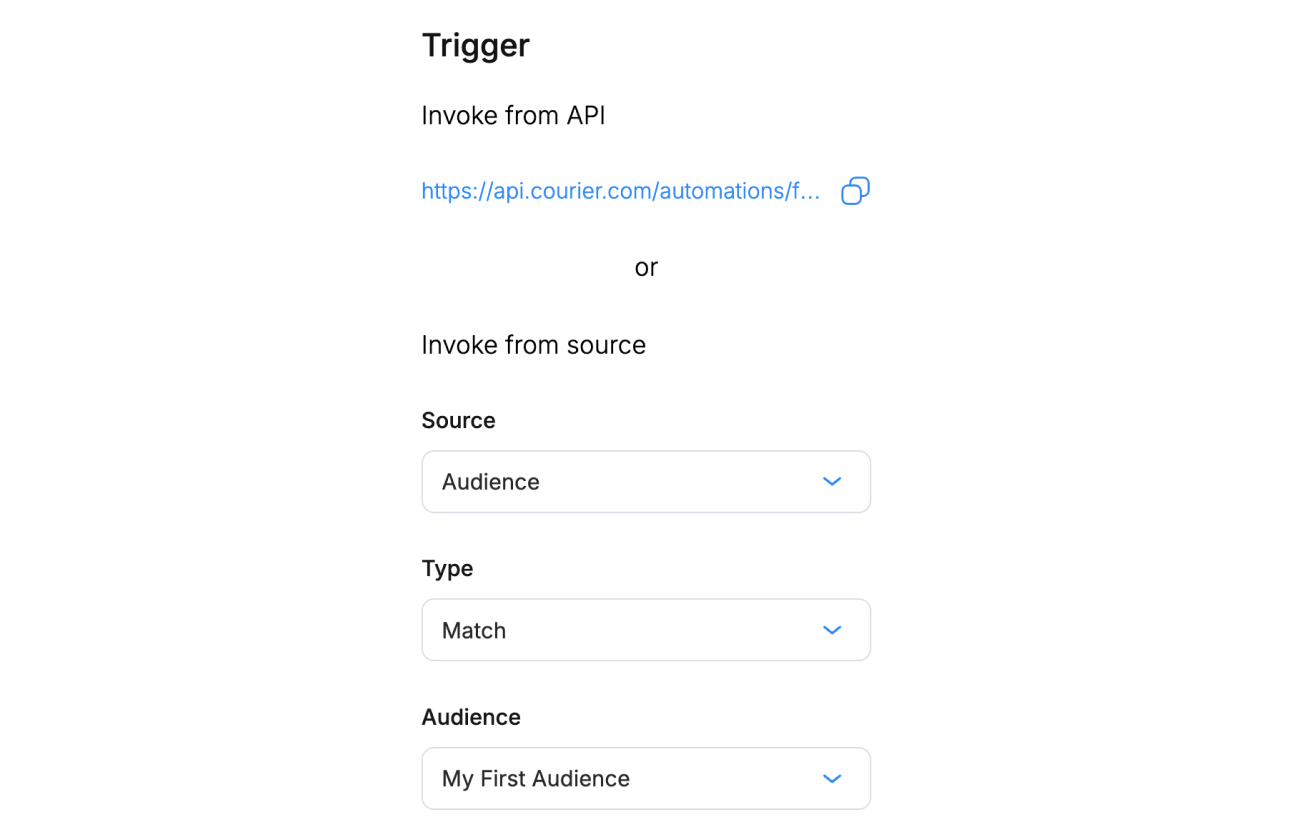
Audience trigger configuration
- Open the Automation Designer and select Audience as the trigger source.
- Choose the event type:
- Match fires when a user enters the audience.
- Unmatch fires when a user leaves the audience.
- Choose your audience from the dropdown.
Run Context
When an audience trigger fires, the automation run context contains only the user’s ID as the recipient. Stored profile fields (email, phone, custom attributes) and data are not automatically loaded.
This differs from API-invoked and Segment-triggered automations, which pre-load profile data before the first step runs.
Loading Profile Data
If your workflow uses profile fields (for example, in If/Switch conditions or template personalization), add a GET Profile step early in your workflow, before any step that reads profile data. The GET Profile step fetches the user’s stored Courier profile and merges it into the run context.Audience Trigger → GET Profile → If/Switch (profile condition) → Send
Without the GET Profile step, profile-based conditions will evaluate against an empty object and always fall through to the default branch.
Audience Membership Timing
Audience triggers depend on Courier’s pre-computed membership model. A trigger fires when membership changes, not on a fixed schedule. Keep in mind:- Profile updates drive membership. A trigger fires only when a profile change causes a user to enter or leave the audience.
- Rule changes trigger rebuilds. If you update an audience’s filter rules, Courier rebuilds the membership list. This can take several minutes for large audiences, and triggers may fire as members are re-evaluated.
- Each match is a separate run. If you update audience rules and many users match at once, each user gets their own automation run.