

Overview
Brands in Courier define the visual appearance of your notifications. A brand includes your logo, colors, headers, footers, and custom styling that automatically apply to templates using that brand. Brands ensure visual consistency across all notifications without manually styling each template.When to Use Brands
- Multi-tenant SaaS (White-labeling): Send notifications on behalf of your customers with their branding. Each customer gets their own brand with logo, colors, and styling.
- Multiple Product Lines: Maintain distinct visual identities for different products or services within your organization.
- Regional or Market Variations: Customize branding for different geographic regions or market segments while keeping template logic consistent.
- A/B Testing Brand Styles: Test different visual treatments by creating brand variants and comparing delivery metrics.
Getting Started
The Default Brand
Every workspace has a default brand that cannot be deleted. Customizing it is important because:- Every email notification uses the Default Brand unless you manually disable Brands in template settings
- If you enable brands on a notification, the Default Brand is the fallback when no brand is specified in the Send API call
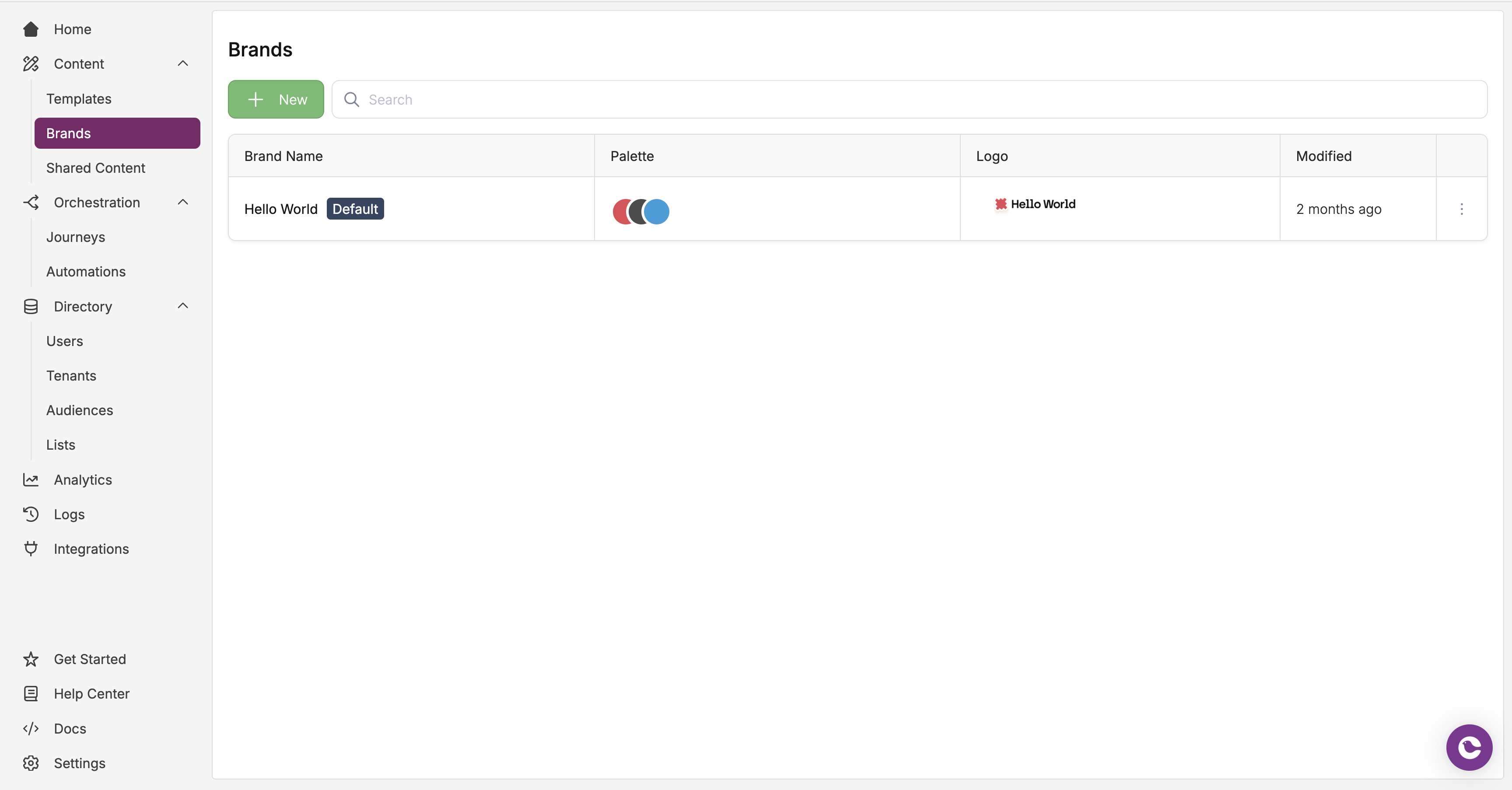
Brands list in the Courier dashboard
Creating a New Brand
- In the sidebar, open the Content dropdown and select Brands
- Click the + New button to create a new brand
- Enter a name for your brand (e.g., “Acme Client”, “Northern EMEA”)
- Optionally set a
brand_idfor easier API reference
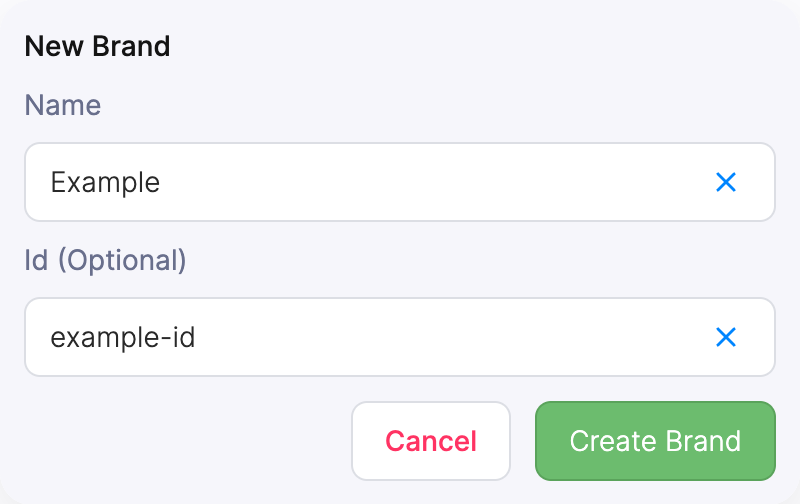
Set brand name and ID in brand creator modal
Setting a Custom Brand as Default
To set a custom brand as your default, open the brand settings and click Set As Default.Sending Branded Notifications
To send a branded email:- Enable Brand in the template’s settings
- (Optional) Include a Brand ID in the Send API call. If omitted, Courier uses the Default Brand.
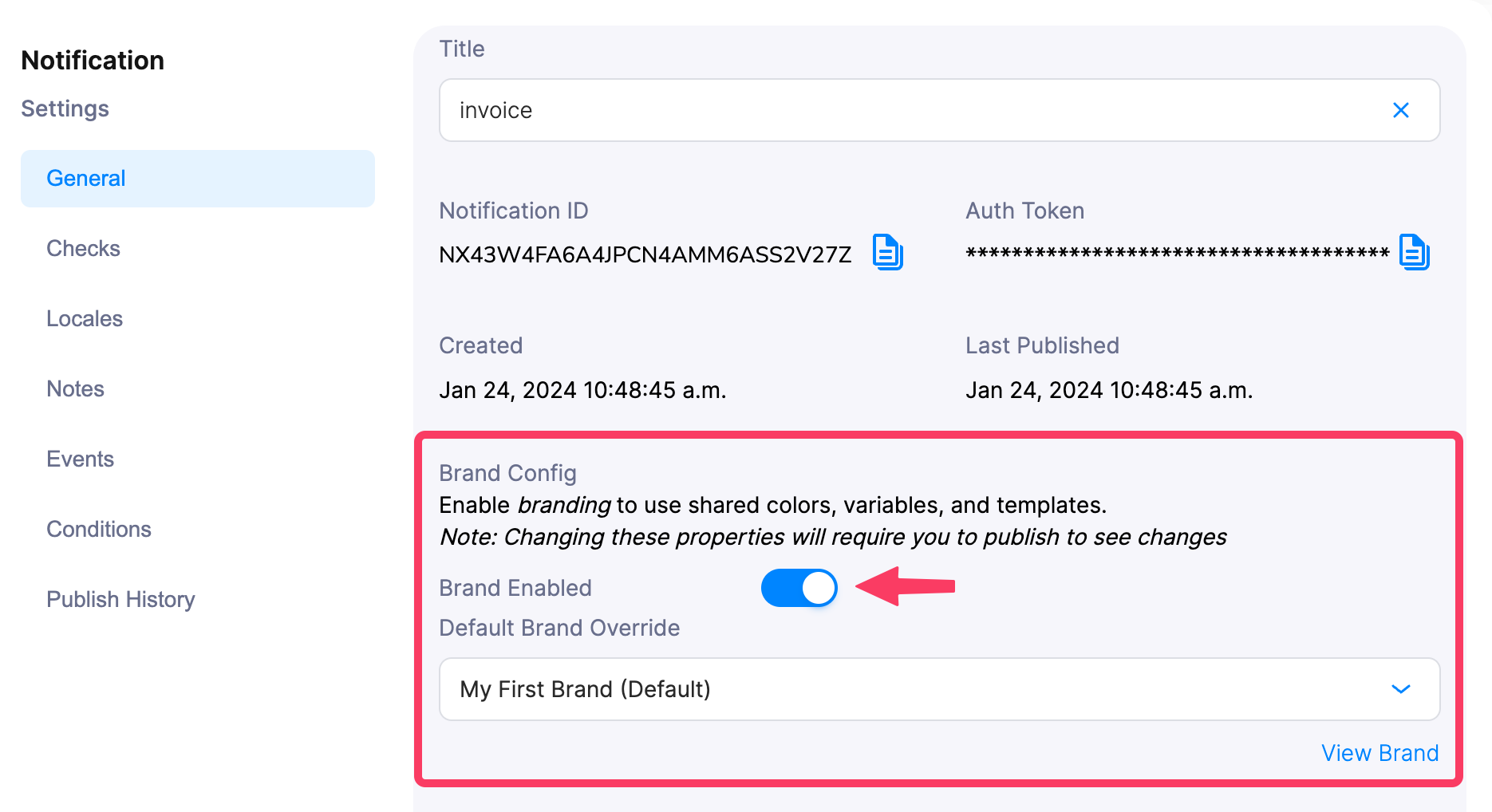
Brand Template Settings