Top Platforms for Preference Management in 2025
 Kyle SeylerDecember 15, 2025
TLDR: Preference management gives users control over notification channels, topics, and frequency. Most platforms focus on either marketing communications or product notifications, but not both. Courier offers a hosted, multi-channel preference center that unifies marketing and transactional notifications with automatic routing enforcement. Best for teams that need unified notification and preference infrastructure across email, SMS, push, chat (Slack, Microsoft Teams, WhatsApp), and in-app.
The preference management problem nobody talks about
If you're evaluating your notification stack heading into 2025, preference management is where most teams discover they have gaps. Not because it's complicated, but because it's usually the last thing anyone builds, and by then the damage is done.
73% of users unsubscribe from poorly targeted notifications. Not because they hate your product. Because you're sending SMS alerts about features they don't use, email digests they never asked for, and push notifications at 3am their time.
Related: Why user preferences matter for notification delivery
Most teams discover this too late. The preference logic gets scattered across services. Email unsubscribes live in SendGrid. Push opt-outs live in Firebase. SMS consent lives in Twilio. Slack preferences live in your app database. And none of them talk to each other.
The old tradeoff was brutal: build a custom preference system (months of engineering time, ongoing maintenance) or sacrifice user control and watch opt-out rates climb.
Modern preference management platforms change this equation. Hosted preference centers with automated routing enforcement mean you can give users real control without building infrastructure from scratch.
This guide evaluates the leading platforms by integration depth, compliance support, and whether they actually work with your notification delivery stack or just add another silo to manage.
What is preference management?
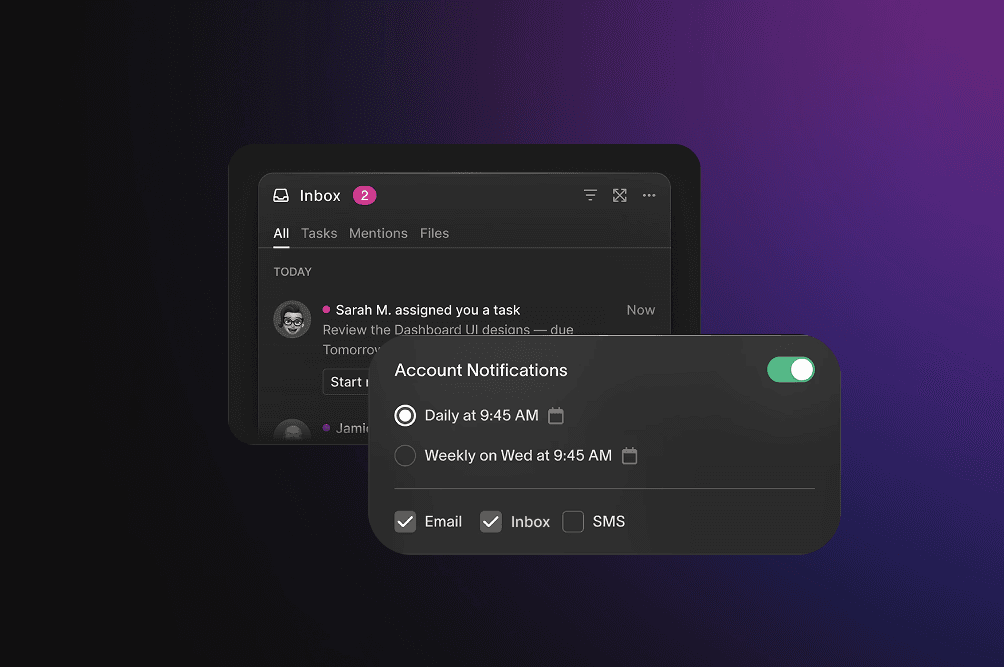
A preference management platform lets users control which notifications they receive and how they receive them. That includes channel selection (email vs. push vs. SMS), topic subscriptions (marketing vs. transactional vs. product updates), and frequency settings (real-time vs. daily digest vs. weekly summary).
The challenge is that most organizations send notifications from multiple systems. Marketing runs campaigns through one platform. Product teams trigger transactional notifications through another. Security alerts come from a third. Without unified preference management, users end up with fragmented control and inconsistent experiences.
Beyond user experience, preference management handles compliance. GDPR consent tracking. CAN-SPAM unsubscribe requirements. TCPA opt-in verification. The regulatory surface area is wide and getting wider.
Where the market is heading
The email-only unsubscribe page is dying. Users expect control across every channel, not just the one you started with.
The marketing/product notification split is collapsing. Users don't distinguish between a promotional email from your growth team and a feature announcement from your product team. They just see messages from your company. Platforms that unify both are gaining ground over tools that only handle one side.
API-driven preference sync is becoming table stakes. Your marketing platform, product notification system, and CRM all need the same source of truth about what users want.
And privacy-first portals are expanding beyond simple opt-in/opt-out toggles. Users want to control data sharing, cross-channel consent, and communication frequency in one place.
See how modern preference centers work: Courier User Preferences
The best preference management platforms in 2025
1. Courier
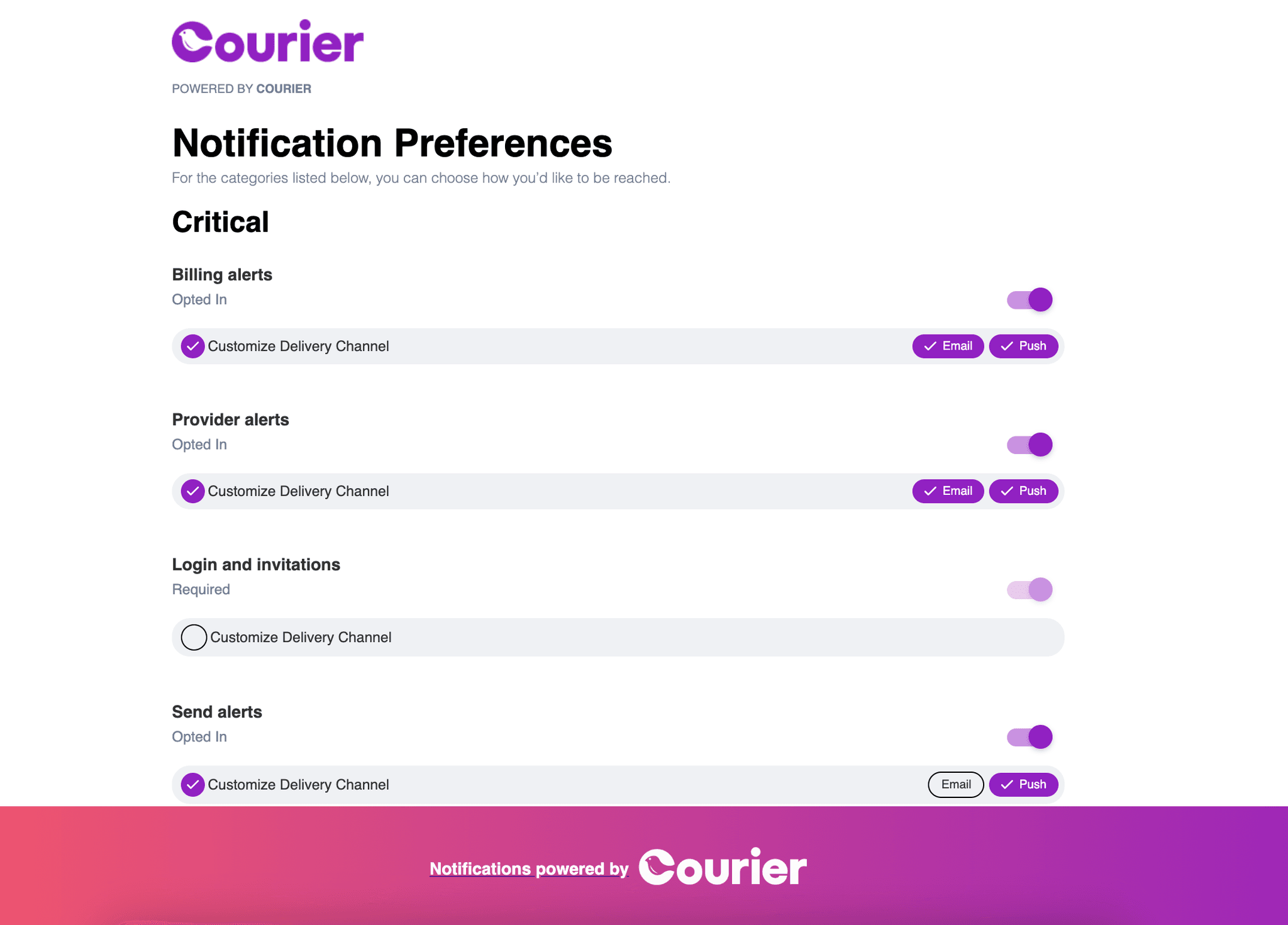
What it does: Hosted preference center with subscription topics, sections, and a visual editor. The routing engine automatically applies user preferences without custom logic. Works across email, SMS, push, Slack, Teams, and in-app.
Key difference: Courier isn't just a preference management tool. It's a notification delivery platform with preference management built in. The preference center and routing engine are the same system, so user choices actually get enforced without you writing code to bridge them.
Best for: Teams managing transactional and lifecycle notifications across multiple channels who don't want to maintain separate systems for preferences and delivery.
What works well:
- Centralized hub for preferences across email, SMS, push, chat (Slack, Microsoft Teams, WhatsApp, StreamChat), and in-app
- Routing engine eliminates custom delivery logic
- Digest functionality batches notifications based on user preferences
- Visual Preferences Editor for updating topics and defaults without engineering
- Built-in GDPR and CAN-SPAM compliance support
The tradeoff: Requires using Courier's notification delivery infrastructure. If you're committed to a different delivery stack, this is a package deal. That said, if you need both preferences and delivery, the integration is tighter than bolting separate systems together.
Pricing: Contact sales.
2. Usercentrics Preference Manager
What it does: Centralized portal for website and app preferences with hashing, double opt-in security, and multilingual support. Designed to make preference data exportable for marketing integrations.
Best for: Organizations that need clean, exportable preference data to feed into existing marketing tech stacks.
What works well:
- Granular preference capture across web and mobile
- Strong integration with marketing platforms
- Exportable data for third-party system syncs
The tradeoff: Learning curve for advanced configuration. Volume-based pricing makes budget planning harder than flat-rate models.
Pricing: Contact sales.
3. OneTrust Universal Consent and Preference Management
What it does: Enterprise consent and preference platform with deep integrations into Salesforce, Snowflake, and Adobe. Focuses on combining consent management (legal compliance) with preference management (user experience).
Best for: Large enterprises that need unified consent and preference management under one roof, especially those already in the OneTrust ecosystem for privacy compliance.
What works well:
- APIs, SDKs, and data feeds for flexible workflow connections
- Granular opt-in/opt-out choices that reduce subscriber churn
- Strong customer support reputation
The tradeoff: Steep learning curve. Designed for large enterprises with dedicated compliance teams. If you're a 20-person startup, this is overkill.
Pricing: Contact sales.
4. Osano Unified Consent & Preference Hub
What it does: Real-time preference updates across platforms with a simple interface. Consistently ranked for easiest setup and fastest implementation.
Best for: Small and medium-sized teams that need to move fast without a complex implementation project.
What works well:
- Seamless CMS, email marketing, and CRM integrations
- Advanced segmentation for targeted campaigns
- Quick deployment timeline
The tradeoff: Limited customization compared to enterprise alternatives. If you need highly specific preference structures, you may hit walls.
Pricing: Contact sales.
5. Didomi Preference Management
What it does: Customizable platform for consent-based data collection with cross-platform consistency across mobile, web, and offline. Built for global compliance requirements.
Best for: Companies operating across multiple regions that need consistent preference experiences everywhere users interact with them.
What works well:
- Cross-platform consistency (mobile, web, offline)
- Global compliance framework that adapts to evolving regulations
- Privacy-first data sharing controls
The tradeoff: Some users report site performance impact. Preference Management only available on the Privacy UX Plus plan, so entry-level tiers won't get you there.
Pricing: Contact sales.
6. TrustArc Consent and Preference Manager
What it does: Customizable consent prompts and data intake forms with a real-time API for consumer preference sync. Tracks consents against consumer profiles for personalization.
Best for: Large organizations with complex, multi-jurisdictional privacy program requirements.
What works well:
- Rich functionality for handling consent across different legal frameworks
- Real-time sync keeps preferences current across systems
- Consent-to-profile tracking enables compliant personalization
The tradeoff: Users suggest improvements to onboarding and training. Too complex for smaller businesses that don't have dedicated privacy staff.
Pricing: Contact sales.
7. Cassie Preference Center
What it does: Enterprise platform managing 1.2 billion customer records with two-factor authentication for user verification and an extensive API library.
Best for: Global enterprises processing massive volumes of customer preference data.
What works well:
- Scales to billions of records
- Fully brandable UI with Customer Service Portal
- Vast API library for custom integrations
The tradeoff: Limited third-party reviews make it harder to evaluate. Clearly built for large enterprises, not suitable for smaller teams.
Pricing: Contact sales.
8. PossibleNOW MyPreferences
What it does: Omnichannel preference management across web, email, SMS, and call centers. Built for TCPA, CAN-SPAM, and CSL compliance with a secure agent-facing portal.
Best for: Companies with contact center operations that need preference management across both digital and human channels.
What works well:
- Do Not Contact compliance across multiple regulations
- Agent-facing portal for call center integration
- True omnichannel coverage including call centers
The tradeoff: Users find the tool complex. If you don't have call center operations, you're paying for capabilities you won't use.
Pricing: Contact sales.
9. Clarip Universal Consent & Preferences
What it does: Privacy-first customer portals with highly customizable interfaces. Focused on mobile and social media marketing channels.
Best for: Organizations prioritizing mobile and social channel preferences over traditional email/web.
What works well:
- API integration communicates preferences to marketing systems
- Highly customizable user interfaces
- Mobile and social channel focus
The tradeoff: Limited user reviews make evaluation difficult. Less established than enterprise alternatives.
Pricing: Contact sales.
Quick comparison
| Platform | Best for | Key differentiator |
|---|---|---|
| Courier | Teams with both marketing and product notifications | Unified preferences for marketing + transactional + product |
| Usercentrics | Marketing tech integration | Exportable preference data |
| OneTrust | Enterprise compliance | Consent + preference unified |
| Osano | SMBs needing speed | Fastest implementation |
| Didomi | Global, cross-platform | Regional compliance flexibility |
| TrustArc | Complex privacy programs | Multi-jurisdictional consent tracking |
| Cassie | High-volume enterprise | Billion-record scale |
| PossibleNOW | Contact center operations | Agent portal + digital channels |
| Clarip | Mobile/social focus | Privacy-first mobile UX |
Why we built preference management into Courier
Most companies end up with two notification stacks: one for marketing (Braze, Customer.io, Iterable) and one for product (homegrown, or a developer tool like Knock). Each has its own preference system. Users get two different experiences. And when someone opts out of email in one system, the other keeps sending.
Courier's approach: one platform for marketing and product notifications, with one preference center that governs both. When a user opts out of promotional emails, that applies everywhere. When they request weekly digests instead of real-time alerts, both marketing campaigns and product notifications respect it.
The visual editor lets product managers update subscription topics and defaults without waiting on engineering. Support for email, SMS, push, chat (with providers like Slack, Microsoft Teams, and WhatsApp), and in-app means preferences apply consistently across every channel your users care about.
If you're committed to separate systems for marketing and product, this consolidation isn't for you. But if you're tired of users getting conflicting experiences and your teams stepping on each other, unified preference management is the fix.
Learn more: User Preferences Solution | Preferences Platform
How we evaluated these platforms
Integration depth: Does the preference system actually connect to notification delivery, or is it another silo?
Compliance support: GDPR, CAN-SPAM, TCPA capabilities out of the box.
Customization: Can you structure topics, sections, and channel rules to match your product, or are you stuck with generic categories?
Ease of use: Can non-technical teams make updates, or does every change require engineering?
Omnichannel consistency: Do preferences apply across email, SMS, push, chat, and in-app, or just the channels the platform was originally built for?
Real-time sync: How quickly do preference changes propagate through connected systems?
Scalability: Enterprise needs versus SMB accessibility.
Getting started
SDKs for every stack
Server-side (sending notifications, managing preferences via API):
Client-side (embedding preference centers and inboxes):
Full SDK overview: courier.com/docs/sdk-libraries/sdks-overview
How preferences connect to delivery
The core value of unified preference management is that user choices automatically affect what gets sent. For detailed implementation guidance, see the Preferences Documentation.
Set user preferences (marketing and product topics in one place):
javascriptawait courier.users.preferences.put("user_abc123", {preferences: {categories: {"marketing-promotions": { status: "OPTED_OUT" },"product-updates": { status: "OPTED_IN" },"weekly-digest": { status: "OPTED_IN" },"security-alerts": { status: "REQUIRED" },"billing-notifications": { status: "REQUIRED" }}}});
Send a notification (preferences enforced automatically):
javascriptawait courier.send({message: {to: { user_id: "user_abc123" },content: {title: "New feature: Dark mode is here",body: "Check out the new theme options in settings."},routing: {method: "all",channels: ["email", "push", "inbox", "chat"]},metadata: {tags: ["product-updates"]}}});
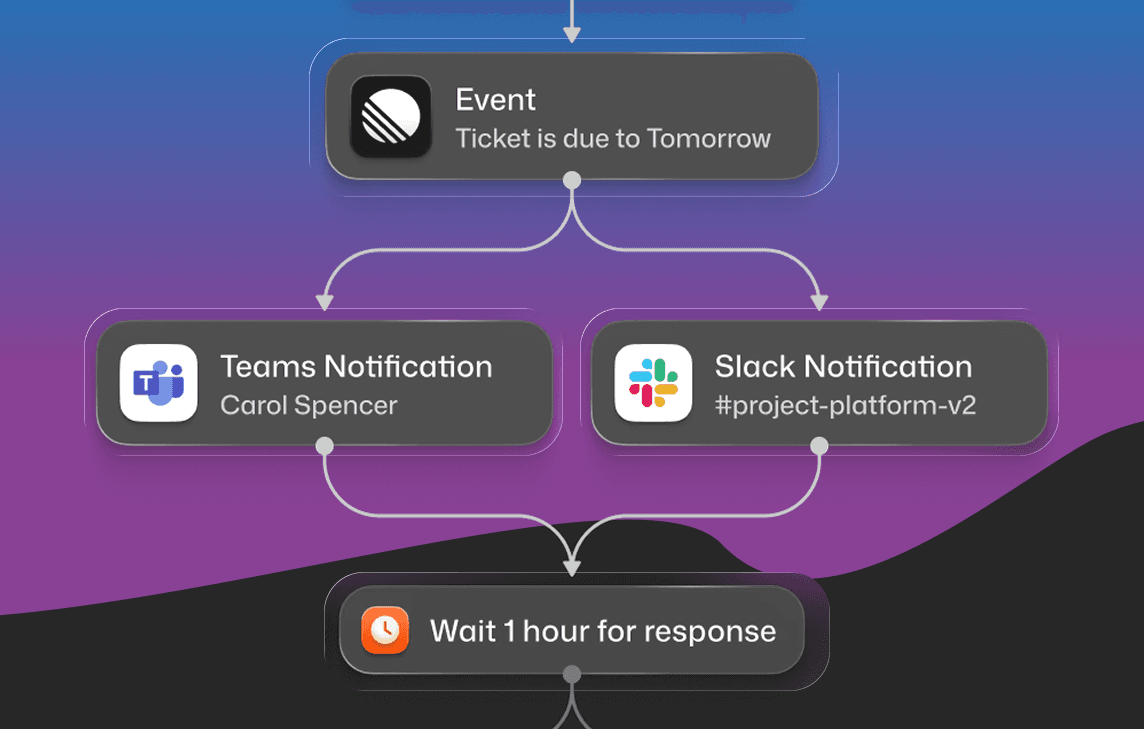
Courier checks if user_abc123 has product-updates opted in. If yes, the message routes to their preferred channels. If they've opted out of push, that channel gets skipped. The chat channel routes to whichever provider the user has configured (Slack, Teams, WhatsApp). No conditional logic on your end.
Learn more: Slack & Microsoft Teams channel integration
Drop-in preference center (mobile):
swift// iOSlet preferences = CourierPreferencesView(mode: .topic)
kotlin// Android<com.courier.android.ui.preferences.CourierPreferencesViewandroid:id="@+id/courierPreferences"app:mode="topic" />
Set up preference management with AI using Courier MCP
If you're using AI-powered coding tools like Cursor, Claude Code, VS Code Copilot, or Windsurf, you can configure Courier's preference management directly from your IDE using natural language.
Courier's Model Context Protocol (MCP) server gives AI agents access to the full Courier API. Instead of context-switching between docs, dashboard, and code, you describe what you want and let the AI handle implementation.
Quick setup
Cursor:
json{"mcpServers": {"courier": {"url": "https://mcp.courier.com","headers": {"api_key": "YOUR_API_KEY"}}}}
Claude Code (terminal):
shclaude mcp add --transport http courier https://mcp.courier.com --header api_key:YOUR_API_KEY
VS Code:
Create .vscode/mcp.json:
json{"servers": {"courier": {"url": "https://mcp.courier.com","type": "http","headers": {"api_key": "${input:courier-api-key}"}}}}
What you can do with MCP
Once connected, you can use natural language to manage preferences and send notifications:
"Create a user profile for kyle@example.com and subscribe them to the product-updates list"
The AI agent calls create_or_merge_user and subscribe_user_to_list automatically.
"Send a notification to the engineering-alerts list about the deployment"
Triggers send_message_to_list with your content.
"Show me all users subscribed to the weekly-digest list"
Calls get_list_subscribers and formats the response.
"What messages have been sent to user_abc123 in the last 24 hours?"
Uses list_messages with the appropriate filters.
Available MCP tools for preference management
| Tool | What it does |
|---|---|
create_or_merge_user | Create or update user profiles with preference data |
subscribe_user_to_list | Subscribe users to notification lists |
subscribe_user_to_lists | Batch subscribe to multiple lists |
get_user_list_subscriptions | Check which lists a user is subscribed to |
unsubscribe_user_from_list | Remove a user from a list |
delete_user_list_subscriptions | Clear all list subscriptions for a user |
send_message | Send notifications that respect user preferences |
list_messages | Check delivery status of sent messages |
The MCP approach is particularly useful when you're prototyping preference flows or debugging why a specific user isn't receiving notifications. Instead of digging through API docs, you ask the AI to check the user's subscription status and it returns the answer.
Full documentation: Courier MCP Setup Guide
Common questions
What is a preference management platform? Software that lets users control what notification types they receive and through which channels. It ensures compliance with privacy regulations and syncs preferences across your communication systems.
How do I choose the right preference management tool? Start by mapping who sends notifications in your organization. If marketing and product teams both send messages, you need a platform that unifies both or you'll end up with fragmented user preferences. Match platform capabilities to your notification channels. If you're only doing email, simpler tools work fine. If you're running multi-channel (email, SMS, push, in-app, chat), you need something that handles all of them.
Is Courier better than OneTrust for preference management? Different tools for different problems. Courier unifies marketing and product notification preferences in one platform, best for product and growth teams who need consistent user experiences. OneTrust focuses on enterprise consent and compliance workflows, best for legal/compliance teams managing privacy programs. If you need consent management for regulatory compliance, OneTrust. If you need unified preference control across all the notifications your company sends, Courier.
How does preference management relate to notification delivery? Preferences define what users want. Delivery systems send the actual messages. The gap between them is where problems happen. Unified systems (like Courier) eliminate that gap. Separate systems require integration work to keep them in sync. Learn more: Courier Preferences Platform
If I'm successful with email marketing, should I invest in preference management? Email-only unsubscribe links don't cover SMS, push, or in-app. As you expand channels, you need unified preference control to prevent notification fatigue and stay compliant across different regulatory frameworks.
How quickly can I see results? Implementation ranges from days to weeks depending on integration complexity. User opt-out reduction is typically visible within the first billing cycle. Engagement improvements emerge as users refine their preferences and receive more relevant notifications.
What's the difference between enterprise and SMB preference tools? Enterprise platforms handle complex compliance workflows and massive record volumes. SMB tools prioritize quick setup and simpler interfaces. Mid-market teams often need both: easy setup with room to scale.
What are the best alternatives to OneTrust? Depends on what you're solving for. Courier if you need preferences integrated with notification delivery. Osano if you want simpler setup without enterprise complexity. Usercentrics if you need exportable data for marketing integrations.
Ready to unify preference management with notification delivery? Start with Courier or request a demo to see how the platform handles your multi-channel requirements.
More resources:
Similar resources

Courier vs Customer.io: 2026 messaging platform comparison
Courier and Customer.io both send across email, push, SMS, and in-app, but they are not priced or built the same way. Courier bills by the send, puts journeys, experiments, broadcasts, an in-app inbox, preferences, and 50+ delivery providers on one platform, and exposes all of it through an API, a CLI, and an MCP server. Customer.io bills by the number of profiles in your database and fits a marketing team that needs deep behavioral segmentation. This comparison covers pricing, journeys, channels, in-app messaging, localization, and preferences, with every competitor figure linked to Customer.io's own pages.

Your notification analytics are now available by API
If it's in the Courier dashboard, it's on the API. Analytics was one of the last screens where that wasn't true. GET /notifications/{id}/metrics returns sends, deliveries, opens, clicks, errors, and undeliverable counts per template as a time series, broken out by provider and channel, so the numbers can live in your own product or go straight to an agent.

Top 11 push notification platforms compared for 2026
Push starts as the whole job, then product wants an email fallback, legal wants a preference center, and support wants a searchable log. This guide compares 11 push notification platforms on channels, free tiers, and pricing, and shows why Courier's single API for push, email, SMS, in-app inbox, Slack, and Microsoft Teams fits that arc better than a push-only tool. Includes 2026 opt-in and open-rate benchmarks, a full-stack cost comparison, and what each platform leaves you to build.