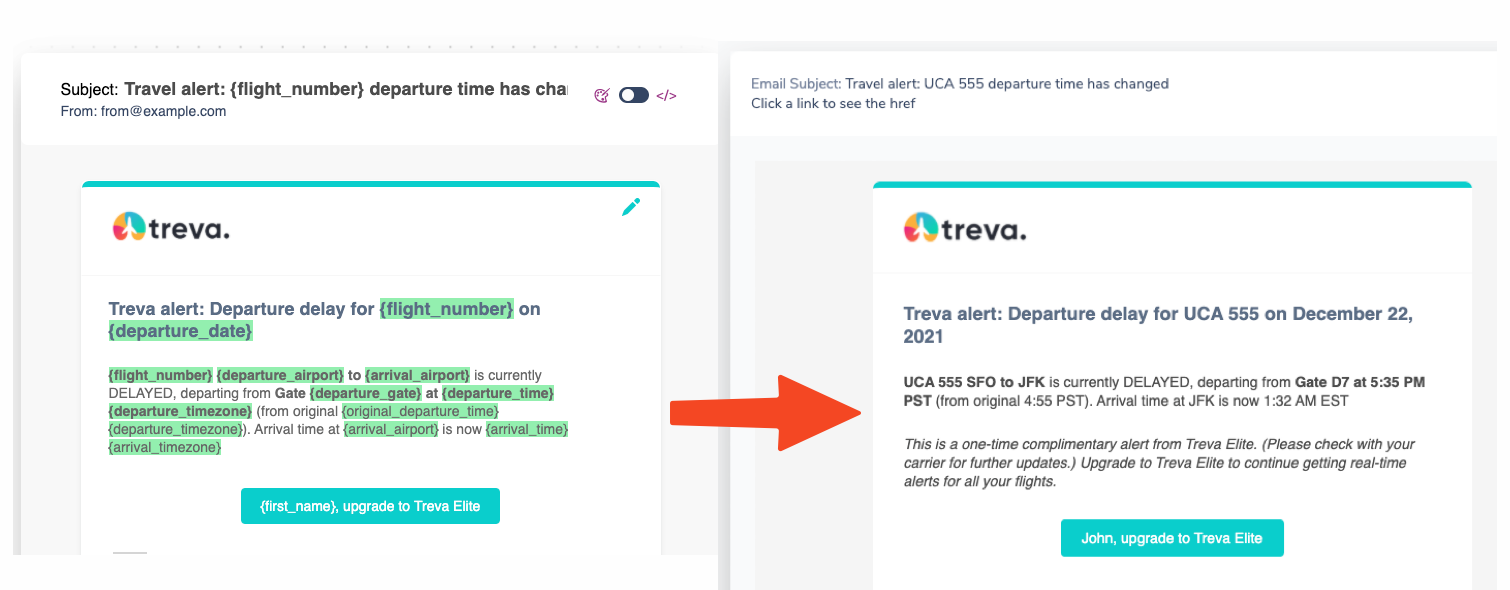
Variables let you insert dynamic, personalized values into your notifications. Use curly brackets to reference values from the Send API, user profiles, tenants, and brands.
Using Variables in Notifications
You can insert variables into:
- Content Blocks (Text, Action, Markdown, Quote, Template, List)
- Handlebars code (Template blocks, Email templates, Brands)
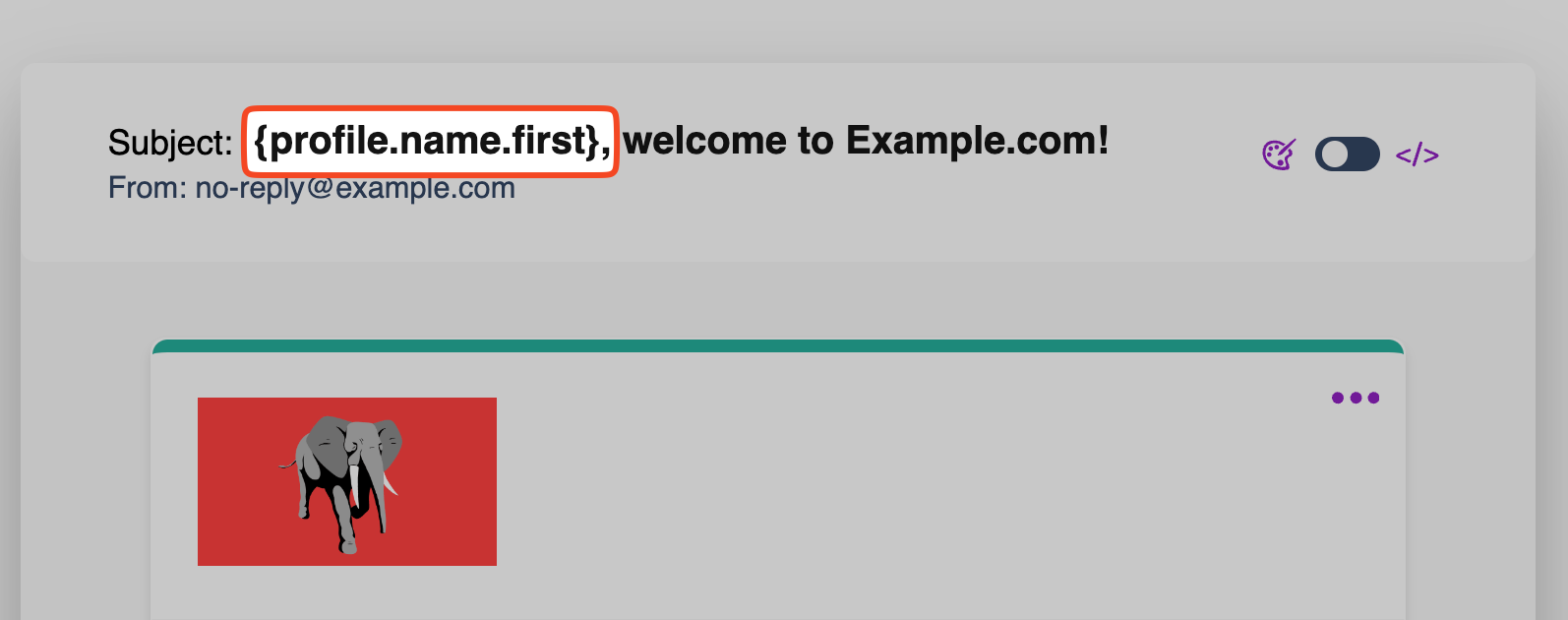
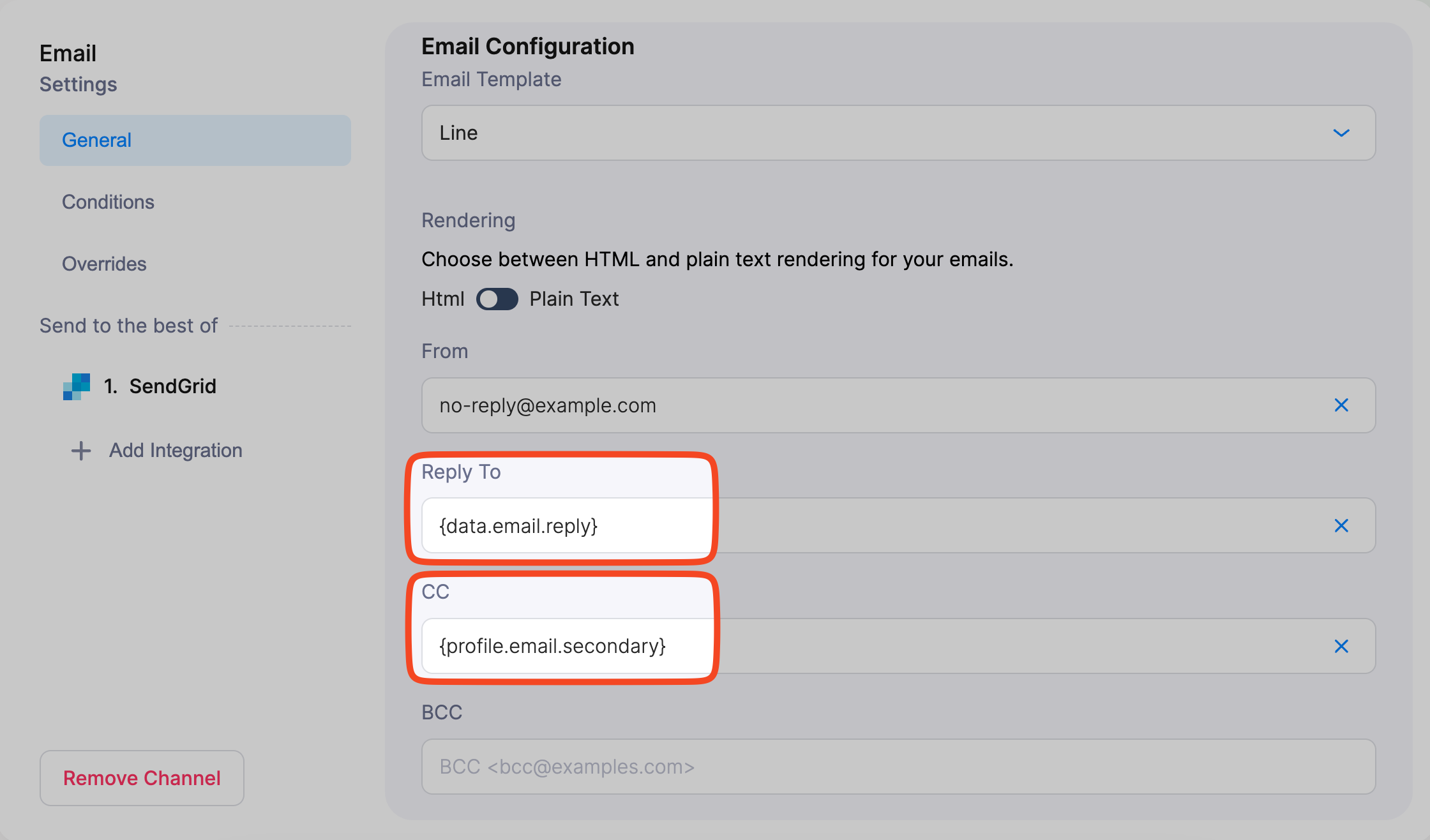
- Email subject line and addresses (From, Reply-To, CC, BCC)
- Notification Conditions to control notification sending
- Channel Conditions to enable or disable specific channels
- Filters to conditionally show or hide content blocks
Content Blocks
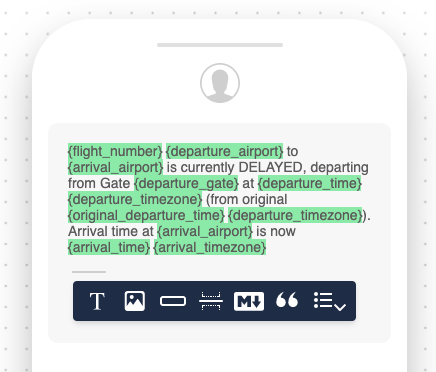
Enclose the variable name in single curly brackets: {variable_name}. Properly formatted variables inside Text, Markdown, Quote, and List Blocks are highlighted in green.
Handlebars
In Handlebars, use double curly brackets {{ }} with the var or path helper:
- Data object:
{{var "variable_name"}}
- Profile data:
{{var "profile.variable_name"}}
You can use Handlebars in Template content blocks, Brand templates, and the Handlebars override in Email notifications.
Email Fields
Variables are also supported in the Subject line, From address, Reply-To, CC, and BCC fields in the email channel settings.
Data Sources
Courier resolves variables from the Notification Context, which has four top-level keys. Each data source has its own JSONPath prefix:
| Source | JSONPath | Shorthand | Example |
|---|
| Data | $.data.someProp | data.someProp or someProp | {order.total} |
| Profile | $.profile.someProp | profile.someProp | {profile.email} |
| Tenant | $.tenant.someProp | tenant.someProp | {tenant.name} |
| Brand | $.brand.someProp | brand.someProp | {brand.colors.primary} |
Courier queries the data object by default for any path not prefixed with profile., tenant., or brand.. So {orderId} is equivalent to {data.orderId}.
The Data Object
The Data object is an optional property of the Send call. Use it to pass key-value pairs into your notification template.
{
  "customer": {
    "name": "Acme Corporation",
    "plan": "Enterprise"
  },
  "order": {
    "id": "order_abc123",
    "total": 99.99,
    "currency": "USD"
  },
  "billing": {
    "nextInvoiceDate": "2024-06-01",
    "paymentMethod": {
      "type": "CreditCard",
      "lastFour": "1234"
    }
  }
}
| Path | Description |
|---|
{myField} | Top-level key in data |
{customer.name} | Nested value |
{items[0].name} | First item in an array |
Variable names must use camelCase or snake_case. Dashes and other special characters cause rendering errors: {firstName} and {first_name} work, {first-name} does not.
The User Profile
User Profile data can come from two places:
- The
profile object in the Send API request.
- The stored User Profile associated with the recipient ID, created via the Profiles API.
{
  "email": "jane.doe@example.com",
  "phone": "+1 555 9876543",
  "name": {
    "firstName": "Jane",
    "lastName": "Doe"
  },
  "locale": "en-US",
  "timezone": "America/Los_Angeles",
  "address": {
    "city": "Anytown",
    "state": "CA",
    "country": "USA"
  }
}
| Path | Description |
|---|
{profile.email} | Email address |
{profile.phone_number} | Phone number |
{profile.locale} | Locale (e.g., en-US) |
{profile.yourField}.
If a key exists in both the Send API profile object and the stored User Profile, the Send API value takes precedence.
Built-in Variables
Courier automatically populates these variables during the send process. You can use them in notification content and settings:
| Variable | Description |
|---|
{courier.environment} | The environment, e.g., “production” or “test” |
{courier.scope} | The notification scope, e.g., “published” or “draft” |
{event} | The event associated with the notification |
{messageId} | The unique identifier for the message |
{openTrackingId} | The tracking ID for email open events |
{recipient} | The recipient ID |
{subscriptionTopicId} | The ID of the subscription topic, if applicable |
{template} | The name of the template used for the notification |
{unsubscribeTrackingId} | The tracking ID for unsubscribe events |
{urls.opened} | The URL for tracking email opens |
{urls.unsubscribe} | The unsubscribe URL |
{urls.preferences} | The URL for managing the user’s notification preferences |
{var "datetime.year"} | The current year (Handlebars syntax only) |
Tenant
The Tenant object contains information about the tenant associated with the send. Access tenant properties with {tenant.name} in content blocks or {{var "tenant.name"}} in Handlebars.
| Path | Description |
|---|
{tenant.id} | Tenant ID |
{tenant.name} | Tenant name |
{tenant.brand_id} | Default brand ID for the tenant |
{tenant.parent_tenant_id} | Parent tenant ID (if the tenant has a parent) |
{tenant.properties.*} | Custom properties set on the tenant (e.g., {tenant.properties.companyLogo}) |
Brand
The Brand object contains branding values from the Brand associated with the notification. Commonly used paths:
| Path | Description |
|---|
{brand.id} | Brand ID |
{brand.name} | Brand name |
{brand.settings.colors.primary} | Primary brand color |
{brand.settings.colors.secondary} | Secondary brand color |
{brand.settings.colors.tertiary} | Tertiary brand color |
{brand.settings.email.header.barColor} | Email header bar color |
{brand.settings.email.header.logo.href} | Logo link URL |
{brand.settings.email.header.logo.image} | Logo image URL |
{brand.settings.email.footer.social.facebook.url} | Facebook URL |
{brand.settings.email.footer.social.twitter.url} | Twitter URL |
{brand.settings.email.footer.social.linkedin.url} | LinkedIn URL |
{brand.settings.email.footer.social.instagram.url} | Instagram URL |
{brand.settings.email.footer.social.medium.url} | Medium URL |