

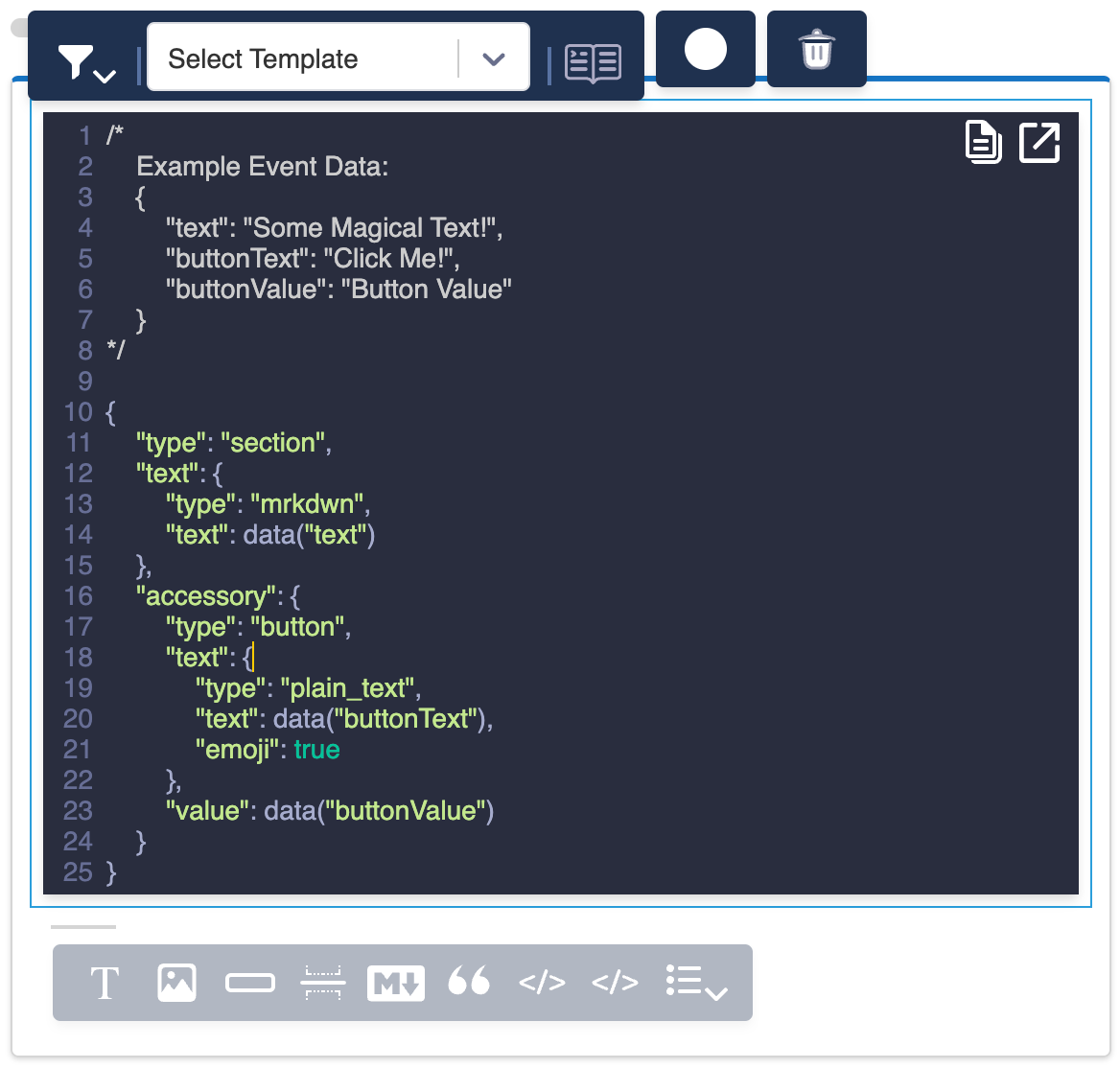
New Jsonnet Block
Key Features
Data Integration
- Access data using the
data("variable")syntax - Access profile data using the
profile("variable")syntax - Dynamically populate message content based on profile attributes or event data.
Templating
- Use Jsonnet’s templating features to create reusable components
- Apply conditional logic to show or hide parts of your message
Platform-Specific Elements
- Create Slack Block Kit elements
- Design Microsoft Teams Adaptive Cards
Courier-Provided Templates
Courier offers several pre-built Jsonnet template blocks for common Block Kit actions:- Buttons
- Dropdowns
- Images
- Text sections
- And more…
Custom Block Kit Elements
You can also build your own Block Kit elements from scratch. The Jsonnet Block expects either a single Block Kit element or an array of elements.Preventing Unwanted Mentions with verbatim
Slack automatically parses mrkdwn text for @name patterns and converts them into mentions. If your message includes text that looks like a mention but shouldn’t trigger one, set verbatim: true on the text object to disable this behavior:
@ characters. Standard Courier blocks (text, quote) don’t expose this property; Jsonnet blocks give you full control over Block Kit text object fields like verbatim.