Developer Guide to iOS 26 Priority Notifications
 Kyle SeylerNovember 17, 2025
iOS 26 Push Notifications & Apple Intelligence Guide
The push notifications landscape shifted dramatically in 2025. Apple Intelligence's Priority Notifications in iOS 18.4 changed how iOS surfaces important alerts, representing the most significant update to mobile push notifications since their introduction.
This guide provides deep technical utility for app developers and product managers navigating iOS 26 notification features. Whether you're managing push notification infrastructure through Courier's unified API or building directly against APNs, you'll find actionable implementation guidance backed by reputable sources.
iOS 18.4's Priority Notifications
iOS 18.4 (released March 31, 2025) fundamentally changed how push notifications compete for user attention by introducing Priority Notifications, an Apple Intelligence feature that uses on-device machine learning to automatically determine which alerts deserve prominent placement at the top of the Lock Screen. Here's what makes this different: Apple hasn't exposed the complete algorithm. Much of the prioritization system is black box AI, but over the eight months since the beta launched in February 2025, developers and testers have been systematically recording results to understand what gets prioritized.
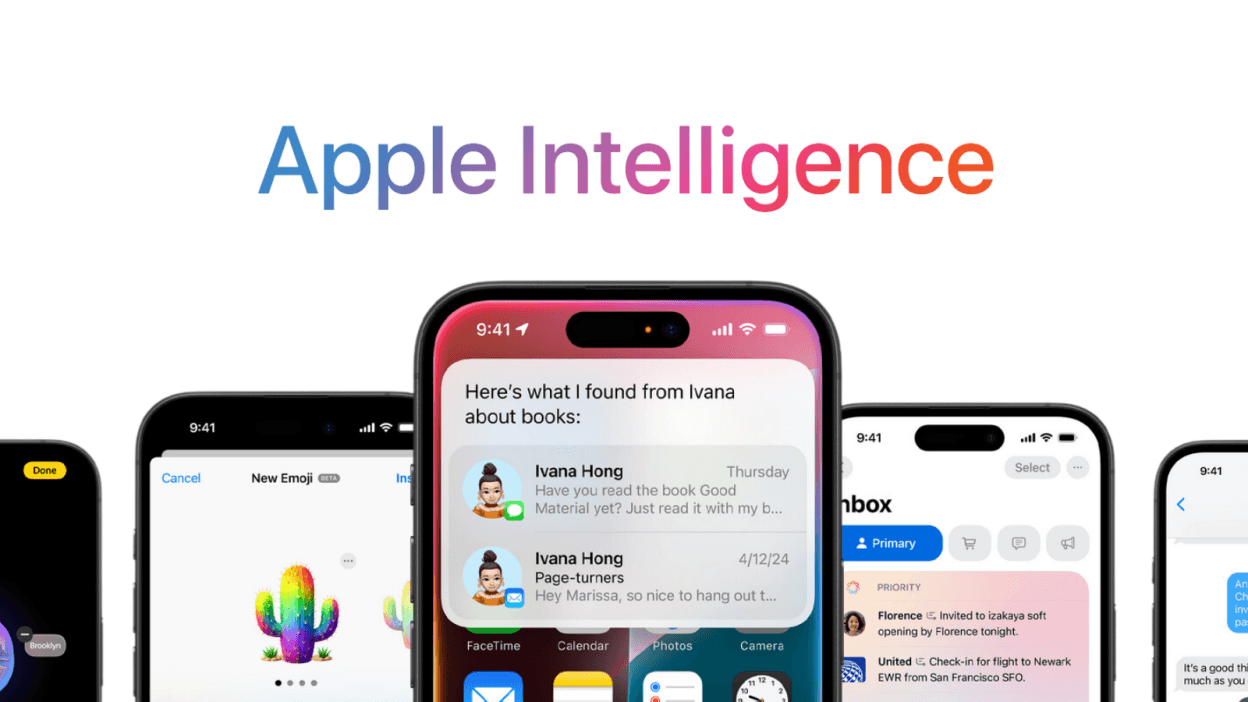
According to testing reported by 9to5Mac and iDropNews, the system demonstrates clear preferences. Push notifications from Messages, Mail, and Calendar apps consistently get prioritized over news and entertainment apps.
Key Facts:
- Available in iOS 18.4 and later (including iOS 26)
- Opt-in feature at Settings > Notifications > Prioritize Notifications
- Uses on-device processing (privacy-focused, no data sent to Apple)
- Surfaces 4-6 notifications in priority section at top of Lock Screen
- Learns from user interaction patterns over time
How Apple Intelligence Determines Priority
Apple hasn't published detailed technical documentation on the exact algorithm, but based on reputable sources and developer observations, here's what we know:
Content Analysis
The AI analyzes what's in the notification to determine if it should stand out from the rest, using the same semantic analysis of notification content introduced in Apple Mail with iOS 18.1. In iOS 26, this system continues to perform on-device analysis to understand context and urgency.
Application Category
The app generating the notification is a big clue. Something from Mail, Messages, or Reminders is far more likely to be a priority than a news headline. Initial tests suggest that Apple Intelligence tends to prioritize notifications from messaging apps or time-sensitive events, such as upcoming deliveries, over other apps such as Gmail or Asana.
Time-Sensitive Context
Time Sensitive notifications (a feature since iOS 15) still rise to the top. Priority Notifications build on top of existing Time Sensitive notification infrastructure but use AI to fill gaps where developers haven't properly categorized their notifications.
User Interaction Patterns
The feature uses on-device machine learning to understand notifications that are most relevant to you, based on their context and your interaction patterns. Over time, the system learns from which notifications you actually engage with.
Technical Elements That Improve Notification Priority
Based on Apple's developer documentation and implementation guidance, here are the specific technical elements that can improve a notification's chance of being prioritized:
1. Interruption Level (Most Direct Control)
Developers can set ios_interruption_level to "active", "time-sensitive", "passive", or "critical". The Time Sensitive level is key:
Implementation:
{"aps": {"alert": {"title": "Your driver is arriving","body": "2 minutes away"},"interruption-level": "time-sensitive"}}
Time Sensitive notifications will still rise to the top, and Priority Notifications fill in a gap where developers haven't properly implemented Time Sensitive classification. This means properly implementing Time Sensitive for genuinely urgent notifications gives you the best chance of priority status.
Setup Requirements:
- Add "Time Sensitive Notifications" capability in Xcode
- Enable the capability in Apple Developer portal for your App ID
- No special permission request needed from users (it's on by default)
2. Relevance Score (For Scheduled Summary)
From iOS 15, Apple introduced the relevance-score field for iOS push notification payloads, designed to be used with Notification Summary to help the device determine the relative importance of notifications.
Implementation:
{"aps": {"alert": {...},"relevance-score": 0.8}}
ios_relevance_score: Optional numeric value from 0 to 1 to indicate importance for delivery ordering. While this primarily affects Notification Summary, it may provide signals to Priority Notifications AI about importance.
3. Communication Notifications (Highest Priority Path)
For messaging, calling, or user-to-user communication apps, implementing Communication Notifications gives special priority treatment:
Why It Matters: Siri provides shortcuts and suggestions based on communication intents, and will suggest relevant people to break through in the Focus configuration, including those people associated with communications in your app. Communication notifications will feature the image or avatar of the contact they were sent from and can integrate with SiriKit so that Siri can intelligently provide shortcuts and suggestions for communication actions.
Implementation Requirements:
- Add "Communication Notifications" capability in Xcode
- Implement SiriKit intents (
INSendMessageIntentorINStartCallIntent) - Add to Info.plist:
<key>NSUserActivityTypes</key><array><string>INSendMessageIntent</string></array>
- Update notification content in Notification Service Extension with the intent
This is only appropriate for genuine person-to-person communication, not marketing messages or transactional notifications.
4. App Category Signals
Apple's AI has undocumented safeguards in place to prevent abuse, and the only way apps can try to circumvent the OS is by making their content look urgent.
Based on testing reports:
- Higher priority apps: Messages, Mail, Reminders, Calendar, delivery apps
- Lower priority apps: News, entertainment, social media feeds
Your app's category in the App Store and its general function matters. A productivity or communication app will have better odds than an entertainment app.
5. Notification Content Quality
While Apple hasn't documented the exact content analysis, these elements appear to matter:
Title and Body Structure:
- Clear, action-oriented language
- Specific details (times, names, locations)
- Urgent but not clickbait tone
- Avoid marketing language
Examples of likely prioritized content:
- "Your Uber driver arrives in 2 minutes"
- "Security alert: New login from San Francisco"
- "Meeting with Sarah starts in 15 minutes"
- "Package delivered to your door"
Examples of likely deprioritized content:
- "50% off sale ends today!"
- "You have 3 new followers"
- "Daily digest: Here's what you missed"
- "Recommended for you"
Check how it renders: iOS shows roughly 30 to 50 characters of title and 150 of body before it truncates, so a specific detail sitting at the end of a long line never gets read. The push notification preview generator shows where the cut lands on both iOS and Android.
6. What Does NOT Work
Do NOT abuse these systems:
- Never use the Time Sensitive interruption level to send a marketing notification
- Don't mark promotional content as time-sensitive, users can disable your app's Priority Notifications entirely
- Apple has undocumented safeguards in place to prevent abuse
Best Practices for iOS Notification Deployment
Priority Notifications functionality introduced in iOS 18.4 remains consistent through iOS 26. These best practices apply to all current iOS versions.
Use a Tiered Approach
Critical/Time Sensitive:
- Security alerts
- Delivery arrivals
- Time-critical actions
- Person-to-person messages
- Calendar reminders
Active (default):
- Transactional confirmations
- User-initiated updates
- Order status changes
- Account notifications
Passive:
- Recommendations
- Social updates
- Digest content
- Marketing messages
Write Clear, Specific Copy
Build trust by accurately representing the urgency of each notification. People have several ways to adjust how they receive notifications from your app, including turning off all notifications, so it's essential to be as realistic as possible when assigning an interruption level.
Good Examples:
- "Your ride with John is 3 minutes away"
- "Meeting starts in 10 min: Q4 Planning Review"
- "2FA code: 842915 (expires in 5 min)"
Bad Examples:
- "Don't miss out on this amazing deal!"
- "You won't believe what just happened"
- "Important update inside"
Test and Monitor
- Users can disable Priority Notifications per-app if they feel misled
- Watch for patterns in engagement to understand what users consider priority
- Don't assume AI classification, proper technical implementation is still best practice
- The feature is opt-in, so not all users will have it enabled
The Honest Approach Wins
Priority Notifications AI is designed to identify genuinely urgent content. The best technical strategy is to properly classify your notifications using existing iOS features (Time Sensitive, Communication Notifications) and write notification copy that accurately reflects the urgency of the content.
How Courier Simplifies iOS Notification Management
Courier abstracts the complexity of managing notification infrastructure across APNs and other platforms. Here's how Courier helps:
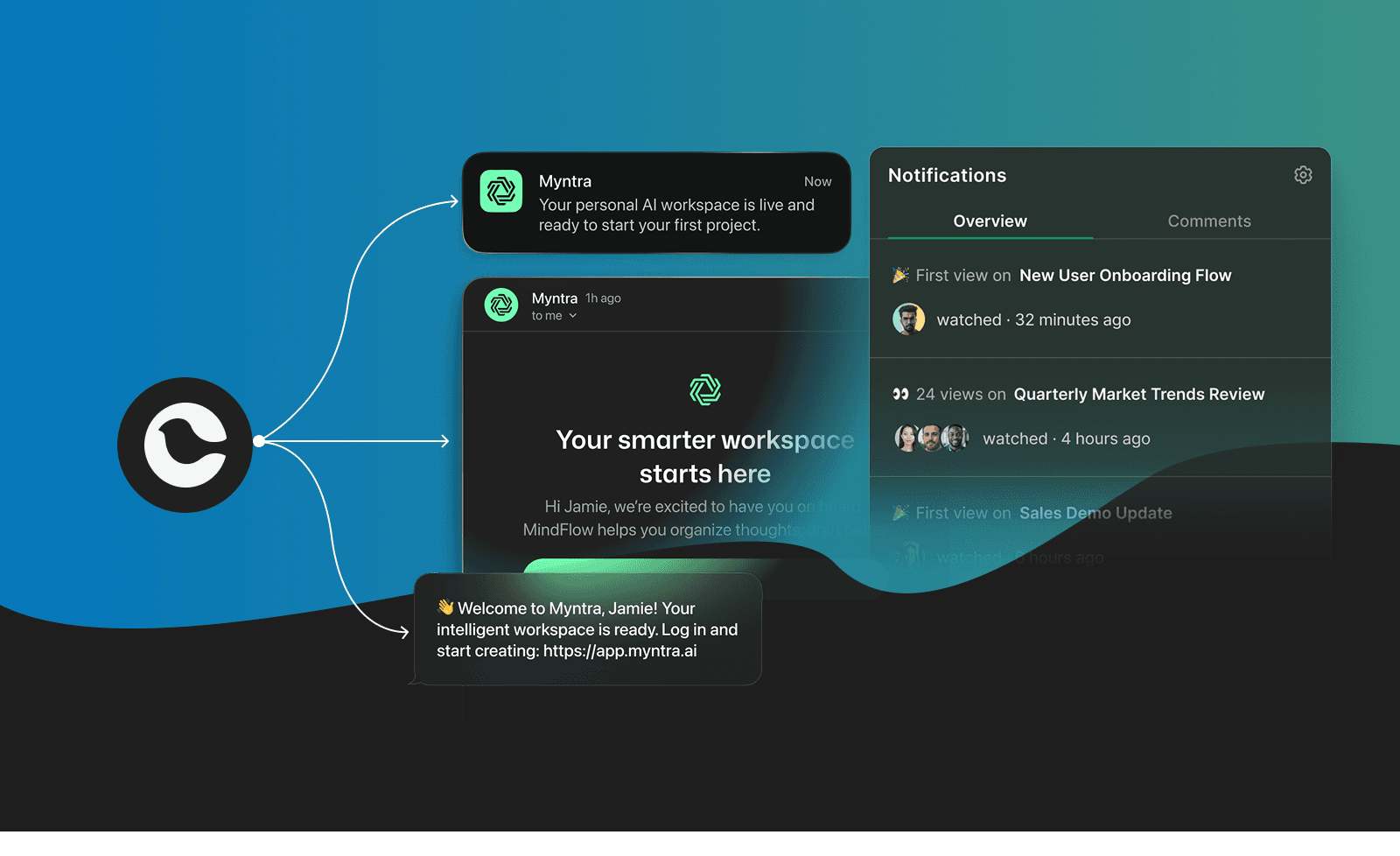
Unified API for All Platforms:
- Single API call handles iOS, Android, web push, SMS, and email
- Automatic handling of platform-specific requirements
- Built-in support for Time Sensitive notifications via provider overrides
- Create notification templates with proper urgency classification
- A/B test different notification copy to optimize engagement
- Segment notifications by urgency type in Journeys
- Automatic failover to SMS/email when push fails
- Intelligent delivery timing based on user timezone
- Rate limiting and throttling built-in
- Track notification delivery rates and engagement
- Understand which notifications users interact with
- Monitor for issues before they impact users
Example Courier Implementation:
{"message": {"to": {"user_id": "user_123"},"content": {"title": "Your driver is arriving","body": "2 minutes away"},"routing": {"method": "single","channels": ["push"]},"providers": {"apn": {"override": {"body": {"aps": {"interruption-level": "time-sensitive"}}}}}}}
Other Push Notification Changes to Know
iOS 18.3 (January 2025)
Brought significant notification changes after Apple Intelligence summaries caused issues with news headlines:
- Notification summaries temporarily disabled for News & Entertainment apps
- Summaries now displayed in italicized text on lock screen to distinguish AI-generated content
- Apple Intelligence now enabled by default on compatible devices
Current Status (iOS 26): These features remain active in iOS 26, with Apple Intelligence continuing to refine notification summaries and priority detection through on-device learning.
Apple Push Notification Service Certificate Update
APNs updated server certificates in sandbox on January 20, 2025, and in production on February 24, 2025. The new server certificate uses the USERTrust RSA Certification Authority (SHA-2 Root). Most notification providers (including Courier, OneSignal, Firebase) handled this automatically, but teams with custom APNs implementations needed to update their server trust stores.
Twilio Notify End of Life: December 31, 2025
Twilio Notify will end of life on December 31, 2025. After this date, the Notify API will cease to function entirely. Twilio itself chose Courier for their own multichannel orchestration needs when they needed to replace Notify's capabilities internally.
Firebase Cloud Messaging Legacy API (Already Deprecated)
Legacy Firebase Cloud Messaging APIs were terminated effective June 20, 2024. Anyone still on the legacy API needs to migrate to FCM HTTP v1. FCM HTTP v1 API has a rate limit of 600,000 requests per minute by default.
Frequently Asked Questions
Q: How do I implement Time Sensitive notifications on iOS 26
A: Courier makes this simple through provider overrides. Use the providers.apn.override parameter in your API call to set the interruption level. Courier's APNs integration handles all the complexity of certificate management and delivery tracking, so you can focus on crafting the right message.
Q: What happens if my push notification fails to deliver?
A: With Courier's smart routing, failed push notifications can automatically escalate to SMS or email based on your configuration. This ensures critical notifications reach users even if their device is offline or push is disabled. Set up multi-channel routing to never miss an important alert.
Q: Do I need separate templates for iOS and Android?
A: Not with Courier. Create a single notification template, and Courier automatically formats it correctly for each platform. iOS 26-specific features like Time Sensitive notifications are configured through provider overrides, keeping your templates clean and maintainable.
Q: How can I track which notifications users actually engage with?
A: Courier's analytics dashboard tracks delivery, open rates, and engagement metrics across all channels. This helps you understand which notifications drive action and which ones users ignore, so you can refine your urgency classification and improve Priority Notification selection rates.
Q: What's the best way to handle notification preferences?
A: Courier provides built-in preference management so users can control which notification types they receive on which channels. This respects user choice while ensuring critical notifications (like security alerts) still get through. Learn about preference management.
Q: I need help with Communication Notifications and SiriKit integration?
A: While the SiriKit implementation happens in your iOS app (compatible with iOS 15 through iOS 26), Courier handles the notification delivery side seamlessly. Once you've configured Communication Notifications in your app, use Courier's provider overrides to send the properly formatted payloads that iOS expects.
Q: How do I migrate from Twilio Notify before the December 2025 deadline?
A: Courier provides a complete migration path with the same multichannel capabilities Twilio chose for their own internal operations. Start your migration here with free tier access that includes 10,000 notifications per month.
Additional Resources
Official Platform Documentation
- Apple Push Notification Service (APNs)
- UNNotificationInterruptionLevel - Apple Developer
- Communication Notifications - Apple Developer
Courier Implementation Guides
- APNs Integration with Courier
- iOS SDK Documentation
- Routing Strategies Guide
- Journeys Documentation
- Push vs In-App Notifications
- Push Notification Providers Comparison
Platform Announcements
Get started with Courier:
- Sign up for free (10,000 notifications/month included)
- iOS Push Notification Setup Guide
- Twilio Notify Migration Guide
Similar resources

Clinical alert and notification systems: how escalation works
A clinical alert is easy to send and hard to close. This is how alerting works inside a hospital: where alerts come from, how routing by role and shift works, and how the acknowledge, timeout, escalate loop is actually built, including what happens when nobody answers.

Courier vs Customer.io: 2026 messaging platform comparison
Courier and Customer.io both send across email, push, SMS, and in-app, but they are not priced or built the same way. Courier bills by the send, puts journeys, experiments, broadcasts, an in-app inbox, preferences, and 50+ delivery providers on one platform, and exposes all of it through an API, a CLI, and an MCP server. Customer.io bills by the number of profiles in your database and fits a marketing team that needs deep behavioral segmentation. This comparison covers pricing, journeys, channels, in-app messaging, localization, and preferences, with every competitor figure linked to Customer.io's own pages.

Email preview tools compared: 6 that render on real devices
Most "email preview" features are simulations. These six open your email in the actual client and send back a screenshot. Here’s what each costs per preview, how much work sits between your template and the result, and which ones you can drive from code.
© 2026 Courier. All rights reserved.