How to Embed a Template Designer into Your React Application
 Kyle SeylerSeptember 18, 2025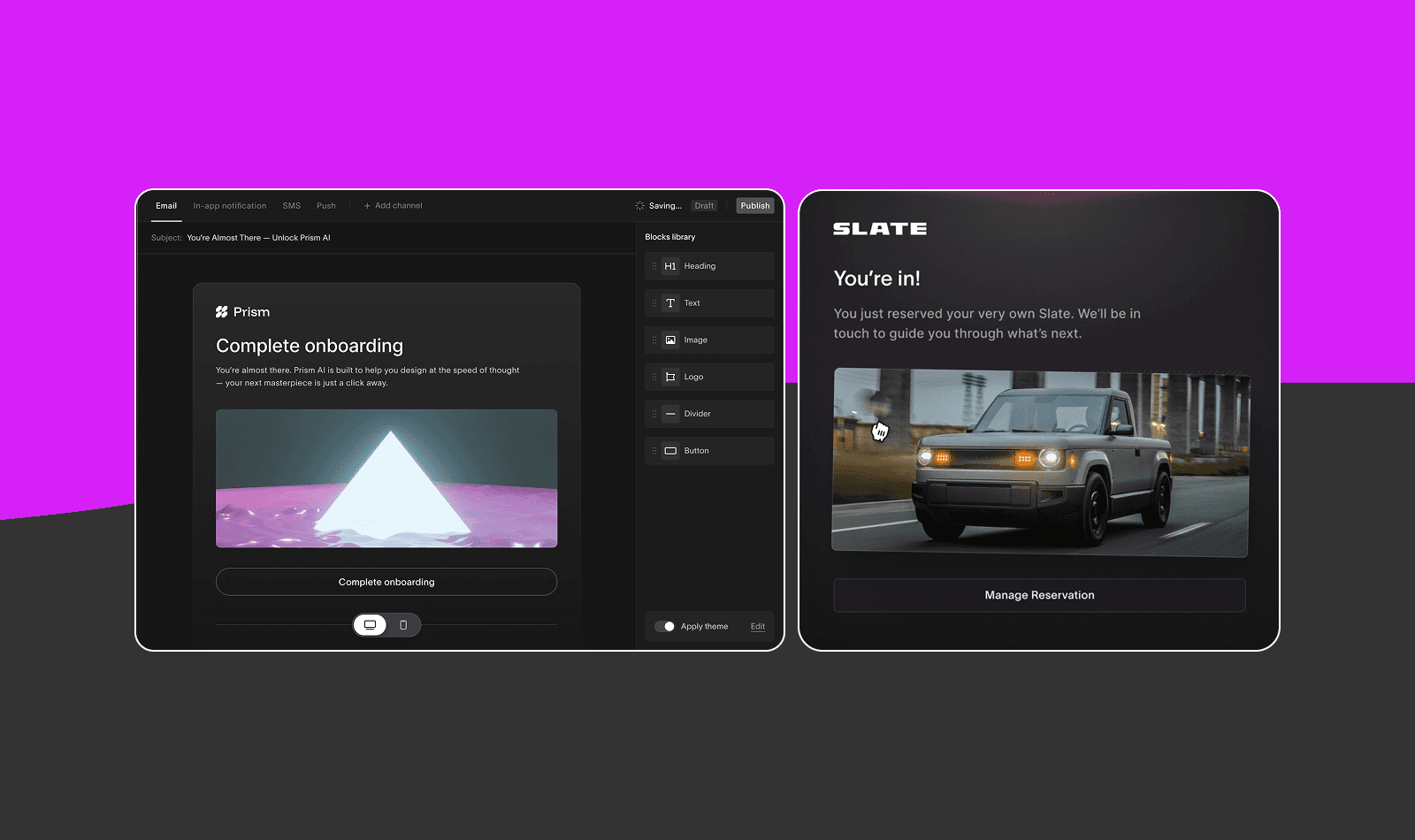
How to Use Courier to Add a Template Designer to Your React App
TL;DR: Multi-tenant SaaS platforms often struggle to give customers template design control without compromising security. Courier Create provides an embeddable React component that enables customer-controlled template editing with built-in tenant isolation, supporting drag-and-drop design, variable substitution, and brand customization while maintaining platform security. Every customer wants their brand to shine through in their communications. Courier Create offers a way to provide template design control while maintaining your platform's secure environment.
In This Article
- Why Can't My Customers Design Their Own Templates?
- What is Courier Create?
- Why React Apps Need Better Template Control
- How Are Companies Actually Using This?
- What Can Courier Create Actually Do?
- How Secure Is Multi-Tenant Template Editing?
- How Hard Is It to Add This to My React App?
- Basic Setup
- Frequently Asked Questions
- Get Started with Courier Create
Why Can't My Customers Design Their Own Templates?
Building a multi-tenant SaaS platform comes with a fundamental tension. Your customers need their communications to reflect their unique brand identity, but you need to maintain control over your platform's security and performance. Traditional approaches often force you to choose between two extremes: either lock down templates so tightly that customers lose their brand voice, or open up access so broadly that you risk security vulnerabilities and inconsistent user experiences.
This challenge affects platforms across industries. The result is often a compromise that satisfies neither party fully - customers get limited customization options, while platform teams spend significant resources managing custom template requests and maintaining security boundaries.
This challenge becomes even more complex when you consider the variety of communication channels modern businesses use. Email templates need different design considerations than SMS messages. Push notifications have their own constraints. And each customer wants their messages to feel native to their brand across all these channels.
Many platforms try to solve this by building their own template editors. But creating a robust, secure editor that handles variables, preview functionality, and multi-channel support requires significant engineering resources. Even after building it, you still need to handle tenant isolation, authentication, and the inevitable feature requests as customer needs evolve.
What is Courier Create?
Courier Create is an embeddable template designer built specifically for React applications that need to give their customers control over notification design. Rather than building your own editor from scratch, you can embed Courier Create directly into your platform to provide a template editing experience.
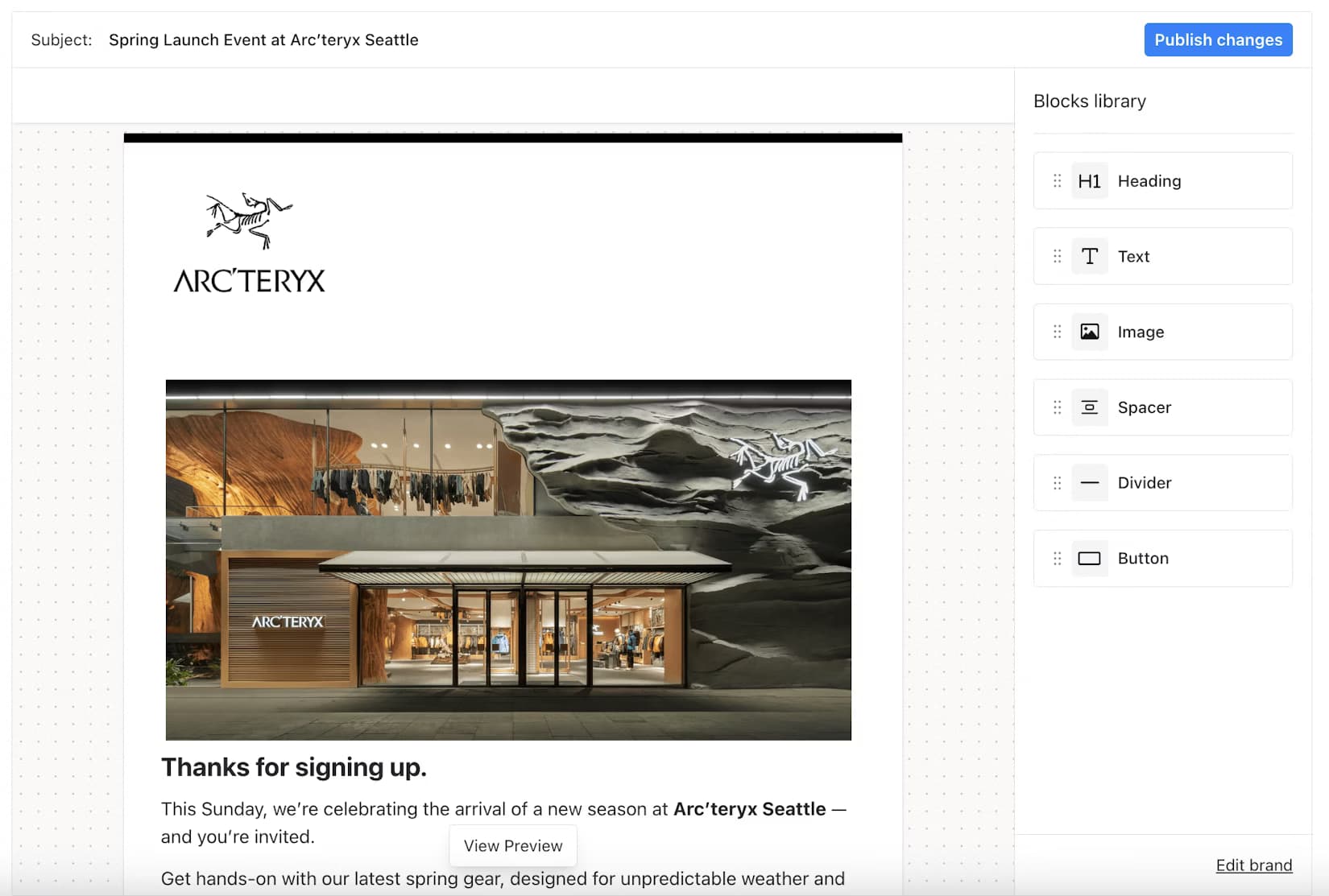
The solution goes beyond basic template editing. Courier Create includes both a template editor and a brand editor, allowing your customers to define their visual identity once and apply it consistently across all their communications. The editor supports drag-and-drop functionality, real-time previews, and variable substitution, making it accessible to non-technical users while still providing the power that developers need.
Courier Create's architecture is designed for multi-tenant platforms. Each tenant's templates and branding are isolated by default. Authentication happens through JWT tokens with granular scopes, allowing you to control what each user can access and modify. This approach aims to provide customers with creative freedom while maintaining security boundaries.
Why React Apps Need Better Template Control
React has become the backbone of modern web applications. Its component-based architecture and efficient rendering make it the go-to choice for building scalable, maintainable platforms. But as React apps grow in complexity and serve more customers, the need for customizable communication templates becomes critical.
The React ecosystem thrives on reusable components and clean separation of concerns. Traditional template management breaks this pattern by forcing developers to build custom editors from scratch or rely on external tools that don't integrate well with React's component model. Courier Create changes this by providing React-native components that feel like a natural extension of your existing codebase.
Modern React applications often serve multiple customers or tenants, each with unique branding requirements. Building a template editor that handles this complexity while maintaining React best practices requires significant engineering resources. Courier Create aims to reduce this burden by providing a solution that can integrate with your existing React architecture.
How Could Companies Benefit From This?
Real estate platforms often face challenges with centralized notification management. Companies like Side have reported issues with delivering timely transaction updates due to disconnected backend systems. For such platforms, Courier Create could help centralize notification systems and enable product managers to manage messaging without engineering support, potentially leading to faster iterations and more consistent experiences.
Double-sided marketplaces present unique challenges for template management:
• Platforms similar to Hipages often need fast, reliable messaging to connect service providers with customers • In-house notification systems can become bottlenecks, potentially slowing message launch times from concept to deployment • An embeddable solution like Courier Create could help reduce development time while providing more flexibility
Healthcare communications require precision and compliance. Patient-provider platforms could benefit from Courier Create's ability to let healthcare organizations customize appointment reminders, test results notifications, and treatment updates while maintaining compliance requirements and brand consistency.
Rental platforms like Apartment List often struggle with efficient communication between renters and property managers. Homegrown notification systems can be difficult to maintain and may slow engineering projects. Courier Create could allow engineering teams to focus on core product development while providing reliable, branded communications.
How Courier Create Works
The technical implementation of Courier Create is designed for simplicity. After installing the npm package, you wrap your component with a TemplateProvider that handles authentication and state management. The TemplateEditor component then provides the full editing interface, complete with your custom theming to match your platform's design.
Authentication happens through JWT tokens that you generate on your backend. These tokens include specific scopes that control what each user can access. For example, you might give a tenant administrator full read and write access to their templates and branding, while limiting other users to template editing only. This granular control ensures that users have exactly the permissions they need and nothing more.
The editor itself provides a familiar, intuitive interface. Users can drag and drop content blocks, edit text inline, and see live previews of their changes. Variable substitution is handled through a simple double-bracket syntax, with autocomplete helping users discover available data fields. The brand editor works alongside the template editor, allowing users to update colors, logos, and other brand elements that automatically apply across all their templates.
When users are ready to send messages, your platform calls the Courier API with the tenant context and template identifier. Courier handles the rendering, applying the tenant's brand settings and substituting variables with actual data. This separation of design and delivery means your platform can focus on business logic while Courier handles the complexities of multi-channel message rendering.
What Can Courier Create Actually Do?
Multi-Channel Template Design Courier Create extends beyond basic email editors by supporting multiple communication channels from a single interface. While email is fully supported today, the platform architecture is designed to expand to SMS, push notifications, and other channels.
- Future-proofs your integration as customer communication needs evolve
- Ensures consistent branding across all message types
- Eliminates the need to build separate editors for different channels
Advanced Variable System The variable system supports complex, nested data structures that make it powerful enough for enterprise use cases. Your customers can reference deep object properties and work with dynamic content seamlessly.
- Supports nested object properties like user.company.address.city
- Provides helpful autocomplete based on sample data you provide
- Reduces errors and makes the system accessible to non-technical users
Drag-and-Drop Editor The visual editor provides an intuitive interface that empowers non-technical users while maintaining the flexibility developers need.
- No-code interface for building professional templates
- Real-time preview shows exactly how messages will appear
- Supports complex layouts with nested components and styling
White-Label Integration Courier Create can integrate into your platform without exposing Courier branding, helping maintain a cohesive user experience.
- Complete customization of colors, fonts, and visual elements
- Matches your existing design system and brand guidelines
- Users experience a native tool built specifically for your platform
Enterprise Security Multi-tenant architecture ensures each customer's templates and branding remain completely isolated and secure.
- JWT-based authentication with granular permission scopes
- Tenant-specific data isolation at the API level
- Production-ready security that scales with your platform
How Secure Is Multi-Tenant Template Editing?
Tenant isolation is built into every aspect of Courier Create. Templates and brand settings are scoped to specific tenants at the API level, not just in the UI. This means even if someone somehow manipulated the frontend, they couldn't access another tenant's data. The JWT authentication system enforces these boundaries, with tokens that expire and scopes that limit access to specific resources.
The authentication model supports both development and production workflows. During development, you can use client keys for quick testing. In production, your backend generates short-lived JWT tokens with specific scopes for each user session. This approach balances security with developer experience, making it easy to build and test while maintaining production-grade security.
Data sovereignty is another key consideration. Templates and brand settings are stored in Courier's infrastructure, but you maintain full control through the API. You can export templates, audit changes, and maintain your own backups if needed. This gives you the benefits of a managed service while maintaining the control that enterprise customers demand.
How Hard Is It to Add This to My React App?
Courier Create is built specifically for React applications, requiring React 18.2.0 or higher. The component library follows React best practices, which can facilitate integration into existing applications. The styling is provided through a separate CSS file, giving you control over how styles are loaded and potentially customized.
However, there are some considerations to keep in mind. The React 18.2.0+ requirement means older applications may need updates before integration. Additionally, while the component library is designed to be flexible, you'll need to plan for JWT token management, user permission systems, and potentially custom validation workflows depending on your platform's requirements.
The provider pattern used by Courier Create makes it flexible enough for different application architectures. You can wrap your entire application with providers at the root level, or scope them to specific features or pages. This flexibility means you can gradually roll out template editing capabilities or limit them to certain user tiers.
Customization extends beyond visual theming. You can override default behaviors like the publish button, integrate with your own save workflows, and add custom validation. The component API provides hooks for accessing template data and actions programmatically, enabling deep integration with your platform's existing workflows.
Talk to a Solutions Engineer
Ready to explore how Courier Create fits your specific requirements? Our solutions engineers can help you evaluate integration complexity, plan your authentication architecture, and design a rollout strategy that works for your platform and customers.
Basic Setup
Getting started with Courier Create in your React application takes just a few minutes:
Install the Package
bashnpm install @trycourier/react-designer
yarnadd @trycourier/react-designer
Import Components and Styles
jsximport "@trycourier/react-designer/styles.css";import { TemplateEditor, TemplateProvider } from "@trycourier/react-designer";
Use the Components
jsxfunction App() {return (<TemplateProvider templateId="template-123" tenantId="tenant-123" token="your-jwt-token"><TemplateEditor /></TemplateProvider>);}
The TemplateProvider automatically creates templates if they don't exist, making it easy to get started. For production use, you'll want to generate JWT tokens with appropriate scopes for each user session.
Frequently Asked Questions
What channels does Courier Create support?
Currently, Courier Create fully supports email template design with rich formatting, drag-and-drop editing, and variable substitution. The platform architecture is designed to support SMS, push notifications, and other channels in the future, ensuring your integration remains valuable as your customers' needs evolve.
How does Courier Create handle tenant data isolation?
Courier Create uses JWT-based authentication with tenant-specific scopes to ensure complete data isolation. Each API request is authenticated and authorized at the backend level, not just in the UI. Templates and brand settings are stored with tenant identifiers that are validated on every request, making it impossible for one tenant to access another's data.
Can I customize the look and feel of the editor?
Yes, Courier Create provides extensive theming options. You can customize colors, fonts, border radius, and other visual properties to match your platform's design system. The editor also supports CSS class names for more advanced customization. Courier branding is completely hidden, ensuring your customers see only your brand.
What happens to templates if I stop using Courier Create?
You maintain full access to all template data through the Courier API. You can export templates, brand settings, and any other configuration at any time. This ensures you're never locked in and can migrate to another solution if your needs change.
How do variables work in templates?
Variables in Courier Create use a double-bracket syntax like {{user.name}} or {{order.total}}. The editor supports nested objects and arrays, with autocomplete based on the sample data you provide. When sending messages, you pass the actual data values, and Courier handles the substitution automatically.
Is Courier Create suitable for non-technical users?
Absolutely. The drag-and-drop interface, visual editing, and live preview make Courier Create accessible to marketing teams, customer success managers, and other non-technical users. The variable autocomplete helps prevent errors, and the brand editor ensures consistent styling without requiring CSS knowledge.
Get Started with Courier Create
Courier Create offers a way for customers to manage their communication templates with more control while helping maintain platform security and consistency. Visit courier.com/platform/courier-create to explore the documentation and evaluate whether it fits your integration needs.
Similar resources

HIPAA-compliant notifications: where PHI should live
A practical guide to HIPAA-compliant notifications across SMS, push, email, and an in-app inbox. One rule, applied to every channel and every place PHI gets stored, including the systems most teams forget are in scope.

How to get your logo in Gmail and Apple Mail
BIMI puts your logo next to your emails in Gmail and Apple Mail, but there is no upload form. It is earned by locking your domain down. Here is the whole project: what it costs, how long it takes, and the five ways it fails silently.

Email preview tools compared: 6 that render on real devices
Most "email preview" features are simulations. These six open your email in the actual client and send back a screenshot. Here’s what each costs per preview, how much work sits between your template and the result, and which ones you can drive from code.