

data fields reach the delivered push or inbox message.
You probably don’t need this page. Data mapping applies only to legacy block-based templates, the ones built in the older designer. On anything else, your whole
data object already reaches the device:- A template built in passes
datathrough automatically. Its push and inbox settings still show a Data mapping editor, but Courier doesn’t evaluate it. The mapping is skipped and the fulldataobject is used. - A send with inline
contentand no template needs no mapping at all.
data into variables only unless mapping is on. The push data bag then carries only Courier’s tracking keys, and your own fields never leave the send.
Turn data mapping on
Open the template in the , then the channel’s settings, and go to the Data Mapping tab. It appears for push and inbox channels only. Enable it and write a mapping that builds the data object from the incoming request.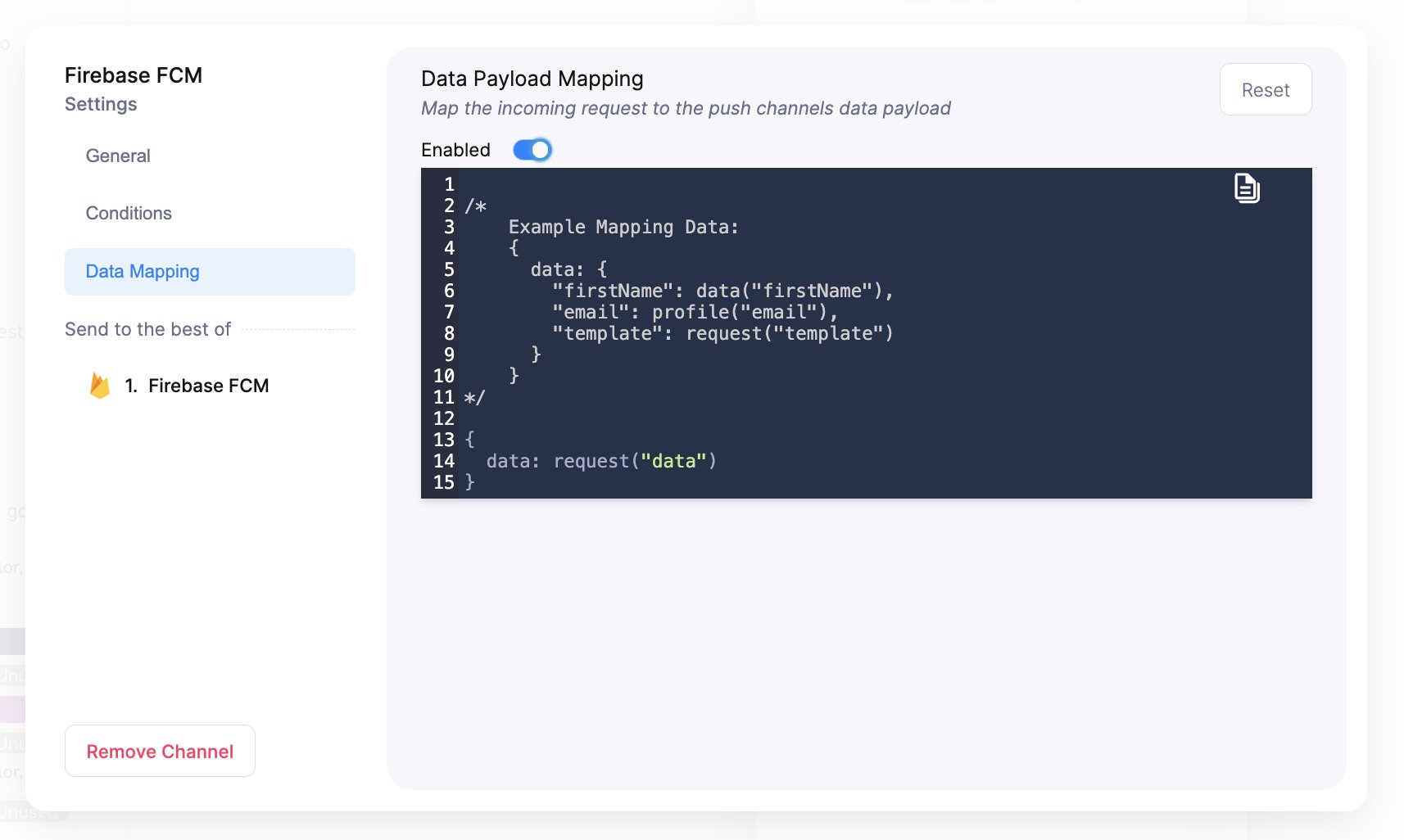
The push channel settings modal with the Data Mapping tab selected, showing the toggle and the mapping editor.
data object through:
request() reads from the send request. The paths are data, profile, recipient, event, brand, and message. Courier evaluates the mapping at send time. Jsonnet is the default processing mode.
How mapping settings behave
- Mapping stays as you set it. Courier seeds the default when a channel is created and doesn’t change it afterward.
- A provider override carries your fields either way. A bypasses rendering, so it sends your fields whether or not the template maps anything.
FAQ
My data is not reaching the device. What do I check?
My data is not reaching the device. What do I check?
Check which designer built the template first. A Design Studio template, and a send with inline
content, already pass data through. Look at the payload you sent and at your variable paths, not at mapping. Only a legacy block-based template needs Data Mapping turned on in its push or inbox channel settings.I turned Data Mapping on in Design Studio and nothing changed. Why?
I turned Data Mapping on in Design Studio and nothing changed. Why?
Because the template’s content is Elemental, Courier skips the mapping and uses the full
data object. The editor is a leftover surface on that channel’s settings, so there is nothing to configure. Your fields are already being passed through.Does data mapping affect email or SMS?
Does data mapping affect email or SMS?
Only push and inbox have a data payload for it to fill. Email and SMS render
data into content through variables.Can I set a mapping over the API?
Can I set a mapping over the API?
Not on its own. Data mapping is a channel setting on the template, so it travels with the template. For a per-send payload, set the fields in a instead.