Using Claude Design, Claude Code, and Courier AI to Create a Multichannel Onboarding Series in 30 Minutes
 Kyle SeylerApril 17, 2026
Claude Design launched today (April 17, 2026) at claude.ai/design. It's a natural-language design tool: you describe what you want, it produces real visual mocks you can iterate on, and it can output actual React components rather than just static images. For this build, that meant I could ask for "an email, Slack message, iOS push, and in-app inbox card for a four-part onboarding series" and get back renderable mocks of each channel in the same session, ready to hand to the courier-template-builder skill.
I built a four-part onboarding series that sends across email, in-app inbox, mobile push, and Slack in 30 minutes using only Claude and Courier. Here's exactly how, step by step.
The stack
- Claude Code / Cowork to run the whole build from one session
- Claude Design to mock each channel
- Courier Skills (courier-template-builder) to turn mocks into templates
- Courier MCP to publish templates
- Courier CLI to send tests
Courier's AI onboarding docs cover all three Courier tools in one place.
The series
Four parts, nine days, one topic each:
| Part | Day | Topic |
|---|---|---|
| 01 | Day 0 | Welcome |
| 02 | Day 2 | Design Studio |
| 03 | Day 5 | Journeys |
| 04 | Day 9 | Courier Inbox |
Every part sends on all four channels from one shared content model.
Step 1: Mock the channels in Claude Design
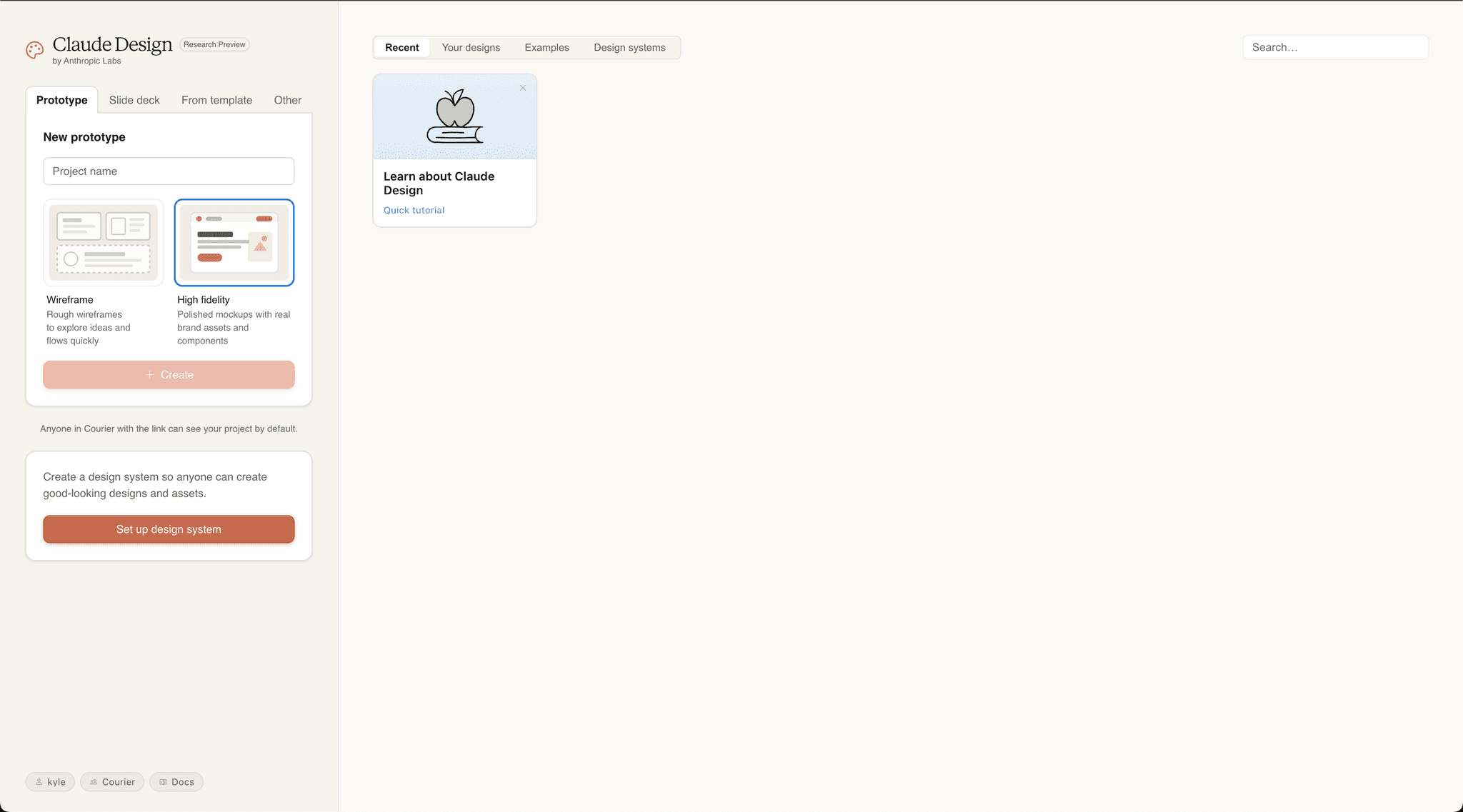
I opened claude.ai/design and asked for a four-part onboarding series covering welcome, Design Studio, Journeys, and Courier Inbox, rendered for email, Slack, mobile push, and in-app inbox.
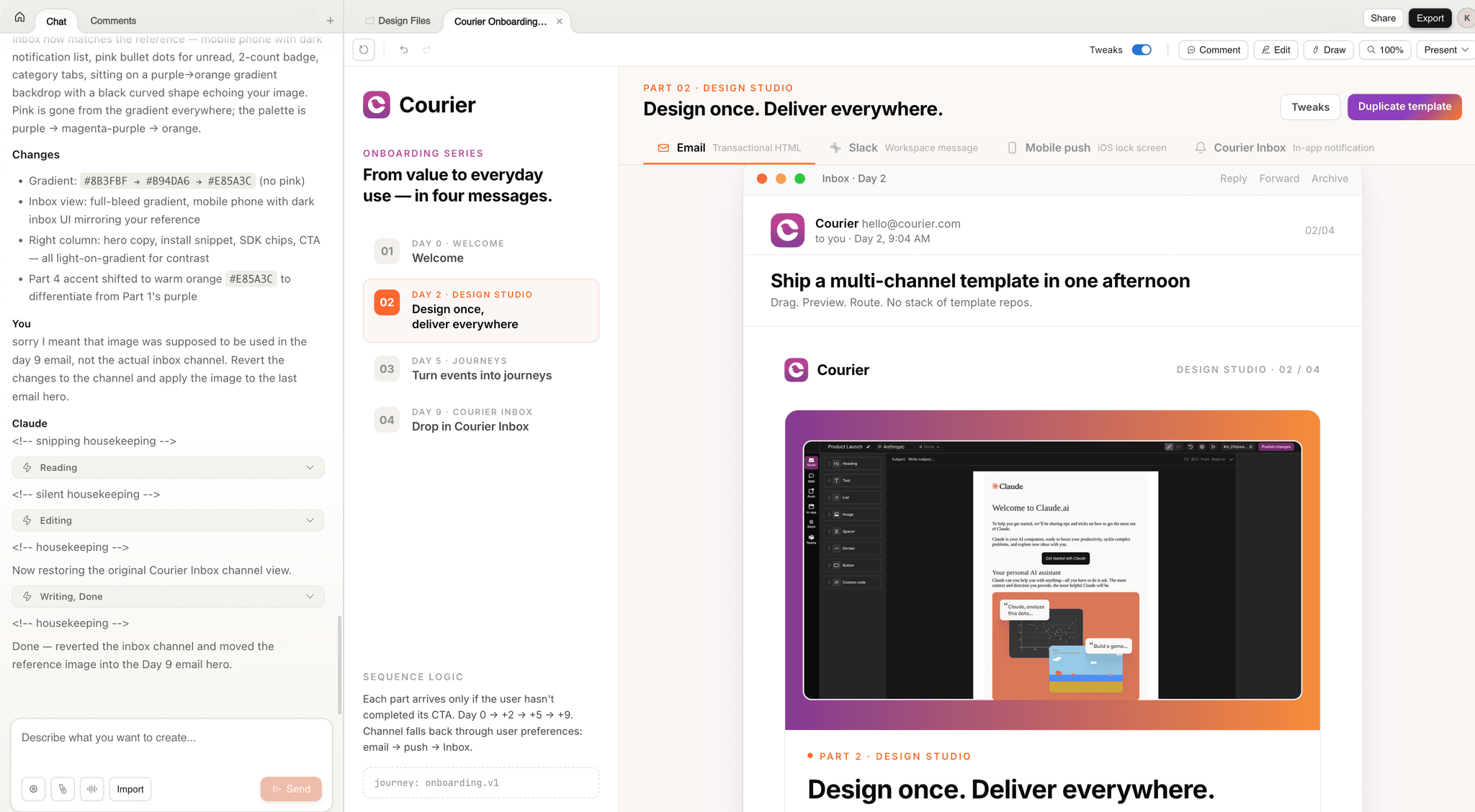
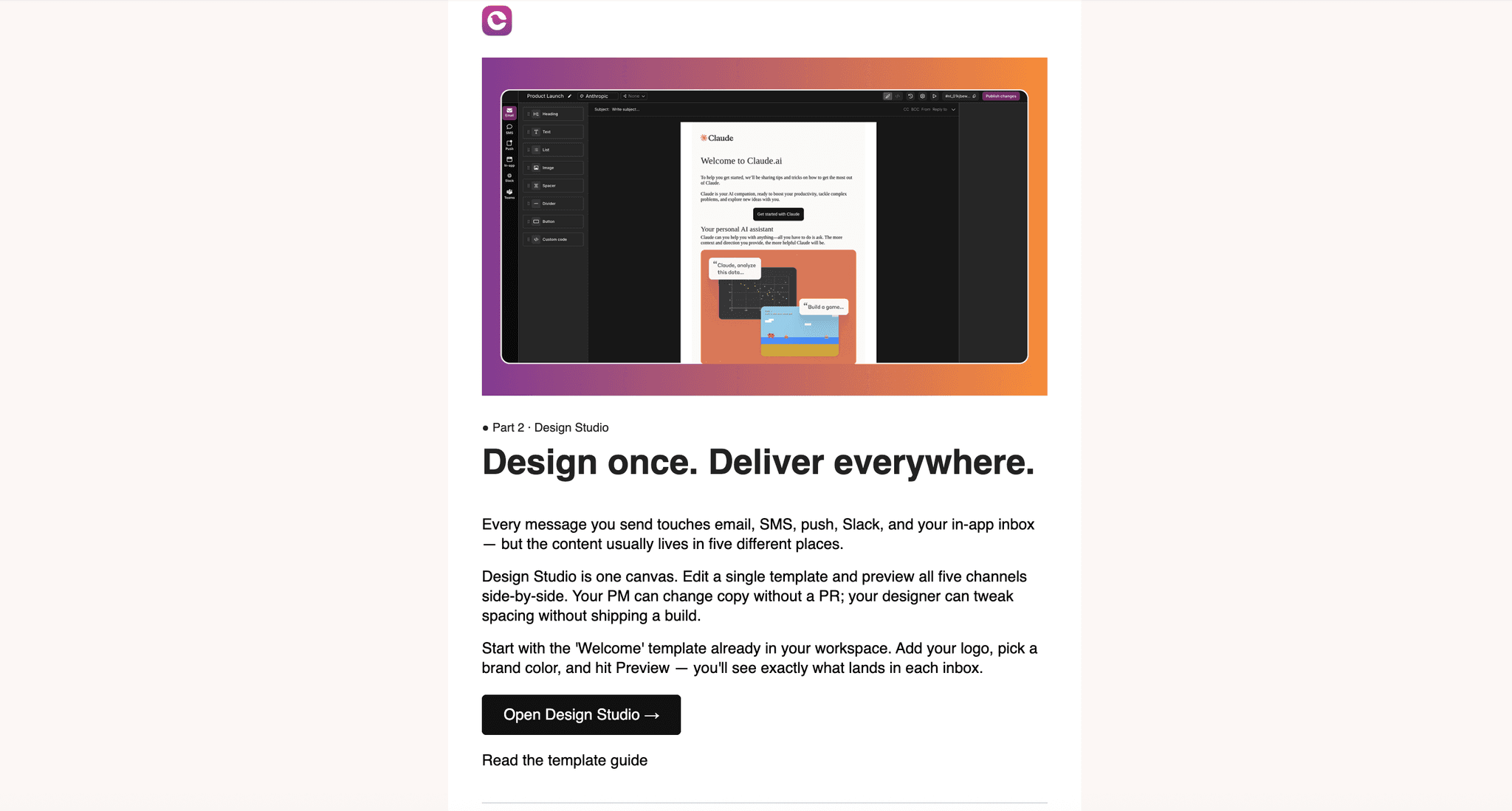
Claude Design returned a visual mock of each channel with the copy, hero images, buttons, and layout spelled out. I could see exactly how part 2 would look on Slack versus email before a single template existed. Two iterations of feedback and I had the final mocks. About 8 minutes.
Step 2: Turn mocks into templates with the Courier skill
With the mocks open, I invoked the courier-template-builder skill in Cowork and told it:
Build four Courier templates from these designs. Each template should have email, push, inbox, and slack channels. Tag them onboarding, lifecycle, part-0X. Use the per-part accent color for email CTAs.
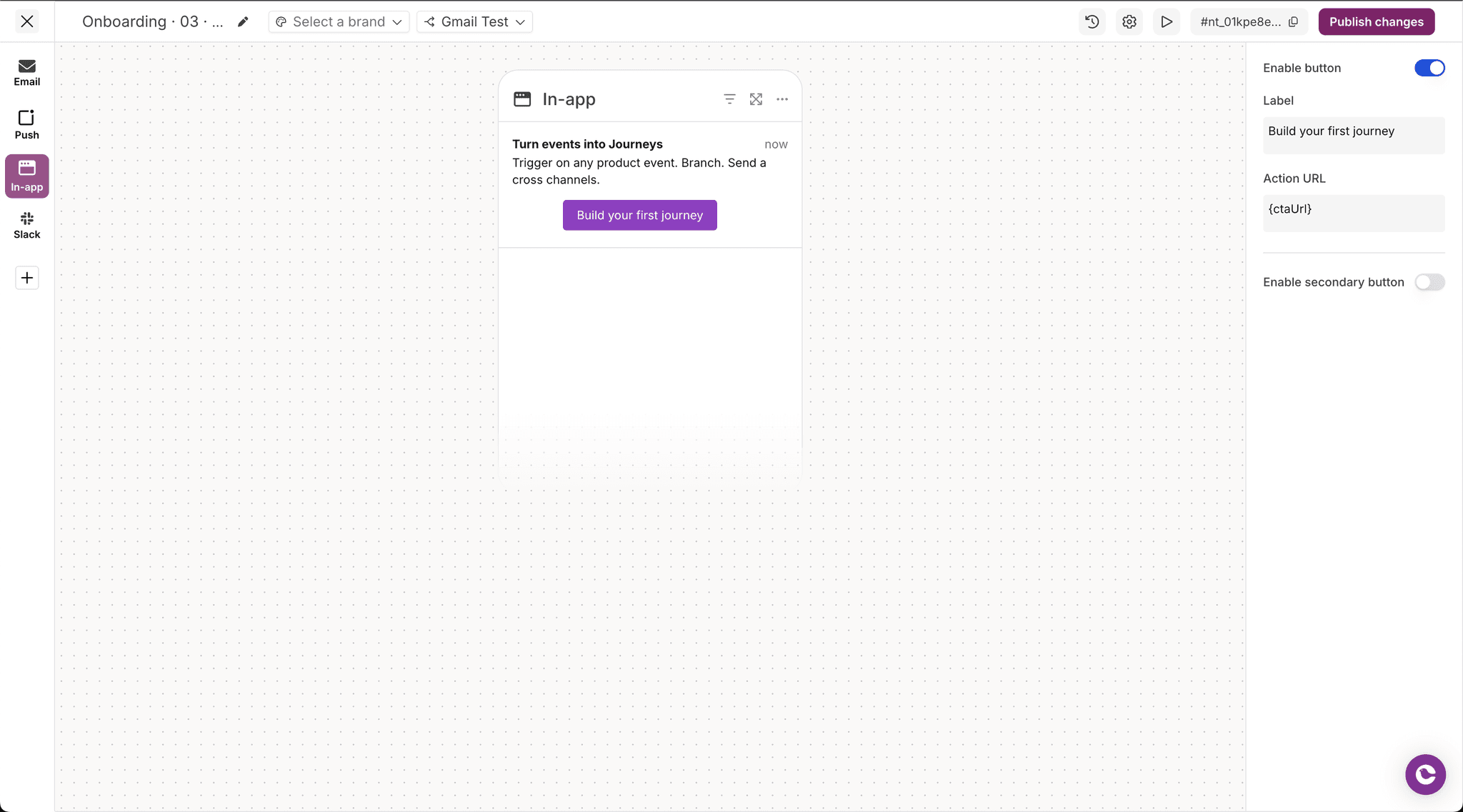
The skill read the designs and wrote the Elemental JSON for each template, mapping every block (headline, body, CTA, highlights grid, footer) to the right channel. Email got the full layout. Push got title and body. Inbox got a title, one-line body, and CTA. Slack got mrkdwn formatting with emoji bullets and two buttons.
The Skills post walks through how this works under the hood.
Step 3: Publish with the Courier MCP
The skill handed its output to the Courier MCP, which created and published each template in my Courier workspace. I had already configured the MCP in Claude Code by running:
claude mcp add --transport http courier https://mcp.courier.com \--header api_key:YOUR_COURIER_API_KEY
From there every MCP tool (create_template, create_brand, create_routing_strategy) was callable directly in the conversation. I also had Claude create a single routing strategy and attach it to all four templates, so channel fallback is defined once and shared.
About 14 minutes to publish all four, mostly me tweaking Slack button labels.
Step 4: Send tests with the Courier CLI
Installed the CLI with npm install -g @trycourier/cli and set COURIER_API_KEY. Then, from the terminal:
courier send \--user kyle.seyler@courier.com \--template onboarding-01-welcome \--data.firstName Kyle \--data.ctaUrl https://app.courier.com/setup
The CLI syntax follows a predictable courier [resource] <command> [flags] pattern. --help on any command spells out the options. The CLI docs cover the full surface.
Fifteen seconds later the email landed in my inbox, the push hit my phone, the inbox card showed up in the test app, and a Slack DM came in. I ran the same command with the other three template slugs and verified each one.
Four parts × four channels = sixteen surfaces tested in under five minutes.
Next up: wire it into a Journey
The four templates are the building blocks. The sequencing happens in a Courier Journey, triggered on user.signup. Instead of firing on a fixed clock, the Journey checks live product events before each send: skip part 2 if workspace setup isn't done, skip part 3 if a Journey already exists, fire part 4 when the React SDK is installed. Time is the fallback, not the trigger. The B2B customer journeys guide walks through that pattern end to end.
A Claude-powered step in the Journey will also read the user's profile and recent activity, classify them into a persona (frontend, mobile, PM, ops), and generate channel-appropriate copy at send time from one prompt.
Try it yourself
Everything in the stack ships today. Claude Code / Cowork drives the build. Claude Design mocks the channels. Courier's AI onboarding docs cover the MCP, CLI, and Skills.
Similar resources
Your Entire Lifecycle Marketing Department, Run from Claude Fable 5
With the rollout of Claude' Fable model, one thing is becoming increasingly clear. Marketing execution (especially the long-tail work), will be done in an AI editor. In Courier, connect your agent to the MCP server or CLI, install Courier Skills, and keep a small folder of markdown context files. From there, one person with a coding agent covers the work that used to require a lifecycle marketer, an email designer, a marketing ops hire, and an engineer: building journeys, shipping templates, auditing every notification, and debugging delivery without opening a dashboard.

Create a customer journey from AI coding agent
Use Courier's Journey API to create multistep customer engagement workflows from your coding agent of choice. Describe the kind of journey you'd like to create, answer a few questions, and publish to the platform.

Courier journeys, as code
Most journeys don't die because they were hard to build — they die because they're hard to change. A day-5 nudge written before a new activation event existed still fires for users who hit the milestone on day two. Courier journeys are now programmable: a public Journeys API with SDKs, a CLI, and an agent skill on top. Describe a flow to your coding agent, get an ASCII diagram, ship it. Full post covers the access points, an example end-to-end, and the one gotcha worth knowing (`output_schema` is mandatory on AI nodes).