Customer Messaging Platforms to Watch in 2026
 Kyle SeylerDecember 08, 2025
Where Customer Messaging Is Heading
The B2B SaaS company that used to maintain six different notification providers now runs everything through a single platform. Their onboarding completion rate jumped 34% once they could orchestrate multi-step journeys instead of firing one-off messages. Support tickets about missing notifications dropped to nearly zero. And their engineering team? They stopped debugging delivery failures and started shipping features customers actually want.
This shift is accelerating. Product and engineering teams spent years choosing between building customer messaging in-house (expensive, distracting) or adopting marketing automation platforms that didn't fit how modern products work. Traditional tools were built for newsletters and lead nurturing, not real-time behavioral triggers. Developers needed APIs. Non-technical teammates needed visual builders. Someone always compromised.
That's changing fast. The platforms gaining momentum into 2026 bridge that gap completely. Developer-friendly APIs coexist with no-code workflow builders. Real-time behavioral triggers work alongside scheduled lifecycle campaigns. Technical precision meets cross-functional flexibility. The question isn't whether you can have both anymore. It's which platform gives you the right balance as the category evolves. This guide breaks down the customer messaging platforms worth watching, the trends reshaping the space, and what to prioritize as you plan for 2026.
What Is a Customer Messaging Platform?
Customer messaging platforms enable businesses to send targeted, personalized messages across multiple channels based on user behavior, preferences, and lifecycle stage. These systems orchestrate email, SMS, push notifications, in-app messages, Slack, Teams, and other channels to engage users at scale without building custom infrastructure.
The landscape has evolved significantly over the past few years. What started as transactional email APIs has grown into sophisticated platforms that unify customer data, trigger messages based on product events, and coordinate experiences across every touchpoint. Modern platforms range from pure notification infrastructure with APIs and SDKs to full customer engagement suites with journey builders, preference management, and embedded components.
The lines between notification infrastructure, customer engagement platforms, and marketing automation continue to blur. Product-led companies need tools that trigger messages based on in-app behavior in real time. B2B SaaS teams require Slack and Teams integration for the tools their customers already use. Developer tools companies want multi-tenant support to send notifications on behalf of their customers. Your choice depends on whether you're powering product experiences, running lifecycle campaigns, or both.
Trends shaping customer messaging into 2026
API-first architecture becoming table stakes: The platforms winning with product-led companies offer robust APIs, webhooks, and infrastructure-as-code as foundational capabilities, not add-ons. Expect 2026 to see even tighter integration between messaging platforms and development workflows, with more platforms offering CLI tools, version control for templates, and environment management that mirrors how engineering teams already work.
Intelligent channel orchestration replacing blast logic: Simple "send to all channels" approaches are giving way to smart routing that selects optimal channels based on user preferences, message urgency, historical engagement, and real-time context. Heading into 2026, look for platforms that learn from delivery patterns and adjust routing automatically rather than requiring manual rules for every scenario.
Journey orchestration as a core capability: Batch-and-blast campaigns are losing ground to contextual, moment-based messaging. Platforms that can orchestrate multi-step sequences with branching, delays, data fetching, and conditional logic are becoming the standard. By 2026, visual journey builders that both developers and non-technical teammates can use will separate leaders from laggards.
AI-assisted content and timing optimization: Early applications of AI in messaging focused on subject line generation. The next wave will optimize send timing based on individual user patterns, suggest content variations, and flag underperforming flows before they impact engagement. Watch for platforms building these capabilities natively rather than as integrations.
Deeper CDP and warehouse integration: As companies consolidate customer data in warehouses and CDPs, messaging platforms need to activate that data in real time. The platforms positioned well for 2026 treat data integration as a first-class feature, not an afterthought, with native connectors and real-time sync rather than batch imports.
Who Needs a Customer Messaging Platform (and When)?
Startups (0-100 employees)
Early-stage companies need to move fast without building infrastructure from scratch. If your product relies on transactional notifications (password resets, invites, account alerts), you need a platform that works out of the box. Developer-friendly tools with generous free tiers let you ship features without negotiating enterprise contracts. At this stage, time to value matters more than enterprise features. Pick something that won't slow you down now but can scale as you grow.
Scaleups (100-500 employees)
As your customer base grows, so does complexity. You're layering lifecycle messaging onto transactional notifications, supporting multiple user segments, and coordinating messages across product and growth teams. Platforms that separate concerns (letting product teams manage transactional flows while growth runs campaigns) prevent conflicts. You also need better analytics to understand what's working, plus integrations that sync with your expanding tech stack. This is the stage where journey orchestration capabilities start mattering.
Enterprises (500+ employees)
Large organizations face different challenges. Multiple products, brands, or business units need unified messaging infrastructure without stepping on each other. Compliance requirements demand audit logs, role-based access, and data residency controls. Scale becomes non-negotiable. Your platform must handle millions of messages per day without breaking. Enterprise-grade platforms offer SLAs, dedicated support, and advanced governance features. Look for multi-tenant architecture if you're sending on behalf of customers.
Signs you've outgrown your current setup
- Your engineering team spends more time maintaining notification infrastructure than building product features
- Support tickets about missing or inconsistent messages are increasing
- You're manually coordinating sends across email, SMS, push notifications, in-app, and Slack with separate tools
- User engagement is dropping because messages arrive late or feel irrelevant
- You want to build multi-step journeys but lack the infrastructure
- Compliance teams are asking questions about data handling and message tracking
- You're losing enterprise deals because you can't support their preferred channels
What the right platform unlocks
The right customer messaging platform creates competitive advantages beyond just "sending emails." Real-time behavioral triggers let you engage users at moments of high intent. Unified customer profiles break down data silos between product, growth, and support. Cross-channel orchestration ensures messages land consistently whether users prefer mobile apps, web platforms, Slack, or email. Teams move faster when non-technical teammates can launch messages without pulling in engineering, and engineers can focus on core product work instead of maintaining notification infrastructure.
How We Evaluated These Platforms
Selection criteria
- Channel coverage and orchestration: We evaluated which channels each platform supports (email, SMS, push, in-app, Slack, Teams, WhatsApp) and how well they orchestrate messages across channels. Broad channel support is useful, but seamless coordination and intelligent fallbacks matter more than sheer number of integrations.
Developer experience vs. non-technical usability: Some platforms prioritize API-first workflows for engineering teams, while others focus on visual builders for product managers and growth teams. The best tools offer both, but excel at one. We noted which audience each platform serves best.
Real-time capabilities vs. batch processing: Platforms built for campaigns excel at scheduled sends and batch processing. Platforms built for product notifications shine at real-time, event-triggered messages. Consider whether you need immediate response to user behavior or scheduled lifecycle campaigns.
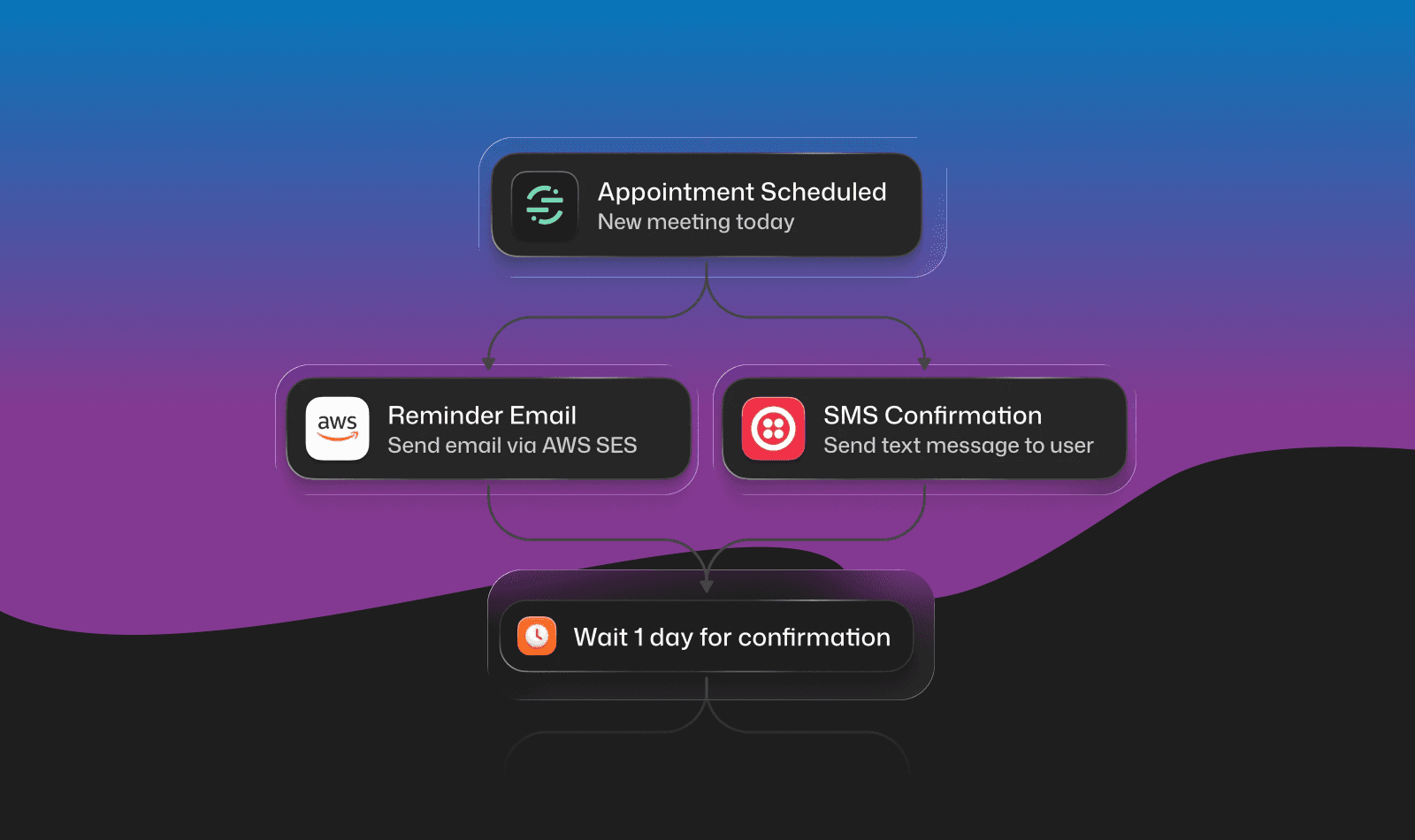
Workflow and journey orchestration: Can you build multi-step sequences with branching logic, delays, and conditional sends? Some platforms offer visual journey builders, others require code-based workflows, and a few offer both. We evaluated how sophisticated the orchestration capabilities are and where each platform is investing.
Data integration and activation: How easily does the platform connect to your existing stack? Can it pull data from your warehouse, CDP, or product analytics tool? Does it activate that data in real time or require scheduled syncs? Product-led companies need instant data activation; others may prioritize depth of specific integrations.
Scalability and infrastructure reliability: Sending a few thousand emails is easy. Handling millions of notifications daily across multiple channels requires serious infrastructure. We considered delivery rates, failover mechanisms, and throttling controls.
Pricing transparency and model: Some platforms charge per contact, others per message sent, and a few offer free tiers with generous limits. We evaluated whether pricing aligns with how you'll actually use the tool. High-volume transactional senders need per-message pricing, while campaign-focused teams prefer per-contact models.
Why platform type matters
Customer messaging tools fall into several camps: notification infrastructure platforms that focus on API-first delivery and developer experience (like Courier, Knock, and Novu), customer engagement platforms that bundle journey builders and in-app messaging with broader marketing capabilities (like Customer.io and Iterable), and all-in-one suites that include CRM, content management, and automation (like HubSpot). Infrastructure platforms offer deeper technical capabilities and flexibility. Engagement platforms balance technical depth with marketer-friendly features. Suites offer convenience but can feel overwhelming or rigid. Your choice depends on whether you value best-in-class infrastructure, cross-functional collaboration tools, or consolidation.
Customer Messaging Platforms to Watch
1. Courier
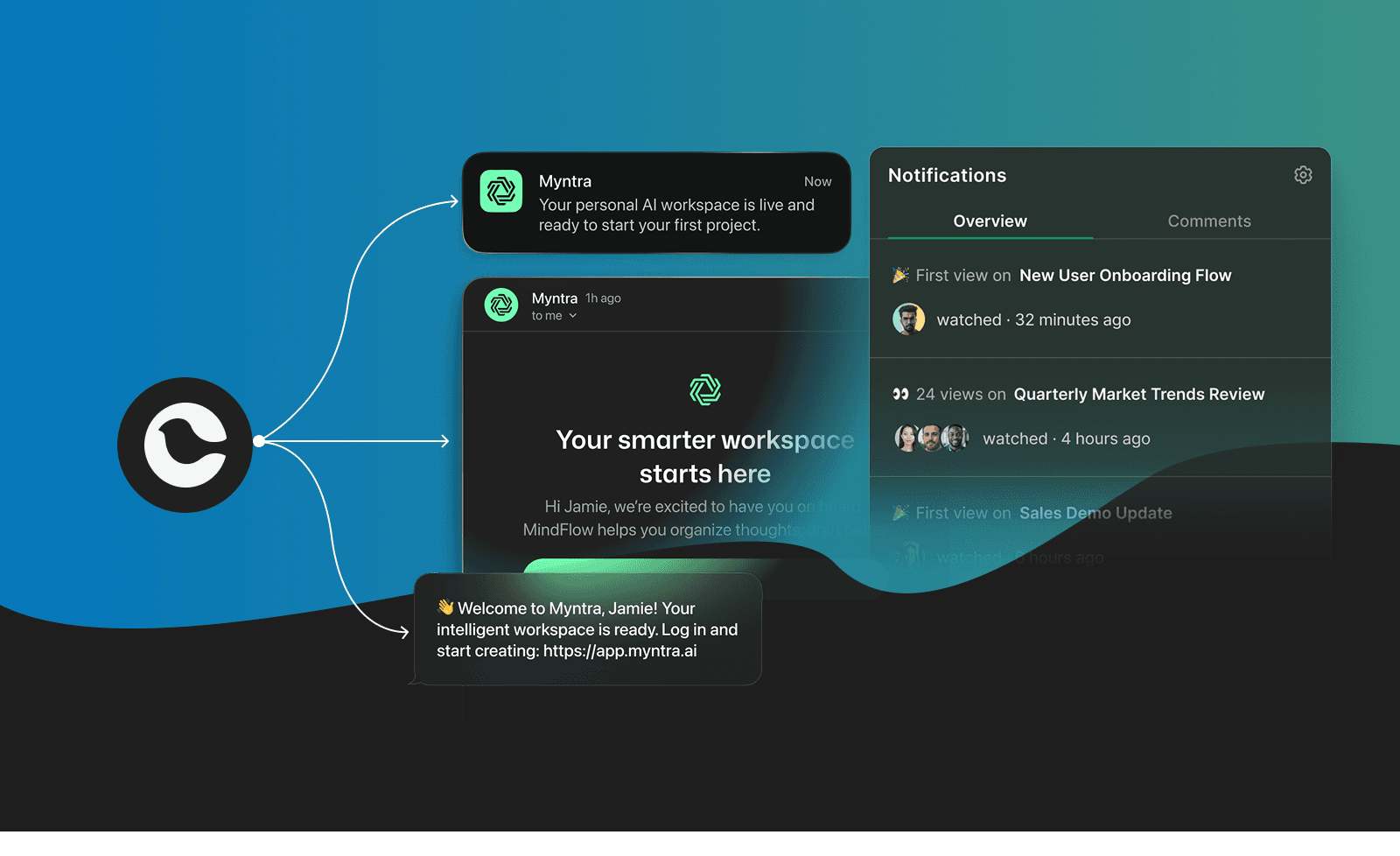
Courier is a customer messaging platform built for product and engineering teams who need to send transactional and lifecycle messages across email, SMS, push, in-app, Slack, Teams, and other channels through a single API. Unlike traditional marketing automation platforms designed for campaign management, Courier focuses on developer-first messaging infrastructure with visual tools that empower non-technical teammates. Companies like Twilio, LaunchDarkly, and Lattice use Courier to power their product notifications without building and maintaining custom infrastructure.
Best For: Product-led SaaS companies, developer tools, and B2B platforms that need reliable, scalable messaging infrastructure for transactional messages, real-time alerts, lifecycle journeys, and behavior-triggered communications.
Why it's positioned well for 2026:
Single API for all channels: Send notifications across email, SMS, push, in-app, Slack, Microsoft Teams, and 50+ providers through one unified API instead of integrating each provider separately. Reduces engineering complexity and maintenance burden. As channel fragmentation increases, this consolidation becomes more valuable.
Developer-first with no-code flexibility: Engineers get programmatic control via REST API and JSON-based templates, while product managers and growth teams use the visual journey builder and drag-and-drop template designer. Both workflows coexist without conflicts. This dual approach aligns with where the market is heading.
Journeys for multi-step orchestration: Build behavior-driven notification sequences with visual tools. Branching logic lets you route users down different paths based on actions or attributes. Delays and timing controls space out messages naturally with timezone awareness and quiet hours. Fetch nodes pull real-time data from external APIs during workflow execution. Throttle controls prevent notification fatigue while letting urgent messages break through.
Multi-tenant and white-label support: Manage notifications for B2B SaaS platforms with tenant-level isolation, custom branding per organization, and user preference management. Critical for companies that send notifications on behalf of multiple customers. B2B2C use cases are growing, and Courier is built for them.
Intelligent routing and failover: Automatically route messages based on user preferences, message priority, and provider availability. Built-in failover ensures notifications reach users even if a provider fails. Includes throttling and digest features to batch high-volume sends.
Embedded notification center: Drop a production-ready inbox into your web or mobile app with React, iOS, Android, and Flutter SDKs. Built-in preference management means users control their own settings instead of opening support tickets.
Comprehensive logs and analytics: Track every notification with detailed delivery logs, engagement metrics, and provider performance data. Customer success teams can debug issues without pulling in engineering. Supports audit trails for compliance.
Limitations:
- Not designed for campaign-first workflows: While Courier supports scheduled sends and Journeys handles lifecycle/growth messaging well, it's optimized for product, transactional and event-triggered notifications rather than batch campaign management. Teams focused primarily on newsletter blasts and lead nurturing campaigns may prefer tools like Customer.io or HubSpot.
Pricing: Free tier available with 10,000 notifications per month. Paid plans start with usage-based pricing. Contact solutions team for enterprise plans with SLAs, dedicated support, and advanced features.
What users say: Twilio chose Courier because "the depth of the inbox and multi-channel integrations allowed us to choose one notification platform for all products and teams." Nav's Ammon Lockwood noted that "a full team had struggled for years to make progress. When we turned to Courier, we launched multi-channel notifications in a couple of months."
Case studies:
- Twilio: Unified notifications for 10M developers
- Fluint: AI-powered SaaS scaled multi-channel from day one
2. Knock
Knock positions itself as "product and customer messaging infrastructure" with a focus on cross-channel notification workflows, batching, and developer experience. The platform handles email, push, SMS, in-app, and Slack through a single API with workflow orchestration features like delays, batching, and digests.Best For: Engineering teams at product-led companies who want workflow-first notification infrastructure with strong batching and digest capabilities.
Strengths:
- Powerful workflow engine with batching, delays, and digest functions
- Developer-focused with comprehensive SDKs and CLI tools
- In-app feed components and preference management
- Strong observability and delivery logs
- Recent investments in "Guides" for in-app messaging
Limitations:
- Less emphasis on visual template design compared to some competitors
- Requires third-party integrations for actual message delivery (SendGrid, Twilio, etc.)
- Pricing not transparent on website
Pricing: Free tier for development. Starter at $250/month for 50k messages. Enterprise pricing available. See Knock pricing.
3. Customer.io
Customer.io bridges product and marketing messaging with behavioral segmentation and cross-channel campaigns. It connects deeply to product data and supports real-time event-triggered messaging alongside traditional lifecycle campaigns.Best For: SaaS companies and product-led businesses that need behavioral automation and lifecycle messaging with strong data warehouse integrations.
Strengths:
- Real-time behavioral triggers and segmentation
- Strong integration with data warehouses and CDPs
- Visual campaign builder accessible to non-technical users
- Supports both transactional and marketing use cases
- Expanding into more product-focused capabilities
Limitations:
- Steeper learning curve for non-technical users compared to HubSpot
- Pricing scales with profiles and message volume
- Less developer-focused than pure infrastructure platforms
Pricing: Starts at $100/month for up to 5,000 profiles. Pricing scales with profiles and message volume. See Customer.io pricing.
4. Novu
Novu takes an open-source approach to notification infrastructure, allowing teams to self-host if desired. The platform provides multi-channel notifications with workflow management and continues to build out its cloud offering.Best For: Engineering teams who want self-hosted notification infrastructure or need maximum customization control.
Strengths:
- Open-source with self-hosting option
- Multi-channel support across email, SMS, push, in-app, chat
- Active developer community
- Transparent, predictable pricing
- Rapid feature development driven by community
Limitations:
- Self-hosting requires DevOps resources
- Less polished visual tools compared to commercial alternatives
- Smaller ecosystem of integrations
Pricing: Free tier available. Cloud plans scale based on notification volume. Self-hosting is free. See Novu pricing.
5. Iterable
Iterable focuses on cross-channel marketing campaigns with advanced testing capabilities and workflow orchestration for growth-focused teams. Stronger on the marketing side than pure infrastructure plays.Best For: Growth and marketing teams at mid-market to enterprise companies that prioritize experimentation and cross-channel campaign optimization.
Strengths:
- Advanced A/B and multivariate testing
- Cross-channel campaign orchestration
- Strong personalization capabilities
- Good for lifecycle marketing programs
- AI features for send-time optimization
Limitations:
- More complex setup compared to simpler tools
- Less developer-focused than infrastructure platforms
- Pricing not transparent on website
Pricing: Contact sales for pricing. Typically mid-market to enterprise level. See Iterable pricing.
6. Intercom
Intercom combines customer messaging with support and engagement features, focusing on in-app messaging, chat, and help desk functionality. Strong at conversational experiences but broader than pure notification infrastructure.Best For: Companies that want to unify customer support, in-app messaging, and product tours in one platform.
Strengths:
- Strong in-app messaging and chat capabilities
- Product tours and onboarding tools
- Integrated help desk and knowledge base
- Good for customer-facing communication
- Investing heavily in AI-powered support
Limitations:
- Less focused on backend notification infrastructure
- Can be expensive as you scale
- Not ideal for pure transactional notifications
Pricing: Starts at $39/seat/month for basic plans. Scales based on seats and features. See Intercom pricing.
7. HubSpot Marketing Hub
HubSpot offers an all-in-one marketing, sales, and service platform with built-in CRM, making it popular among small to midsize B2B companies. The marketing automation features include email campaigns, workflows, and lead nurturing. Strength lies in its unified ecosystem.Best For: Small to midsize B2B companies that want an all-in-one solution and don't have dedicated engineering resources.
Strengths:
- Free CRM with scalable marketing automation tiers
- User-friendly interface with drag-and-drop workflow builder
- Strong content management and SEO tools integrated
- Good for teams without technical resources
- Massive ecosystem of integrations and apps
Limitations:
- Pricing escalates quickly as contact lists grow
- Limited real-time event triggering compared to infrastructure platforms
- Customization options restricted for technical teams
- Not designed for high-volume transactional messaging
Pricing: Free tier available. Marketing Hub Starter at $20/month, Professional at $890/month, Enterprise at $3,600/month (billed annually). See HubSpot pricing.
8. MagicBell
MagicBell focuses specifically on in-app notification inboxes and notification center components. Narrower scope than full messaging platforms but deep in its specialty.Best For: Teams that need an in-app notification inbox component without building from scratch, and don't need full multi-channel orchestration.
Strengths:
- Purpose-built notification inbox components
- Easy to embed in existing products
- Good developer documentation
- Focused feature set
Limitations:
- Narrower channel support than full platforms
- Less sophisticated workflow orchestration
- May need to combine with other tools for complete messaging needs
Pricing: Free tier available. Paid plans based on monthly active users. See MagicBell pricing.
9. SuprSend
SuprSend provides notification infrastructure with a focus on developer experience and multi-channel orchestration. Positioned as a Knock alternative with competitive pricing.Best For: Engineering teams looking for notification infrastructure with straightforward pricing.
Strengths:
- Multi-channel support including Slack and Teams
- Developer-friendly APIs and SDKs
- Workflow automation with batching and delays
- Competitive pricing
Limitations:
- Smaller company with less enterprise track record
- Fewer integrations than larger competitors
- Less brand recognition
Pricing: Free tier available. Business at $250/month for 50k notifications. Enterprise pricing available. See SuprSend pricing.
10. ActiveCampaign
ActiveCampaign combines email marketing, marketing automation, and CRM with a focus on small to midsize businesses. Strong automation builder and lead scoring, but more marketing-focused than product messaging.Best For: Small to midsize businesses that need more automation than basic email tools but less complexity than enterprise platforms, primarily for marketing use cases.
Strengths:
- Flexible automation workflows with conditional logic
- Integrated CRM and sales features
- Good value for small teams
Limitations:
- Interface can feel dated
- Less suitable for transactional or product notifications
- Email deliverability requires careful list management
Pricing: Starts at $29/month for 1,000 contacts (Lite plan). Plus plan at $49/month includes CRM. See ActiveCampaign pricing.
6. Platform Comparison
| Platform | Starting Price | Best For | Key Differentiators |
|---|---|---|---|
| Courier | Free (10K notifications/mo) | Developer-first messaging with Journeys | Single API for 50+ channels, visual Journeys builder, embedded inbox, multi-tenant |
| Knock | Free (dev), $250/mo | Workflow-first notification infrastructure | Batching/digests, developer CLI, strong observability |
| Customer.io | $100/mo | Behavioral automation for SaaS | Warehouse integrations, real-time triggers, marketing + product |
| Novu | Free (open-source) | Self-hosted notification infrastructure | Open-source, full control, active community |
| Iterable | Contact sales | Growth marketing teams | A/B testing, cross-channel campaigns, personalization |
| Intercom | $39/seat/mo | Unified support + messaging | In-app chat, help desk, product tours |
| HubSpot | Free (limited), $20/mo | SMB all-in-one marketing | CRM integration, landing pages, SEO tools |
| MagicBell | Free tier | In-app notification inbox | Purpose-built inbox component, easy embed |
| SuprSend | Free, $250/mo | Budget-conscious infrastructure | Multi-channel, competitive pricing, developer-friendly |
| ActiveCampaign | $29/mo | SMB marketing automation | Workflow automation, integrated CRM |
Power your product messaging with Courier → Start free
Why Courier Is Built for What's Next
Customer messaging has evolved beyond batch campaigns and scheduled newsletters. Product-led companies need platforms that trigger notifications in real time, orchestrate multi-step journeys across channels, and give engineering, product, and growth teams the tools they need to succeed. The platforms positioned well for 2026 are the ones solving these problems today.
Courier stands out by addressing what traditional marketing automation platforms weren't built for: scalable, reliable messaging infrastructure for product-driven communication. While platforms like HubSpot and Intercom excel at their specialties, Courier focuses on the transactional, behavioral, and lifecycle notifications that power modern SaaS products.
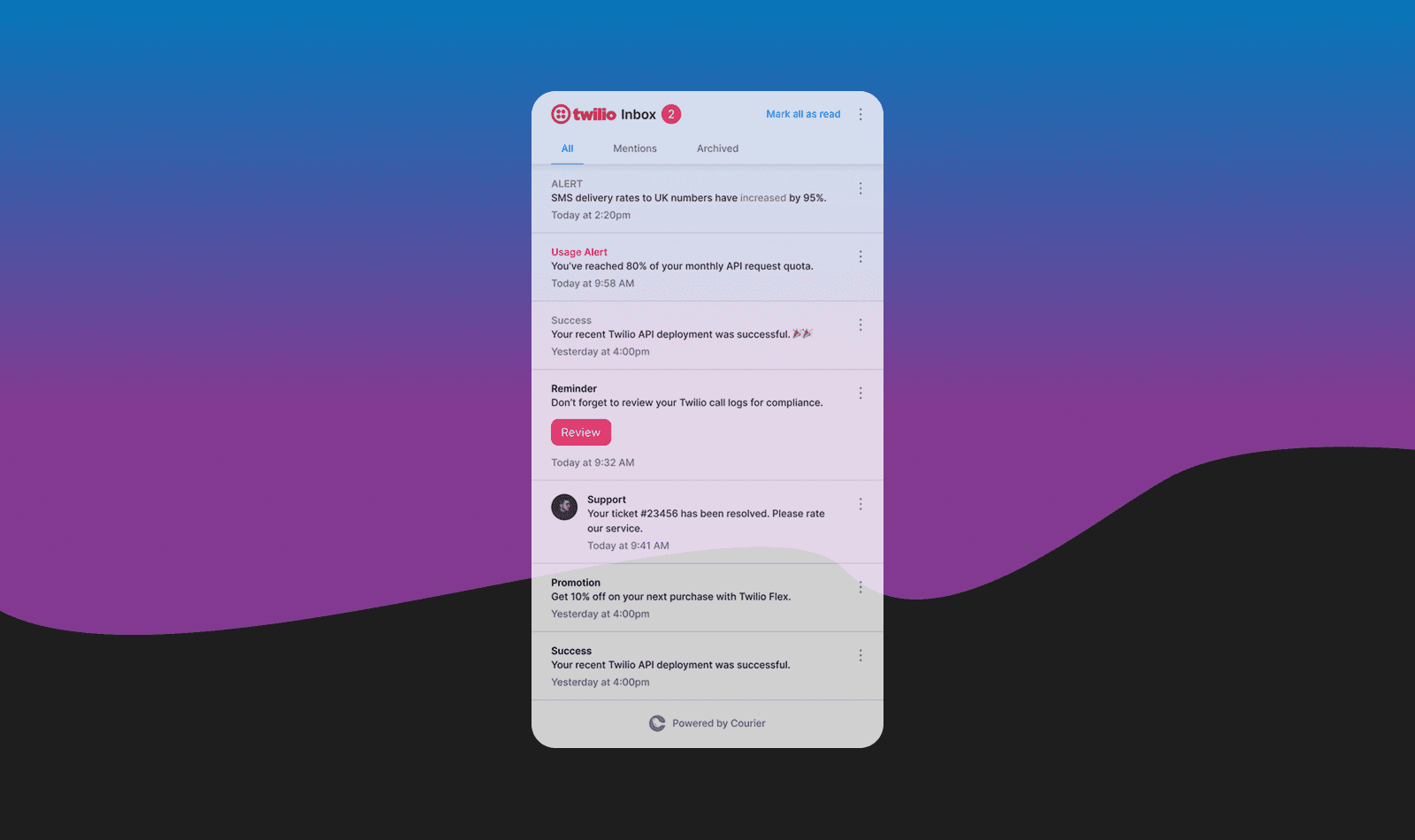
The platform's developer-first API gives engineering teams programmatic control, while Journeys empowers product and growth teams to build multi-step notification sequences with branching logic, delays, data fetching, and intelligent throttling. The embedded notification center and preference management let users control their own experience. Multi-tenant architecture supports B2B platforms sending notifications on behalf of customers.
Companies like Twilio chose Courier to unify notifications for 10 million developers, replacing fragmented tools with a single platform that scales. If your product relies on timely, relevant messaging and your engineering team would rather ship features than maintain infrastructure, Courier delivers the reliability and flexibility you need heading into 2026 and beyond.
FAQs
What is a customer messaging platform?
A customer messaging platform is software that sends targeted messages across multiple channels based on user behavior, preferences, and lifecycle stage. These platforms orchestrate email, SMS, push notifications, in-app messages, Slack, Teams, and other channels to engage users at scale without manual intervention or custom infrastructure. Modern customer messaging ranges from campaign-focused tools for lifecycle marketing to real-time infrastructure that triggers messages instantly based on product usage.
How is a customer messaging platform different from marketing automation?
Marketing automation typically focuses on scheduled campaigns, lead nurturing, and email-centric workflows designed for marketers. Customer messaging platforms are broader, encompassing transactional notifications, real-time behavioral triggers, and product-driven communication alongside lifecycle campaigns. Customer messaging platforms also tend to be more developer-friendly with APIs, SDKs, and infrastructure designed for high-volume, event-triggered messaging rather than batch sends.
How do I choose the right customer messaging platform?
Start by defining your primary use case: Are you running lifecycle campaigns, sending transactional product notifications, or both? Campaign-focused teams benefit from platforms like Customer.io or HubSpot with visual campaign builders. Product-led companies need real-time triggers and API-first tools like Courier or Knock. Consider your team's technical capabilities, required channels (especially Slack and Teams for B2B), and whether you need multi-tenant support for B2B2C use cases.
Is Courier better than Knock for customer messaging?
Courier and Knock serve similar use cases but have different strengths. Knock excels at batching, digests, and highly involved developer workflows. Courier offers broader channel support (50+ integrations), visual Journeys for multi-step orchestration, an embedded notification center, and stronger template design tools. If your priority is batching and developer CLI tools, Knock is strong. If you need visual workflow building, embedded components, and multi-tenant support, Courier fits better.
What channels should a customer messaging platform support?
At minimum: email, SMS, push notifications (iOS and Android), and in-app messaging. For B2B products, Slack and Microsoft Teams integration is increasingly essential since your users live in those tools. Look for platforms that support chat apps, webhooks for custom integrations, and emerging channels. The best platforms orchestrate intelligently across channels based on user preferences rather than blasting everywhere.
How quickly can I see results from a customer messaging platform?
Timeline depends on your use case and implementation. Transactional notifications (password resets, invites, account alerts) deliver immediate value once configured, often within days. Behavioral triggers and lifecycle journeys take longer to optimize, typically showing measurable improvement in 4-8 weeks as you refine flows. API-first platforms like Courier can get you live quickly (often under an hour for basic notifications) compared to platforms that require extensive audience setup.
What's the difference between free and paid tiers?
Free tiers typically limit notification volume (e.g., 10,000 notifications on Courier), restrict advanced features like Journeys or analytics, and omit enterprise capabilities like SSO and dedicated support. Paid tiers unlock higher volume, workflow orchestration, advanced integrations, and better observability. For product notifications, per-message pricing scales better than per-contact pricing if you send frequent transactional messages.
What should I watch for in customer messaging heading into 2026?
The biggest shifts to track: AI-assisted content and timing optimization moving from novelty to standard feature, tighter real-time integration with CDPs and data warehouses, more sophisticated preference intelligence that learns from user behavior, and continued convergence between notification infrastructure and marketing automation. Platforms investing in journey orchestration and developer experience are likely to pull ahead.
Similar resources

HIPAA-compliant notifications: where PHI should live
A practical guide to HIPAA-compliant notifications across SMS, push, email, and an in-app inbox. One rule, applied to every channel and every place PHI gets stored, including the systems most teams forget are in scope.

How to get your logo in Gmail and Apple Mail
BIMI puts your logo next to your emails in Gmail and Apple Mail, but there is no upload form. It is earned by locking your domain down. Here is the whole project: what it costs, how long it takes, and the five ways it fails silently.

Email preview tools compared: 6 that render on real devices
Most "email preview" features are simulations. These six open your email in the actual client and send back a screenshot. Here’s what each costs per preview, how much work sits between your template and the result, and which ones you can drive from code.