A developer's alternative to Salesforce Marketing Cloud
 Thomas SchiavoneAugust 12, 2026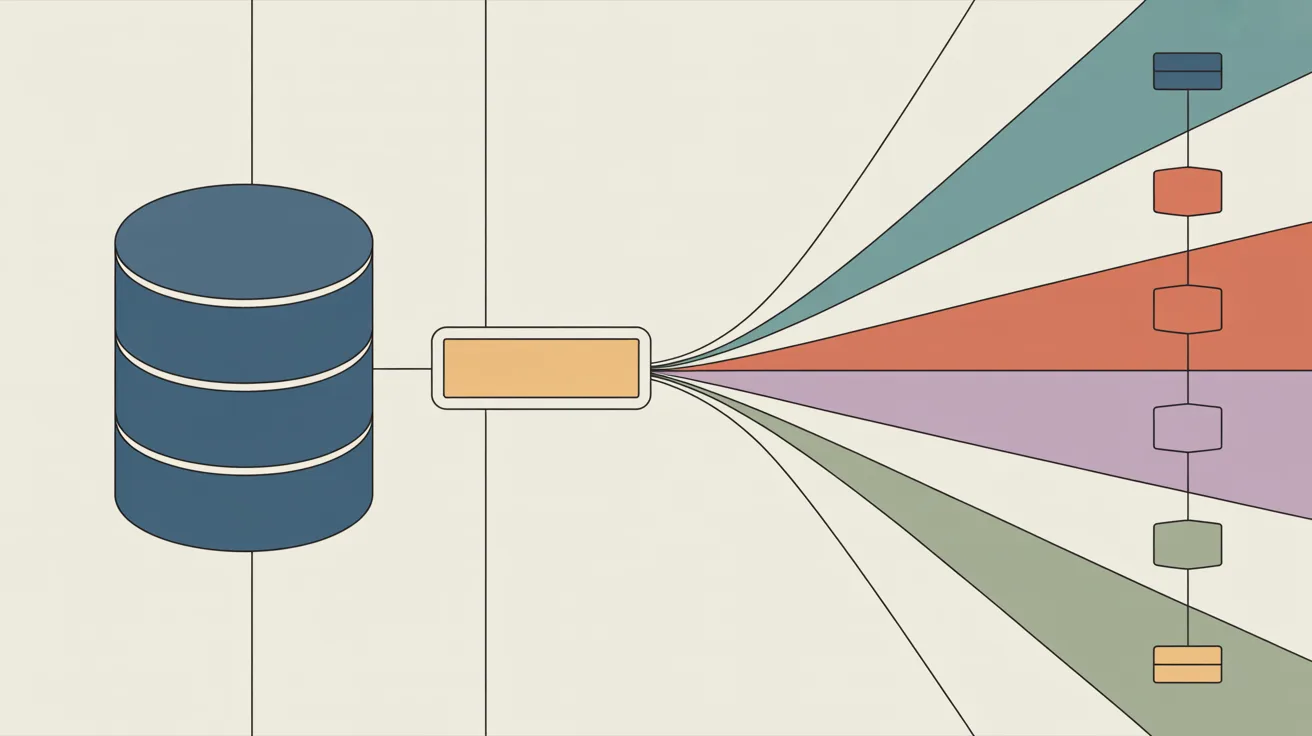
If you're looking for a Salesforce Marketing Cloud alternative, you've probably already noticed the pattern: the license is expensive, the platform needs its own specialist developers, and the low-code promise runs out exactly where your requirements get interesting.
We keep hearing this story on customer calls. The most recent version came from an engineering team at a healthcare company, mid-migration off Marketing Cloud. Their original mandate was "find a low-code solution for marketing." The engineer running the migration, on where that landed: "I don't know that that's really ever going to be a good answer for the kind of depth that the product offers."
Low code is good in theory. Doing anything moderately complex takes code, so a platform built to hide code from you caps out early. It may be low code, but it's also low functionality. That's the trade nobody prices in.
This post covers why teams move, the architecture that replaces Marketing Cloud without replacing Salesforce, and what the switch costs.
Key takeaways
- You don't have to leave Salesforce to leave Marketing Cloud. Salesforce stays the system of record. A notification platform like Courier becomes the send layer, working from data synced out of your CRM.
- The license is the smallest line item. Salesforce Marketing Cloud Engagement runs roughly $1,250 to $4,200+ per org per month, billed annually. Implementation typically adds 1.5x to 3x the annual license, plus specialist developers and consultants at $150 to $350 an hour.
- The staffing cost is a team you didn't want to build. Marketing Cloud developers work on Marketing Cloud, not your product. A platform your existing engineers can run removes a hiring dependency, not a line item.
- Low code caps out early. Requirements like "don't let two journeys message the same person on the same day" exceed what drag-and-drop tools express, so you end up writing code anyway, in a proprietary environment.
- Courier prices per send, not per contact. Every channel costs the same flat per-message rate, with a free tier and volume pricing as you scale, so the bill tracks what you send rather than the size of your database.
- Marketers gain independence, not a downgrade. Templates, audiences, one-time sends, journeys, and preferences all have a full UI, so marketing ships without filing tickets and engineering stops being the send button.
Why teams look for a Salesforce Marketing Cloud alternative
Three reasons come up on nearly every call.
The staffing model. Marketing Cloud is its own discipline: AMPscript, SSJS, Data Extensions, SQL query activities, Journey Builder's quirks. Running it well means hiring Marketing Cloud developers, or contracting them through an agency at $150 to $350 an hour, and those people work on Marketing Cloud, not your product. Nobody plans for that headcount; it arrives after the contract is signed. The healthcare company put it directly: keeping Marketing Cloud meant "an entirely differently configured development team." Courier goes the other way: one of your existing engineers, working with a coding agent like Claude Code, Codex, or Cursor, can build the integration themselves. Their system experts became their notification experts. Same headcount, one less silo.
The pricing model. Salesforce Marketing Cloud Engagement is priced per org and per contact, with message allocations on top: roughly $1,250/month for Professional to $4,200/month for Corporate, billed annually. That's the list price. Implementation partners typically charge 1.5x to 3x the annual license to get you live, and ongoing managed services add $10,000 to $45,000+ a year. You pay for every contact stored whether or not you message them, and industry guides document dozens of add-on costs. A first year on a mid-tier edition regularly clears $200,000 all-in. (Salesforce's newer Growth and Advanced editions, at $1,500 and $3,250 per org per month, keep the same shape: an annual platform commitment sized to your database.)
The product itself. Salesforce Marketing Cloud launched as ExactTarget in 2000 and it shows. Navigation sprawls across Email Studio, Journey Builder, Automation Studio, and Contact Builder, and knowing where a thing lives is tribal knowledge. The engineer we quoted above, after switching: "Salesforce is very old, and it's hard to navigate. Courier's navigation is fairly clean. It's easier for me to use."
Keep the data, replace the sending
The move that works isn't ripping out Salesforce. It's narrowing what Salesforce does.
Salesforce is a system of record, and a good one. Contacts, deals, consent, purchase history: leave all of it where it is. What you take back is the send layer, the part of Marketing Cloud that decides what to send, renders it, and delivers it.
The architecture looks like this:
- Salesforce stays the source of truth. Your CRM keeps owning who customers are.
- A sync you control moves the data. Platform events, Change Data Capture, or scheduled exports push contact changes to your backend, which upserts them into Courier as user profiles. The sync is small: identifiers, channel addresses, and the attributes you segment or personalize on.
- Courier becomes the send surface. Your product triggers sends and journeys by API. Marketers build templates in a visual editor and run one-time sends without filing a ticket. Audiences recalculate automatically as synced profiles change.
The healthcare team built exactly this: a facade between the two systems, with Salesforce data rolling over to Courier continuously. Salesforce didn't get worse at anything. It stopped being the bottleneck for everything downstream of the data.
This is also where AI changes the equation. In the age of agents, you want your customer data in a system of record and your capabilities behind clean APIs, because that's what agents can operate. Courier exposes the whole platform through an API and an MCP server, so the same surface your engineers script is one your coding agents can build on: creating templates, wiring journeys, inspecting delivery logs. There's no equivalent move for a platform whose automation lives in a proprietary scripting language behind a certification.
Where low code actually breaks: a real example
Here's the requirement that pushed the healthcare team past what journey builders express.
Patients qualify for re-engagement campaigns based on criteria, and one patient often qualifies for two campaigns at once. Both journeys fire. The patient gets blasted about one topic, then immediately blasted about another, with neither journey aware of the other. For a healthcare company careful about overloading patients, that's not a cosmetic bug.
The team's first instinct was the classic low-code workaround: set a flag when someone enters any journey, check it on entry everywhere else, delay a day if it's set, re-invoke. It works for two journeys. At three or more it collapses into state management spread across every workflow, where one missed check anywhere breaks the guarantee everywhere. And Salesforce Marketing Cloud Engagement gives you no native cross-journey collision control to reach for; Salesforce's own ecosystem guides recommend planning spreadsheets and hand-built exclusion logic as the standard workaround.
The better shape is a platform primitive, not per-journey bookkeeping. In Courier, a throttle node caps how many messages a user can receive through a point in a journey per time window ("max 1 per 24 hours, per user"), and preference topics group message types so marketing sends respect one shared set of rules while urgent product messages bypass them entirely. Cross-journey coordination is a conversation we're actively having with customers like this one, and it's shaping what we build next.
That last part matters more than the feature list. When this team hit the problem, the fix wasn't a support ticket into a queue behind thousands of larger accounts. It was a design conversation, and the request went on the roadmap that week. AI has collapsed the cost of turning customer requests into shipped features, and small platform teams now out-iterate suites. As the company's IT lead told us: "It's a level of personalization that I don't think we could ever expect to get from a Salesforce."
What marketers get out of the switch
A developer platform sounds like a trade where marketing loses its tools. It works the other way: the things marketers wait on specialists for in Marketing Cloud have a plain UI in Courier.
In Salesforce Marketing Cloud, personalization beyond merge fields means AMPscript, which means a ticket. A segment usually means a SQL query activity, another ticket. The people who own the campaign can't ship the campaign.
The same work in Courier is self-serve:
- Templates are built visually in Design Studio, with content for email, SMS, push, in-app, and chat in one template and personalization through variables picked from a menu, not a scripting language.
- Audiences are defined by profile attributes with a rule builder and update automatically as synced Salesforce data changes. No SQL.
- One-time sends run through Broadcasts: pick a template, pick an audience, send or schedule. The healthcare company's one-time sends used to route through IT. Their IT lead, after the switch: "That takes us out of the equation for every single one-time send."
- Journeys have a visual editor with the same nodes engineers use through the API, including experiments for testing message variants against each other.
- An in-app inbox comes as a channel, with drop-in components for React, iOS, Android, and vanilla JS. Announcements land inside your product instead of competing for attention in email. Marketing Cloud's closest equivalent lives inside the MobilePush SDK; Courier's inbox ships prebuilt UI for web and mobile.
- Preferences ship as a hosted page and embeddable components, so the unsubscribe and topic-management experience exists on day one without a build project.
- Logs show every message's delivery and engagement history, so "did the customer get the email?" is a lookup, not an escalation.
The parity is the point. Engineers, marketers, and AI agents work the same platform through different surfaces: UI, API, and MCP. Nobody's workflow is the degraded version.
What the switch costs
Salesforce Marketing Cloud vs. Courier isn't a license vs. license comparison. It's platform commitment vs. usage.
| Salesforce Marketing Cloud Engagement | Courier | |
|---|---|---|
| Pricing basis | Per org + per contact stored, annual contract | Per message sent |
| Entry price | ~$1,250 to $4,200+ per org per month | Free tier (10,000 sends/month), then $0.005 per message with volume pricing at scale |
| Implementation | Typically 1.5x to 3x annual license via a partner | Your team, starting on the free tier |
| Specialist staffing | Marketing Cloud devs and consultants, $150 to $350/hr | Your existing engineers |
| Ongoing managed services | $10,000 to $45,000+ per year | None required |
| Unused contacts | Billed | Free (you pay when you send) |
| Channels | Priced and configured per studio | Every channel, same flat rate |
Run the arithmetic for a mid-size team: a Corporate edition license is about $50,000 a year. Implementation at the low end of the typical multiple adds $75,000 in year one. A part-time contracted specialist at $200 an hour, ten hours a week, is another $100,000 a year. The same team sending 300,000 messages a month on Courier pays $18,000 a year, with no implementation partner and no contractor. The numbers vary; the shape doesn't. Marketing Cloud bills on the size of your database and your org chart. Per-send pricing bills on activity.
When Salesforce Marketing Cloud is still the right call
An honest alternative-to page should tell you when not to switch.
- You run ad audience activation, landing pages, and attribution inside Marketing Cloud. Advertising Studio, CloudPages, and Datorama-lineage analytics have no Courier equivalent. If those carry your program, a send-layer migration only moves part of your stack.
- Your marketing team is deeply invested in AMPscript and Data Extensions. If years of working SQL automations run your lifecycle program and nobody's asking for API access, the migration cost may not pay back soon.
- Nobody on your team ships code. Courier's UI covers template building, audiences, broadcasts, and journey editing, but the keep-the-data-replace-the-sending architecture assumes an engineering team that owns a sync. No engineers, no facade.
If you're mostly sending product-triggered and lifecycle messages, and the people maintaining your stack are engineers who'd rather work in their own tools, the migration pays for itself in the first contract cycle.
How do you migrate off Salesforce Marketing Cloud?
The short version: inventory what actually sends, stand up the Salesforce-to-Courier profile sync, recreate templates, carry over unsubscribes, then rebuild journeys one at a time, running each in parallel before cutting over. Triggered sends cut over cleanly since they're already API calls.
The full concept mapping (Journey Builder to Journeys, Data Extensions to user profiles, AMPscript to send-time data, publication lists to preference topics) lives in our migration guide, written so both your team and your coding agents can work from it.
Frequently asked questions
Can I keep using Salesforce with Courier?
Yes, and you should. Salesforce stays your system of record for contacts, deals, and consent. A sync you control (platform events, Change Data Capture, or scheduled exports) pushes profile changes into Courier, and audiences recalculate from those attributes automatically. Courier replaces Marketing Cloud's send layer, not your CRM.
What replaces Salesforce Journey Builder in Courier?
Journeys: a visual workflow builder with an API underneath. Entry sources map to triggers (API invoke, inbound webhook, Segment event, or audience membership), and decision splits, waits, and sends map to branch, delay, and send nodes. Journeys add primitives Journey Builder lacks, like throttle nodes for frequency caps and digest nodes that collapse many events into one message.
What happens to my Data Extensions?
Your sendable Data Extension becomes Courier user profiles: JSON documents keyed by user ID that accept nested attributes without a schema. Relational Data Extensions stay in your database; you either flatten what a message needs onto the profile at sync time or pass it in the data field at send time.
Do I need a Salesforce developer or consultant to run Courier?
No. That's most of the point. Courier is a REST API with SDKs, so the engineers who build your product run your notifications, usually with an AI coding agent doing the heavy lifting. No proprietary scripting language, no certification track, no implementation partner.
Is Courier a full Salesforce Marketing Cloud replacement?
No. Courier replaces the sending and orchestration layer: journeys, triggered sends, campaigns, templates, and preferences across email, SMS, push, in-app, and chat. It also adds an in-app notification inbox with drop-in web and mobile components, something Marketing Cloud only approximates inside the MobilePush SDK. Landing pages (CloudPages), ad audience activation (Advertising Studio), and marketing attribution stay in Salesforce or elsewhere in your stack.
What does Courier cost compared to Salesforce Marketing Cloud?
Courier charges a flat $0.005 per message sent, the same across every channel, with a free tier of 10,000 sends a month, volume pricing at scale, and no charge for stored contacts. Salesforce Marketing Cloud Engagement runs roughly $1,250 to $4,200+ per org per month on an annual contract, plus implementation typically at 1.5x to 3x the annual license, plus specialist staffing.
How long does a migration take?
Triggered and transactional sends cut over in days, since they're already API calls on both sides. Journeys move in phases: rebuild one, run it in parallel against a test audience, cut the entry over, retire the Marketing Cloud version once its send logs go quiet. Most teams complete the send-layer migration within a quarter while both systems run side by side.
Do marketers get a UI, or is Courier API-only?
Both, with parity. Marketers build templates in Design Studio, manage audiences with a rule builder, run one-time sends through Broadcasts, and edit journeys visually. Engineers and AI agents do the same things through the API and MCP server. Neither surface is the limited version.
Start with the migration guide, or create a free account and wire a test audience against synced Salesforce data before you commit to anything.
Similar resources

WhatsApp Business messages: types, templates, and rules
Every WhatsApp Business message is a template or a free-form message, and the type decides when you can send it and what it can look like. How businesses use each one, the template categories, the formats worth knowing, and the rules that stop messages from arriving.

WhatsApp pricing changes on October 1, 2026
On October 1, 2026, two things become billable on the WhatsApp Business Platform: free-form replies inside the 24-hour customer service window, and utility templates sent in response to a customer. If your WhatsApp volume is conversations rather than campaigns, this is not a rate tweak. It adds a line to your invoice where there used to be a zero. Here is what changes, a worked example of the cost, and what to check.

Clinical alert and notification systems: how escalation works
A clinical alert is easy to send and hard to close. This is how alerting works inside a hospital: where alerts come from, how routing by role and shift works, and how the acknowledge, timeout, escalate loop is actually built, including what happens when nobody answers.