Digesting the Send API

Emily Lane
August 09, 2024
Digesting the Send API lets you roll up high-frequency transactional notifications into a single scheduled message, so users receive one consolidated digest instead of a steady stream of individual alerts. It reduces notification fatigue while keeping people informed, and it works without changing how you call the Send API.
This is for teams running noisy notification workflows: task assignments, comments, activity alerts, or any event that fires often enough to overwhelm an inbox. Instead of hand-rolling batching logic in your own code, you configure digests in Courier and let the platform aggregate and schedule delivery for you.
To set it up, create a subscription topic in the Preferences Editor to group the notifications you want to aggregate, then link the individual templates you send (for example "task-assigned" or "comment-added"). Design a digest template to render the aggregated events, and define one or more schedules, such as daily at 9:00 AM or weekly on Monday. You can optionally organize events into categories, set retention rules like "first 10" or "last 10", and choose whether to send empty digests when there are no new events.
Once digests are configured, you keep sending notifications with your normal Send API calls. Courier detects each recipient's digest preferences automatically: matching sends are held and marked with a DIGESTED status in your logs, then delivered together when the schedule fires. No changes to your send logic are required.
For setup details, see the digest send documentation.
More updates
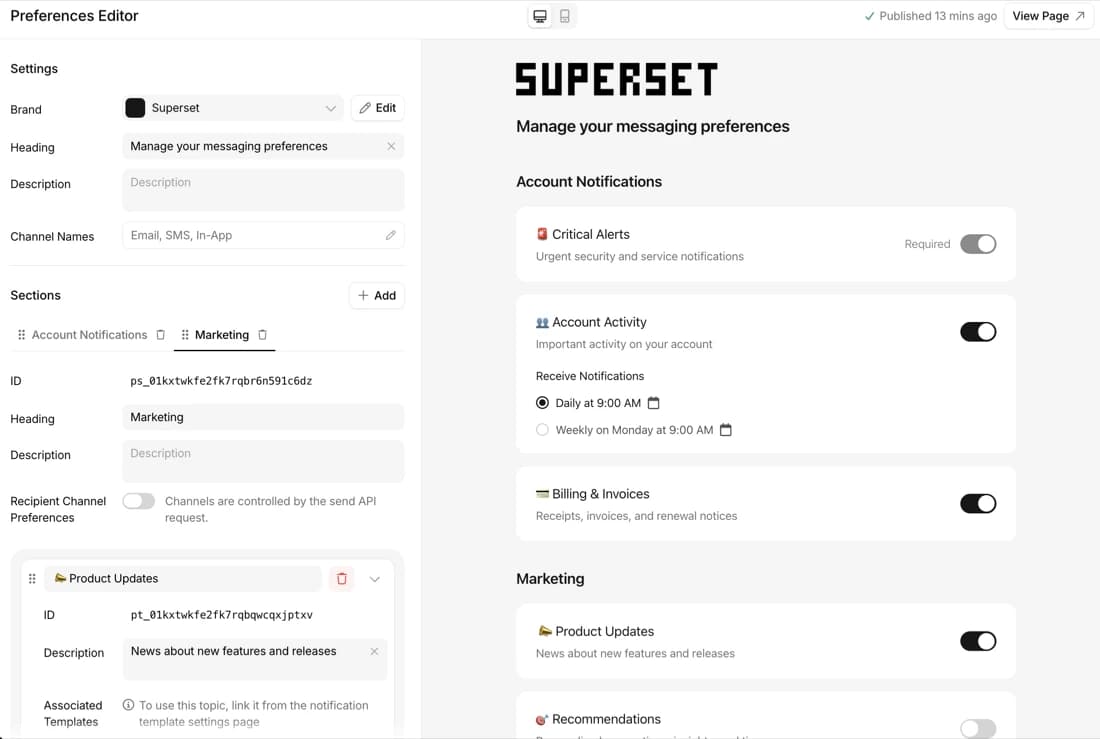
Preference webhooks and change history API
Get every preference change as a webhook, and read the full history by API.
By Emily Lane
October 14, 2026
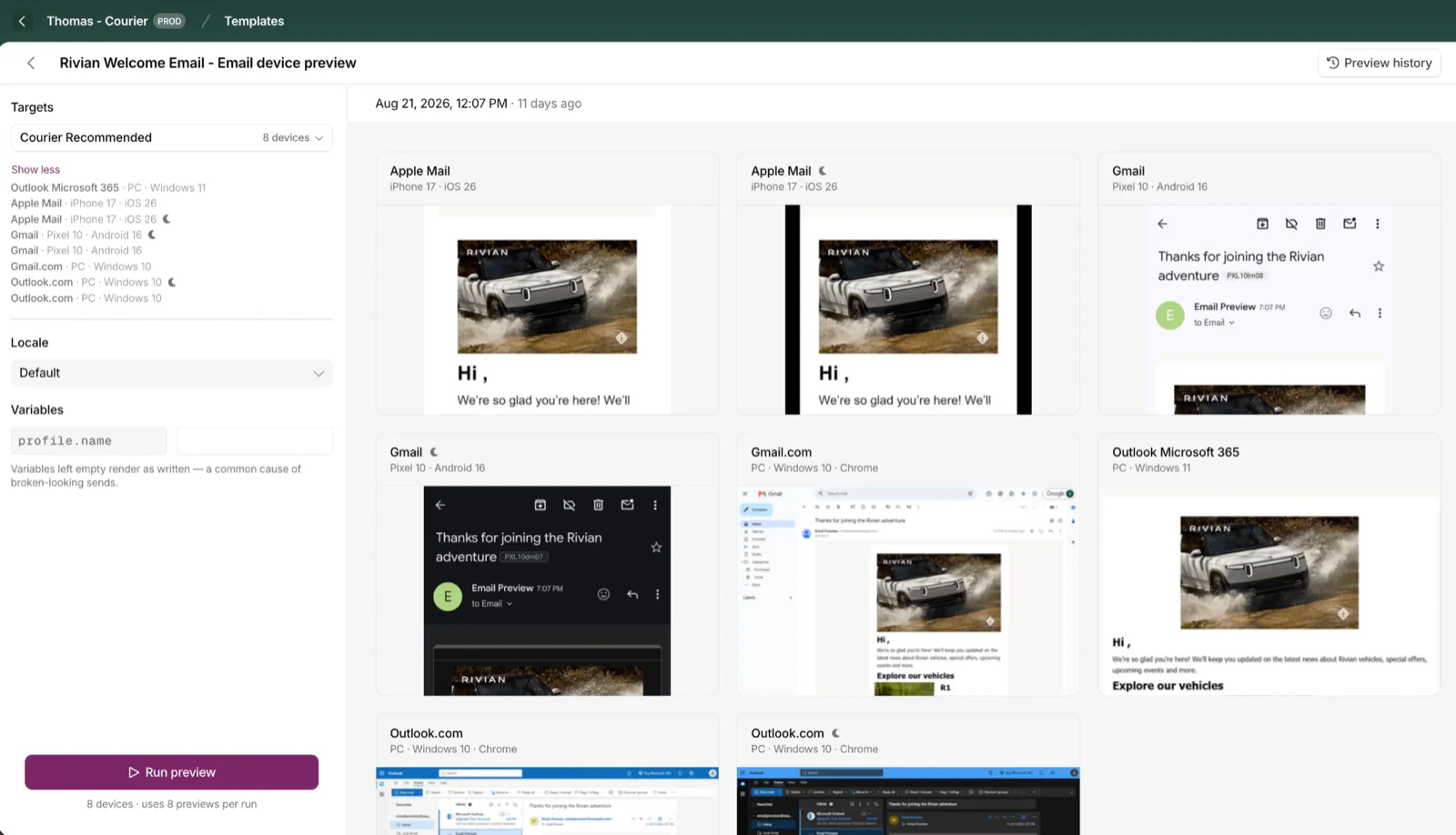
Cross-Device Email Preview
Preview email templates on real devices, 96 clients across 21 apps, right from Design Studio.
By Emily Lane
September 01, 2026
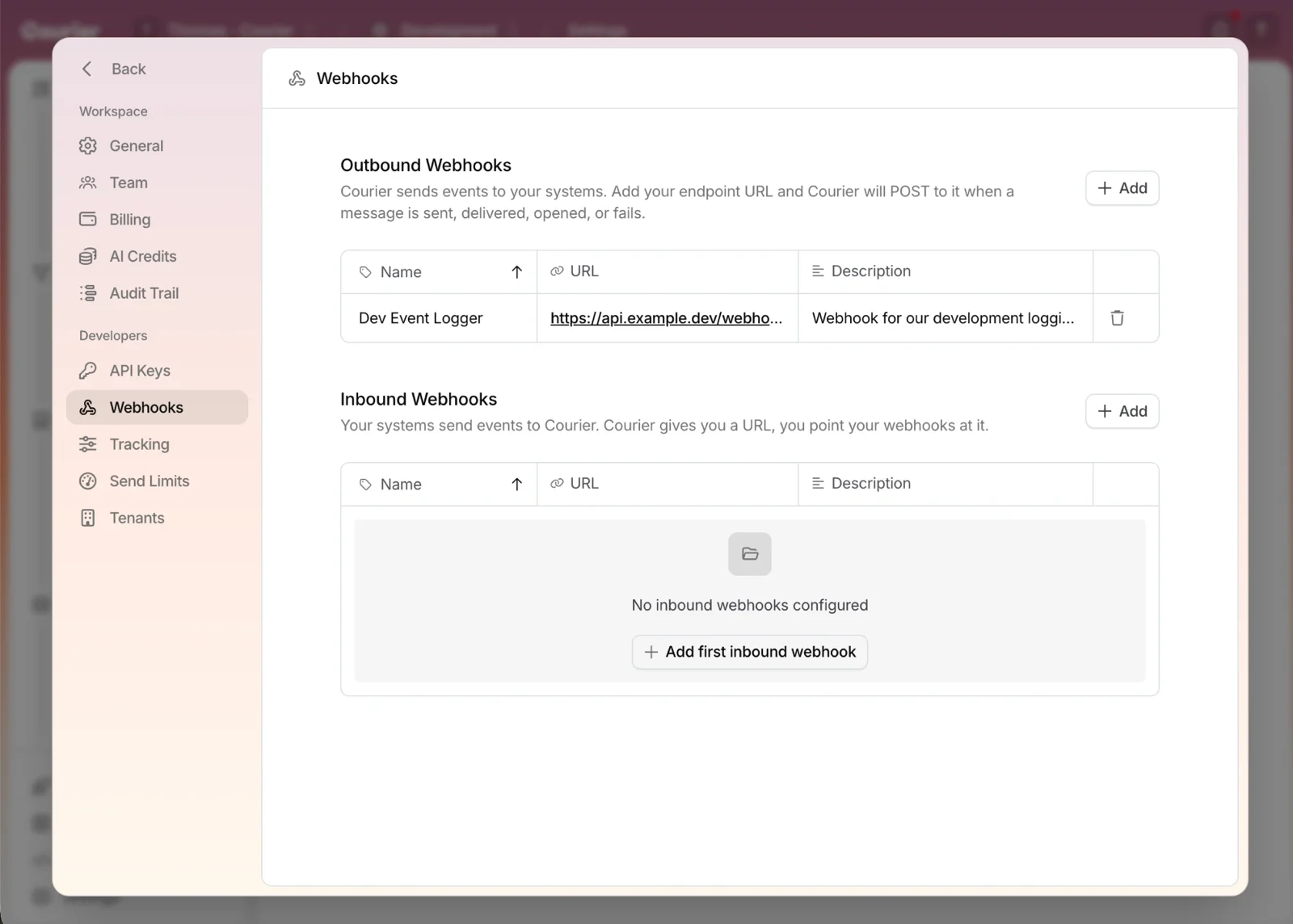
Redesigned Settings Page
Settings is redesigned, with workspace and developer pages in separate sections and nine background colors.
By Emily Lane
August 18, 2026