

Adding a send node
Drag a Send node from the palette onto the canvas, or drop it onto an edge between two nodes. Then choose the channel.Supported channels
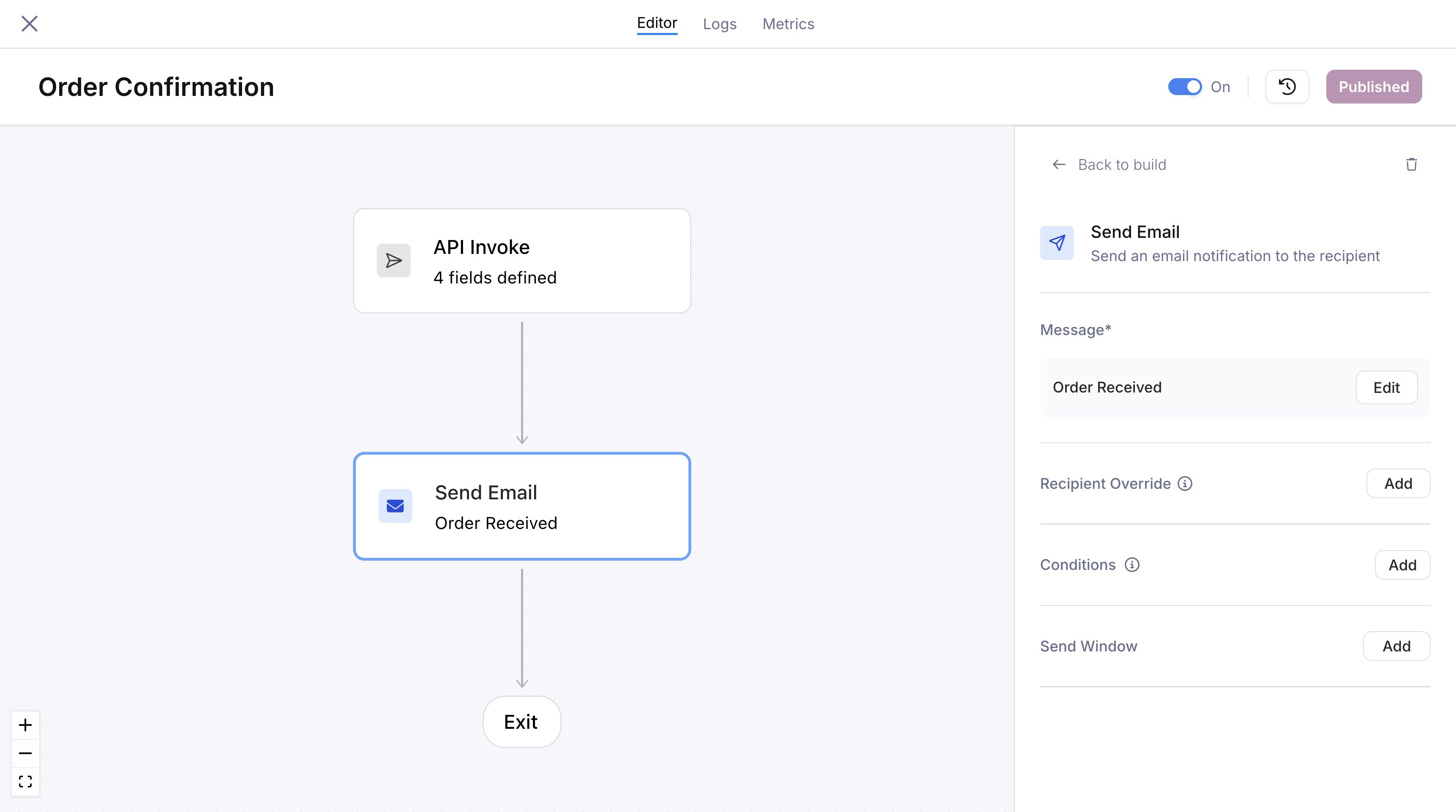
Send node configuration panel with an email channel selected and a linked message template
A/B test with an experiment
A send node can run an experiment to A/B test versions of a message. The node holds 2 to 10 variants, each linked to its own . Courier splits traffic across them by weight. Each recipient is assigned one variant deterministically and stays in it across sends. You compare delivery and engagement per variant, then promote one. A send node uses either a single template or an experiment, not both. For traffic allocation, bucketing keys, stickiness, results, and promotion, see .Recipient override
By default, a send node delivers to the user who entered the journey, identified by theuser_id or profile from the .
To send to a different recipient, click Add next to “Recipient Override” in the node’s configuration panel. In the single field that opens, either:
- Select a field reference from the dropdown. It lists fields from the trigger schema, profile, and upstream fetch node responses. At runtime, that field’s value becomes the recipient address.
- Type a hardcoded value (e.g.,
ops@yourcompany.comor+15551234567). Type your value and click away to commit it.
Click Remove to revert to the default recipient.
Slack and Microsoft Teams have no journey user to fall back on, so you always set their fields on the node. Neither offers a recipient override.
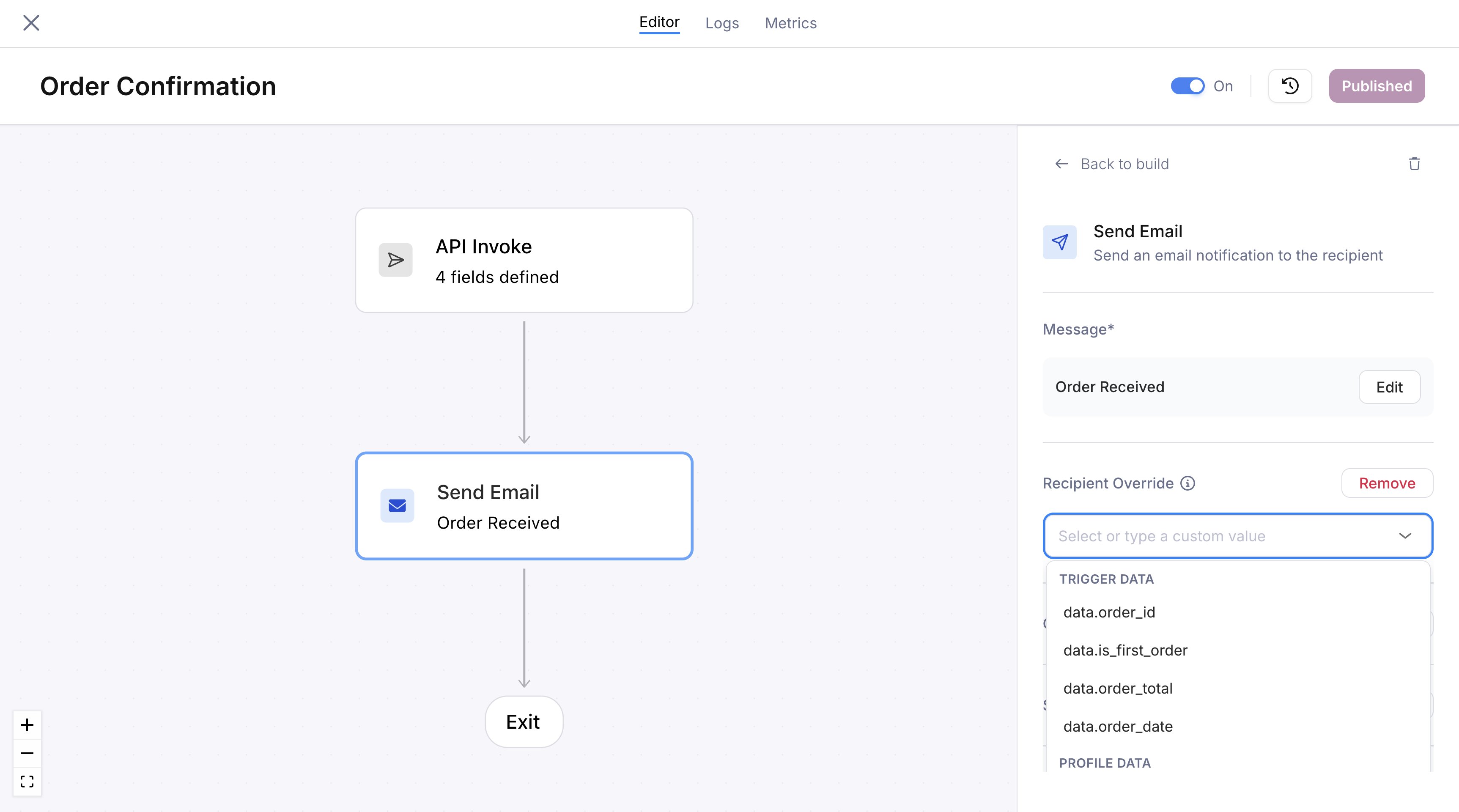
Recipient override with the dropdown showing available schema and profile fields
manager_email to your API trigger, then select it as the recipient override on a send node. Your application then controls who receives that notification without changing the journey.
Slack recipients
A Slack send node needs a destination and an Access Token for the workspace it posts into. Set the destination with Send to:- Channel posts to a Slack channel. Enter the channel ID, like
C012AB3CD. Courier doesn’t list your channels, so bring the ID from Slack. - Direct message goes to one person, addressed by User ID (like
U01AB2CD3EF) or Email.
xoxb-...) for that workspace. Point it at profile.slack.access_token or a tenant property so each send picks up the right one.
These map onto the fields the Send API uses:
For message content, Block Kit layouts, threading, and provider overrides, see the .
Microsoft Teams recipients
A Teams send node needs a destination, a Service URL, and sometimes a Microsoft tenant ID. Set the destination with Send to:- Channel posts to a Teams channel. Under Identify channel by, choose Channel ID, or Channel Name plus the Team ID that channel belongs to.
- Direct message goes to one person. Under Identify user by, choose User ID or Email.
https://smba.trafficmanager.net/amer. Microsoft tenant ID is needed when you address a direct message by user ID or email, or a channel by channel name.
These map onto the fields the Send API uses:
For adaptive cards, thread replies, and provider overrides, see the .
Conditions
A send node can carry conditions, evaluated at runtime. If they aren’t met, the node is skipped and the journey continues to the next step. Conditions use the same operators and field references as . Common patterns:- Skip a push notification if
profile.push_tokensis empty - Only send an email if
data.notification_preferenceequals"email" - Send only when a fetch node response indicates the user hasn’t completed an action
Send window
A send window controls when a message is delivered. If the run reaches a send node outside the window, delivery is held until the window opens. Use it to respect business hours, avoid late-night messages, or batch sends into a time range.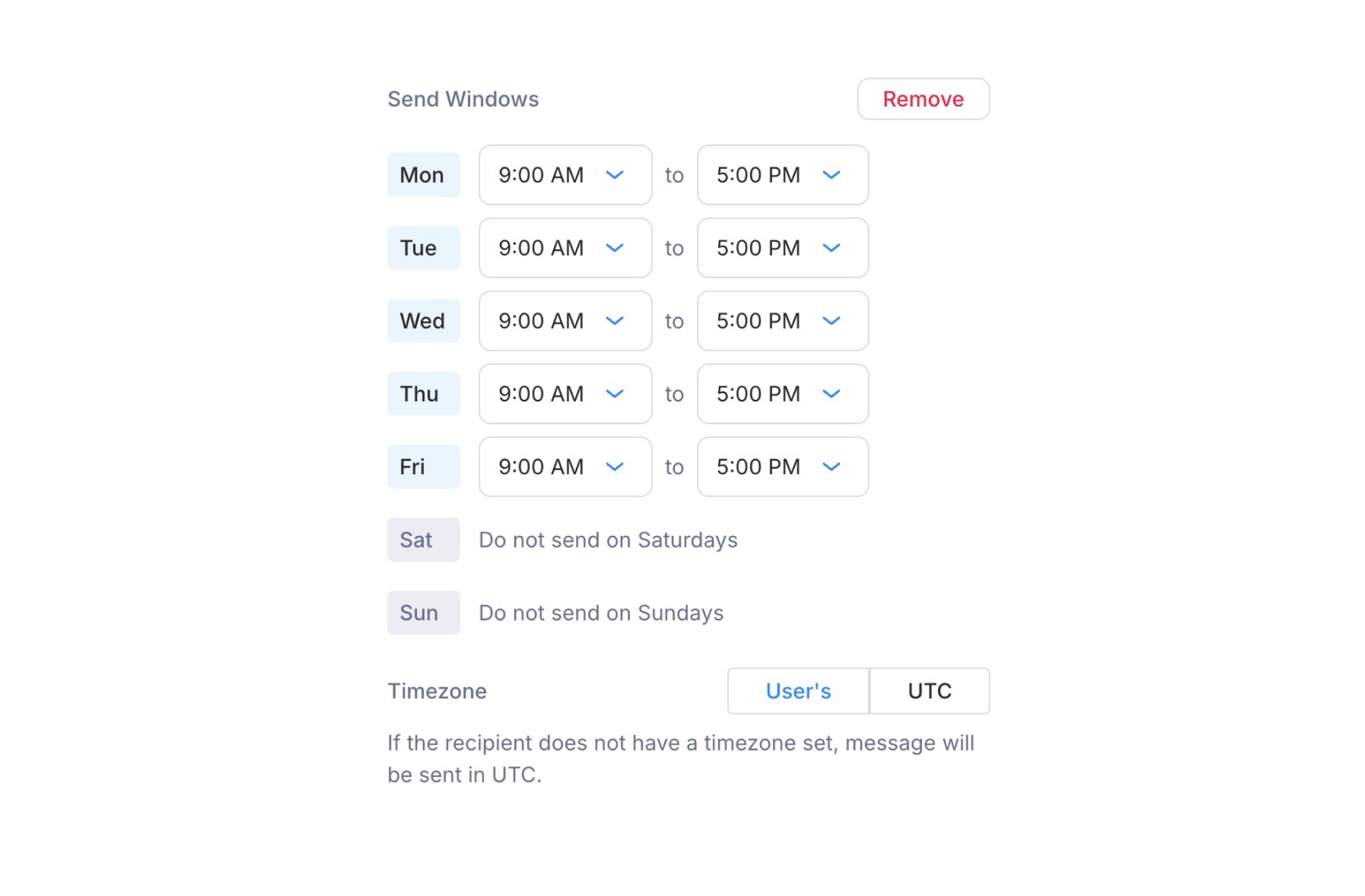
Send window configuration with per-day time ranges and timezone selection
- Day-by-day schedule: Each day of the week has its own row with an opening and closing time (e.g., Mon through Fri, 9:00 AM to 5:00 PM). A day with no time range is blocked entirely.
- Timezone: Choose User’s timezone (resolved from the recipient’s profile) or UTC. If the recipient has no timezone set, messages are sent in UTC.