How Apple's on-device AI works, and what it changes for your users
 Emily LaneJuly 23, 2026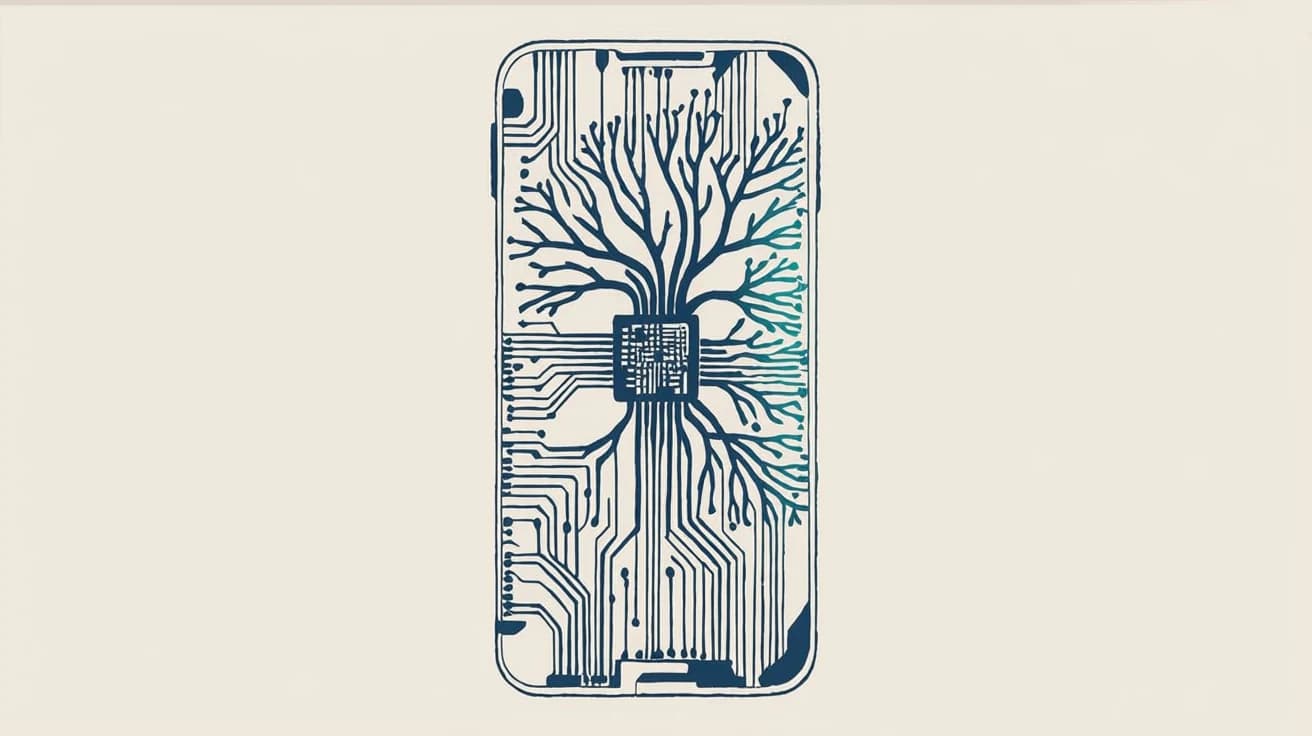
For years, "AI on your phone" meant a small, weak model that could autocomplete a word and not much else. Anything that mattered got shipped to a data center. In 2026 that stopped being true. Apple's latest on-device models are good enough to read, summarize, rank, and rewrite the things that land on your phone, and they do it locally, for free, all the time.
We wrote about what that means for notifications specifically. This is the layer underneath: what Apple actually built, in plain terms, and the more interesting question of how a capable model sitting on every phone changes what people do with their phones. You don't need to ship iOS apps to care. If you send email, SMS, push, or in-app messages to anyone on an iPhone, this model is now standing between you and them.
Apple calls these models Apple Foundation Models; the 2026 generation is AFM 3.
Key takeaways
- AFM 3 is Apple's third-generation foundation-model family, announced at WWDC in June 2026. Two models run on the iPhone, two larger ones run on Apple's servers.
- A 20-billion-parameter model runs on the phone by only using a slice of itself. A sparse mixture-of-experts design fires just 1 to 4 billion parameters per request.
- Notification, mail, and message summaries run on-device. They are small task-specific adapters on top of one shared model, so the content stays on the phone.
- Any app can now use the same on-device model, free and offline, through Apple's Foundation Models framework.
- A capable model now reads your message before the user does. Clear, self-contained content survives summarization; vague, hype-driven copy gets flattened.
New to terms like mixture-of-experts, quantization, or LoRA adapters? The key terms at the end define them in plain English, and it's a fine place to start.
What Apple actually built: the AFM 3 lineup
At WWDC in June 2026, Apple introduced its third generation of foundation models. There are two that run on the device itself, and two that run on Apple's servers for heavier work.
| Model | Size | Where it runs | What it does |
|---|---|---|---|
| Core | ~3B params, dense | On the iPhone | Everyday language: summarizing, ranking, rewriting |
| Core Advanced | 20B params, only 1–4B active per request | On the iPhone | Bigger on-device jobs, plus understanding images |
| Cloud | Not disclosed (sparse, PT-MoE) | Apple's servers | Heavier requests that need a larger model |
| Cloud Pro | Not disclosed | Apple's servers + Google Cloud | The most capable tier; built with Google using Gemini |
One requirement up front: all of this needs an iPhone 15 Pro or newer (an A17 Pro chip or later). Every iPhone 16 and iPhone 17 model qualifies; the standard iPhone 15 and anything older does not, and no update changes that.
The on-device pair is what matters most here, because the everyday stuff, like summarizing a stack of notifications, has always run locally. By Apple's own numbers, the new on-device model is preferred over last year's roughly twice as often. Those are Apple's internal evaluations, not independent benchmarks, so take the exact figure lightly, but the direction is not in dispute: the local model got meaningfully better.
The top server tier is the newsy part. Apple built its most capable models with Google, using the technology behind Google's Gemini, and for the first time extended its private server infrastructure onto Google's cloud running NVIDIA chips. So the phrase "Apple's AI" now quietly includes some Google underneath. But the models doing the everyday work on notifications, mail, and messages still live on the phone.
How a 20-billion-parameter model runs on a phone
A 20-billion-parameter model has no business running on a phone. The interesting engineering is how Apple makes it fit and keeps it fast. Three ideas do most of the work, and none of them need an ML background to follow. (Stuck on a term? Jump to the key terms.)
Only wake the part you need (sparse activation). A model's parameters are the numbers it uses to think, and normally all of them run for every request, which is why big models need big machines. Core Advanced doesn't work that way. It's a mixture-of-experts model: its parameters are grouped into "experts," and only the few your request needs switch on. So it stores 20 billion parameters but runs just 1 to 4 billion at a time. It knows a lot, but consults only the specialists each request calls for. Apple's method for picking them is Instruction-Following Pruning.
Squeeze the weights (quantization). Those parameters are just numbers, and numbers can be stored at different precisions. Quantization keeps each in far fewer bits, like a compressed photo that holds the picture while dropping data, and Quantization Aware Training trains the model to expect the squeeze so accuracy survives it. Apple hasn't published AFM 3's exact numbers; its 2025 models ran around 2 bits per weight on device, with lost quality clawed back by small trained add-ons (the adapters, coming up). Treat that as last year's figure, not confirmed for 2026.
Share the memory (KV-cache sharing). As a model generates text, it keeps a running cache of what it has read so far, its short-term memory (in attention terms, the "keys and values"). That cache eats memory and slows down the first word out. In its 2025 on-device model, Apple restructured the network so two parts share one cache, cutting that memory use by about 37.5% and getting the first word out faster. Another documented 2025 detail.
The server models use a bigger-scale version of the same instinct, a design Apple calls Parallel-Track Mixture-of-Experts. Instead of one enormous model, several smaller ones run side by side on a request and only compare notes at checkpoints, which cuts the coordination overhead that usually makes big models slow. Same sparse-expert idea, scaled up for the data center.
That "on the device" part is the whole point for the local models, and it shapes everything downstream:
- Private. The content it reads, including your notifications and messages, does not leave the phone. Apple says its on-device features run entirely on device, with nothing shared with Apple or anyone else.
- Instant. There is no round trip to a server, so it can summarize and sort things the moment they arrive.
- Free and always on. No per-request cost means Apple can afford to run it on everything, all the time, instead of saving it for special occasions.
Private, instant, and free is exactly the combination that lets Apple put a model in front of every message without asking anyone's permission or sending a bill.
What an Apple Intelligence summary actually is
Here is the part worth understanding, because it explains why some messages survive the AI and some get mangled.
Apple doesn't train a separate model for notifications, another for mail, another for messages. It trains one base model, then bolts on small, specialized add-ons for each task. Summarizing your notifications is one of those add-ons. Ranking them by importance is another. They all sit on top of the same underlying model.
Those add-ons are LoRA adapters: small low-rank matrices patched into the model's layers that nudge its behavior for one task without retraining the whole thing. They're tiny next to the base model. For reference, the adapters Apple lets developers train through its own toolkit are rank-32 and weigh around 160MB, and the same low-rank trick is what recovers quality after the aggressive quantization above. So "summarize notifications" is not a model. It's a lightweight specialization layer riding on the shared on-device model.
Two things follow from that. First, when the base model gets smarter, every task gets smarter at once, which is why 2026 felt like a step change rather than a single feature. Second, and more useful to you: a summary is not a truncation. The model reads your title and body and rewrites them into its own sentence. Give it clear, self-contained text and it represents you faithfully. Give it something vague and it fills the gap with a confident guess. The mechanism rewards clarity and punishes cleverness, everywhere it runs.
Private by design, not by promise
The server tier is where privacy usually gets hand-wavy, and it's where Apple has done the most work. Its server infrastructure, Private Cloud Compute, rests on a few hard commitments:
- Stateless. Your data is used for the request and then gone. No retention, and by Apple's design not even a general-purpose logging mechanism that could leak it.
- Non-targetable. Requests reach the fleet through a third-party relay that hides your IP, carry metadata stripped of anything identifying, and are spread across nodes so neither an attacker nor Apple can aim a specific server at a specific person.
- Verifiable. Apple publishes every production server image and records it in an append-only, tamper-proof log, so outside researchers can inspect the actual software instead of trusting a promise.
When Apple extended this onto Google's cloud in 2026, running on NVIDIA's confidential-computing GPUs, it said the same guarantees carry over. This matters for one practical reason: it is why Apple is comfortable letting AI read genuinely personal things like your messages. The privacy architecture is what makes the always-on part socially acceptable.
Using Apple's on-device model in your own app
The model reading your users' notifications is one you can call yourself. Apple's Foundation Models framework exposes the on-device model to any app, free and offline, and it is more than a text box:
- Guided generation. Mark a Swift type
@Generableand the framework constrains the model's decoding so the output is guaranteed to match your struct. No JSON parsing, no "please respond in this format" prompting. It uses constrained (and speculative) decoding under the hood. - Tool calling. The model can call your app's own functions, and the framework works out the parallel and serial tool-call graph for you.
- Vision and the cloud model (new in 2026). The on-device model now accepts image input, and you can reach Apple's server model too: a 32,000-token context window with a
reasoningLevelyou set to.light,.moderate, or.deep, at no cloud cost until an app passes roughly 2 million downloads. - Your own adapters. You can train a LoRA adapter for your own task and ship it in your app (entitlement-gated), the same specialization trick Apple uses internally.
The short version: on-device summarization and triage used to be something only Apple could do to your content. Now any app can do it to its own, for free, on the device. That is the hinge for where this goes next.
How on-device AI changes what users do
Here is where it gets speculative, so treat the rest as informed theory rather than fact. But the direction seems clear once the model is capable, private, and everywhere.
The glance replaces the open. People used to open an app to find out what happened. Increasingly they'll read a one-line summary on the lock screen and act or dismiss without opening anything. The summary becomes the product. The tap becomes optional, and rarer.
Users start trusting the phone's judgment. When the model reliably surfaces the account alert and buries the promo, people stop scanning everything themselves. They delegate triage to the phone. That's a big shift: low-priority senders won't just be muted, they'll be quietly filtered out of attention before the person ever decides. Being ignored used to require a choice. Now it can happen by default.
Reading shifts from messages to briefings. A stack of ten notifications becomes one summarized line. A morning of email becomes a digest. People will increasingly consume a summarized version of their day rather than the raw feed, and they'll come to expect that everywhere, in their mail client, their team chat, their banking app, because once one app does it well the rest feel broken without it.
The bar to earn a real open goes up. If the summary answers the question, the user is done. The only messages that still get a full open are the ones where the summary makes them want more, or where they need to act. Everything else gets resolved at a glance and forgotten. Users will like this, because their phones get calmer. Senders will feel it, because the easy attention they used to buy is exactly what the model is built to flatten.
What it means for push, email, SMS, and in-app
- Push: the sharpest version of all this. Summarized, ranked, and sometimes filtered out entirely before the user sees it. Clear, self-contained copy survives; teaser copy gets rewritten or dropped. (The notifications post goes deep on this.)
- Email: open rates were already unreliable thanks to privacy features that mask opens. Now the preview line itself is AI-rewritten, and inboxes increasingly get summarized and priority-sorted for the user. The subject line is no longer the whole battle; the model reads the body and decides.
- SMS: Apple already lets apps feed message content to on-device AI for summarizing and priority scoring. Expect transactional texts (codes, alerts) to be sorted cleanly from promotional ones, with promo texts quietly deprioritized.
- In-app and team chat: the wide-open one. Because any app can now run the model locally, in-app inboxes and Slack-style feeds will get their own per-user summarization and triage, generated on the device for free. A notification feed stops being a list you scroll and becomes a briefing the app writes for each person.
Across all four, the pattern rhymes: a model reads first, and only clear, specific content comes through intact.
The model is the new first reader
Step back and the pattern is bigger than any single feature. A capable model now sits on hundreds of millions of phones: private, instant, free, always on. It reads notifications, mail, and messages before the person does, and any app can now point that same model at its own content. The universal first reader used to be the human. Increasingly it's a model, and the human reads what the model hands them.
That rewires the job of anyone who sends messages. The bold subject line and the curiosity-gap push were tricks for winning a human's glance, and they are exactly what this model flattens. What survives is boring and durable: clear, specific, self-contained content that says what it means. Write for the model and the human gets what they came for too. Write for the old attention game and the model quietly edits you out.
The models got good. They're private, they're everywhere, and they're the first thing that reads what you send. The winning move is not to fight that. It's to hand the model something clean to work with, on every channel, every time. (That, for the record, is the whole reason Courier exists: one place to produce clean, structured content across push, email, and in-app, with a fallback when a channel filters you out.)
Key terms
- Foundation model: a general-purpose AI model trained on broad data that can be adapted to many language tasks.
- On-device model: a model that runs on the phone's own chip, so data never leaves the device and there is no network round trip.
- Mixture of experts (MoE): a model whose parameters are split into "experts," with only the relevant few running per request, so a large model does a small amount of work at a time.
- Instruction-Following Pruning: Apple's method for choosing which experts to activate for a given request.
- Quantization / Quantization Aware Training: storing the model's numbers at lower precision to save space, with the model trained to expect that so accuracy holds up.
- KV cache: the running "short-term memory" a model keeps while generating text; sharing it saves memory and speeds up the first word.
- LoRA adapter: a small, low-rank add-on that specializes a base model for one task (like summarization) without retraining the whole model.
- Private Cloud Compute (PCC): Apple's server infrastructure for AI requests too heavy for the phone, designed to be stateless, non-targetable, and verifiable.
- Parallel-Track Mixture of Experts (PT-MoE): the server architecture where several smaller models run in parallel and sync only occasionally, cutting coordination overhead.
Sources
- Apple Machine Learning Research, Introducing the Third Generation of Apple's Foundation Models and the 2025 tech report
- Apple Security, Private Cloud Compute and Expanding Private Cloud Compute
- Apple Developer, What's new in the Foundation Models framework (WWDC 2026)
- NVIDIA, Confidential Computing and Apple Private Cloud Compute
Similar resources
Control how fast Courier sends to your providers
You shouldn't have to think about how fast you send to Courier. Set a send rate limit on any provider, and Courier sends your notifications to it at the rate you choose. Anything over the limit is queued, not dropped.
Know the moment users change notification preferences
Every preference change in Courier now reaches your systems two ways. A `preferences:user:updated` webhook fires the moment a user opts in, opts out, or changes a topic's channels, wherever they made the change. `GET /preferences/logs` returns the history, newest first, with the previous value where Courier knows it. Keep your CRM, warehouse, or marketing tools in step with what users chose.
Test Courier emails end to end with your AI agent
Give your coding agent an AgentMail inbox, and it can test your Courier emails the way a user would: send the change, check what arrives, review how it renders, and fix what it finds before the change reaches Production.