11 Best Customer Journey Orchestration Tools in 2026
 Kyle SeylerMay 19, 2026

TL;DR and comparison table
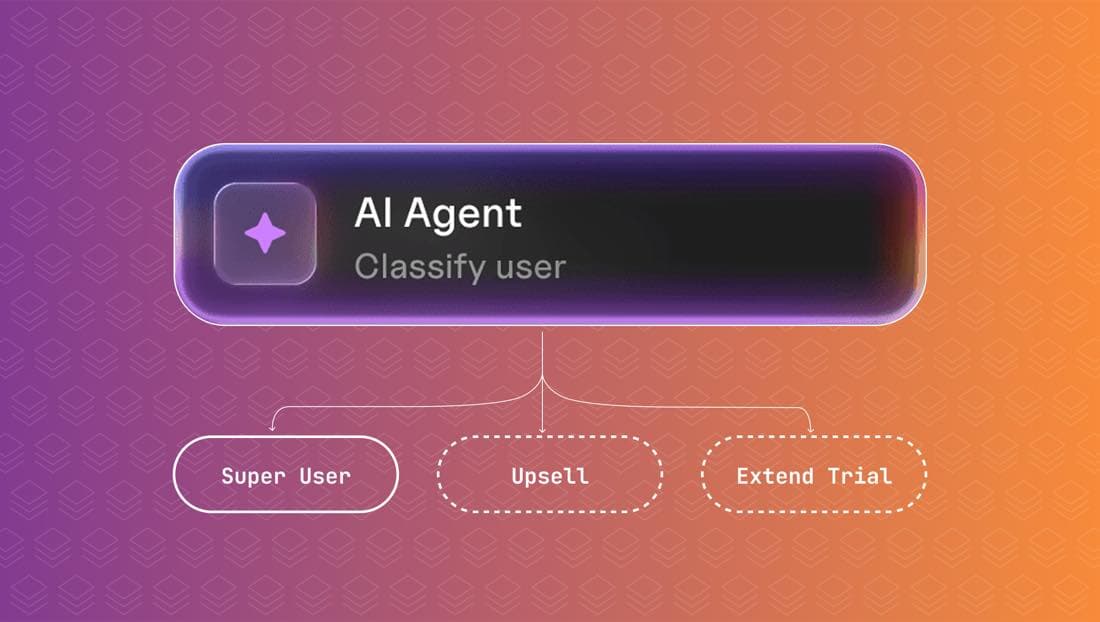
The best customer journey orchestration tools in 2026 split into three groups: API-first notification infrastructure (Courier, Knock, OneSignal, Novu), usually led by engineering teams, UI-first customer engagement platforms (Customer.io, Braze, Iterable, MoEngage) for marketing teams, and enterprise suites (Salesforce, Adobe, HubSpot) for orgs tied to a CRM or martech stack. If marketing owns the journey, you want a UI that ships a six-step nurture sequence without a ticket. If engineering owns it, you want an API your backend can call and delivery logs you can read. Most of the tools below pick one side. Courier covers both: engineers and AI agents work in the API, CLI, or MCP, and marketers build journeys and templates in the Journeys canvas and Design Studio.
| Tool | Best for | API or UI | Channels |
|---|---|---|---|
| Courier | Engineering, product, and marketing teams running product, transactional, and lifecycle journeys in one tool | API-first with visual builder | Email, SMS, push, in-app, Slack, MS Teams, WhatsApp |
| Knock | Engineering teams who want notification infrastructure as a service | API-first | Email, SMS, push, in-app, Slack, MS Teams, Discord |
| OneSignal | Mobile-first product teams that lead with push | API plus UI | Push, email, SMS, RCS, in-app, web push |
| Novu | Engineering teams that want open-source notification infrastructure | API-first, open source | Email, SMS, push, in-app, chat |
| Customer.io | Lifecycle marketing teams at growth-stage SaaS | UI-first with API | Email, SMS, push, in-app, WhatsApp, LINE, webhooks |
| Braze | Enterprise consumer brands running large cross-channel campaigns | UI-first | Email, SMS, RCS, push, in-app, content cards, WhatsApp, LINE |
| Iterable | Mid-market and enterprise lifecycle marketing | UI-first | Email, SMS, push, in-app, web push, embedded, RCS, WhatsApp |
| MoEngage | Mobile-first growth teams that lead with push and WhatsApp | UI-first | Email, SMS, push, in-app, on-site, WhatsApp, RCS |
| Salesforce Marketing Cloud | Salesforce-centric enterprises | UI-first | Email, SMS, push, in-app, WhatsApp, LINE, ads |
| Adobe Journey Optimizer | Adobe Experience Cloud customers | UI-first | Email, SMS, push, in-app, web, content cards, WhatsApp, LINE, direct mail |
| HubSpot Workflows | SMB and mid-market teams on HubSpot CRM | UI-first | Email, SMS, WhatsApp, CRM actions |
Marketing automation vs journey orchestration
The two overlap because both send messages based on user behavior. The difference is who builds the flow and what starts it.
| Marketing automation | Journey orchestration | |
|---|---|---|
| Primary user | Marketer or lifecycle manager | Developer, PM, or growth engineer, often with marketers on the canvas |
| Primary surface | Visual builder inside a customer engagement platform | API, SDK, and CLI, with an optional visual builder |
| Typical triggers | Audience entry, CRM event, email click | Product events, webhooks, API calls, audience entry |
| Typical channels | Email, SMS, push (campaign-shaped) | Email, SMS, push, in-app, Slack, MS Teams, webhooks |
| Best fit | Lifecycle campaigns and broadcast offers | Transactional flows, product alerts, and mixed product and marketing notifications |
Neither is strictly better. If marketing runs broadcast campaigns, a customer engagement platform covers it. If you're wiring up payment-failure dunning, approval flows, or alert escalations from product events, you'll want an API and logs your engineers can work with. If you ship product-led notifications, you'll usually pair a multichannel notification platform with a CDP or warehouse-native event source.
What to look for in a customer journey orchestration tool
Channel coverage. Cover the channels your users actually use today, plus the next one or two you plan to add. Email plus push plus in-app is the baseline for a SaaS product. Add SMS and Slack or MS Teams if you have transactional or workplace use cases.
Builder fit. If marketing owns the journey, a drag-and-drop canvas is required. If engineering owns it, a typed SDK and clean API matter more than a visual builder. The best tools offer both and let the right person work in the right surface.
Data model. Journey orchestration only works if the tool can read events and user attributes from your product. Look for ingestion via API, CDP integration (Twilio Segment, mParticle, RudderStack), and reverse ETL support. The Courier Journeys docs walk through triggers, profile data, and how a run reads it.
Governance and preferences. Frequency caps, send windows, channel preferences, and unsubscribe handling are baseline requirements. So is SOC 2 Type 2 if you sell to regulated industries.
Observability. Delivery logs, per-step analytics, and the ability to debug a single user's journey end to end. If you can't answer "why did this user receive this message," the tool is too opaque.
Journey patterns to test a tool against
A handful of patterns show up in nearly every product. Run the ones you need through each tool on your shortlist.
- Onboarding sequence. A welcome email on signup, a nudge on day three if the user hasn't reached activation, a check-in on day seven. It needs a delay and a branch on product events.
- Transactional alert with follow-up. Send a confirmation (order placed, deploy succeeded), then follow up on a second channel if there's no acknowledgement.
- Payment dunning. A declined card triggers an email, an SMS at 48 hours, and a Slack alert to customer success at day five. When the invoice is paid, the journey needs to cancel the remaining reminders.
- Multi-step approval. A pull request, expense report, or contract notifies approvers in sequence, with timeouts and escalations.
- Re-engagement. A churn-risk score crosses a threshold and starts a sequence that varies by segment: free users get one nudge, paying users get a task for a CSM.
- Agent-driven notifications. An AI agent finishes a task and needs to tell the user. Without orchestration, every step fires a notification immediately. With it, batching, digesting, and throttling decide what the user actually sees.
They all reduce to the same primitives: trigger, wait, branch, send, and cancel.
Want to ship multichannel journeys without locking into a single vendor stack? Courier orchestrates email, SMS, push, in-app, Slack, and MS Teams from one API. Create a free developer account. No credit card required.
The 11 best customer journey orchestration tools in 2026
1. Courier
Positioning: Notification infrastructure for humans and AI agents, with a visual journey builder. Sits above your existing provider stack (Twilio, Resend, FCM, APNs, SES), so you can swap providers without touching code.
Best for: Product-led and B2B SaaS teams whose journeys start from product events (onboarding, activation, upgrades, renewals) and who want engineers and PMs working in the same tool.
Key capabilities:
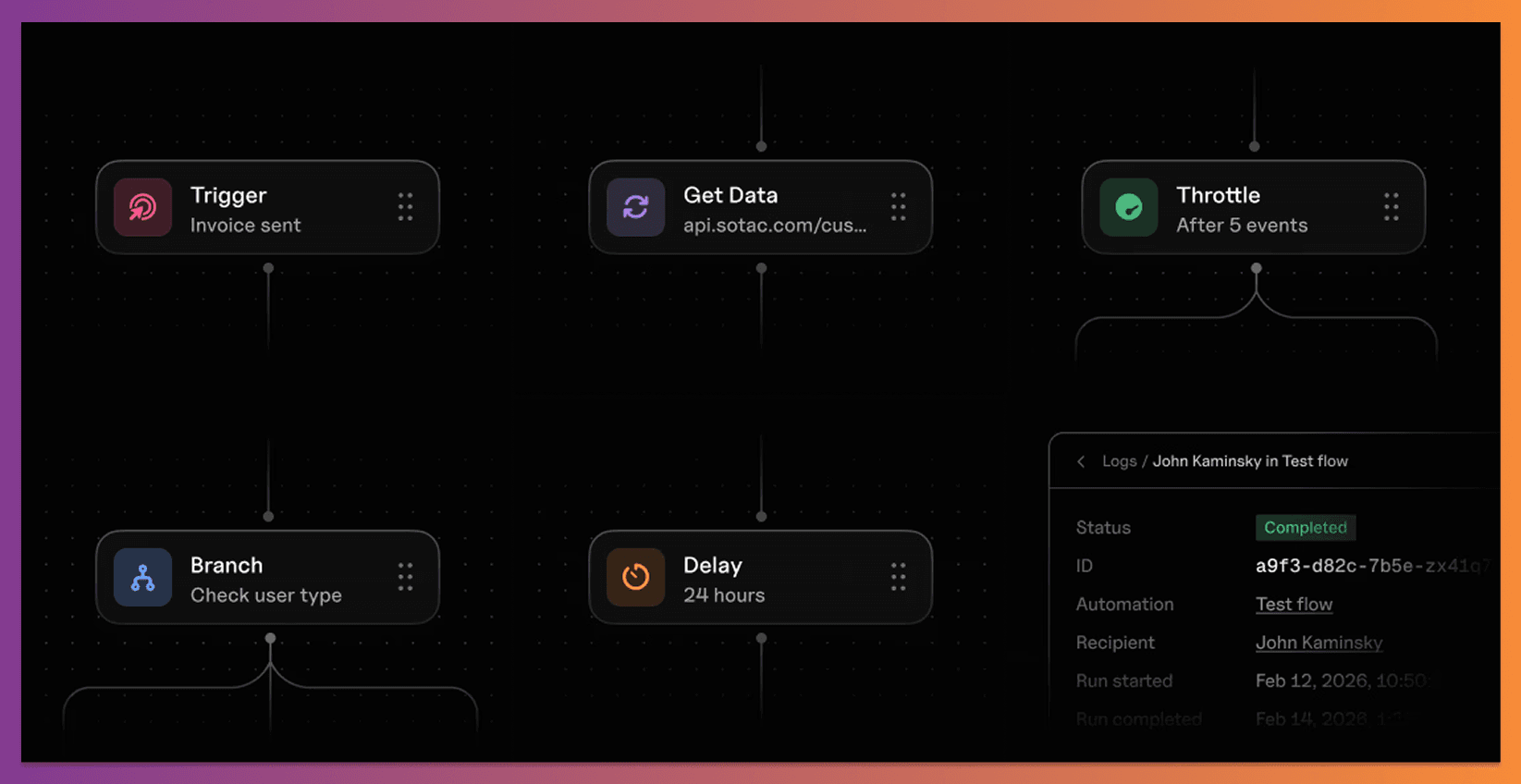
- Journeys: multi-step, multi-channel journeys built in a visual canvas or through the API, CLI, or MCP, started by an API call, an inbound webhook, a Twilio Segment event, or an audience, with send, delay, branch, fetch, AI, throttle, batch, and digest steps plus A/B experiments
- Cross-channel send via a single
/sendendpoint - Bring Your Own Provider (BYOP): orchestrates across Twilio, Resend, SES, FCM, APNs, Slack, MS Teams, and more
- Drop-in Inbox and Preference Center components
- A hosted MCP server and typed SDKs in 7 languages. Coding agents set Courier up in three steps with the AI agent quickstart
Channels: Email, SMS, push, in-app, Slack, MS Teams, WhatsApp, and more, across 50+ providers.
Approach: API-first with a visual builder. Engineers build journeys in the API, CLI, or MCP. Non-technical users work in the Design Studio and Journeys canvas.
Pricing: The Developer plan is free and includes 10,000 sends a month. Business is $0.005 per send on every channel, and a message sent across multiple channels counts as one send. Enterprise is custom. You pay per send, not per profile, and a user you don't message costs nothing, so there's no list to prune. See the pricing page.
2. Knock
Positioning: Notification infrastructure for product teams, with an API-first workflow engine.
Best for: Engineering teams that want a pure infrastructure layer for in-product notifications.
Key capabilities:
- Workflow API for multi-step notification logic
- Cross-channel delivery via integrated providers
- In-app feed component
- Preference center API
Channels: Email, SMS, push, in-app, and chat (Slack, MS Teams, Discord).
Approach: API-first, managed service.
Pricing: Usage-based, per message sent: one message to one user on one channel. The Free plan includes 10,000 messages a month, and Starter is $250 a month plus usage (Knock pricing page, November 2026).
Limitations: Managed only, with no self-hosted option. Because billing counts each channel separately, a workflow that sends on three channels counts as three messages.
3. OneSignal
Positioning: Notification infrastructure with deep roots in mobile push. Expanded over time into email, SMS, in-app, and web push, with an API and a dashboard for both engineers and marketers.
Best for: Mobile-first product teams that lead with push and want a single tool to cover the other channels as they grow.
Key capabilities:
- Push SDKs for iOS, Android, web, Unity, React Native, and Flutter
- Journeys builder for cross-channel sequences
- Segmentation based on device, behavior, and tags
- Email, SMS, and in-app messaging on top of the push foundation
Channels: Push, email, SMS, RCS, in-app, web push.
Approach: API plus UI. The mobile SDKs are the primary integration point. The dashboard handles segmentation, templates, and journeys.
Pricing: Free plan, then Growth from $19 a month. Mobile push is priced per monthly active user, web push per subscriber, and email per send (OneSignal pricing page, November 2026).
Limitations: Active journeys are capped by plan: 3 on Free, 5 on Growth, and 20 on Professional (OneSignal pricing page, November 2026).
4. Novu
Positioning: Open-source notification infrastructure. Self-host or use the managed cloud. Developer-oriented and GitHub-driven.
Best for: Engineering teams that want an open-source layer they can run inside their own infrastructure.
Key capabilities:
- Open-source core under the MIT license, with an enterprise folder under a commercial license
- Workflow engine with code-defined steps
- Cross-channel delivery via integrated providers
- In-app notification center component
Channels: Email, SMS, push, in-app, chat (Slack, Discord, MS Teams).
Approach: API-first, open source. Self-hosted or managed cloud.
Pricing: The open-source core is free to self-host. The managed cloud is priced per workflow run: the Free plan includes 10,000 runs a month, Pro starts at $30 a month, and Team at $250 (Novu pricing page, November 2026).
Limitations: Self-hosting shifts operational load (upgrades, scaling, observability) onto your team.
5. Customer.io
Positioning: Lifecycle messaging platform built around segments and event-driven campaigns. Popular with growth-stage B2B SaaS marketing teams.
Best for: Lifecycle marketing teams that own onboarding, activation, and retention campaigns and have engineering support for event tracking.
Key capabilities:
- Visual journey builder with branching logic
- Segment-based and event-based triggers
- A/B testing and holdout groups
- Integrations with CDPs like Twilio Segment
Channels: Email, SMS, push, in-app, WhatsApp, LINE, webhooks.
Approach: UI-first. The API exists but most work happens in the canvas.
Pricing: Essentials starts at $100 a month and Premium at $1,000 a month, with Enterprise custom (Customer.io pricing page, November 2026).
Limitations: Marketing-oriented. Pricing is per profile (people plus objects), so cost tracks your user base rather than your send volume.
6. Braze
Positioning: Enterprise customer engagement platform used by large consumer brands for cross-channel marketing at scale.
Best for: Consumer brands running campaigns across mobile, email, and web with marketing teams that have the headcount to operate a complex tool.
Key capabilities:
- Canvas journey builder with audience, action, and experiment paths
- Liquid templating for dynamic content
- Content cards for in-app messaging
- Intelligent Timing and Intelligent Channel, which pick each user's send time and channel
Channels: Email, SMS, MMS, RCS, push, in-app, content cards, banners, WhatsApp, LINE, webhooks.
Approach: UI-first.
Pricing: Contact sales. Braze has no free plan (Braze pricing page, November 2026).
Limitations: Not a fit for early-stage teams or for product and transactional notifications that engineering owns end to end. You build each Canvas in the dashboard. The API can trigger, schedule, or duplicate a Canvas, but it can't define a new flow.
7. Iterable
Positioning: Cross-channel marketing platform aimed at mid-market and enterprise lifecycle marketers.
Best for: Marketing teams running high-volume cross-channel lifecycle programs who want a unified canvas across email, push, and SMS.
Key capabilities:
- Journeys, built in a visual canvas
- Catalog, which feeds live product and content data into messages
- Nova AI features, including channel decisioning and predictive goals
- Snippets for reusable template content
Channels: Email, SMS, push, in-app, web push, embedded messages, RCS, WhatsApp.
Approach: UI-first.
Pricing: Contact sales. Iterable doesn't publish pricing.
Limitations: Not a fit for product-led teams whose primary use case is in-product and transactional notifications. The API can list journeys and trigger one someone built in the UI, but it can't create one (Iterable API spec, November 2026).
8. MoEngage
Positioning: Customer engagement platform with a strong mobile footprint.
Best for: Mobile-first growth teams that need WhatsApp and push as primary channels.
Key capabilities:
- Flows journey builder
- Predictive scores for users likely to buy, go dormant, or uninstall, plus per-user send time and channel
- Merlin AI for generated content, with custom agents in early access
- WhatsApp as a first-class channel
- Built-in analytics
Channels: Email, SMS, push, in-app, on-site messaging, WhatsApp, RCS, content cards.
Approach: UI-first.
Pricing: Contact sales. The pricing page lists Growth and Enterprise plans with no published prices and no free plan (MoEngage pricing page, November 2026).
Limitations: Built for marketing teams, with journeys built in the Flows UI. Less suited to product notifications that engineering owns end to end.
9. Salesforce Marketing Cloud Journey Builder
Positioning: Enterprise marketing orchestration inside the Salesforce ecosystem.
Best for: Large enterprises already standardized on Salesforce CRM that want journeys driven by Salesforce data.
Key capabilities:
- Journey Builder canvas tied to Salesforce data extensions
- Einstein Send Time Optimization and Engagement Scoring
- Sales Cloud and Service Cloud activities inside a journey
- Advertising activities that build ad audiences from journey contacts
Channels: Email, SMS, push, in-app, WhatsApp, LINE, ads.
Approach: UI-first.
Pricing: Marketing Cloud Engagement, where Journey Builder lives, has no published price. The newer Marketing Cloud Next editions start at $1,500 per org per month, billed annually (Salesforce pricing page, November 2026).
Limitations: Heavy and slow to implement. The Marketing Cloud stack is intricate.
10. Adobe Journey Optimizer
Positioning: Real-time journey orchestration inside Adobe Experience Cloud.
Best for: Enterprises already using Adobe Experience Platform that want to extend their AEP data into cross-channel journeys.
Key capabilities:
- Journeys started by a real-time event, an audience qualification, or a scheduled audience read
- Built on Adobe Experience Platform, sharing its customer profiles
- Decisioning that picks the best offer or content for each person from a central catalog
- Cross-channel canvas
Channels: Email, SMS, push, in-app, web, content cards, WhatsApp, LINE, direct mail.
Approach: UI-first.
Pricing: Contact sales.
Limitations: Journey Optimizer has no data store of its own. It reads profiles and events from Adobe Experience Platform, so your data has to live in AEP first.
11. HubSpot Workflows
Positioning: Marketing automation and journey logic inside HubSpot's CRM.
Best for: SMB and mid-market teams running HubSpot as their CRM that want lifecycle journeys tied to deal and contact data.
Key capabilities:
- Workflow builder with branching logic
- Enrollment triggers based on record filters, events, schedules, or incoming webhooks
- CRM actions (edit records, create tasks) alongside sends
- Marketing email, SMS, and WhatsApp actions
Channels: Email, SMS, WhatsApp, CRM actions.
Approach: UI-first.
Pricing: Workflows need a Professional or Enterprise tier. Marketing Hub Professional starts at $800 a month, and SMS needs the Marketing SMS add-on (HubSpot, November 2026).
Limitations: Strongest when the team lives in HubSpot. Workflows enroll CRM records (contacts, companies, deals, tickets), so product events have to reach HubSpot first.
How to choose
A short rubric to narrow the field.
- Engineering owns the notification surface, including in-product: start with the API-first infrastructure cluster: Courier, Knock, OneSignal, or Novu. Courier and Knock skew toward broad multichannel and developer ergonomics. OneSignal is the pick when push is the primary channel. Novu is the pick when open source or self-hosting is a hard requirement.
- Marketing owns lifecycle email and push, with engineering supporting the data layer: look at Customer.io, Braze, Iterable, or MoEngage. Customer.io is the only one of the four with published prices, so it's the only one you can price out without a sales call.
- The company is standardized on Salesforce, Adobe, or HubSpot, and journeys need to draw on that data: stay in-suite with Marketing Cloud, Journey Optimizer, or Workflows.
- Twilio Segment is already your CDP: pair it with an orchestration layer that can start a journey from a Segment event. Courier Journeys has a Twilio Segment trigger for Track, Identify, and Group events.
- Product and marketing both need to ship journeys without stepping on each other: Courier's split between developer API and visual Journeys is built for this case.
If your marketing team already runs outbound campaigns in a dedicated tool, you can keep it and add an orchestration layer for product and transactional notifications. If you want product, transactional, and marketing journeys in one place, Courier covers all three. If you're still benchmarking transactional infrastructure, the rundown of the best email API providers for developers and the comparison of transactional email services are worth a read before you commit.
Frequently asked questions
How is customer journey orchestration different from journey mapping?
Mapping is the diagram of what a customer goes through. Orchestration is the system that executes against it: it decides which message goes to which user, on which channel, at which moment, based on events and profile data.
Do I need a CDP for journey orchestration?
Not always. A CDP helps when customer data is scattered across many systems. If your journeys start from events in your own product, you can start them with an API call that carries the user and the event data. If you already run Twilio Segment, Courier can also start a journey from a Segment event.
How does journey orchestration work with AI agents?
When an agent finishes a task, it starts a journey with an API call instead of sending a notification directly. Throttle, batch, and digest steps then decide what the user sees, so a burst of agent activity becomes one notification instead of ten.
Get started with Courier
Courier gives you one platform across transactional, product, and marketing notifications without giving up developer ergonomics. Sign up free or read the Journeys docs to see how a run works.
Similar resources

Catch broken lifecycle journeys with synthetic users and AI
Paste one prompt into a coding agent and get a local test of your onboarding journey: synthetic users, real timing, and every send explained. Catch stale reminders before your customers do.

Control how fast Courier sends to your providers
You shouldn't have to think about how fast you send to Courier. Set a send rate limit on any provider, and Courier sends your notifications to it at the rate you choose. Anything over the limit is queued, not dropped.
Know the moment users change notification preferences
Every preference change in Courier now reaches your systems two ways. A `preferences:user:updated` webhook fires the moment a user opts in, opts out, or changes a topic's channels, wherever they made the change. `GET /preferences/logs` returns the history, newest first, with the previous value where Courier knows it. Keep your CRM, warehouse, or marketing tools in step with what users chose.