Catch broken lifecycle journeys with synthetic users and AI
 Thomas SchiavoneNovember 02, 2026
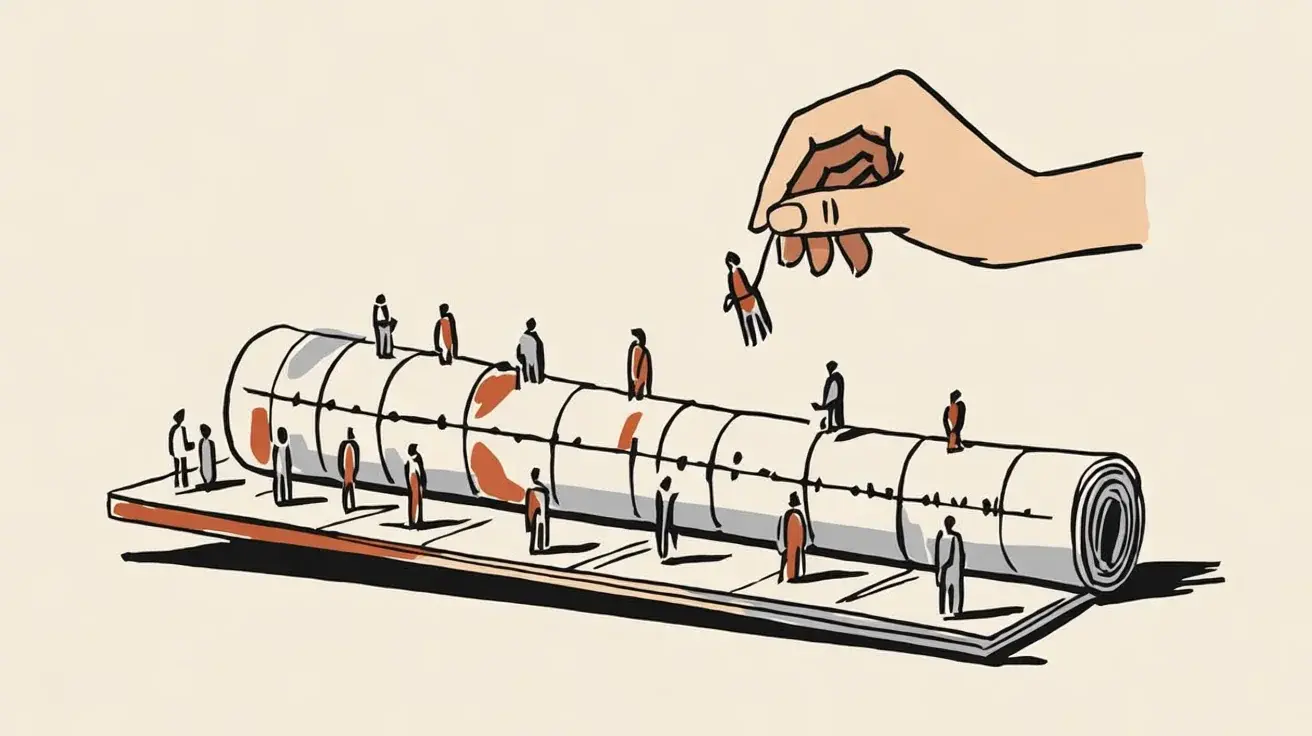
Your onboarding campaign looks fine in a doc. Then you run one fake customer through it.
On Monday, they create a workspace. On Tuesday, they invite two colleagues. On Wednesday morning, your email asks them to invite their first teammate. That afternoon, an upgrade offer shows up, even though nobody has finished a shared task yet.
Every one of those emails passed copy review. Together, they make you look like you don't know what's happening in your own product.
That's what a synthetic user catches: a fictional profile plus a timeline of product events, run through your real journey rules. You see every send, skip, and cancel in order, before a real customer does. A coding agent can build the whole thing in an afternoon.
Give the customer a history, not a persona
A persona tells you who someone is. A journey needs to know what they've done.
Two people with the same title at similar companies can need opposite things. One created a workspace for a meeting tomorrow. The other joined a workspace their manager already set up. The first needs help getting started. The second needs help contributing. A generic welcome sequence treats them the same.
So the thing you simulate is a customer timeline: a starting state, a sequence of events, and the messages your system sends along the way. For a collaboration product, that includes:
- Their role and permissions in the workspace
- Workspace creation, invitations sent and accepted, and work completed
- Messages they've already received from onboarding, product alerts, and promotions
- Preferences, account status, and open support issues
Keep facts and guesses apart. An event tells you someone sent an invitation. It doesn't tell you they feel confident. An unopened email doesn't mean they need another one.
Rehearse what lands in one person's inbox
Start with one journey, but include every other campaign that could hit the same person that week. The welcome email, the invitation notification, and the upgrade offer probably have different owners. They still arrive on the same day.
Here's the onboarding example as a rehearsal:
| Moment | What happened | What they get | Problem |
|---|---|---|---|
| Monday morning | Creates a workspace | Welcome email with setup steps | None |
| Tuesday afternoon | Invites two colleagues | Invitation confirmation | None |
| Wednesday morning | Neither colleague has joined | "Invite your first teammate" | Already did that |
| Wednesday afternoon | No shared task yet | Upgrade offer | Hasn't seen value yet |
| Thursday morning | A colleague joins | Generic feature tour | Should push the shared task |
Three different fixes fall out of that table, and they need different amounts of proof:
- The invite reminder is a bug. The event log proves it. Add a condition that skips it once an invitation exists.
- The upgrade offer needs an eligibility rule. That's a decision you can make today.
- The Thursday email is a hypothesis. Maybe a "start your first shared task" prompt works better than a tour. You'll need a live test to know.
The rehearsal also shows what happens after the click. If the email promises help running a first planning session and the button opens an empty workspace, no copy fix will save it. You might need a template, a better landing spot, or a link that carries the context from the email.
Build the rehearsal with a coding agent
Keep the first version small: one journey, five scenarios, one outcome. Here, the outcome is completing a first shared task.
Paste this into Claude Code, Cursor, or another coding agent in an empty project. It generates fictional data and a sample journey, so you get a working prototype before you gather anything. If you already have a journey, swap in its rules, events, copy, and links.
Build a local customer journey rehearsal app using fictional data.
Use the existing project stack, or a minimal TypeScript stack if this
is an empty project. It must run without external services, API keys,
or an LLM API. Don't send real messages.

Create an editable onboarding journey for a collaboration product:
welcome, invite teammates, complete a shared task, and consider
upgrading. Include message copy, link destinations, delays,
eligibility rules, contact limits, and exit conditions. Label sample
rules as illustrative, not recommendations.

Generate five customer histories with timestamped product events:
1. Completes onboarding immediately.
2. Uses the product but ignores email.
3. Sends invitations that nobody accepts.
4. Hits a permission or product error.
5. Upgrades while a reminder is waiting.

Include permissions, workspace state, preferences, and messages from
other campaigns in the sample data.

Build a scenario selector and a simulated clock you can step forward.
Give each timeline entry a stable ID. Show product events in one
timeline with each message that would be sent, skipped, or canceled, and
explain each decision using the rule and the data available at that
moment. Document event ordering and how rules read updated state.

Evaluate rules with deterministic code. Include a deliberately broken
invitation reminder, a test that catches it, and a fixed version so
I can compare timelines. Also test permission restrictions, contact
limits, and cancellation after the goal is completed.

Write a separate review in Markdown. Each finding must cite a timeline
entry, separate facts from inferred intent, and suggest a change or a
question to investigate. Don't invent click rates or conversion
predictions.

Include editable sample data, tests, and a README with exact install
and start commands, plus how to rerun the same scenarios after I
change a rule, event, or message.

Build and run the smallest working version. Run the tests and report
what passed, what failed, and anything you couldn't verify.
You'll get a local page with a scenario picker and a timeline of events and messages. Being able to move the clock forward and see why a step fired beats any dashboard full of made-up engagement scores.
Check one scenario by hand before you trust it. Confirm how delays work, which event updates which field, and what data each branch reads. If the agent quietly "fixes" your logic while translating it, it hides the exact bugs you're looking for.
Start from your real journey in Courier
If your journey runs in Courier Journeys, skip the sample data. Connect the Courier MCP server to your agent and add this to the end of the prompt:
Instead of a sample journey, use the Courier MCP server to load my
real one. Call get_journey for journey <JOURNEY_ID>, then
list_journey_templates and get_journey_template_content for each of
its templates. Then call list_journey_runs and list_journey_run_steps
on recent runs and turn three of them into scenarios, replacing
personal data with fictional values. Only use read tools. Don't call
replace_journey, invoke_journey, or cancel_journey.
Now the rehearsal runs on your real nodes and your real copy, and at least some scenarios come from what actually happened. When you've decided on a fix, the same agent can update the journey draft with replace_journey or put_journey_template_content, and you review it before publishing.
Let code check rules and AI check relevance
Some questions have yes-or-no answers. If the rule says to stop invite reminders after the first invite, the rehearsal can check that. If only admins can connect an integration, it can flag an email asking a regular member to do it. Use plain code for these. Same input, same result, every time.
AI is good at the messier questions. Does the email assume knowledge the customer doesn't have yet? Does it acknowledge what they've already done? Is the next step realistic for their role and the state of their account?
Ask for findings with evidence and a proposed fix, like this:
Finding: The Wednesday email asks the owner to send an invitation, but Tuesday's timeline shows two invitations sent.
Change: Skip this reminder once an invitation exists. Add a separate path for invitations nobody accepts.
Open question: While the owner waits for colleagues, would help setting up the first shared task land better? Test it live.
That gives you a fix and an experiment. A model telling you the customer is "likely to engage" gives you nothing.
You can also have AI push back on the goal itself. An invitation is easy to measure, but it's only a step toward the thing your customer came for. A good rehearsal shows you where the journey celebrates your funnel while their task is still unfinished.
Ask AI for the scenarios you forgot
Once the basic version works, ask your agent for variations that could change the right next message. Rerun the journey when the customer:
- Finishes setup right away and uses the product without opening email
- Joins an account that already finished onboarding
- Hits an error on the exact action your reminder recommends
- Upgrades while a trial sequence is still running
- Completes the goal minutes before the next scheduled send
Change one thing at a time at first, so you know which rule broke. Combine them later.
Give missing data its own scenarios. If the invite event arrives late, does the reminder still go out? If permission data is missing, does the journey assume they can do the action? Have the agent show those gaps and help you pick a fallback.
When you can't tell intent, try more than one explanation. Someone who creates a workspace and disappears might be blocked, busy, or done. Pick the message that still makes sense in all three cases. Sometimes that's a short offer of help. Sometimes it's waiting longer.
Five well-chosen histories will surface more than a hundred generic ones.
Model how the real journey sees new data
Your rehearsal has to match how the production journey learns about new activity, or it'll pass scenarios that fail live.
In Courier Journeys, a run works from a snapshot of its data. Courier loads the recipient's profile when the run starts, and editing that profile elsewhere later doesn't change the run. If a branch needs current product state, add a Fetch Data node before it. If the customer hits the goal mid-journey, cancel the run instead of hoping later steps notice.
Build those same mechanics into the simulator. A passing local timeline means your modeled rules agree with your scenarios. It doesn't prove the events, data fetches, and cancellations are wired up correctly in production, so check those against the real journey too.
Keep real customers in the loop
Test the rehearsal before you rely on it. Plant a few known mistakes, like a stale reminder, an impossible call to action, or two campaigns scheduled too close together, and see if it catches them. If AI writes your scenarios and reviews the results, make sure it isn't grading its own assumptions.
Synthetic users can't tell you how real people will respond. A hundred simulated reactions aren't a hundred opinions, and a predicted click rate isn't lift. Use the rehearsal to find bugs and sharpen the experiments you run with real customers.
For the onboarding example, test whether linking to a ready-made shared task increases task completion. Track the product outcome alongside opens and clicks, and watch for side effects like more unsubscribes. Then feed what you learn back into your scenarios, including the times your first guess was wrong.
Rehearse your next journey
Pick a journey you're about to launch or change. Write down the outcome, gather the events and messages involved, and have a coding agent build a timeline you can rerun.
Start with the happy path. Then add a customer who moves faster than expected, one who's blocked, one who ignores email but uses the product, and one whose account changes halfway through. Look at what each one gets and why. Fix the first real problem, then check it against the live journey before the next message goes out.
Similar resources
Test Courier emails end to end with your AI agent
Give your coding agent an AgentMail inbox, and it can test your Courier emails the way a user would: send the change, check what arrives, review how it renders, and fix what it finds before the change reaches Production.
Let your agent check every email before it ships
Courier Device Preview gives your coding agent real screenshots from Outlook, Gmail, and Apple Mail. Here's the prompt and workflow to have it check every email, fix the draft, and check again before you publish.

Courier vs Customer.io: 2026 customer messaging comparison
Courier and Customer.io both send across email, push, SMS, and in-app, but they are not priced or built the same way. Courier bills by the send, puts journeys, experiments, broadcasts, an in-app inbox, preferences, and 50+ delivery providers on one platform, and exposes all of it through an API, a CLI, and an MCP server. Customer.io bills by the number of profiles in your database and fits a marketing team that needs deep behavioral segmentation. This comparison covers pricing, journeys, channels, in-app messaging, localization, and preferences, with every competitor figure taken from Customer.io's own pricing page and docs.