Introducing the New Integrations Page
 Thomas SchiavoneJune 13, 2025
Managing integrations shouldn’t feel like guesswork. You should be able to see what’s connected, know if it’s working, and make changes without jumping through hoops.
That’s why we rebuilt the Integrations page.
The new experience gives you a clear, consolidated view of every provider in your system. You can check connection health at a glance, monitor real-time message activity, and tweak settings without getting lost in nested config screens.
It’s a simpler, faster way to stay in control of your providers.
See What’s Connected and What Needs Attention
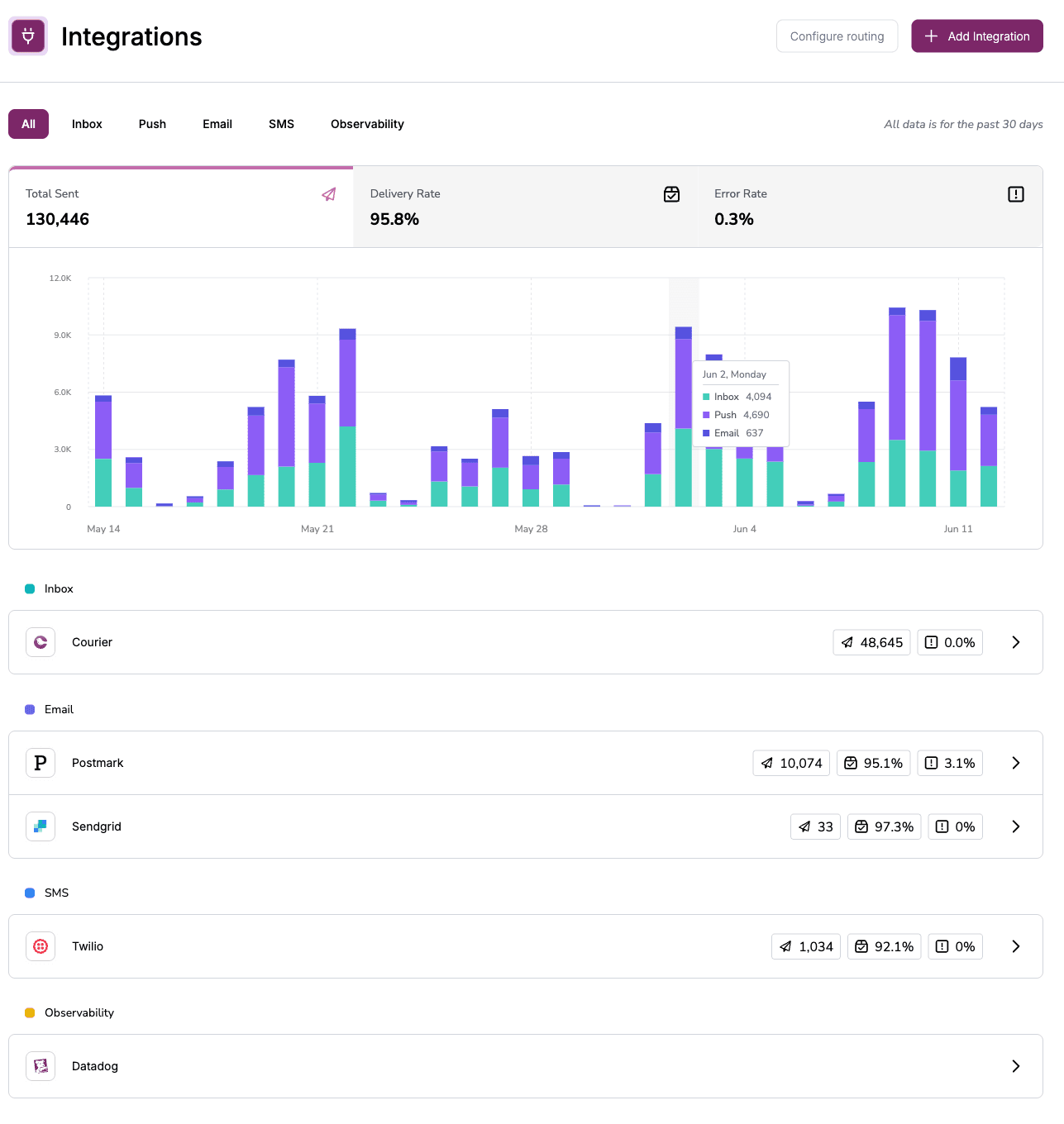
The top of the Integrations page gives you a high-level snapshot of your system’s activity over the past 30 days. A stacked graph shows total message volume by channel, so you can quickly understand how traffic is trending across email, SMS, push, and in-app.
Right above the graph, you’ll see three core metrics that reflect the overall health of your system:
- Total sent
- Delivery rate
- Error rate
Just below that, every connected provider is listed in a table grouped by channel. For each one, you’ll see a summary of how many messages were sent through it, the current error rate, and the last time it was active.
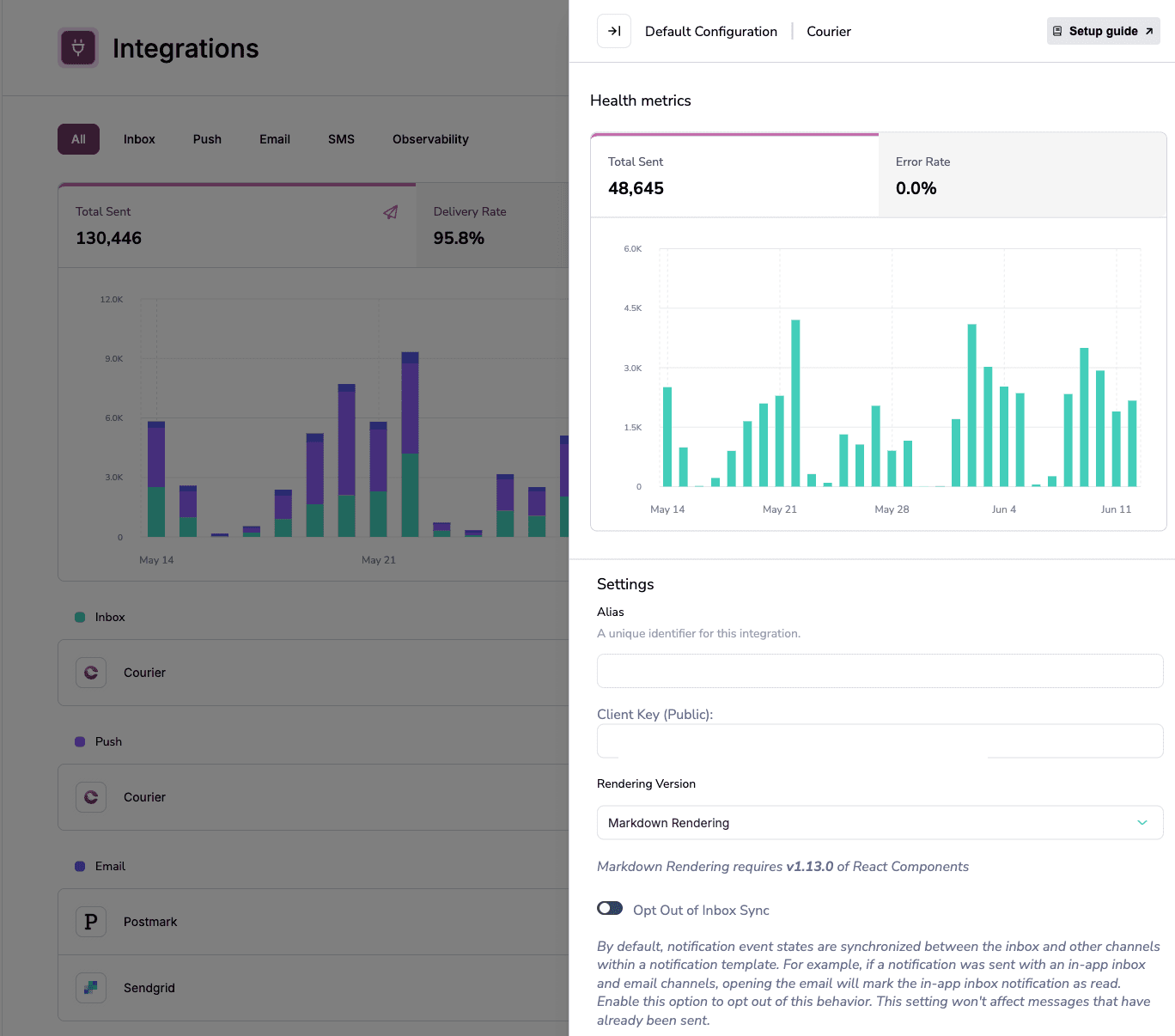
Click on any provider to dive deeper.
The detail panel gives you a focused view of that provider’s recent performance—complete with a 30-day message volume chart and error rate trend. If something’s off, you’ll see it fast. You can also manage settings directly from this view.
Next Up: New Navigation
This is the first in a series of updates focused on improving Courier’s UX.
We started with the Integrations page to make it easier to monitor system health and manage providers. Next, we’re working on a redesigned navigation experience that will simplify navigation throughout the app and make it easier to switch between environments.
Our goal is to make Courier faster, clearer, and more intuitive.
Stay tuned.
Similar resources

Broadcasts: send one-time messages to your users, right from Courier
Broadcasts lets you send a one-time message to a group of your users, now or on a schedule, without leaving Courier.

Embed a notification preferences center with one web component
Courier's new @trycourier/courier-ui-preferences package ships a <courier-preferences> Web Component that drops a complete notification preferences center into any web app, framework or not. Users opt in and out of topics, choose which channels deliver each one (email, push, SMS, and more), and set per-topic digest schedules. It supports light and dark theming, custom channel labels, and reuses your existing Courier Inbox auth. React developers get the same UI bundled in @trycourier/courier-react v9.2.0 as the CourierPreferences component, no extra install needed.

What we shipped this month: May 2026 Edition
Courier shipped five launches in May 2026: AI Agent in Journeys (GA), the new Journeys API for code-driven flows, Custom Environments, Design Studio styling controls, and Courier Console v3. Each one closes a gap between writing software and shipping the messages that go with it.