What we shipped this month: May 2026 Edition
 Kyle SeylerMay 20, 2026
Courier shipped five launches in May. Each one closes a gap between writing software and shipping the messages that go with it.
If you've been waiting for Courier to feel more like the rest of your stack, with branching environments, code-driven flows, and AI agents that make routing decisions for you, this is the release.
AI Agent in Journeys, now GA
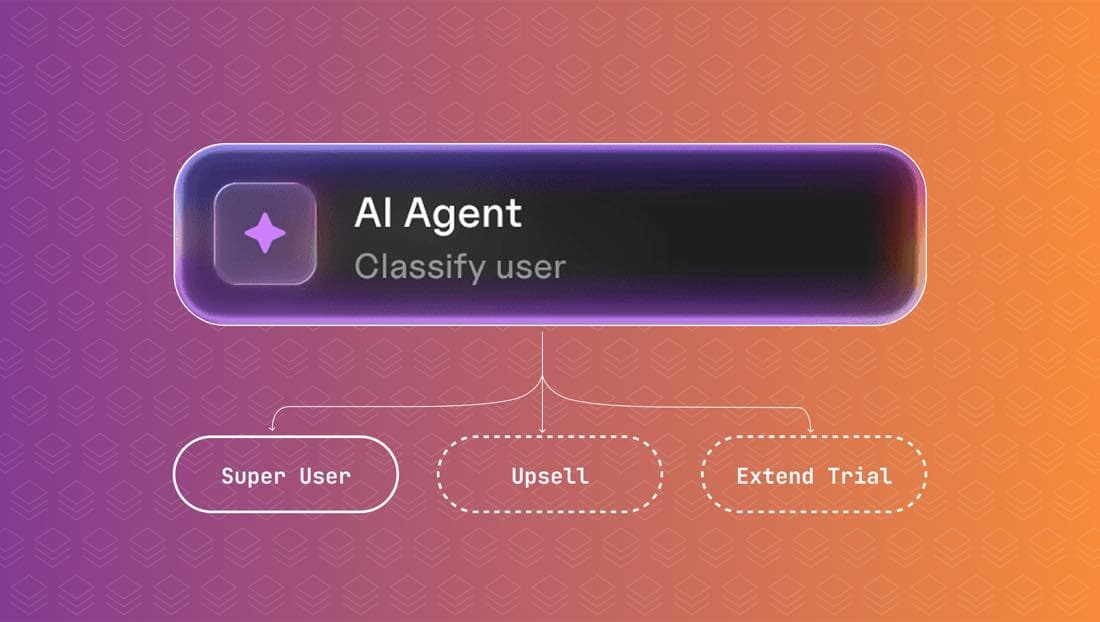
Drop an AI node into any journey to classify users, write tailored copy, and route them down different branches.
You give the node a prompt and the user data you want it to consider, then connect its outputs to branches in the journey. The node returns a classification, an enriched profile, or generated content that downstream sends can use directly.
This means a single journey can adapt to each user without you writing the logic by hand. A new-account journey can decide whether someone looks like a developer, a designer, or a buyer, and send them down a different path. A trial-expiry journey can write the email subject based on what the user last touched. A support-acknowledgement journey can summarize the ticket back to the customer in plain language.
The AI node has been in beta since February. It's GA now.
The Journeys API
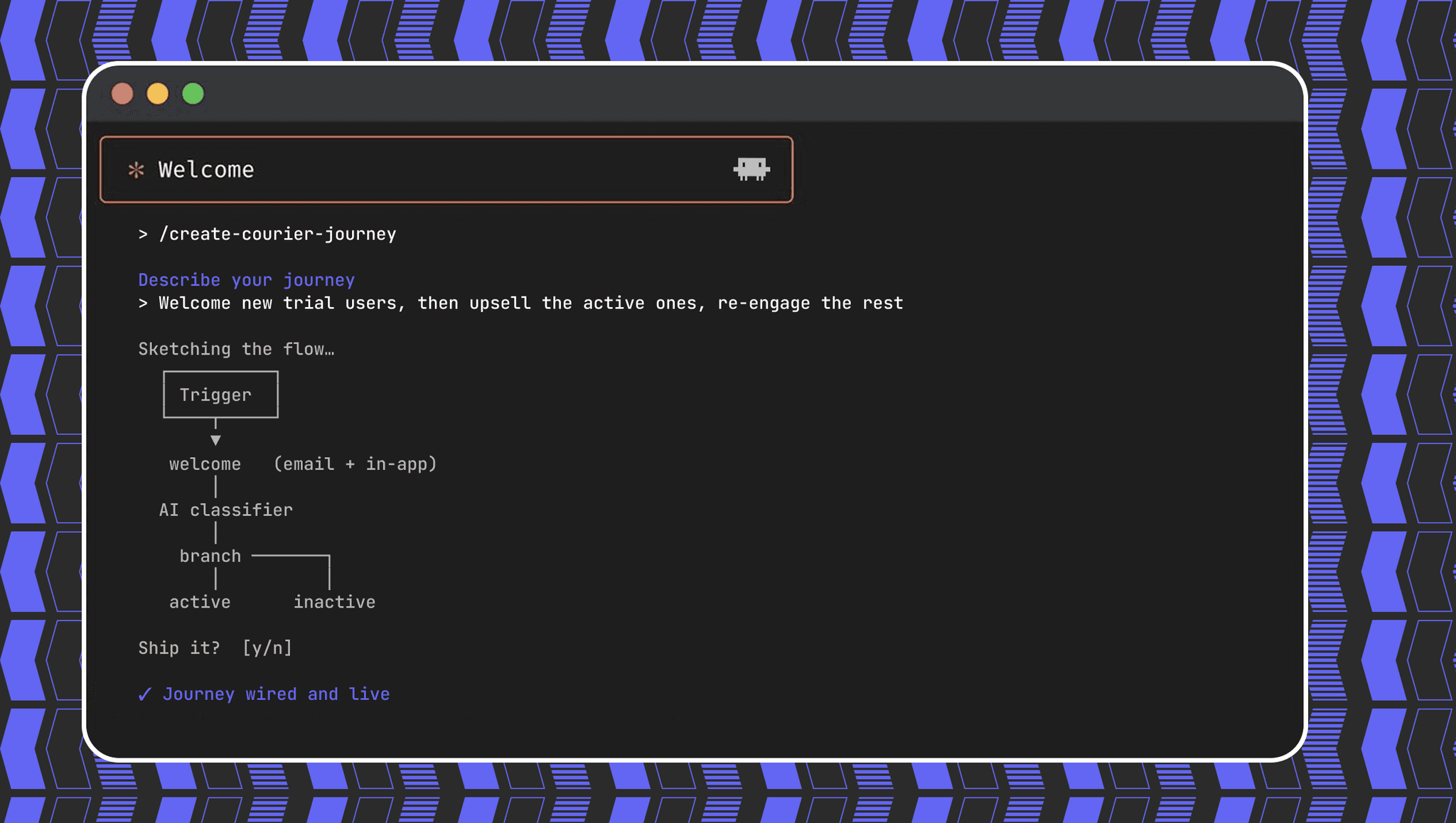
The new Journeys API lets you create branching customer journeys with code, the same way you create templates.
Define your trigger, your branching logic, your journey-scoped templates, and your multichannel send nodes as JSON. Hand the spec to a coding agent and let it build, test, and ship the flow.
This is the announcement. A journey is no longer something a human has to drag and drop into existence. Claude Code, Cursor, or Codex can read your product requirements, generate the journey spec, push it to a staging environment, and run a test send before anyone opens the Console.
The visual journey builder isn't going anywhere. The API is there for the cases where code is the right interface: version-controlled journeys, programmatic generation, AI-driven authoring.
See the Journeys API in action →
Custom Environments
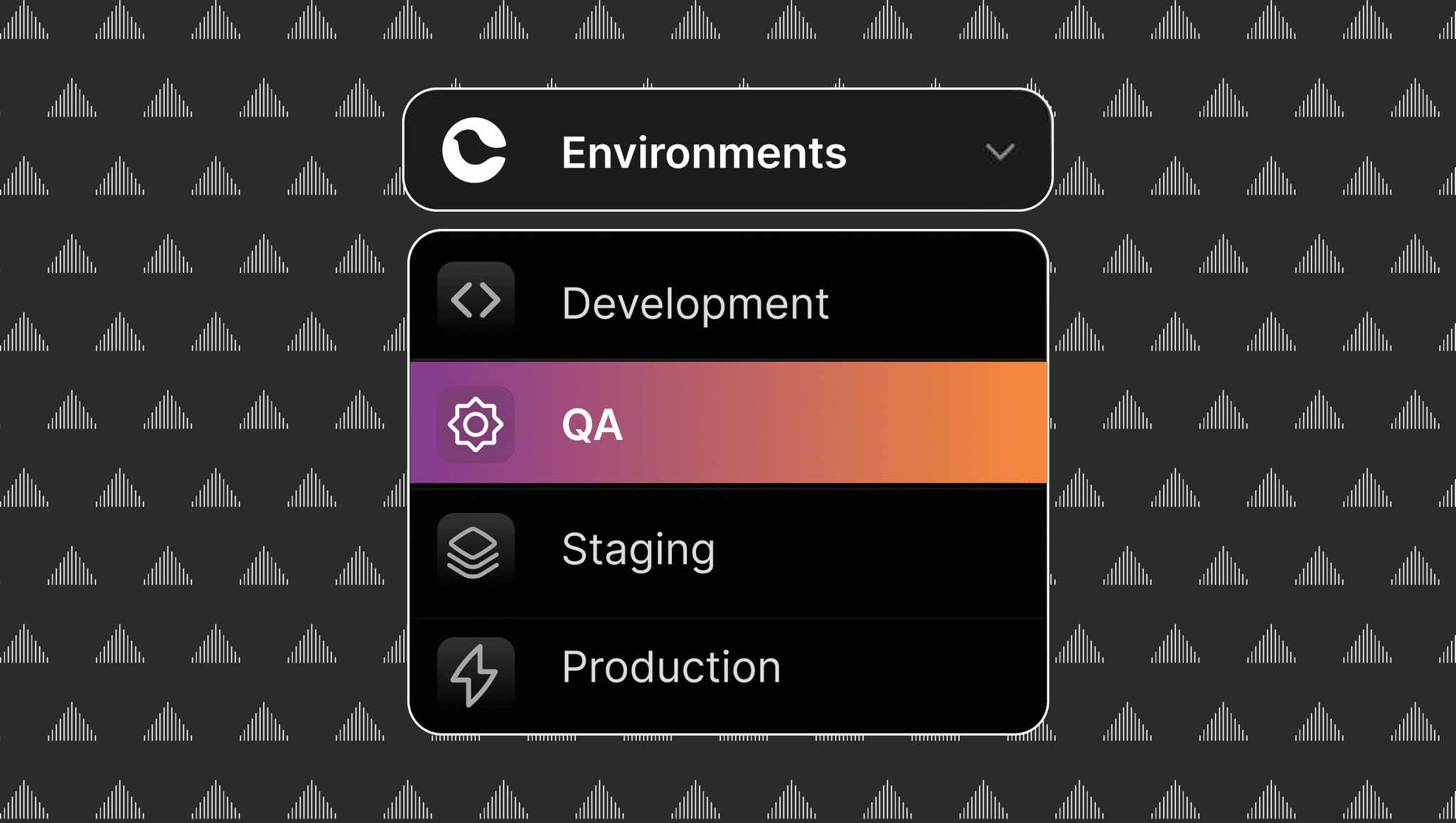
Every workspace now gets its own environments. Production, staging, and any other stages you need.
Each environment has scoped templates, integrations, journeys, API keys, and logs. You promote changes from one to the next when they're ready to ship. The same pattern you've been using for application code, applied to the messages your application sends.
Until now, editing a production template to test a change was a thing engineers lived with. With Custom Environments, the template lives in staging, gets reviewed, and gets promoted on its own track. A journey that adds a new branch can be exercised against synthetic users in staging without risk to the production send volume.
Read the Custom Environments launch →
Advanced fonts and backgrounds in Design Studio
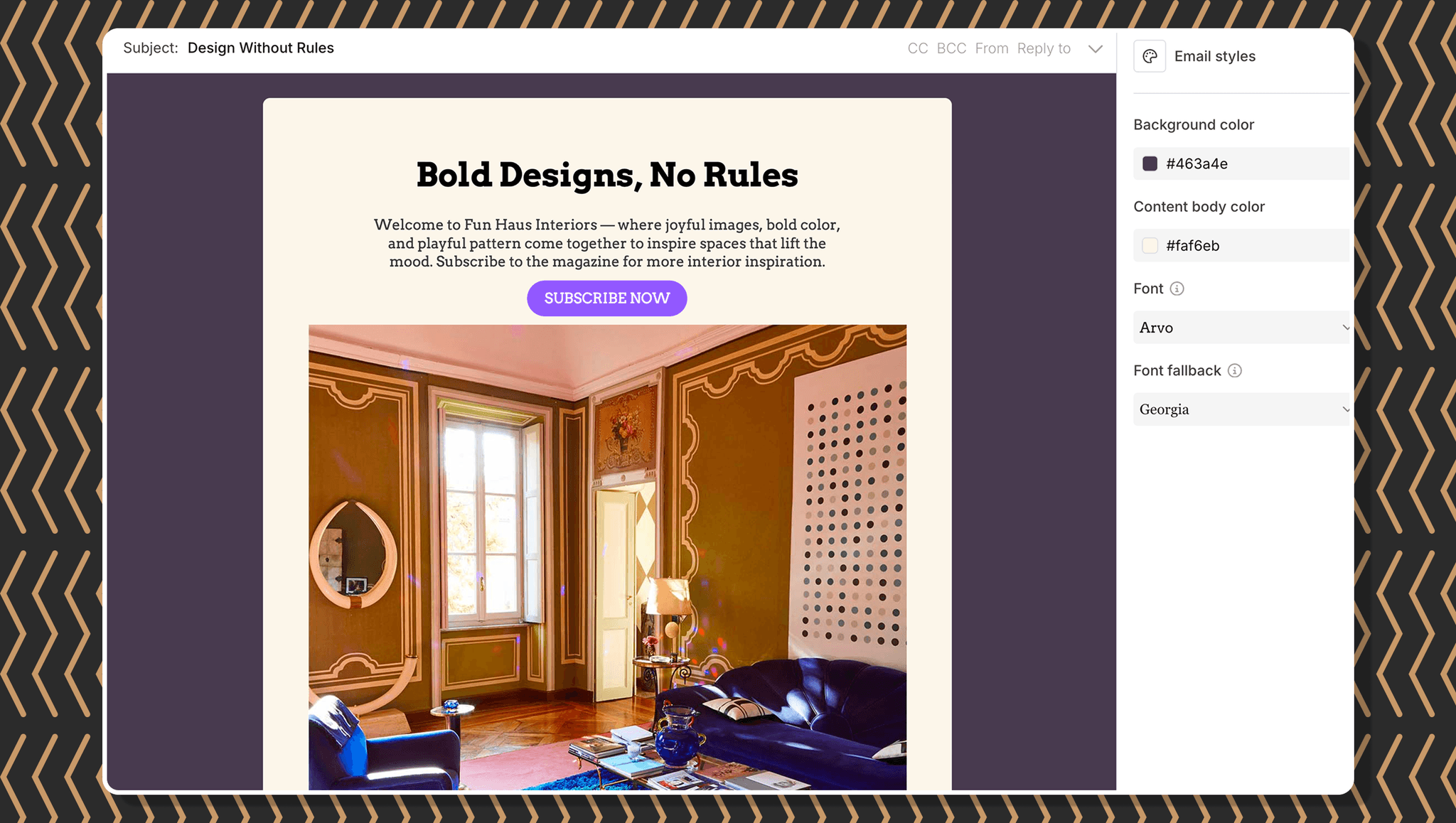
Design Studio now supports deeper styling control. Background colors on email blocks and sections, expanded font choices, and font fallbacks for clients that don't render your primary face.
Style your emails to match your brand without leaving the canvas, and without writing inline CSS overrides for the recipients whose email client falls back to a system font.
Existing templates aren't affected. The new options live in the styling panel on every block.
Courier Console v3
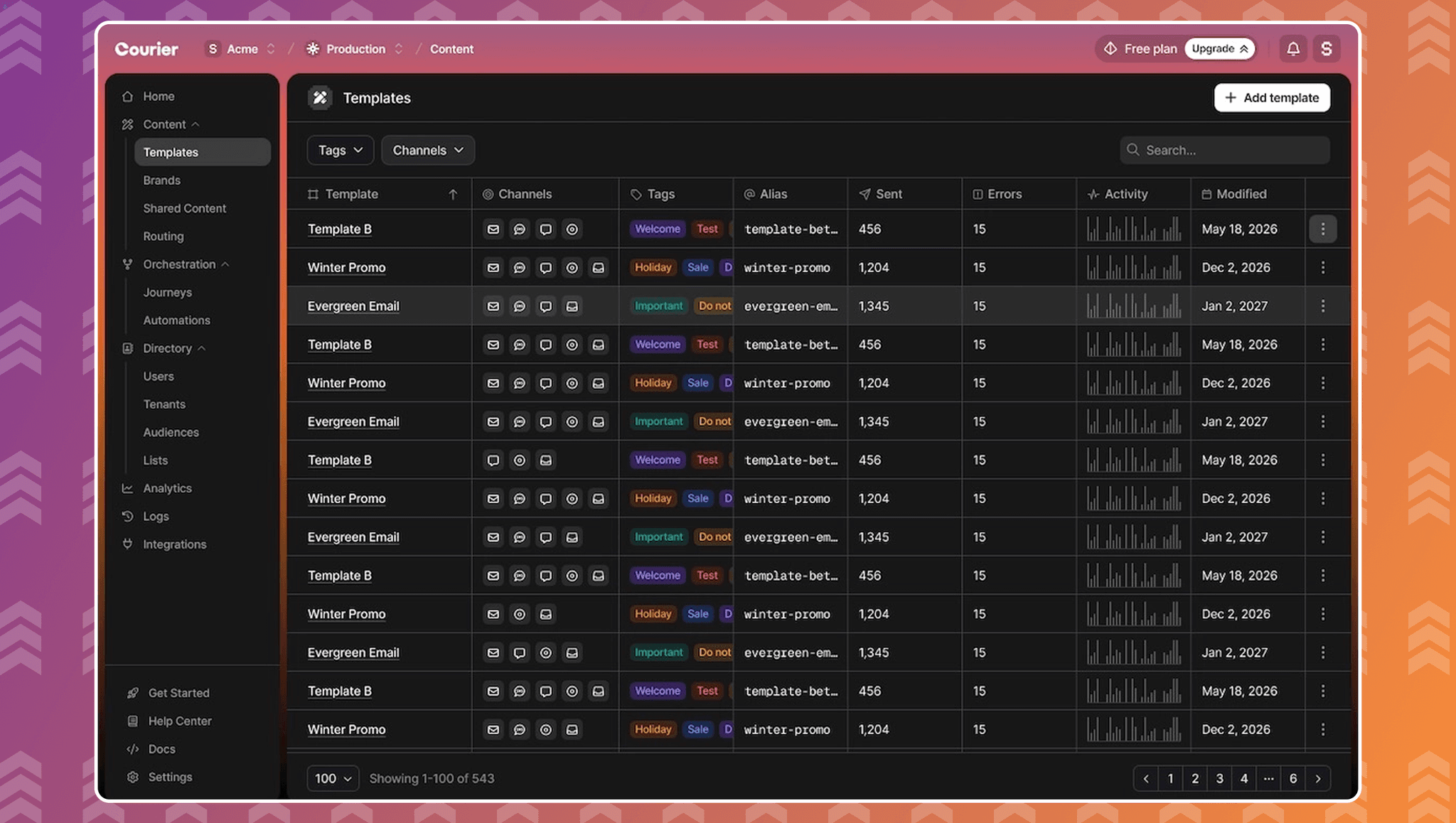
The Console got a full redesign. New visual language, modern frontend architecture, full light and dark mode, and richer signal on every template, journey, and send.
The redesign is faster to navigate and shows more per screen. Delivery counts on templates without a click. Journey-level send metrics on the journey list. Log filters that don't trigger a separate page load.
If you're a long-time Courier user, your URLs and your data are exactly where they were. The change is the layer in between.
The through-line
These five launches share a thread. The version of Courier that shipped this month treats messages the way you treat code:
- AI agents that make routing and content decisions inside a journey.
- A Journeys API your coding agent can drive.
- Environments that promote like code.
- Design controls that don't require leaving the canvas.
- A Console redesigned around faster signal.
If you build product features with AI coding agents, the same workflow now applies to the messages those features send. Describe the journey you want, let an agent draft it against the API, run it in a staging environment, and promote it when it works.
What to read next
A longer guide for teams getting started on AI-native messaging: Build product messages with AI. It walks through installing the Courier skills for Claude Code, Cursor, and Codex, designing and sending your first message, building journeys with AI, and giving autonomous agents messaging tools.
Two short walkthroughs:
Or open your workspace and try the new Journeys API directly.
Similar resources

Introducing Cross-Device Email Preview: see your email on real devices before you send
Cross-Device Email Preview renders your template on the real clients you pick, from Outlook on Windows to dark mode on iPhone, and returns a screenshot of each one. Pick from 96 clients across 21 apps without leaving Design Studio.

New settings page, easier to use, with new background colors
Courier settings has been redesigned. Workspace pages and developer pages are grouped separately, every page says what it's for, and the app now comes in light or dark with nine background colors.

Broadcasts: send one-time messages to your users, right from Courier
Broadcasts lets you send a one-time message to a group of your users, now or on a schedule, without leaving Courier.