AI Translation: localize any template in seconds
 Thomas SchiavoneJune 26, 2026
Translate your templates into any language with AI, right inside Courier Design Studio.
If you've ever localized a template, you know the process. Export strings, send them to a translation vendor, pay per word, wait, re-import, wire up locale logic, and hope nothing broke. Change one line of copy and you're doing it all again.
AI Translation is built into the Courier Design Studio. Pick a language, and AI translates your entire template in seconds. You review everything side by side, override anything that needs a human touch, and publish from the same editor you're already working in. It works across every channel: email, SMS, push, in-app, and chat.
How it works
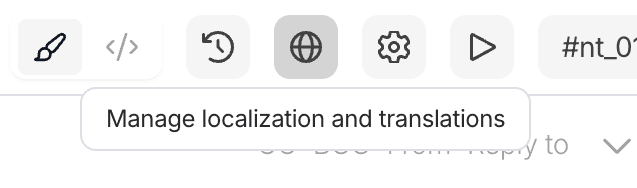
You design your template once. AI localizes it into every language after that. Start by clicking the "Translations" Button
Add a locale
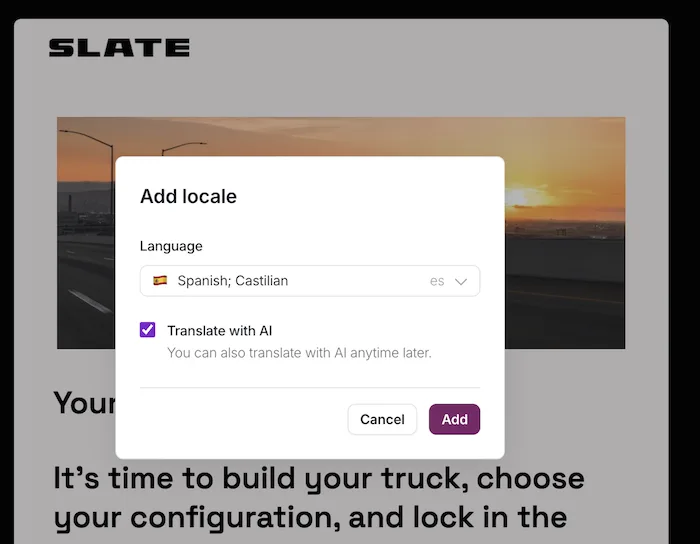
Open any template in Design Studio and click the globe icon in the toolbar. Pick a language from the searchable list, check "Translate with AI," and click Add. AI extracts every translatable string and translates it: subject lines, headings, body copy, button text, all of it. No separate internationalization pipeline, no string files to manage.
Review side by side
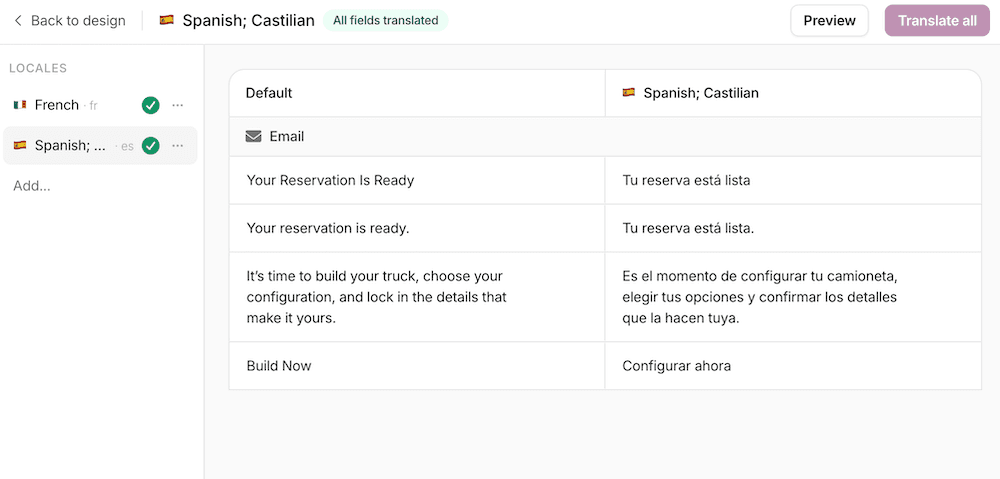
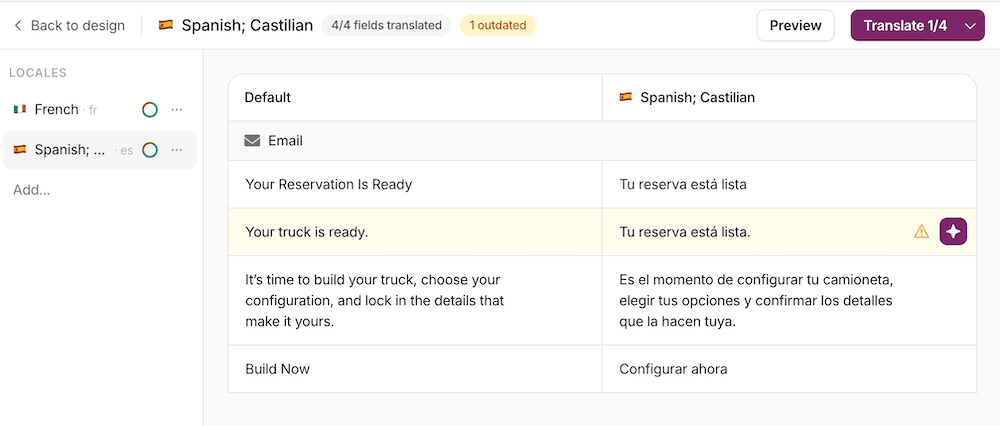
Your default content on the left, the translated version on the right, string by string. See how every piece of your template maps across languages, and preview the rendered translation before you publish.
Override anything
Every translated string is editable. Click into any field and write your own copy if the AI got something wrong or you want a different tone for a specific market. Your overrides persist even when you re-translate other strings in the same locale.
Smart variable placement
Dynamic variables like {user.name} or {order.total} get placed automatically based on the target language's grammar and word order. If the placement isn't right, move them yourself.
Stays in sync
Update your default template and Courier flags which translations are out of date. A warning indicator shows up next to each stale string. Re-translate only what changed with one click instead of re-doing the whole template.
Independent locales
Each language lives on its own. Translating into French doesn't touch your Spanish locale, and overrides in one language don't affect another. Add as many locales as you need, all from the same template.
Start translating
Courier AI Translation is available today in Design Studio.
- Open any template in Design Studio
- Click the globe icon in the toolbar
- Select a language and click "Add"
- Review your translations and publish
If you're on an Enterprise plan, you already have free AI credits to get started.
Your data stays yours. Content sent through Courier AI Translation is never used to train AI models. Your templates, your customer data, your variables: none of it is shared for training purposes.
Get started:
- AI Translation docs — full reference for translating templates with AI in Design Studio
- Localization API — fetch translatable content and push translations programmatically
- Design Studio overview — the visual editor where AI Translation lives
Similar resources

Introducing Cross-Device Email Preview: see your email on real devices before you send
Cross-Device Email Preview renders your template on the real clients you pick, from Outlook on Windows to dark mode on iPhone, and returns a screenshot of each one. Pick from 96 clients across 21 apps without leaving Design Studio.

New settings page, easier to use, with new background colors
Courier settings has been redesigned. Workspace pages and developer pages are grouped separately, every page says what it's for, and the app now comes in light or dark with nine background colors.

Broadcasts: send one-time messages to your users, right from Courier
Broadcasts lets you send a one-time message to a group of your users, now or on a schedule, without leaving Courier.