Chapter 5
Slack and Teams Notification Patterns
Real-world patterns for engineering CI/CD alerts, sales pipeline notifications, customer success monitoring, and incident response through Slack and Teams. Routing, batching, and threading strategies for each use case.
Last updated: May 2026
Notification patterns for workplace channels
Slack and Teams integrate into the workflows where your users already spend their time. Unlike email (async, batched, scanned at intervals) or SMS (interruptive, personal), workplace channels are where engineering, sales, and operations teams coordinate in real time. Notifications that land in these channels reach users while they're working, without requiring them to context-switch to a separate app.
The challenge is channel noise. A Slack channel that generates too many low-value notifications trains users to mute it. The patterns below represent approaches that maintain signal quality across different team contexts.
Engineering: CI/CD and deployment alerts
Engineering teams benefit most from notifications that consolidate operational status without requiring them to watch dashboards.
Deployment pipeline notifications
A deployment involves multiple stages. Rather than sending separate notifications for each stage, post the initial notification when deployment starts and update the same message as stages complete. Slack's chat.update API replaces the message content in place.
[10:42] Deployment #247 started: main → production[10:44] [updated] ✓ Tests passed, deploying to production[10:46] [updated] ✓ Deployed successfully, 47 containers updated
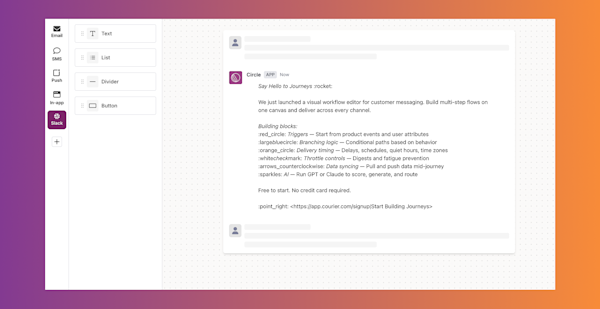
The channel shows one message per deployment rather than three, with the final state visible at a glance.
Incident notifications
Incidents benefit from threading. Post the initial alert to the channel to get attention, then thread all updates (acknowledgment, investigation notes, resolution) under the original message. Channel members who see the alert can follow the thread for updates without additional channel noise.
| Channel destination | Content | Timing |
|---|---|---|
| #incidents (channel post) | Alert description, severity, affected system | Immediately on trigger |
| #incidents (thread reply) | Who is investigating, incident channel link | When engineer acknowledges |
| #incidents (thread reply) | Status updates | Every 15 minutes during incident |
| #incidents (thread reply) | Resolution summary | When resolved |
| Assigned engineer DM | Direct alert with page details | Immediately if unacknowledged |
Code review activity
Pull request activity generates high volume. Rather than notifying reviewers for every comment, batch activity into summaries: "3 new comments on PR #247 (Q4 auth refactor)." Route only blocking review requests as immediate notifications; discussion comments can wait for the digest.
Sales operations: pipeline and deal notifications
Sales teams rely on CRM event notifications to catch opportunities that require fast responses.
High-value deal activity
When prospects at high-value opportunities take action (opening a proposal, clicking a pricing page, replying to an outreach sequence), route notifications to the owning rep and their manager's channel. Include context: which prospect, what action, what the deal value is, and a direct link to the CRM record.
Win/loss notifications
Close events deserve celebration and learning. A Slack message to the team channel when a deal closes creates shared awareness and momentum. Route loss notifications to a private channel for post-mortem review rather than the main sales feed.
Pipeline coverage alerts
Automated pipeline health checks (deals without recent activity, opportunities approaching quarter-end with no close date, accounts with no scheduled meetings) route to sales managers on a scheduled digest. These notifications don't need to be immediate; a morning digest is appropriate.
Customer success: account health monitoring
Customer success teams manage more accounts than they can actively monitor. Notification systems surface the accounts that need attention based on behavioral signals.
Usage drop alerts
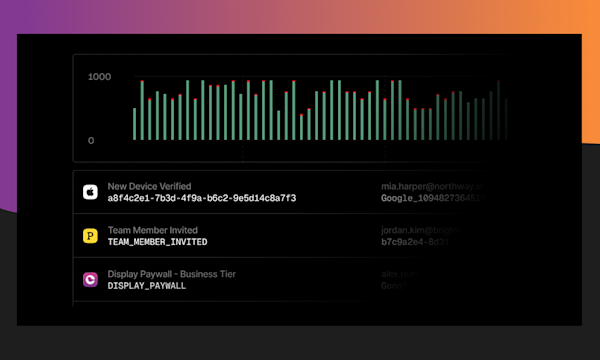
When product usage for an account drops significantly week-over-week, route an alert to the owning customer success manager with the account name, usage trend, and a link to the account health dashboard. The notification should contain enough context that the CSM can immediately judge whether this requires action or is explained by a holiday or planned downtime.
Renewal approach
As contract renewal dates approach, route escalating reminders to the account owner. 90 days out: awareness. 60 days out: explicit action required. 30 days out: escalation to manager if no renewal activity recorded.
Support escalation
When a customer opens a high-priority support ticket or an SLA is approaching breach, route an immediate notification to both the assigned support engineer and the customer success manager. Thread updates as the ticket progresses so both parties stay informed without separate communication.
Incident response: cross-team coordination
Production incidents require fast, coordinated response across engineering, operations, and customer-facing teams.
Routing by severity
Not all incidents warrant the same response. Define severity levels and route accordingly:
- P0 (complete outage): Page on-call via SMS and push, post to #incidents, DM engineering leads, alert customer success for customer communication
- P1 (degraded service): Post to #incidents, DM on-call
- P2 (minor degradation): Post to #alerts channel only
The routing logic lives in Courier workflow configuration, not application code. On-call rotation changes don't require code deployments.
Customer communication timing
Customer-facing communication during incidents should route through a separate channel from internal engineering coordination. Operations or customer success teams post to a #customer-status channel when they're ready to communicate, on their timeline, rather than having customer notifications triggered automatically by engineering alerts.
Glossary
| Term | Definition |
|---|---|
| Block Kit | Slack's JSON framework for composing rich, interactive messages from typed blocks like section, actions, and context. |
| Adaptive Cards | Microsoft's JSON card format for rendering structured, interactive content in Teams and Outlook. |
| OAuth | The authorization standard both platforms use to grant an app scoped access to a workspace without sharing credentials. |
| Azure Bot Framework | The Microsoft service that powers Teams bots and routes messages to and from Teams. |
| Webhook | An HTTP callback a platform sends to your app when a user interacts with a message, such as clicking a button. |
| Threading | Posting follow-up messages as replies under the original so related updates stay grouped instead of cluttering the channel. |
| Ephemeral message | A Slack message visible to only one user in a channel, used to reduce channel noise. |
| Multi-tenancy | Isolating each customer's credentials, configuration, and rate limits so one product can serve many workspaces. |
| Rate limit | The cap a platform enforces on how many messages or API calls you can send within a time window. |
Frequently asked questions
How do you avoid flooding engineering channels with notifications?
Use threaded updates instead of new messages for status changes on the same event. Batch similar events: group 10 test failures from the same run into one message, not 10 messages. Set up separate channels by severity level so low-priority noise doesn't drown out critical alerts. Apply frequency caps to notification types that can burst: monitoring alerts during an incident can generate hundreds of events; cap them to a summary every 5 minutes.
What Slack permissions does a notification bot need?
For basic message sending: chat:write to post messages. For DMs: im:write to open direct message channels. For user lookup by email: users:read and users:read.email. For updating messages: chat:write covers this. For ephemeral messages visible only to specific users: chat:write. For reading channel history (if needed for threading): channels:history. Request only the scopes your integration actually uses: requesting broad permissions creates security review delays and user trust issues.
How do you keep Slack notification templates updated as your product changes?
Store notification templates in Courier's template designer rather than in your application code. When copy changes, product teams update the template directly without code deployments. For structural changes (adding or removing action buttons, changing data fields), those require engineering updates. Separating content from structure means most ongoing updates don't touch code.
When should Teams notifications use Adaptive Cards versus plain text?
Use Adaptive Cards when you need structured layout with key-value pairs, action buttons, or multiple sections. Plain text works for simple informational messages that don't require interaction and where formatting doesn't add clarity. Adaptive Cards have a higher rendering complexity: older Teams clients or non-standard configurations occasionally render them incorrectly. For critical alerts where reliability matters more than formatting, plain text with a URL is safer than a complex Adaptive Card.
How do you handle Teams notifications for customers who use multiple tenants?
Microsoft Teams can involve complex tenant configurations: shared channels span organizational tenants, guest users join from external tenants, and some enterprise deployments use multiple internal tenants. For B2B SaaS products, the practical approach is to send notifications to specific users identified by email rather than to specific tenant/channel combinations. Courier's email-based targeting for Teams handles the tenant lookup automatically.
Connect Slack and Teams to Courier and send your first workplace notification today. The free tier includes 10,000 notifications per month. Or request a demo to discuss your routing and multi-tenant requirements.