Chapter 4
Evaluating Your Options
Platform landscape comparison covering Courier, Knock, Novu, SuprSend, MagicBell, and others with focus on Teams support gaps. Includes ROI expectations, pilot program guidance, build vs buy cost analysis, migration strategies from custom integrations, and customer examples from DroneDeploy, LaunchDarkly, HiPages, and Twilio.
Last updated: May 2026
The platform landscape
Several platforms specialize in notification infrastructure. They differ in capabilities and which use cases they optimize for.
Courier focuses on product notifications for B2B SaaS. Full Slack and Teams support through a unified API. Free tier includes 10,000 notifications/month. Pricing scales with usage. SOC 2 Type II, HIPAA, GDPR compliant.
- Visual template designer
- Workflow automations
- Preference management
- Multi-tenant architecture
- Analytics and observability
Knock takes a similar developer-first approach with Slack and Teams support. Code-centric configuration, workflow orchestration. Starts at $250/month. Teams support less comprehensive than Slack.
Novu offers open-source, self-hostable infrastructure. Appeals to strict data residency requirements. Tradeoff: you handle infrastructure, scaling, security patches. Supports Slack but not Teams.
SuprSend provides Slack and Teams with transparent, usage-based pricing. Growing adoption, less comprehensive feature set than mature platforms.
MagicBell focuses on in-app notification feeds. Slack is secondary. No Teams support.
Customer.io and OneSignal focus on marketing automation and push notifications respectively. Slack support exists but workplace notifications aren't the primary focus. Neither supports Teams.
The Teams gap is notable. Only Courier, Knock, and SuprSend provide Microsoft Teams support. If your customers use Microsoft 365, this immediately narrows your options.
Why Courier
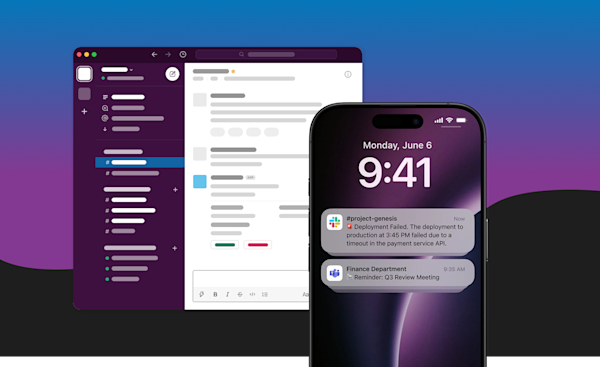
Full Slack and Teams parity. Both platforms get equal treatment, not one well-supported and the other as an afterthought. Same templates, routing logic, and analytics for both. When enterprise customers require Teams, you're ready without separate integration work.
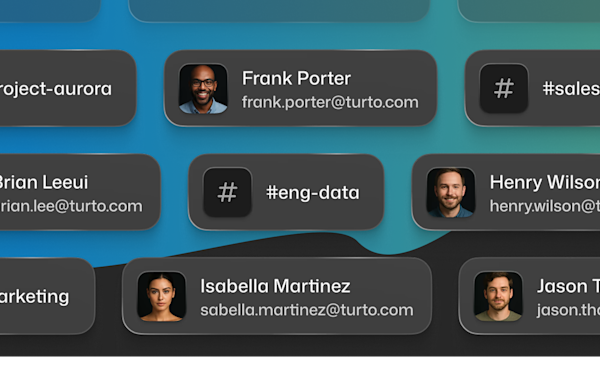
Email-based targeting. Send notifications using email addresses you already have in your user database. Courier looks up the corresponding platform user and delivers. No Slack or Teams user ID mapping infrastructure needed.
Automatic template conversion. Design once in the visual designer, and Courier renders to Block Kit for Slack and Adaptive Cards for Teams. Preview both platforms before sending. You're not maintaining separate templates for every notification type.
True multi-tenancy. Each of your customers gets separate configurations, branding, and rate limits through Courier's tenant system. If you're building a product that sends notifications on behalf of thousands of companies, this foundation is essential.
Visual workflow builder. The Automations interface lets product managers set up batching rules, marketing adjust timing and frequency, and support configure escalation workflows. No code changes or deployments needed.
Comprehensive debugging. Query message logs by user, notification type, status, provider, time range, and other criteria. When a customer reports a missing notification, you have 13+ filter parameters to track down what happened.
Enterprise compliance built in. SOC 2 Type II certification, HIPAA compliance options, GDPR data handling, audit logging, and data residency controls come standard. Review Courier's security documentation during vendor evaluation without waiting for compliance features to be built.
Build vs buy
Building in-house means implementing OAuth flows for both platforms, managing token storage and refresh, handling rate limits, building retry logic, maintaining templates in two formats, and keeping up with API changes. That's months of engineering time upfront, plus ongoing maintenance. And the work stays with engineering: every copy change, new notification type, or workflow adjustment requires developer involvement.
Using a platform means integration in weeks. The platform handles authentication, delivery reliability, and API updates. But the bigger shift is who can work on notifications. Product teams design templates and set up workflows in visual builders. Growth teams adjust timing and frequency without filing tickets. Marketing manages promotional messages alongside transactional ones. Engineers focus on integration points, not notification infrastructure.
Unified preference management becomes possible when transactional and marketing messages run through the same system. Users control all their notification settings in one place instead of managing separate preferences for product updates versus promotional content. This consolidation improves the user experience and simplifies compliance.
Build when: notifications are your core differentiator, you have compliance requirements platforms can't meet, or you're operating at massive scale.
Use a platform when: you need to ship quickly, you'll support multiple channels, your team is small, you want non-technical teams contributing to notification strategy, or notifications support your product but aren't what makes it unique.
Running a pilot
Pick one notification type. Something important enough for real feedback but not so critical that failures create major problems. Budget approvals or project updates work well. Production incident alerts don't.
Limit to a subset of users initially. Define success criteria before starting: faster response times? Higher engagement than email? Positive feedback?
Run for at least a month to see patterns. Track metrics, gather qualitative feedback, scale gradually based on results.
Migrating from custom integrations
Common drivers: adding the second platform, reducing maintenance burden, enabling non-technical teams to update content.
Migration typically takes 1-2 weeks. Move authentication to the platform's OAuth flow, convert templates, update send logic to call the platform API. Historical data stays in Slack/Teams.
Test thoroughly in staging. Run both systems in parallel during transition if you want extra confidence.
Who's using Courier
DroneDeploy (drone mapping software) needed notifications when map processing completed. Building a notification center would have consumed months.
"Notifications are not our core competency, so it made complete sense to integrate rather than build out and support our own implementation."
James Pipe, VP of Product
LaunchDarkly (feature management) uses Courier for approval workflows where engineers request changes and team members approve through action buttons.
"We were able to build the in-app notification experience that we wanted with excellent support and communication from the Courier staff."
Lucy Wonsower, Software Engineer
HiPages modernized their notification infrastructure by moving out of their monolith.
"It used to take four weeks to get a new message type into the monolith. Post Courier, it takes less than one day."
Clayton Bell, Head of Platform (Full case study)
Twilio chose Courier for internal operations when they deprecated their Notify API.

"We chose Courier because the depth of the inbox and multi-channel integrations allowed us to choose one notification platform for all products and teams at Twilio."
Raghav Katyal, Technical Lead (Full case study)
Getting started
Week 1: Setup
- Sign up at app.courier.com
- Configure Slack and Teams integrations
- Install SDK: Node.js, Python, Ruby, or Go
- Send test notifications
Week 2: Templates and preferences
- Design templates in the visual designer
- Set up user preferences
- Configure routing rules
Week 3: Production
- Move credentials to secrets management
- Configure webhooks and monitoring
- Deploy and monitor
Week 4: Optimization
- Add automation workflows and digests
- Set up analytics
- Optimize based on metrics
Most teams move faster than this. You're integrating an SDK, not implementing OAuth flows from scratch.
Frequently asked questions
How does Courier handle Slack OAuth for multiple customer workspaces?
Courier's multi-tenant architecture stores OAuth credentials per tenant. When a customer installs your Slack integration, you associate their workspace token with their tenant ID in Courier. All subsequent notifications to that customer route through their stored credentials. You don't manage a token database or write token lookup code: Courier handles it. Each customer's Slack workspace is isolated from others.
What is the difference between Courier and building a direct Slack integration?
A direct Slack integration means implementing OAuth, managing token storage and refresh, handling Block Kit formatting, writing retry logic, building frequency caps, and maintaining all of it long-term. That's several weeks of engineering upfront and ongoing maintenance as Slack updates its API. Courier provides all of this through a single integration. You call Courier's API; Courier handles the Slack-specific implementation. The practical difference is shipping in a day versus a month, and your engineers maintaining notification logic rather than Slack infrastructure.
Does Courier support Microsoft Teams for enterprise customers?
Yes. Courier supports both Slack and Microsoft Teams with equal feature parity. The same Courier API call can route to Slack, Teams, or both. Templates render to Block Kit for Slack and Adaptive Cards for Teams automatically. This matters for B2B SaaS companies where some customers use Slack and others use Microsoft 365: you handle both from one integration.
How many notifications are included in Courier's free tier?
The free tier includes 10,000 notifications per month across all channels. A Slack message, a Teams message, and an email each count as separate notifications. The free tier includes full access to all features: Slack and Teams integrations, workflow automations, preference management, and analytics. Paid plans scale with volume beyond 10,000.
Can Courier send to Slack and Teams from the same workflow?
Yes. A single Courier workflow can route to Slack, Teams, email, SMS, push, and any other configured channel. You can send to all channels simultaneously or use fallback routing to try channels in order. User preferences determine which channels each person receives: if someone prefers Teams over Slack, Courier routes to Teams. You define the routing logic once in the workflow; Courier handles delivery to each channel independently.
Explore Courier documentation for Slack and Teams setup guides. Or request a demo to walk through how Courier handles your specific use case.
Previous chapter
Best Practices and Optimization
Message design principles that respect user attention, timing and frequency strategies to prevent fatigue, platform-specific optimization for Slack vs Teams threading and formatting. Covers delivery reliability patterns, error handling, monitoring and observability, user preference management, and edge case handling.
Next chapter
Slack and Teams Notification Patterns
Real-world patterns for engineering CI/CD alerts, sales pipeline notifications, customer success monitoring, and incident response through Slack and Teams. Routing, batching, and threading strategies for each use case.