Courier Create: Embed a Custom Notification Editor in Your App
 Thomas SchiavoneApril 30, 2025
When your customers use your platform to send messages—onboarding emails, status updates, account alerts—they want those messages to feel like their own. They want to tweak the wording. Adjust the tone. Make the message sound like it came from them, not you. They want their logos, their colors, their voice on every notification that reaches their users.
But giving them that experience isn’t simple. You either:
- Build a basic editor that never quite does enough and keeps pulling engineering focus.
- Bolt on a disconnected tool that doesn’t play well with your frontend and backend.
Neither feels native. Neither scales cleanly across customers. Neither gives your users the ownership they expect.
Courier Create changes that. It brings a modern message designer into your app — fully customizable, securely scoped, and seamlessly connected to Courier’s delivery infrastructure.
What is Courier Create
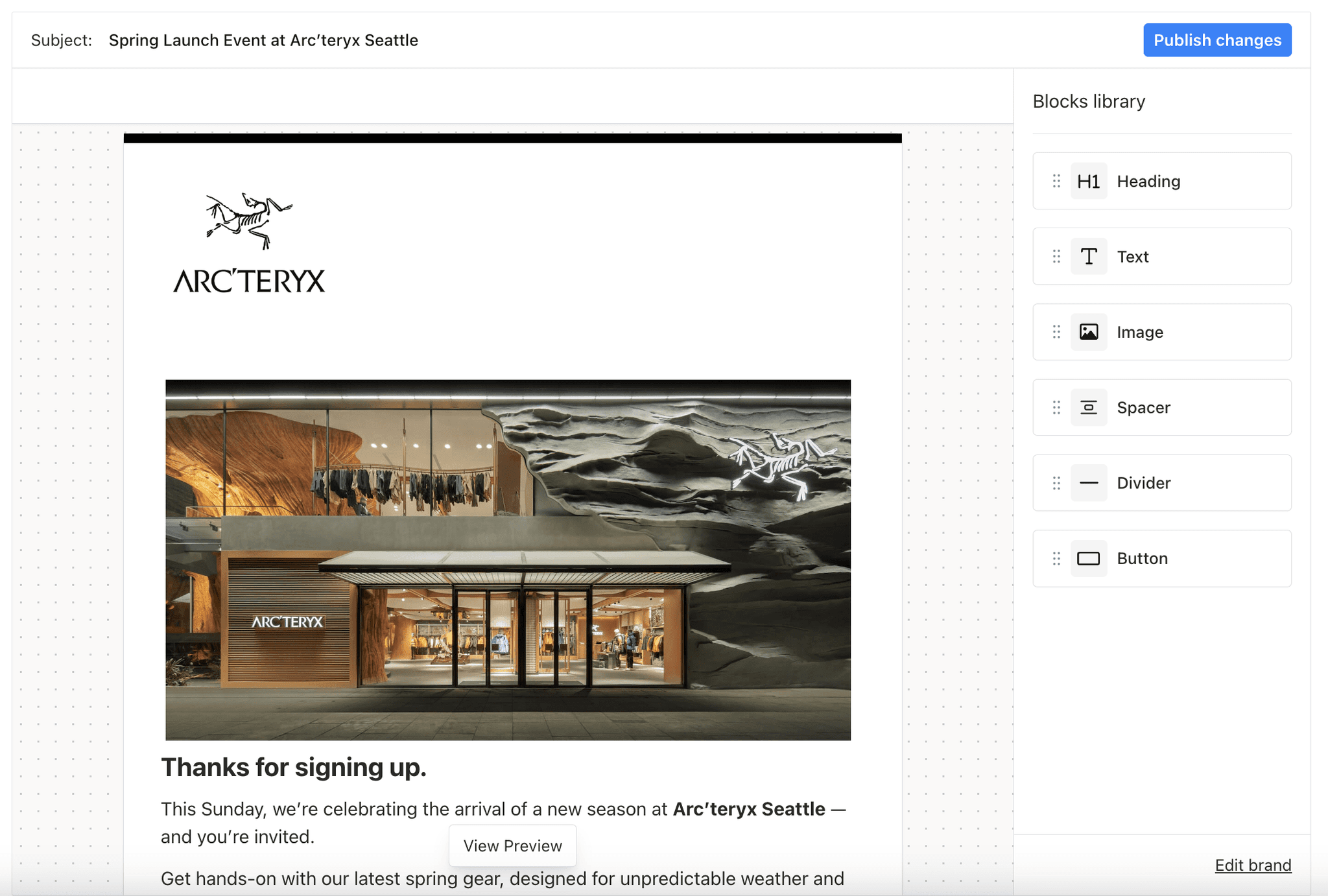
Courier Create is an embeddable message designer for React apps. Drop our SDK into your product and give your customers a seamless way to design, brand, and manage their own notifications without ever leaving your app.
You control how much flexibility they have. Let them edit the entire message — content, structure, and branding — or limit them to just logos, colors, and footers. Every change stays scoped to their account and syncs instantly to Courier.
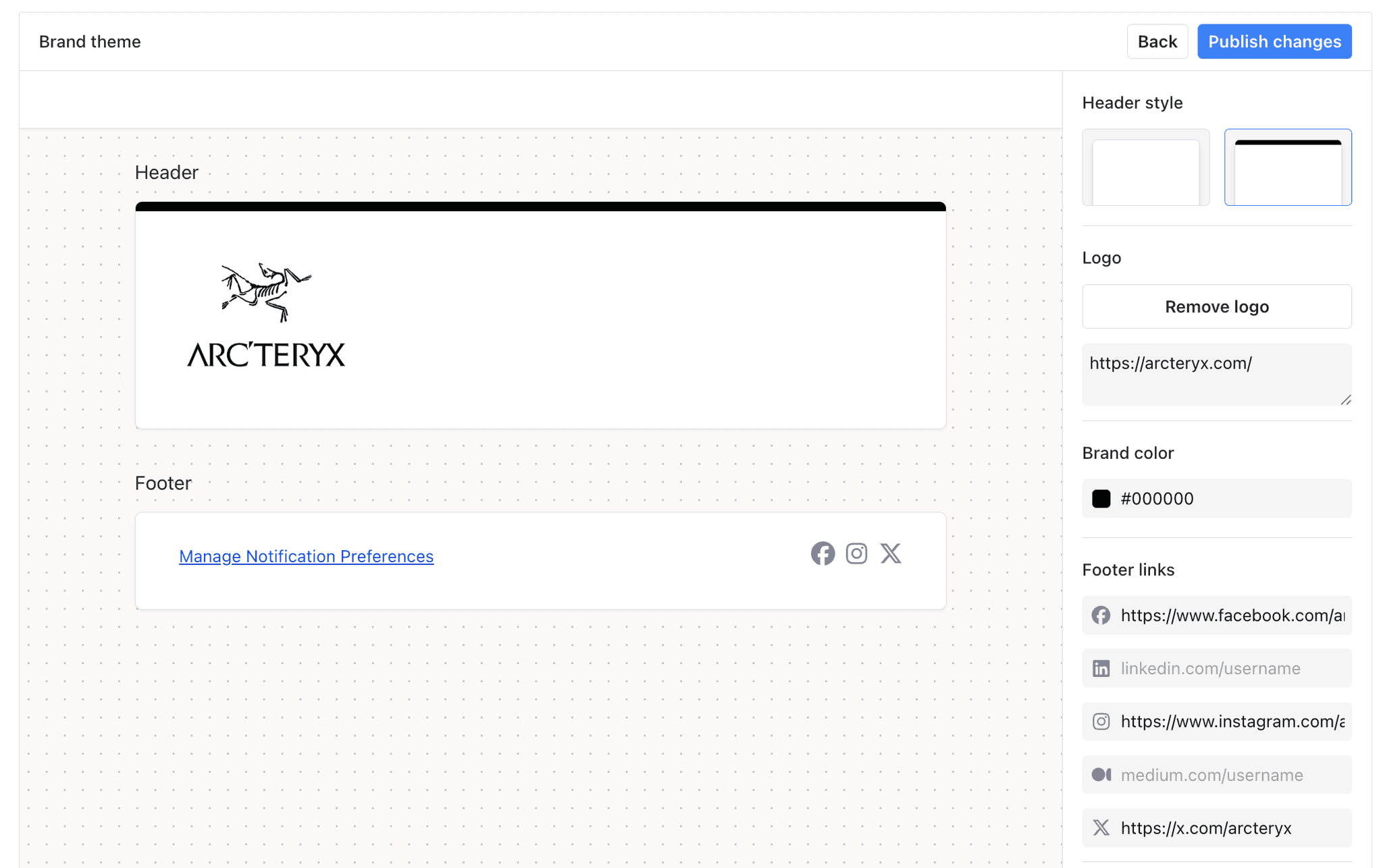
Templates are ready to send as soon as they are created. Updates sync directly to Courier’s infrastructure, with delivery, tracking, and multi-channel support handled automatically. No manual exports, syncing scripts, or custom delivery logic required.
Built for Complex, B2B Companies at Scale
Courier Create isn’t just easy to embed — it’s built for platforms that need to scale across customers, teams, and complex messaging workflows.
Templates and branding are scoped securely to each customer using JWT authentication.
You control exactly what each customer can access — without building and maintaining custom permission systems.
Multi-tenancy is handled natively. Whether you support a hundred customers or a hundred thousand, each tenant’s templates, branding, and variables stay isolated and protected.
Templates stay connected to Courier’s delivery infrastructure across email, push, SMS, and in-app. There’s no need for manual syncing, broken delivery flows, or additional services to maintain.
Courier Create fits inside your product today, and scales with you as you grow.
How to Get Started
Getting started with Courier Create is simple.
Install the SDK
Add the Courier Create React SDK to your app.Set up authentication
Use a JWT token to securely scope access for each customer. Each user only sees and manages their own templates and branding.Embed the component
Drop theTemplateProviderandTemplateEditorcomponents into your React app.
You can embed a full message designer or limit access to branding controls based on your use case.Customize the experience
Style the editor to match your product’s branding using the theming API.
You’re now ready for your customers to design their own messages — and for you to deliver them instantly across all channels with Courier.
To get started, you can read our documentation and view it on NPM.
What’s Next for Courier Create
Courier Create gives you a clean way to embed end-user-owned messaging into your platform without adding complexity or fragile integrations.
This is just the beginning. We’ll keep building, expanding features, and making it even easier to deliver great messaging experiences inside your product.
If there’s something you’d like to see, we’d love to hear from you. Send your ideas to support@courier.com and let’s chat.
Similar resources

Introducing Cross-Device Email Preview: see your email on real devices before you send
Cross-Device Email Preview renders your template on the real clients you pick, from Outlook on Windows to dark mode on iPhone, and returns a screenshot of each one. Pick from 96 clients across 21 apps without leaving Design Studio.

New settings page, easier to use, with new background colors
Courier settings has been redesigned. Workspace pages and developer pages are grouped separately, every page says what it's for, and the app now comes in light or dark with nine background colors.

Broadcasts: send one-time messages to your users, right from Courier
Broadcasts lets you send a one-time message to a group of your users, now or on a schedule, without leaving Courier.