New RudderStack integration: Create actionable data insights
 Tejas KumthekarMarch 07, 2023
Are you looking for a way to gain a clearer picture of your users and use that insight to improve your communication strategies? We've got some great news for you! Today, we're thrilled to announce an integration between Courier and Rudderstack, a customer data platform (CDP) that allows businesses to collect, process, and route customer event data across product, marketing, and analytics tools for better decision-making.
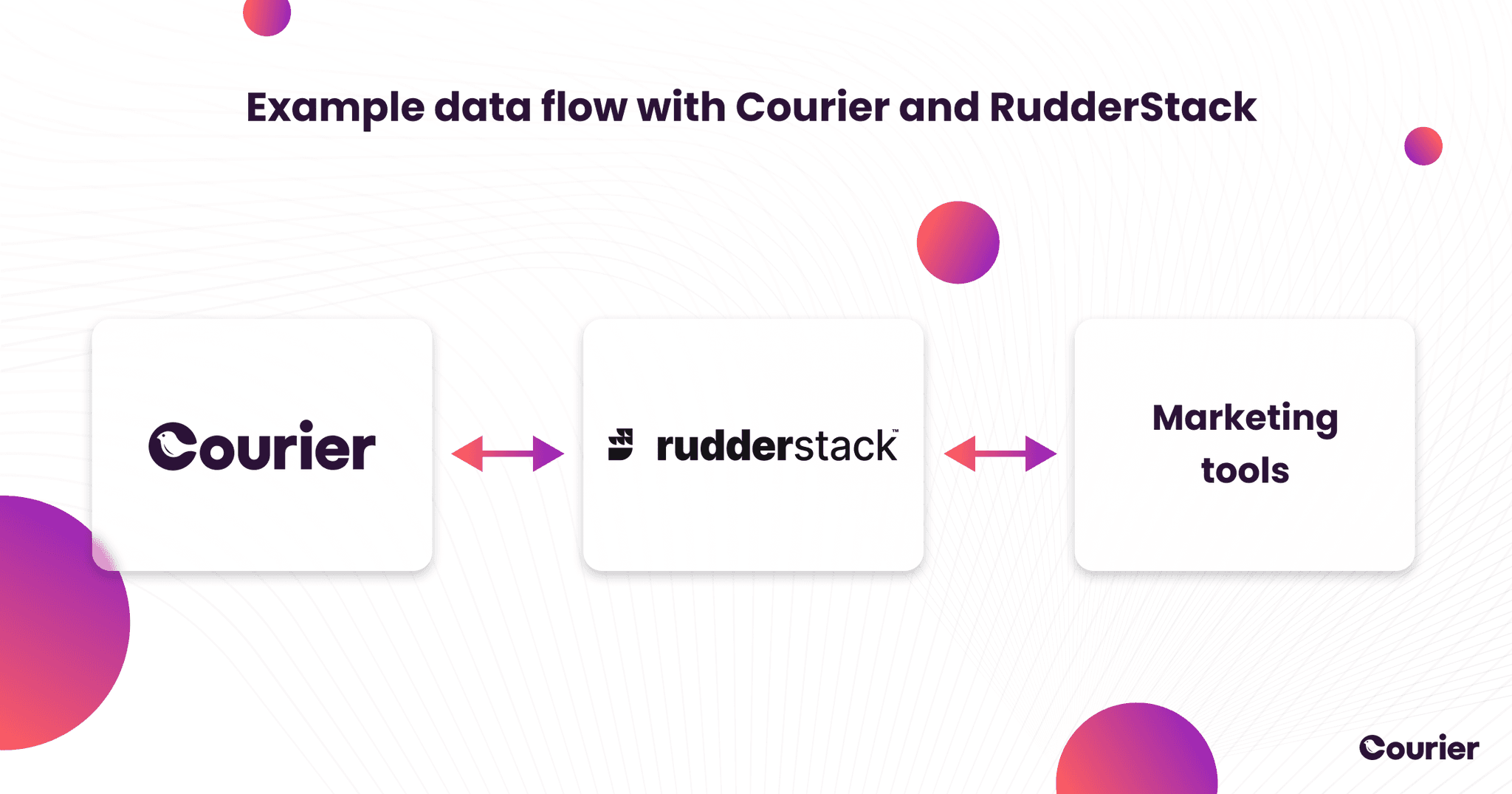
This integration builds on our recently improved integration with Segment and will further improve your ability to track your users' actions and take advantage of customer data stored in RudderStack to improve the notification experience for your users.
Courier makes it easy to trigger notifications based on RudderStack events. We're really excited about this integration because it removes a lot of complexity for engineers and data teams looking to build a notification system.
Eric Dodds, Head of Product Marketing, RudderStack
For those who may not be familiar with RudderStack, it’s a customer data platform (CDP) that allows businesses to collect, process, and route customer event data across product, marketing and analytics tools for better decision-making. As for Courier, it’s an all-in-one notifications solution that enables development teams to manage communications with their users, from product notifications to marketing messages, through a number of channels, such as email, chat, in-app messages, SMS, and push, all in one place.
So, by integrating Courier with RudderStack, you get the combined benefits of both systems: you can now collect, process, and route your users' interaction data between Courier and different marketing and analytics tools, via RudderStack. This integration can help you gain a clearer picture of your users and use that insight to improve your communication strategies.
You can also track notification engagement data, such as the percentage of communications that were successfully delivered, opened and read, and on what notification channels. The detailed notification analytics data gives you the potential to create more personalized app experiences for users based on their activity within your product. For example, you could adjust the way a user receives notifications based on their interactions with your product, as well as data from Salesforce, Google Ads, Mailchimp, and other RudderStack sources.
More about Courier
Courier is an API and web studio that centralizes all product-triggered communications, such as email, chat, in-app messages, SMS, and push notifications. With Courier, businesses can deliver messages to their users using their preferred communication channels, with real-time visibility and tracking for each message. This tracked data within Courier can now be passed to RudderStack!
One of the best things about Courier is that it provides a single, unified interface for developers to manage all communications. This reduces complexity and eliminates the need for developers to manage multiple APIs and libraries to send notifications to various channels. Courier's simple and elegant APIs make it easy for developers to create new notifications and manage messages in a way that doesn’t require additional work for each new notification channel.
More about RudderStack
RudderStack, as we already mentioned, is an easy-to-use CDP, with a straightforward installation process and intuitive user interface. It doesn’t require any in-depth technical knowledge, making it a popular choice for businesses that want to collect and process customer data without the need for a dedicated development team.
Unlike most other CDPs, RudderStack is open-source, which means that developers can access the source code, modify it to suit their needs, and contribute to the development of the platform. Additionally, RudderStack offers a range of pricing plans, including a free plan, making it accessible to businesses of all sizes. Another great feature of RudderStack is that you can host it in your private cloud infrastructure, giving you even more control over your data.
Unlike most other CDPs, RudderStack is open-source, which means that developers can access the source code, modify it to suit their needs, and contribute to the development of the platform. Additionally, RudderStack offers a range of pricing plans, including a free plan, making it accessible to businesses of all sizes. Another great feature of RudderStack is that you can host it in your private cloud infrastructure, giving you even more control over your data.
RudderStack’s control plane
The RudderStack platform consists of two main components: the user-facing control plane and the data plane that operates under the hood. In this section, we'll take a closer look at the control plane.
The control plane is the web-based interface that allows you to manage data integrations, monitor data flows, and control user access. It's the place where you can configure and manage your RudderStack accounts, add and remove integrations, and control who can access data.
RudderStack’s control plane also lets you manage your data integrations easily. For instance, you can set up and choose your data destinations and sources, control who can access the data, and monitor the flow of data between the sources and destinations.
In RudderStack, sources are platforms or applications from which RudderStack tracks and collects data. A destination, on the other hand, is a cloud tool or a platform where you want to send this collected data.
From the control plane, you can also create custom transformations and enrichments to modify the data before it gets sent to the destination. These features provide you with granular control over your data integrations and allow you to create custom data pipelines that fit your specific needs.
Events — the data sent by Courier
There are two types of user data Courier can now send to RudderStack: message events and audience events.
Message events are all about notification deliverability and user engagement. These events track whether a message was sent, delivered, clicked, and opened. Message events help businesses track notification usage data, including successful deliveries, opens, clicks, and the channels through which messages are sent. This data can help businesses create custom user journeys that are tailored to users' communication preferences, improving the overall user experience.
Audience events, on the other hand, make use of Courier's dynamically defined user groups, known as audiences. Audiences give you more flexibility than static lists. For instance, you can define an audience as a set of users with the title “Software Engineer.” You can even take this one step further and define more niche audiences by specifying that the user also has listed, for example, TypeScript as one of their favorite programming languages.
Audience events allow you to track when people join or leave these pre-defined groups based on changes in user characteristics, allowing for better data collection and therefore improved end user experience. For example, an audience event would be triggered if someone changed their job title to “Software Engineer” or if they changed it from “Software Engineer” to something else. This gives you control over the type and amount of notifications specific users receive, improving their overall experience.
Using this new data
When your events have been loaded in RudderStack, you can use different aggregate views to study them, or you can forward them to an analytics destination like Looker or Tableau. This integration enables you to perform analytics on your notification data, giving you powerful insights about how your users interact with your product, and create even more enjoyable notification experiences.
You can also automatically update information in Courier from your product or from other software tools via RudderStack. For example, if a user changes their email address in your web app, you can propagate that information into the user’s profile in Courier without the need to add a separate Courier API request.
What are you waiting for?
Whether you're new to RudderStack or an existing user, integrating Courier is a straightforward process. To enable the integration, add Courier as a source and/or destination. Adding Courier as a destination is as simple as specifying Courier as a "destination" in your RudderStack dashboard. Just navigate to ‘directory’, go to the destinations tab and search for Courier.
For more detailed information on how to implement courier as a source or destination, and help getting started with the RudderStack and Courier integration, visit our documentation and follow the steps outlined there. This will start the flow of data and can start giving insights straight away, helping you to improve your user experience and helping you make better product decisions.
Similar resources

Introducing Cross-Device Email Preview: see your email on real devices before you send
Cross-Device Email Preview renders your template on the real clients you pick, from Outlook on Windows to dark mode on iPhone, and returns a screenshot of each one. Pick from 96 clients across 21 apps without leaving Design Studio.

New settings page, easier to use, with new background colors
Courier settings has been redesigned. Workspace pages and developer pages are grouped separately, every page says what it's for, and the app now comes in light or dark with nine background colors.

Broadcasts: send one-time messages to your users, right from Courier
Broadcasts lets you send a one-time message to a group of your users, now or on a schedule, without leaving Courier.