

Prerequisites
- A published automation with at least one Delay or long-running step (see Build and Send Your First Automation if you need one)
- Your Courier API key (found in Settings > API Keys)
Set a Cancellation Token
Open Automation configuration
In the Automations Designer, click the gear icon in the top-right corner, then select Automation configuration.
Enter a token expression
The Cancellation Token field is a freeform text input. Whatever you enter gets evaluated against the automation’s run context at invoke time.For a simple per-user token, enter:When the automation is invoked with 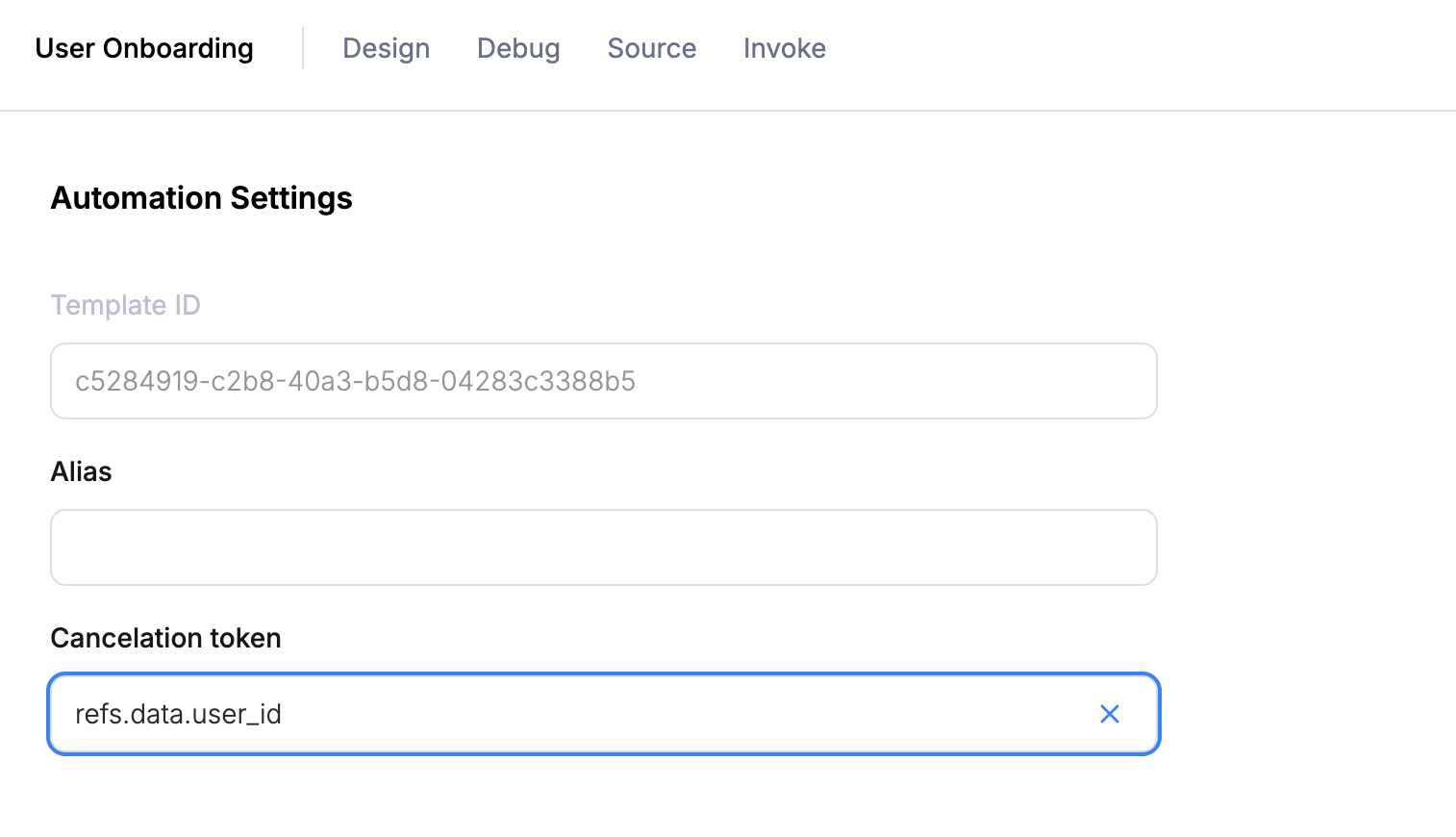
"data": {"user_id": "user_123"}, the token resolves to the literal string user_123 for that run.Cancel from Your Backend
When your app detects that the automation should stop (e.g. the user completed onboarding), send an ad-hoc automation with acancel step. The cancelation_token value must be the resolved string; your backend constructs it the same way.
user_123 are cancelled. Any steps that haven’t executed yet (pending delays, queued sends) are skipped. If the automation already finished, the cancel is a no-op.
You can also cancel from the Courier UI; see Canceling From the UI.
Token Syntax Reference
The cancellation token field supports two resolution modes. The backend checks them in order:1. Refs accessor
If the entire string starts withrefs., Courier navigates into the run context and returns the raw value.
| You type | Run data | Resolves to |
|---|---|---|
refs.data.user_id | {"user_id": "user_123"} | user_123 |
refs.data.plan | {"plan": "pro"} | pro |
refs.profile.email | profile has email: "j@example.com" | j@example.com |
refs.. Prefixing it with anything else (e.g. onboarding-refs.data.user_id) breaks the pattern and the whole string is treated as a literal.
2. JavaScript interpolation
If the string is wrapped in the interpolation delimiters (a dollar sign followed by an opening brace at the start, and a closing brace at the end), Courier strips the wrapper and evaluates the inner content as JavaScript in a sandboxed VM. The sandbox exposes the following variables from the run context:| Variable | Source |
|---|---|
data | The data object passed at invoke time |
profile | The profile object passed at invoke time |
refs.data | Same as data (alias for convenience) |
refs.profile | Same as profile (alias for convenience) |
onboarding-user_123:
Combining multiple fields - resolves to e.g. trial-expiry-user_456:
String concatenation - resolves to e.g. user_123-tenant_abc:
The VM has a 300ms timeout, no async support, and no access to
eval or WebAssembly. Keep expressions simple.Scoping Tokens
With a simple token likerefs.data.user_id, a cancel targets every running automation for that user across all templates. If you have multiple automations that could share the same user ID (onboarding, trial expiry, feature adoption), use a compound token to scope cancellation to a specific automation.
A good pattern is to include the automation name as a static prefix combined with the user ID. For example:
- Onboarding reminder - use a prefix like
onboarding-combined withdata.user_id, resolving toonboarding-user_123 - Trial expiry - use a prefix like
trial-expiry-combined withdata.user_id, resolving totrial-expiry-user_123 - Feature adoption - combine
data.featureanddata.user_id, resolving to something likefeature-dashboards-user_123
onboarding-user_123 only stops the onboarding automation, not the trial expiry one.
What’s Next
Build and Send Your First Automation
Create a multi-step workflow in the visual Automations Designer
Send Automations via API
Invoke ad-hoc and template-based automations programmatically
Cancelling An Automation (Reference)
Full reference for cancellation tokens and UI-based cancellation
Automations Overview
Full reference for all node types and capabilities