What's New in February: Recipients list, New integrations, Java SDK, and plain text for emails
 Nate MungerMarch 03, 2021
🐦 Courier News
Get help faster with our in-app support center 🤝
Need help getting started with an integration? Or curious what we’ve launched lately? With our in-app support center, you have everything you need to build and send notifications in one convenient spot.
Check out our new support center here.
🛠 What we’ve been building
To see the latest feature releases, what’s in development right now, and what’s on our future roadmap – including updates that don’t make our monthly highlights – visit updates.courier.com.
Check it out and 👉subscribe👈 to be notified about new releases.
Recipients list
Our new Recipients list in the Data logs lets you search and sort your Recipients, see their message history, view their List subscriptions and edit their profile data in the UI.
For more information, see our help doc, Using the Recipients list.
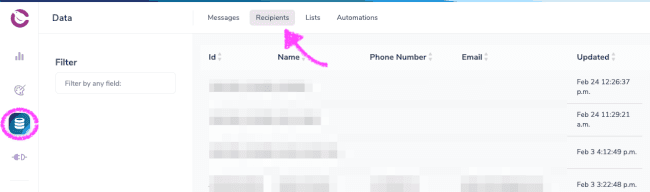
7 new channel integrations
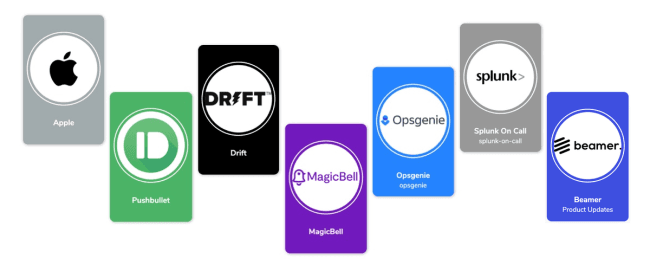
We’ve just released 7 new integrations, built by popular request. 🥳 Explore our new integrations: Apple Push Notification (APN), Pushbullet, Beamer, Drift, MagicBell, Opsgenie, and Splunk On-Call.
To get started with a new integration, head to our integrations catalog.
Our Java SDK is now generally available

We’ve released a Java SDK to help you start sending notifications with Courier, faster. Our Java SDK includes support for our Send, Brands, Messages, Events, Lists, Profiles, and Preferences API endpoints.
Check out Courier’s Java SDK on Github for more information.
Plain text rendering for emails
You now have the ability to set an email in Courier to render as plain text. Open the email Channel Settings in the notification designer and toggle the “Rendering” option from “HTML” to “Plain Text.”
See what else we've built
To see what else we've built recently, visit our updates page or log in to Courier to give them a try!
📝 What we've been writing
How Slack Uses Notifications to Manage the Attention of 12 Million Daily Active Users

Today Slack commands the attention of more than 12M daily active users around the world. And nobody knows more about capturing – and keeping – their attention than Liza Gurtin, former product lead for Slack’s notifications team. We sat down with Liza for the inside scoop.
Twitch Notifications (Part Three): How to Create and Notify a List of Subscribers Using Courier
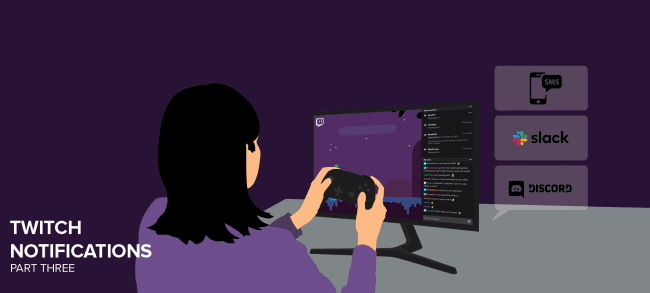
In this series, our Developer Advocate Aydrian explains how to send notifications when your Twitch stream goes live. In part three, he shows you how to send notifications to multiple channels, including Discord and SMS, using Courier’s Lists API.
🎙Courier Live
Content, Notifications, and IoT

Aydrian and Shy Ruparel teamed up for another Courier x Contentful crossover stream – this time, on Content, Notifications, and IoT. Watch as Shy and Aydrian use an IoT E-ink display to show the latest posts from Contentful and send notifications using Courier.
👩💻👨💻 Courier community updates
Join us on Discord
Our developer community is growing – and we'd love for you to join us. Get help, share ideas, give feedback, and chat with our team about building notifications, upcoming product changes, and so much more.
If you have feedback or questions, drop by our community on Discord.
Thank you,
Nate Munger Head of Customer Success
Similar resources

Introducing Cross-Device Email Preview: see your email on real devices before you send
Cross-Device Email Preview renders your template on the real clients you pick, from Outlook on Windows to dark mode on iPhone, and returns a screenshot of each one. Pick from 96 clients across 21 apps without leaving Design Studio.

New settings page, easier to use, with new background colors
Courier settings has been redesigned. Workspace pages and developer pages are grouped separately, every page says what it's for, and the app now comes in light or dark with nine background colors.

Broadcasts: send one-time messages to your users, right from Courier
Broadcasts lets you send a one-time message to a group of your users, now or on a schedule, without leaving Courier.