Your Notification Center, Your Competitive Edge
 Kyle SeylerApril 22, 2026
The in-app inbox is the most valuable notification surface you own. Every other channel has a gatekeeper. Push lives at the mercy of Apple and Google. Email runs through Gmail's priority filters. SMS gets throttled by carriers. The inbox is the one surface where you set the rules. The companies that win with it think hard about what belongs inside: a digest instead of ten pings, urgent items separated from passive ones, every message with a clear action, tied to the journeys and channels around it. That's why users check it on purpose instead of dismissing it, and why the messages inside actually get acted on.
What you're actually building
A notification center is a list of messages scoped to a user, with read and unread state, real-time updates when new messages arrive, and a bell with an unread count. The UI has to work on web and mobile. The backend has to store the messages, track state across devices, and push updates in real time. Teams that have built one from scratch know the rest: pagination, filtering, archiving, accessibility, keeping the bell count accurate when the user has the app open in three tabs, handling the case where a push and an inbox message fire from the same event.
The requirements look almost identical in every product that ships one. Which is why it's worth using a component that already solved them.
Try it before you build it
The fastest way to understand what Courier Inbox does is to send a message to one. The interactive demo below lets you type a title and body, hit send, and watch it land in the inbox component in real time. Switch between the full Inbox, a Popup layout, and Toast notifications to see the same message rendered three ways.
Install in an afternoon
Two ways to get it running.
With an AI coding agent
Courier has an MCP server and an agent skill that plug into Claude Code, Cursor, or any MCP-capable IDE. Point the agent at your repo and tell it to add Courier Inbox. It reads the docs, picks the right SDK for your framework, generates the JWT auth endpoint on your backend, installs the component, and wires up the bell. One prompt and a cup of coffee.
With an SDK
If you'd rather write it yourself, the React version is a few lines:

import { useCourier, CourierInbox } from "@trycourier/courier-react";export default function App() {const courier = useCourier();useEffect(() => {courier.shared.signIn({ userId, jwt });}, []);return <CourierInbox />;}
The JWT comes from your backend, generated with your Courier API key. Once that's in place, every message you send through Courier with an inbox channel lands in the component in real time. SDKs are available for React, Web Components (which work with Vue, Angular, Svelte, and vanilla JS), React Native, Flutter, iOS, and Android.
What customization actually looks like
The default UI works out of the box. From there, customization is layered.
| Level | What you control | When to use it |
|---|---|---|
| Theme | Brand colors, typography, spacing, animations, light/dark/system appearance | Most apps. Fastest path to matching your brand. |
| Custom renderers | Your own components for list items, bell icon, empty states | You want your design system on the surface, but the SDK handles read state, pagination, and real-time updates. |
| Headless | Full UI control. Use the SDK's hooks and data APIs to build your own inbox surface. | You have an existing layout that can't accept a drop-in widget. |
You can also switch the layout between a full inbox panel and a popup that opens from the bell, organize messages with tabs by type or priority, and pipe the same message stream into Toast notifications for events that need an immediate signal.
Read state syncs automatically across every device a user is signed in on. Cross-channel syncing is on by default, so opening an email marks the matching inbox message as read.
What it looks like in production
Here's one you probably know: Substack's notification center. Follows, replies, restacks, first posts from writers you follow, all threaded into one surface with tabs, inline actions, and the actual post content pulled in. A good example of what an inbox can do when the editorial work is taken seriously.
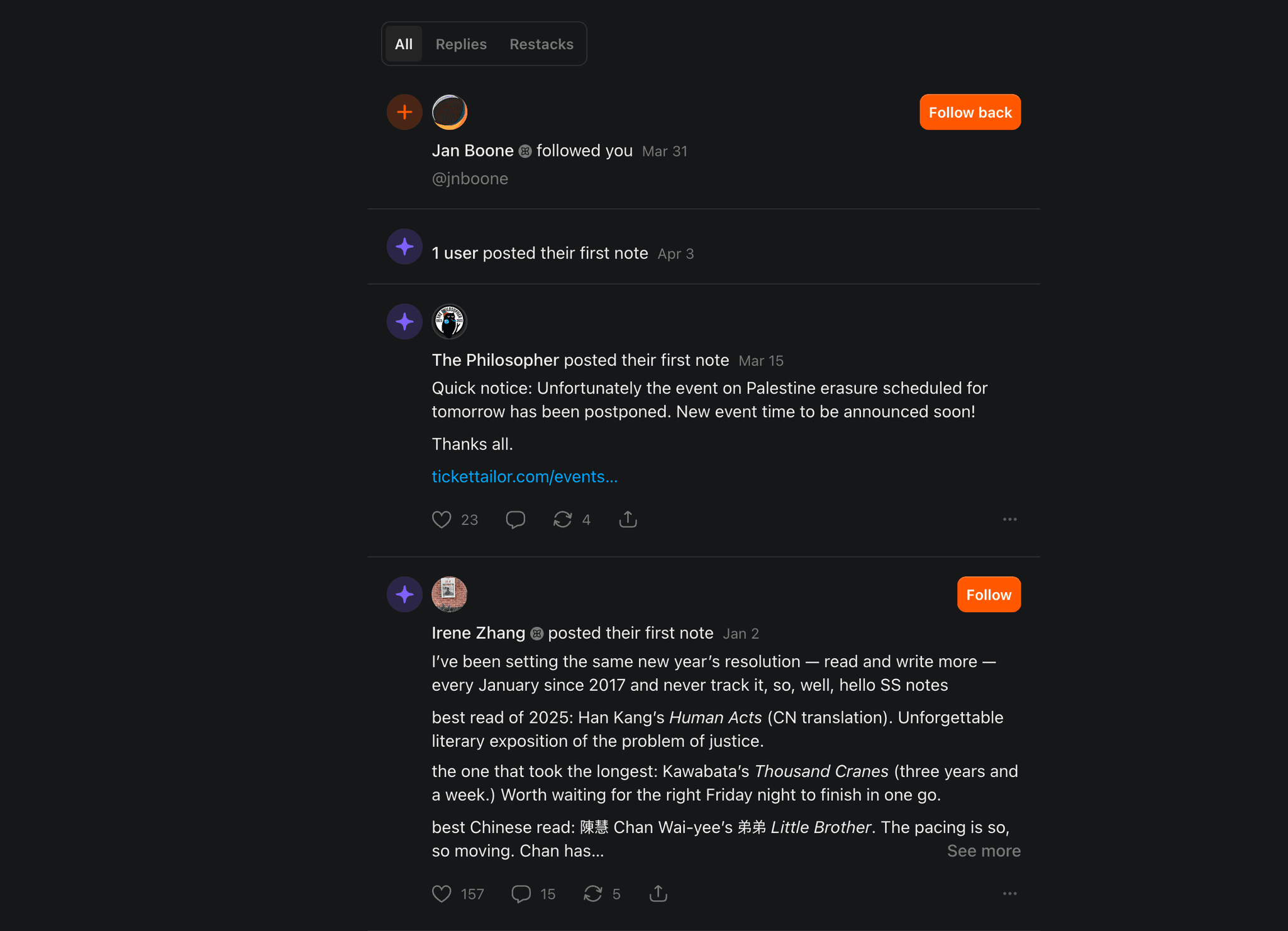
Substack's notification inbox: tabs for filtering, inline CTAs, and rich content previews.
A few things worth noticing. The tabs at the top (All, Replies, Restacks) cut the noise without leaving the surface. Every row earns a clear action. "Follow back" sits right next to the notification that someone followed you, so you act in one click instead of digging into a profile. When a writer posts for the first time, Substack pulls the note itself into the inbox with its engagement count and reply affordances, so the notification is the experience, not a link out to somewhere else. And when several writers hit the same milestone, you see "1 user posted their first note" instead of five separate rows. A small digest move that keeps low-signal events from flooding the feed.
Nothing shouts. There's no giant red number trying to bully you back into the app. The bell announces when something worth attention happened, and the inbox makes acting on it cheap. That's the editorial side of the work, and you can feel it when a product gets it right.
None of this is automatic. Someone decided follows aggregate, restacks don't interrupt, and replies thread with the note they belong to. Substack built that logic in-house. Courier gives you the same building blocks, so you can ship it without a platform team.
The harder part: what goes in
The component is the easy part. The system around it is what turns an inbox into a competitive edge.
Start with curation. A password reset doesn't need an inbox message. A summary of what your AI agent did overnight probably does. Route high-volume, low-urgency events through a digest so users see "12 updates today" instead of 12 separate rows. Throttle rules keep the bell steady when a backend loop fires. Tag items by urgency and route urgent ones as toasts or push first, with the inbox as the record.
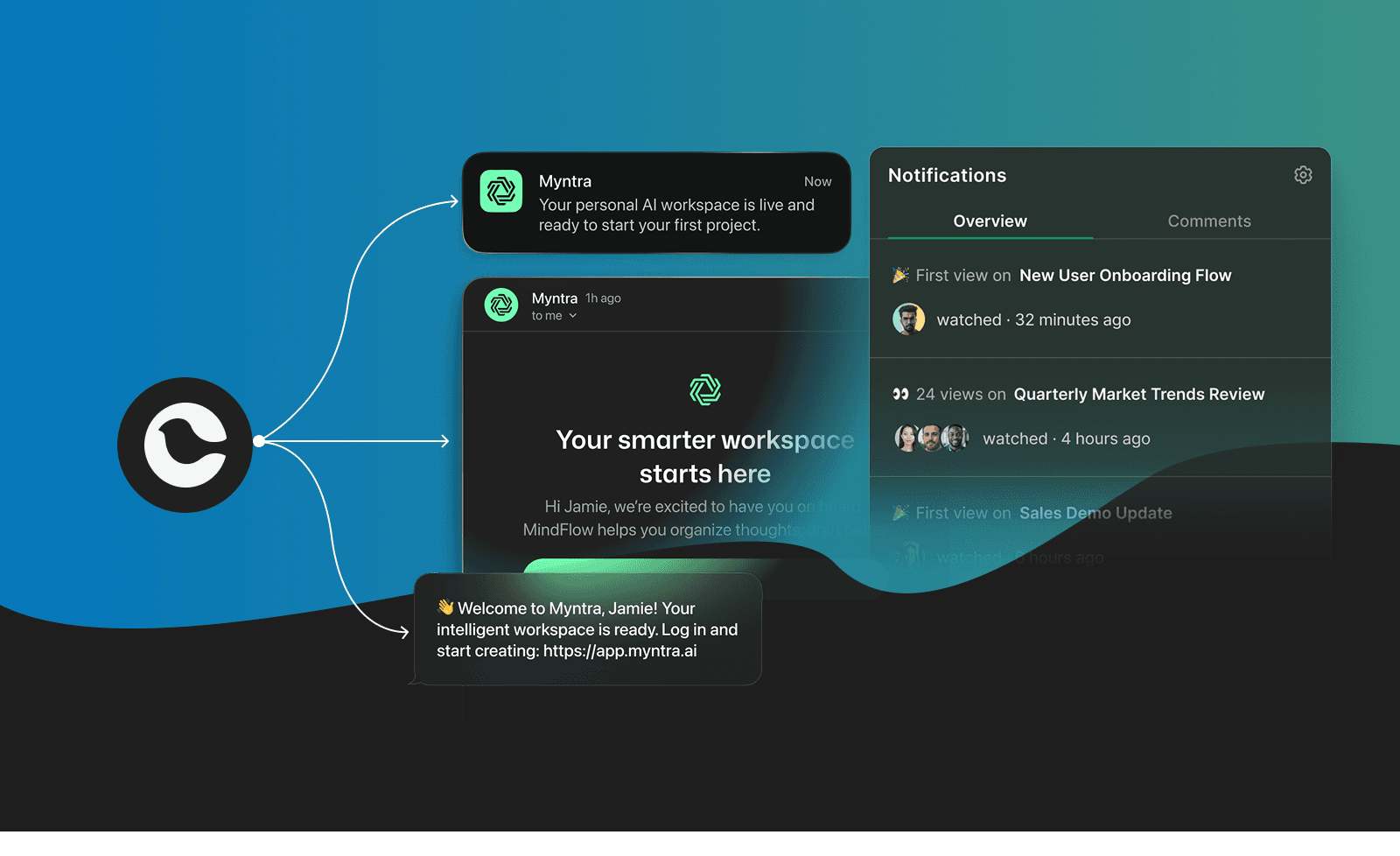
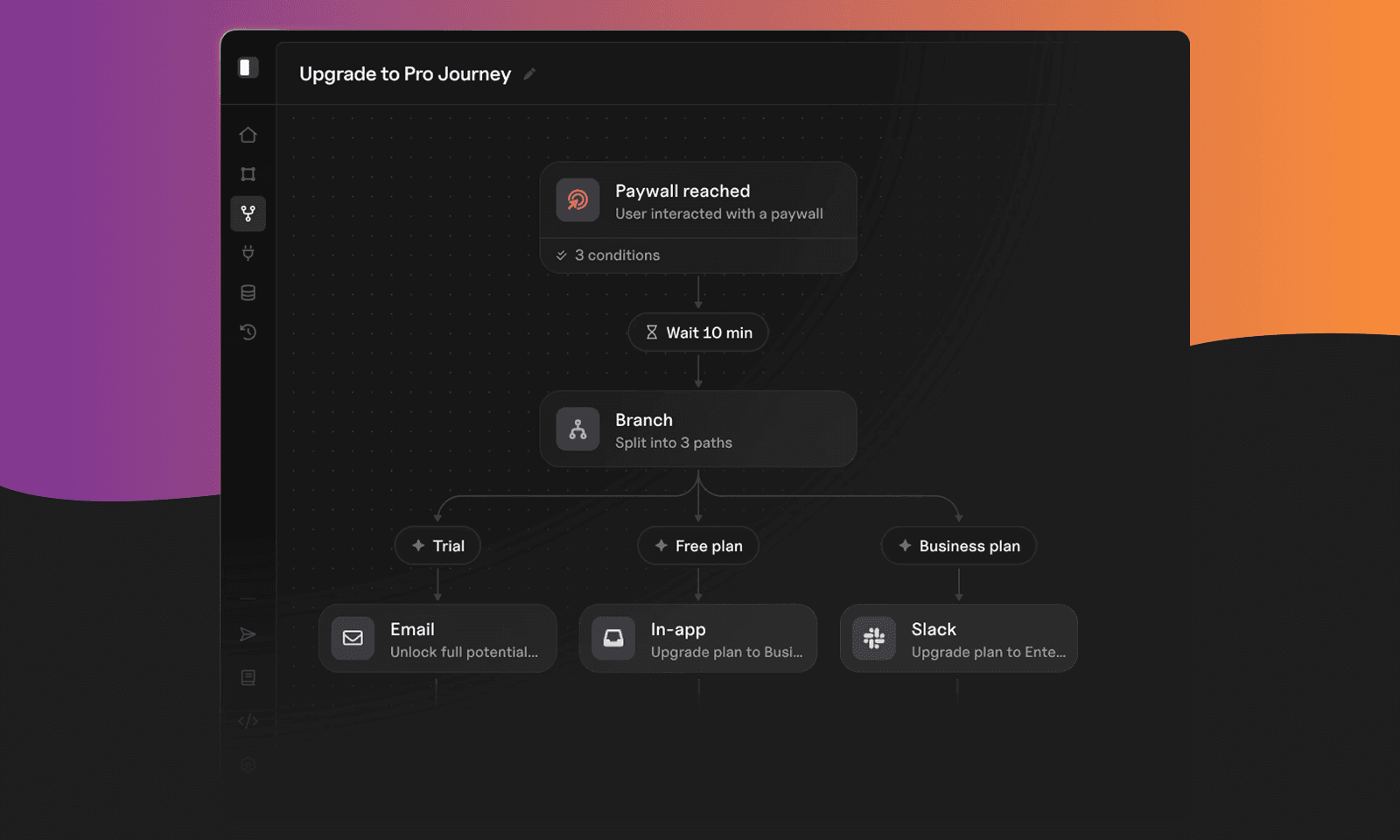
Then think about the channels around it. A single send in Courier fans out across email, push, SMS, Slack, and the inbox, with routing rules deciding who gets what based on user preferences, activity, and the urgency you set on the message. Cross-channel read state syncs automatically, so opening the email marks the matching inbox row as read. Journeys handle the escalation: if the inbox message hasn't been opened in 30 minutes and it matters, step up to push. If the user muted push, route to email. That's what makes the inbox useful instead of noisy.
Write the copy like a feed users want to read. Every row earns its spot. Every message has a clear action, even if the action is just "got it." If a user can't tell why a message is there, it shouldn't be there.
That's where products build their edge. The inbox is what users see. Journeys, cross-channel sync, and user preferences decide whether they use it.
Get started
- Play with the interactive demo.
- Read the Inbox overview and authentication guide.
- Sign up for Courier and send your first message.
If you're building a notification center from scratch this quarter, start with the demo. Send yourself a message. Then decide how much of the rest you actually want to build.
Similar resources

Control how fast Courier sends to your providers
You shouldn't have to think about how fast you send to Courier. Set a send rate limit on any provider, and Courier sends your notifications to it at the rate you choose. Anything over the limit is queued, not dropped.
Know the moment users change notification preferences
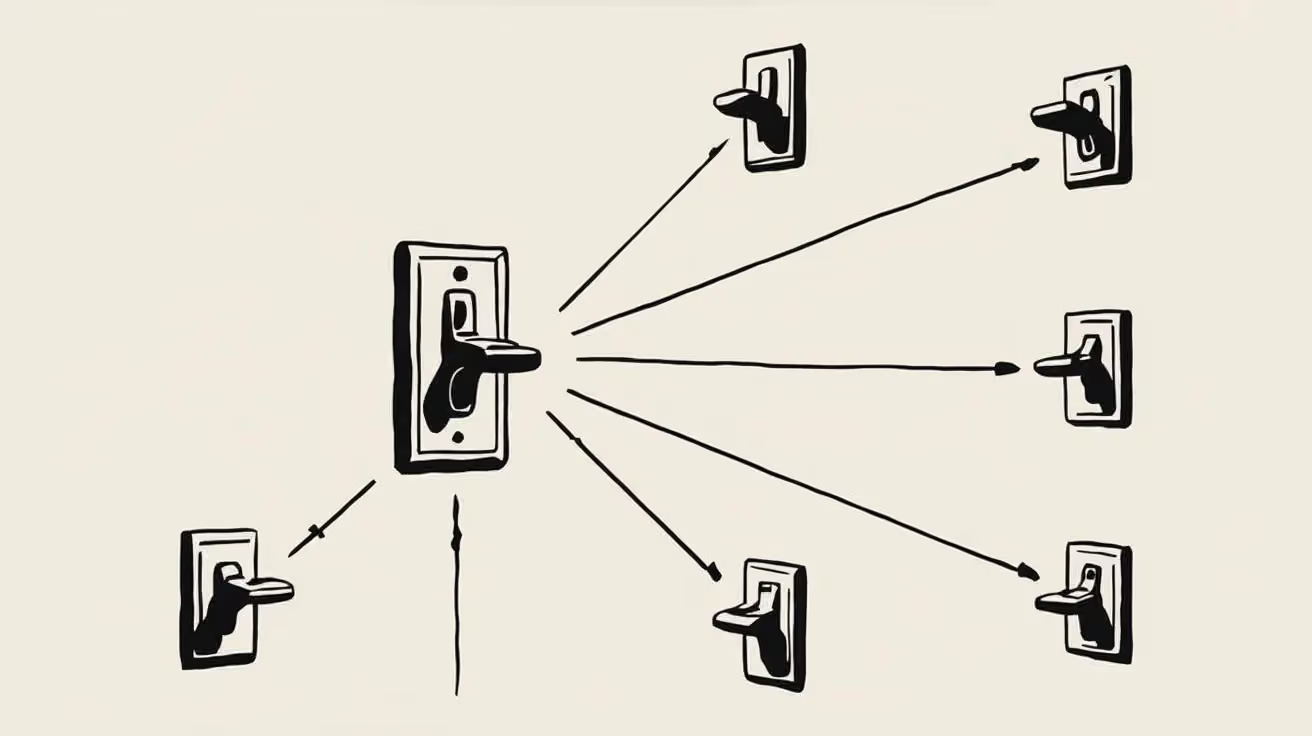
Every preference change in Courier now reaches your systems two ways. A `preferences:user:updated` webhook fires the moment a user opts in, opts out, or changes a topic's channels, wherever they made the change. `GET /preferences/logs` returns the history, newest first, with the previous value where Courier knows it. Keep your CRM, warehouse, or marketing tools in step with what users chose.

Courier vs Customer.io: 2026 messaging platform comparison
Courier and Customer.io both send across email, push, SMS, and in-app, but they are not priced or built the same way. Courier bills by the send, puts journeys, experiments, broadcasts, an in-app inbox, preferences, and 50+ delivery providers on one platform, and exposes all of it through an API, a CLI, and an MCP server. Customer.io bills by the number of profiles in your database and fits a marketing team that needs deep behavioral segmentation. This comparison covers pricing, journeys, channels, in-app messaging, localization, and preferences, with every competitor figure linked to Customer.io's own pages.