Human-in-the-loop for AI payment agents: building approval notifications that work
 Eric LeeMay 26, 2026
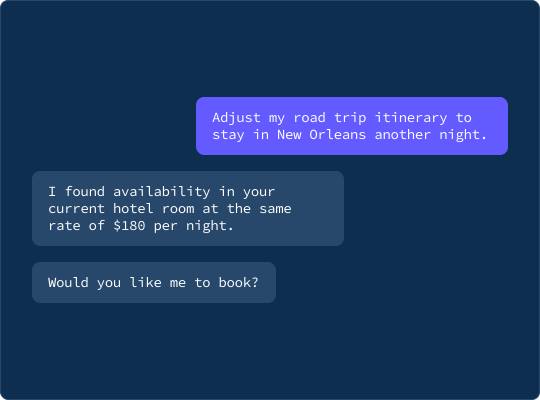
Stripe shipped agent wallets at Sessions 2026. An AI agent can now initiate a real purchase, pulling from a user's saved payment method, scoped to a specific transaction, without ever seeing the raw card number.
The agent doesn't get the payment credential until a human approves.
Before the credential releases, the user sees a notification: what the agent wants to buy, why, and how much. They approve or deny. Stripe calls this a spend request, and it's the user-facing piece of Stripe's Agentic Commerce Suite.
Every team building agent products will face the same question: where does your agent need a human in the loop, and what does that infrastructure look like?
Last week Courier shipped journeys as code, a public Journeys API with SDKs, a CLI, and an agent skill on top. The same primitives that build a re-engagement flow build a payment-approval flow. Define the journey once, invoke it from your agent, and let Courier handle delivery, escalation, and routing the human's decision back.
When an AI agent needs human approval
Agents are useful because they act without waiting for instructions at every step. That autonomy creates categories of risk: financial exposure, irreversible actions, decisions with consequences for users who didn't explicitly consent to them. The question isn't whether to add oversight. It's where.
Most agent products land in one of three places where humans belong in the loop:
Financial commitments. Anything that moves money, commits budget, or creates a financial obligation. Stripe's spend request pattern is the canonical example. The agent can identify the purchase, evaluate the options, and prepare the transaction. The human approves before the money moves.
Irreversible actions. Deleting data, sending communications to large user groups, deploying to production, terminating accounts. The agent can determine the right action with high confidence, and a human should confirm before something that can't be undone is done.
Decisions affecting other people. Anything that creates an experience for users who aren't part of the agent conversation: customer-facing communications, support escalations, policy exceptions. A human in the loop before these actions preserves accountability.
Deciding where the checkpoints are is a product decision. Getting a decision to the right human, with enough context, and routing the response back to the agent is an infrastructure problem.
Reaching a human when an agent is waiting
Once you've placed a checkpoint, you need to reach a human and get a decision back. Humans aren't waiting at a dashboard. They're in Slack, on their phones, in email. They ignore notifications when the context is thin. They have questions an approve/reject button can't handle. They miss things and nothing follows up.
A multichannel human-in-the-loop system needs to do several things well:
- Deliver with context. The human needs to see the current state, not what was true when the event fired. A fetch node that pulls live data before the notification goes out makes the difference between a reviewable approval and a guess.
- Reach the human wherever they are. Inbox, push, Slack, email, SMS. Send to all of them. The first channel that reaches the reviewer is the one that gets the response.
- Escalate if there's no response. Agents shouldn't wait indefinitely. If the first reviewer doesn't answer in 15 minutes, the workflow should escalate to the next person automatically.
- Support back-and-forth. A system that only supports approve/reject will get "reject" as a hedge when the reviewer isn't sure. If the reviewer can ask the agent a question and get an answer without leaving the notification, they make better calls.
- Bring the response back cleanly. Whatever channel the human used to respond, the decision needs to flow back to the agent in a consistent way.
The escalation workflow
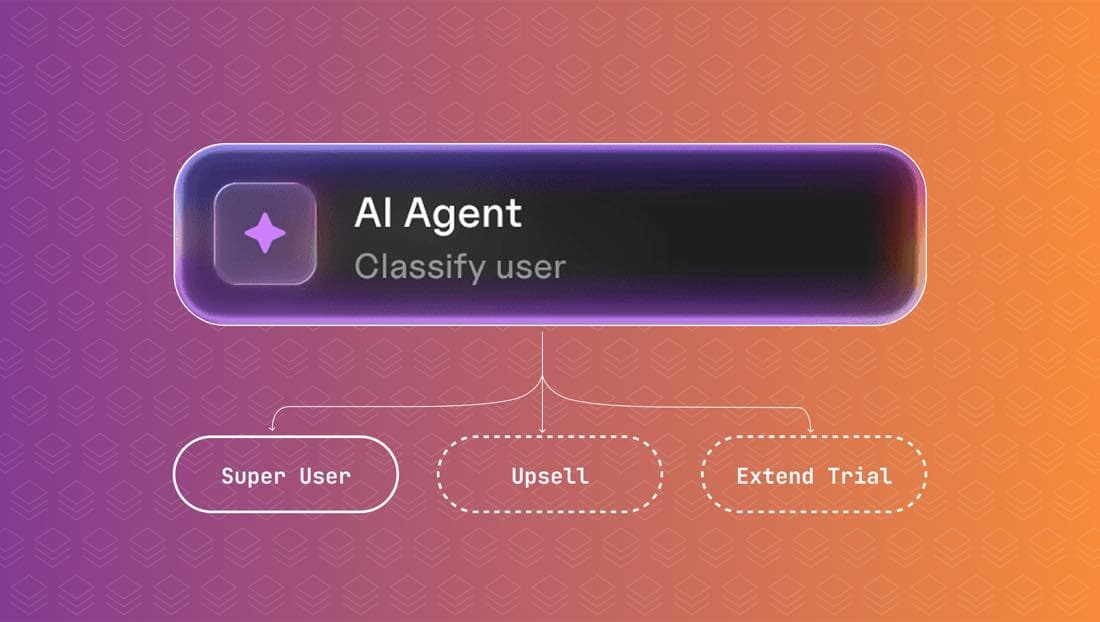
Courier Journeys are the workflow layer for escalation. Build the journey once, in the visual builder or via the Journeys API, and the agent triggers it with a single call. The journey handles everything from that point: fetching context, sending across channels, waiting, escalating, and routing responses.
Structure of a human-in-the-loop notification journey
A human-in-the-loop journey has four parts:
- A fetch node that pulls live data from your backend before any notification goes out: account state, decision context, whatever the reviewer needs to make a good call.
- Send nodes for each channel, with action buttons on the ones that support them (Inbox, Slack) and signed CTA URLs on Email and SMS. Push can carry a deep link to your response UI.
- A delay, typically 10 to 20 minutes, followed by a branch that checks whether a response has arrived. If not, an escalation path sends again via higher-urgency channels. SMS cuts through when everything else has been missed.
- A fetch node on the response path that POSTs the decision back to your agent API, so the agent knows to resume.
Once it's built, it has a stable ID. You don't touch it again unless the escalation logic changes. When it does, a non-engineer can update it in the visual builder without a deploy, or a coding agent can do it via the Journeys API.
Triggering a human approval from an AI agent
const APPROVAL_JOURNEY_ID = "journey_01abc123"; // set once at deployawait fetch(`https://api.courier.com/journeys/${APPROVAL_JOURNEY_ID}/invoke`, {method: "POST",headers: {Authorization: `Bearer ${process.env.COURIER_API_KEY}`,"Content-Type": "application/json",},body: JSON.stringify({recipient: { user_id: reviewerId },data: {action: "Deploy to production",context: "All tests passing. No open incidents.",confidence: 0.91,initiated_by: agentId,},}),});
The journey handles delivery, timing, escalation, and routing the decision back to the agent.
If your agent doesn't yet have notification tools wired up, the AI agent notification toolkit walks through connecting Courier to Claude Code, Cursor, and any agent that can call MCP tools or run shell commands.
Escalation notifications from a CLI or coding agent
For agents running in coding environments like Cursor or Claude Code, or any shell-based workflow, Courier's CLI can send notifications and trigger automation sequences directly from the command line:
courier send --user reviewer_456 \--title "Action needed" \--body "Agent is waiting on your approval" \--channels inbox,pushcourier track agent.escalation reviewer_456 \--action "Deploy to production" \--context "Tests passing"
Journey invocation goes through the HTTP API directly (the invoke snippet above). The CLI is useful for quick sends and event tracking during development and testing, not a replacement for the journey invoke call in production.
Handling approval responses across Slack, email, and SMS
The reviewer can respond from any channel, and each one fires a different kind of inbound signal. Your backend needs one handler that all of them call.
In Inbox, the onMessageActionClick callback fires when the reviewer clicks a button:
<CourierInboxonMessageActionClick={({ message, action }) => {handleReviewerResponse({decision: action.data?.decision,requestId: message.data?.request_id,reviewerId: message.data?.reviewer_id,channel: "inbox",});}}/>
In Slack, Courier sends a Block Kit message with interactive buttons. When clicked, Slack POSTs an action payload to your registered action URL. In Email, each CTA button is a signed URL that hits your API on click. In SMS, your provider fires an inbound webhook when the reviewer replies, and you parse the reply text and call the same handler.
All four paths converge on one place:
async function handleReviewerResponse(params: {decision: "approve" | "reject" | "ask";ticketId: string;reviewerId: string;channel: string;question?: string;}) {await db.update(params.ticketId, { responded: true, decision: params.decision });if (params.decision === "approve" || params.decision === "reject") {await notifyAgent(params.ticketId, params.decision);} else {await routeQuestionToAgent(params.ticketId, params.question!);}}
The first channel to fire marks the decision. If the reviewer approves in Slack and then taps approve on push ten seconds later, the second call is a no-op.
Letting reviewers ask the agent questions before approving
For ambiguous decisions, reviewers need more information before they can act. When a reviewer clicks "Ask Agent," your backend routes the question to the agent, waits for an answer, and re-invokes the journey with that answer in the data payload. The reviewer gets a follow-up notification across the same channels, with the same action buttons plus the agent's response, without opening a separate tool or tracking down the original request.
Stripe payment agents in practice
Stripe's spend request pattern handles the payment credential side of human approval. The agent declares intent, the user reviews it, and a one-time-use token releases when they approve. What Stripe doesn't handle is how that notification reaches the user, or what happens if they don't see it.
Courier handles that part. When your agent wants to initiate a purchase, it creates a Stripe spend request via the Stripe Agent Toolkit and invokes a Courier Journey simultaneously. The journey fetches the agent's purchase context, sends across all the channels the user is active on, and escalates if there's no response. The user approves in Slack or on their phone or in email, wherever they see it first. That approval releases the Stripe credential and resumes the agent.
Stripe handles the payment credential side: spend requests, scoped tokens, authorization. Courier handles getting the approval notification to the user, across whatever channels they actually check, with escalation if they don't respond. The same pattern applies to any checkpoint in your agent's workflow, not just purchases. Agentic payments are a 2026 story, and the Agentic Commerce Suite makes it concrete: the credential layer is solved, the notification layer is yours to build.
For teams comparing the broader category, see the customer journey orchestration tools guide and the best transactional email services round-up.
Getting started
Sign up for a free Courier account and get 10,000 notifications per month on the free tier. Build your first escalation journey in the visual builder, add a fetch node pointed at your context API, and connect the Inbox component for in-app action buttons. Layer a preference center on top so reviewers can tune which channels reach them for which kinds of approvals. During development, use the Courier CLI to send test notifications and trigger automation events from the command line. If you're working in an AI editor and want to debug delivery in real time, see how to debug notification delivery with MCP. For the full picture of how agents and notifications fit together, read Courier journeys, as code and Build with AI: let your agent handle notifications end to end.
Similar resources

Test Courier emails end to end with your AI agent
Give your coding agent an AgentMail inbox, and it can test your Courier emails the way a user would: send the change, check what arrives, review how it renders, and fix what it finds before the change reaches Production.

Let your agent check every email before it ships
Courier Device Preview gives your coding agent real screenshots from Outlook, Gmail, and Apple Mail. Here's the prompt and workflow to have it check every email, fix the draft, and check again before you publish.

Courier vs Customer.io: 2026 messaging platform comparison
Courier and Customer.io both send across email, push, SMS, and in-app, but they are not priced or built the same way. Courier bills by the send, puts journeys, experiments, broadcasts, an in-app inbox, preferences, and 50+ delivery providers on one platform, and exposes all of it through an API, a CLI, and an MCP server. Customer.io bills by the number of profiles in your database and fits a marketing team that needs deep behavioral segmentation. This comparison covers pricing, journeys, channels, in-app messaging, localization, and preferences, with every competitor figure linked to Customer.io's own pages.