

Invalid input.
- Inline HTML block (this page): an HTML fragment (e.g. a
<div>or<table>) that sits among your other blocks in a channel. Best for mixing one custom section into an otherwise drag-and-drop email. - Whole-email HTML: a complete
<!DOCTYPE html>document set on the channel’sraw.html, which replaces the rendered body for that channel. Best for porting a legacy HTML email.
Which should I use?
Adding an inline HTML block
- In Design Studio, select a channel.
- Add an HTML block from the block sidebar or toolbar.
- Enter your HTML in the block editor.
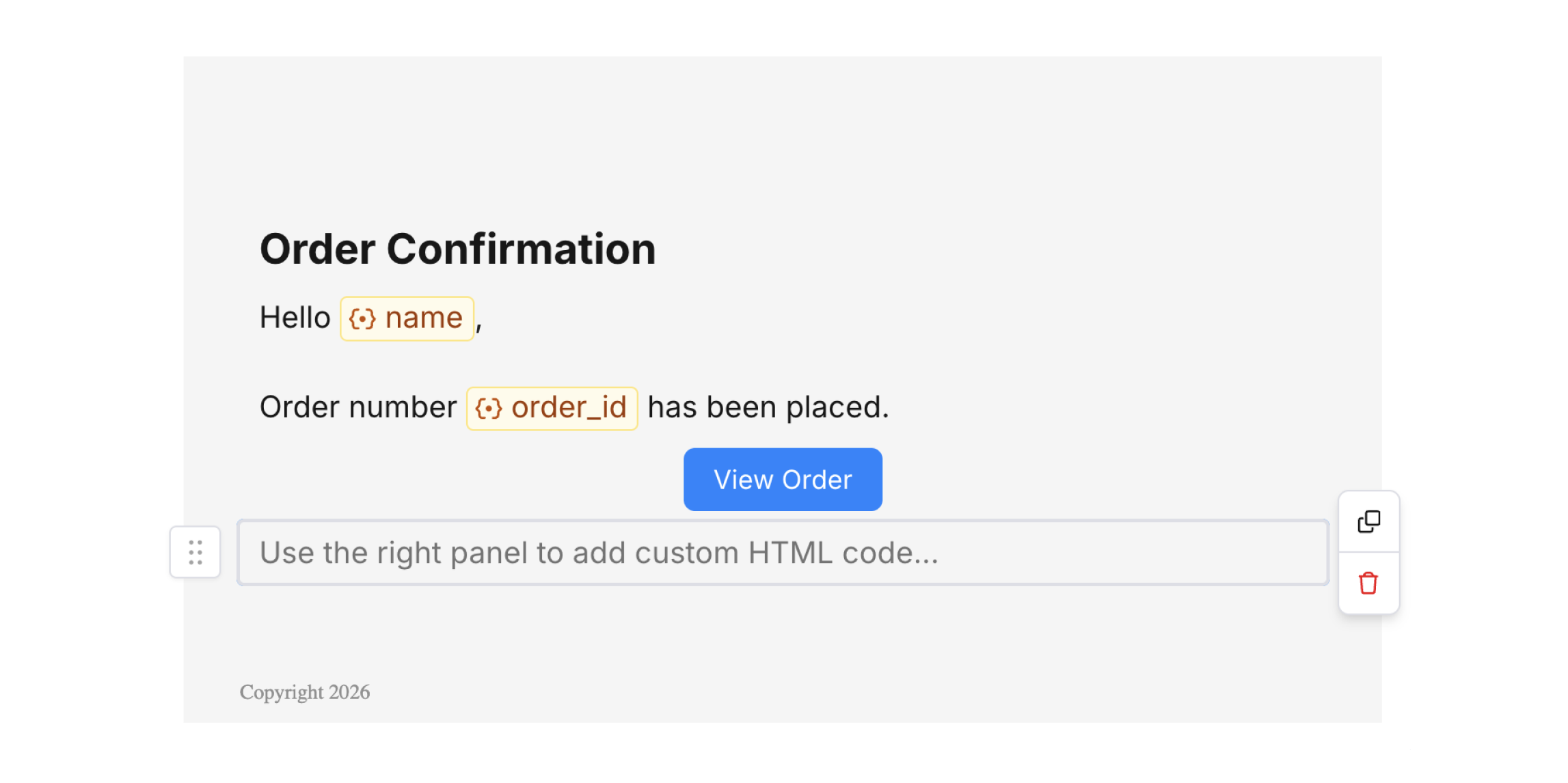
HTML Block
An inline HTML block is a fragment, not a full page. Don’t include
<!DOCTYPE html>, <html>, <head>, or <body> — Courier composes your markup into the email alongside the other blocks. For a full document, use whole-email HTML instead.HTML editor
The HTML block offers an inline code editor in the right panel. Enter standard HTML (like<div>, <table>, or <img>) and inline CSS for custom layouts or tracking (e.g., analytics pixels).
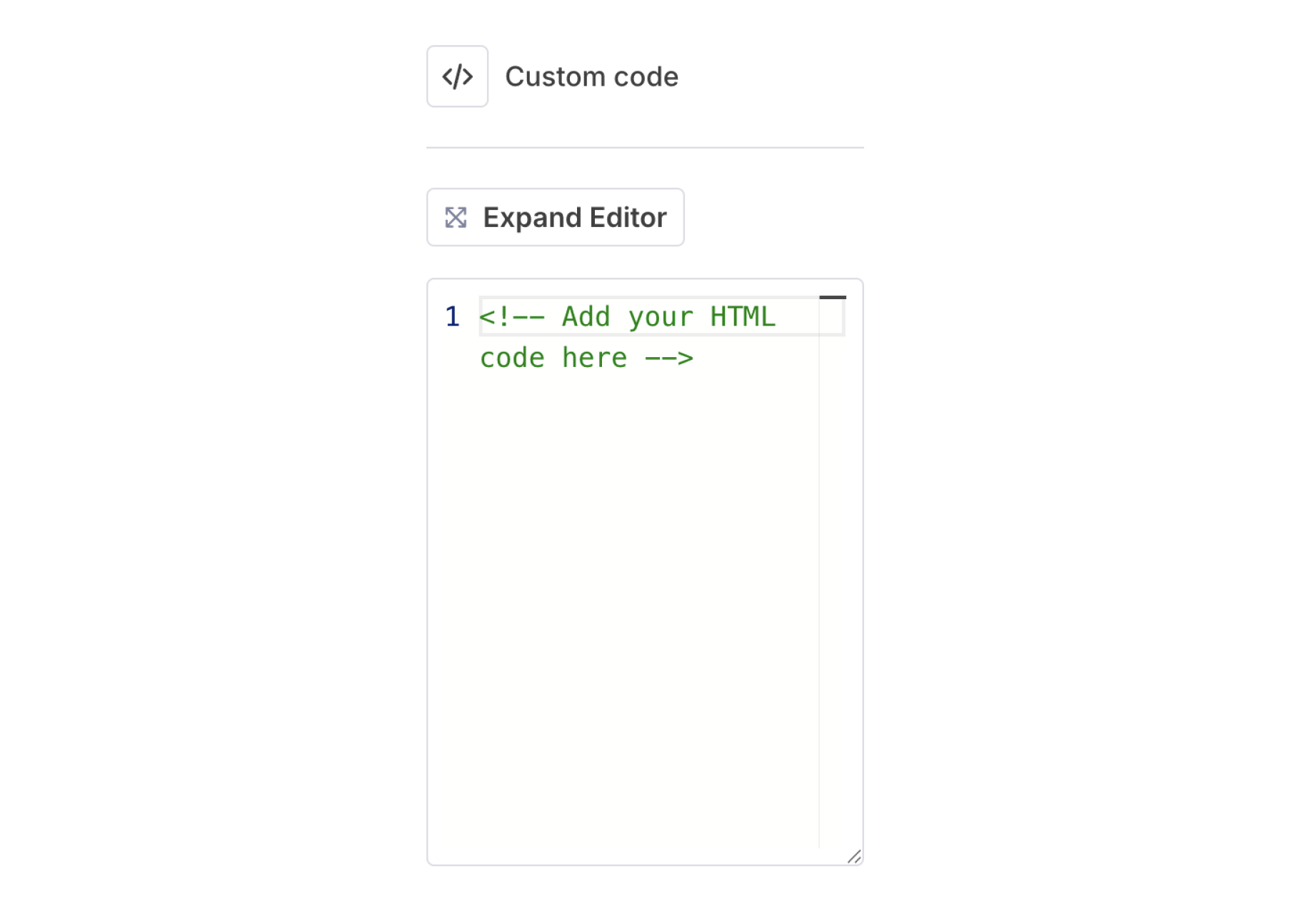
HTML Editor
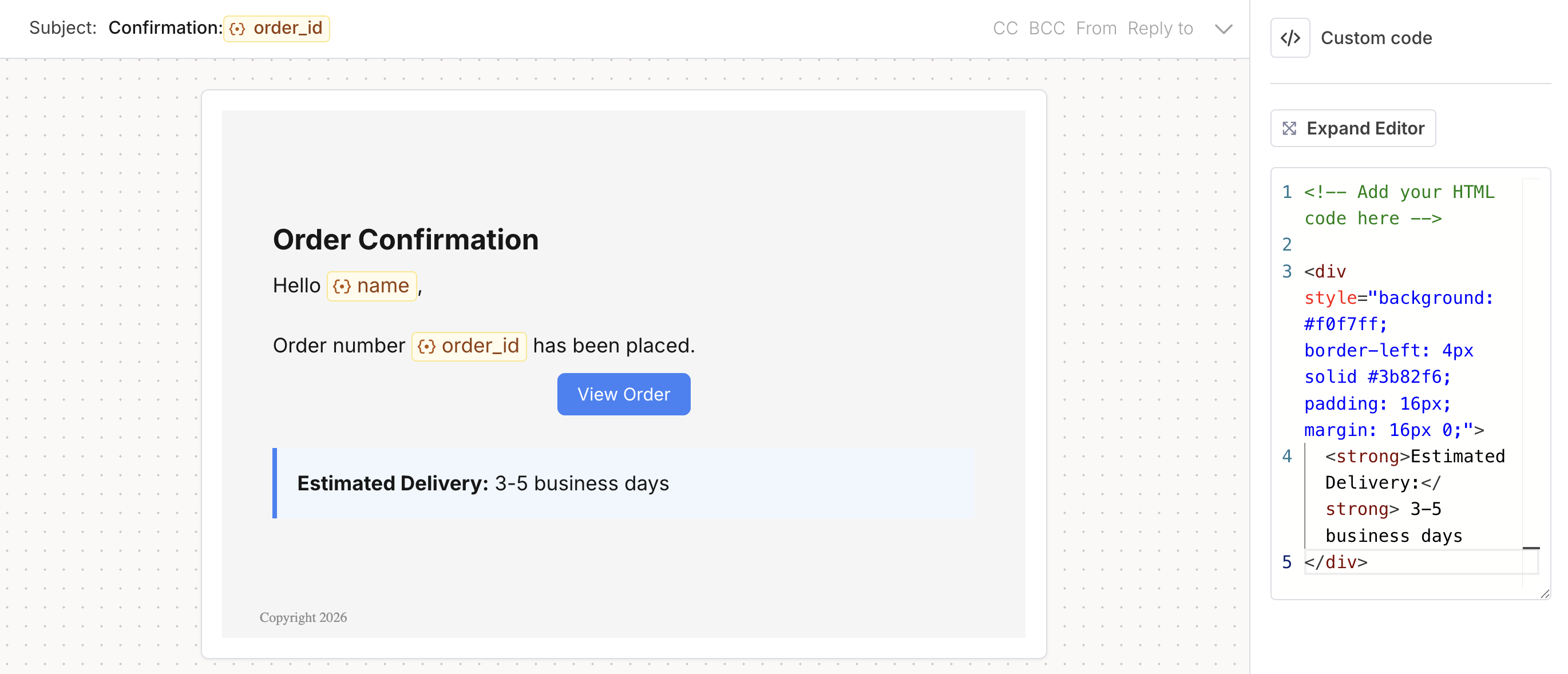
Rendered Example
Variables and Handlebars
HTML blocks support variables using the{{variable}} syntax and the full range of Handlebars helpers, including {{#if}} for conditionals and {{#each}} for looping. In an inline HTML block, Handlebars resolve automatically — no transformer configuration required.
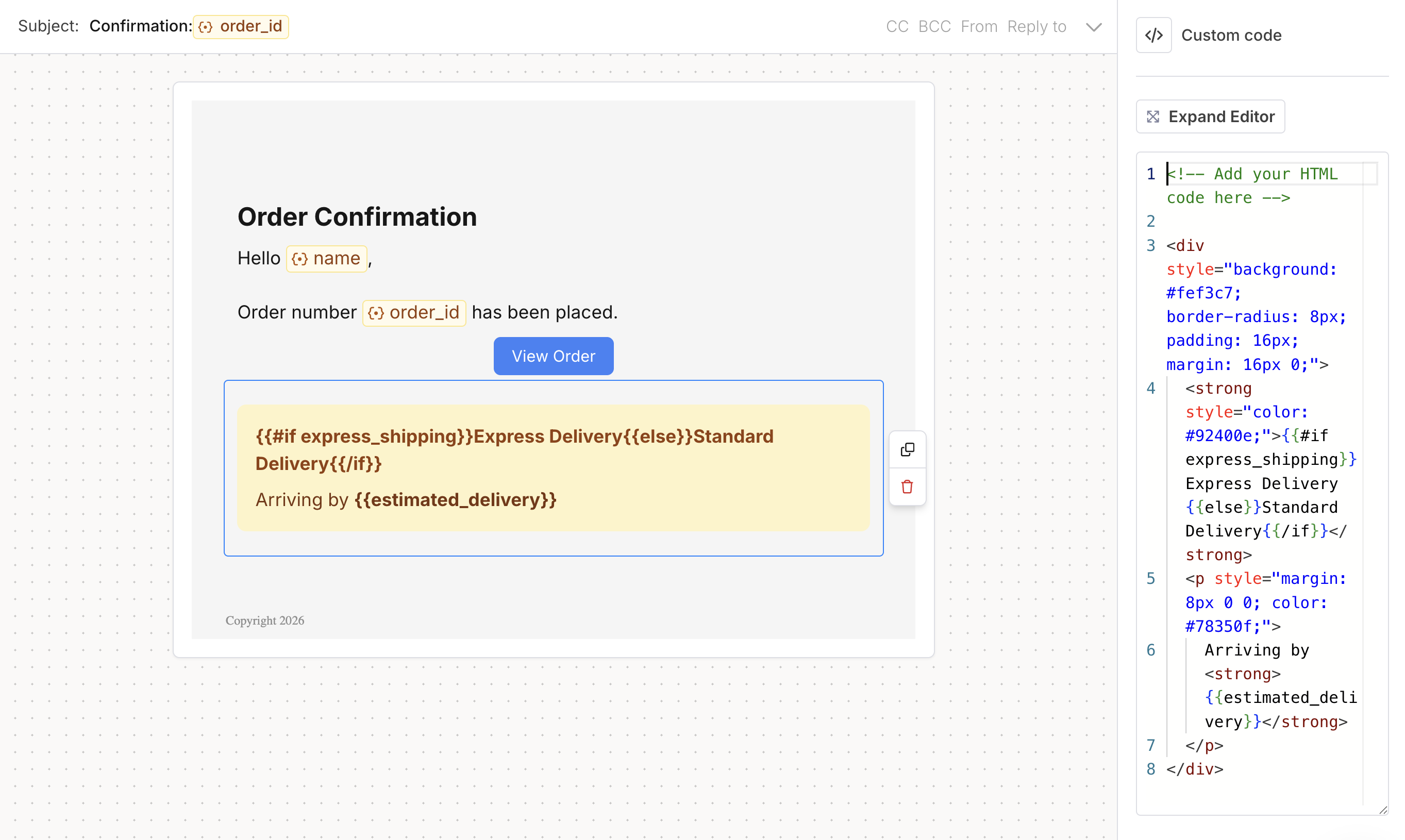
Handlebars Example
Variables and Handlebars expressions in HTML blocks only resolve on actual send; during preview mode, you see the raw syntax, not sample values.
Send a full HTML email
To use a complete HTML document — for example, porting a legacy email — put it on the email channel node’sraw.html and declare the handlebars transformer so {{variables}} resolve. The meta title sets the subject line; raw.html replaces the rendered body for that channel.
POST /notifications, PUT /notifications/{id}/content, and POST /send, and renders your markup verbatim.
Authoring via the API
The inlinetype: "html" block can be authored in Design Studio and sent inline via POST /send. It is not currently writable through the Templates API write endpoints: sending an inline type: "html" element to POST /notifications or PUT /notifications/{id}/content returns Invalid input.
Best practices
- Use a fragment for inline blocks (no
<html>/<head>/<body>wrapper); use whole-email HTML when you need a full document. - Keep markup minimal and test across channels and email clients.
- Use variables for dynamic content rather than hardcoding.
Related
Channel element
Channel-level
raw.html and overridesCreate and Edit Templates via API
Create and update templates programmatically
Variables
Dynamic content in code
Email-Safe Formatting
Tips for reliable HTML and CSS
Invalid input.
Inline HTML block
An HTML fragment (like a
<div> or <table>) placed among your other blocks in a channel. Best for one custom section in an otherwise drag-and-drop email.Whole-email HTML
A complete
<!DOCTYPE html> document on the channel’s raw.html that replaces the rendered body. Best for porting a full HTML email or authoring HTML through the API.When to use each
Add an inline HTML block
An inline HTML block is a fragment, not a full page. Leave out
<!DOCTYPE html>, <html>, <head>, and <body>: Courier composes your markup into the email alongside the other blocks. For a full document, use whole-email HTML instead.<div>, <table>, or <img>) and inline CSS for custom layouts or tracking, such as analytics pixels.
Your changes appear in the canvas preview as you type.
HTML blocks support variables using the {{variable}} syntax, plus the full range of Handlebars helpers, including {{#if}} for conditionals and {{#each}} for looping over arrays. Inside an inline HTML block, Handlebars resolve automatically, with no transformer configuration required.
Variables and Handlebars expressions in HTML blocks resolve on send. During preview mode, you see the raw syntax, not sample values.
Send a full HTML email
To use a complete HTML document, for example when porting an existing email, put it on the email channel node’sraw.html and declare the handlebars transformer so your {{variables}} resolve. The meta title sets the subject line, and raw.html replaces the rendered body for that channel.
POST /notifications, PUT /notifications/{id}/content, and POST /send, and it renders your markup as written.
Author HTML through the API
You author inline HTML blocks in Design Studio, and you can send one inline withPOST /send. The Templates API write endpoints don’t accept an inline type: "html" element yet: sending one to POST /notifications or PUT /notifications/{id}/content returns Invalid input.
- Use a fragment for inline blocks (no
<html>,<head>, or<body>wrapper), and use whole-email HTML when you need a full document. - Keep your markup minimal and test it across channels and email clients.
- Use variables for dynamic content instead of hardcoding values.
Channel element
Channel-level
raw.html and overrides.Create and Edit Templates via API
Create and update templates programmatically.
Variables
Add dynamic content to your markup.
Email-safe formatting
Keep your HTML and CSS rendering reliably.